
The WordPress Search Plugin That Finds Anything As Visitors Type

Visitors leave when they cannot find what they came for. This page explains how to add instant, as-you-type search to WordPress with one shortcode, and how its search insights and member activity show you what people look for, so you know what to create next.
A good WordPress search plugin shows results the moment a visitor starts typing, finds the right page even when they use different words, and tells you what people searched for and couldn’t find. The default WordPress search does none of that.
ResultsAiX Search & Member Activity does all three from one shortcode, on your own site, with no outside service. This guide covers what site search has to get right, how to set it up on a big site, and the insights that make it pay for itself.
The Quiet Leak In Almost Every WordPress Site
Nobody complains about bad site search. They just leave. A visitor who can’t find the page they came for doesn’t email you about it. They hit the back button, and your analytics files it under bounce.
The default WordPress search reloads a whole page, ranks poorly and misses matches people expect. Meanwhile your visitors spend all day in Google, YouTube and Amazon, where results appear before they finish typing. That’s the bar now.
If your site has more than about ten pages, search isn’t a nice extra. It’s the difference between your best content working for you and sitting three clicks deep where nobody looks.
What A WordPress Search Plugin Must Get Right
Four things separate search that helps from search that frustrates.
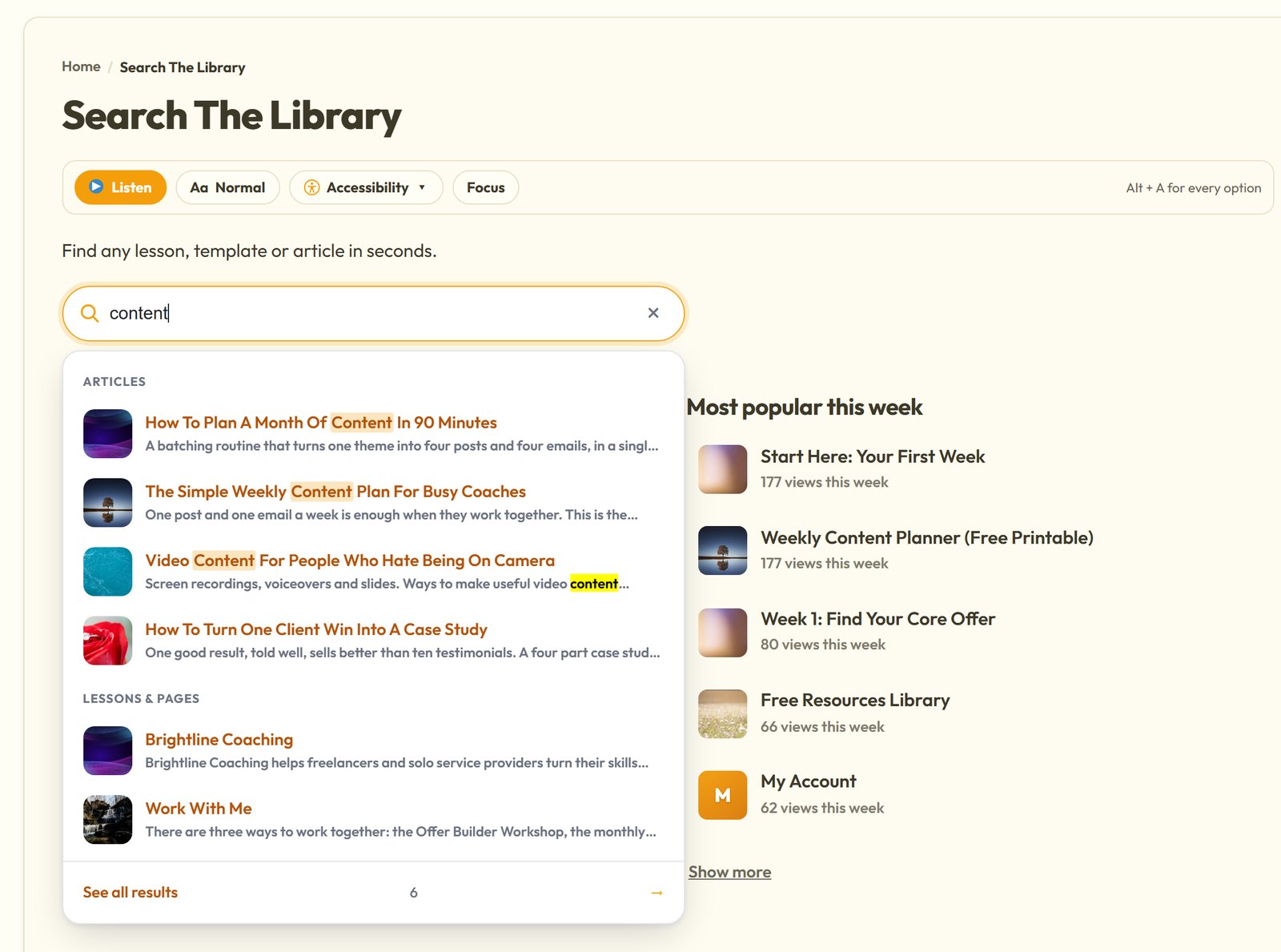
Speed. Results in a dropdown as the visitor types, with no page reload.
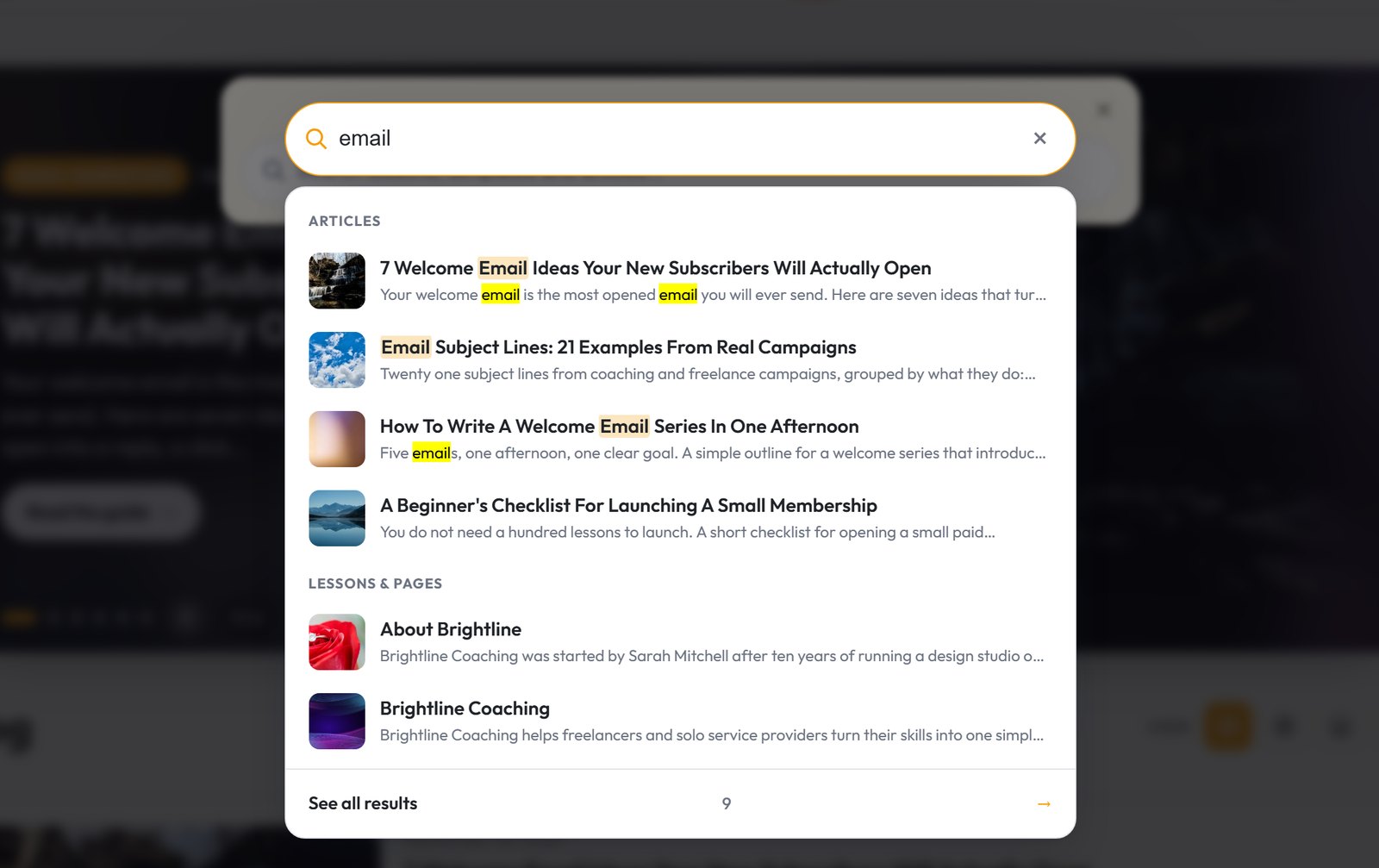
Relevance. Titles, categories and content weighted so the best match wins, grouped by content type, with the searched words highlighted so the right result jumps out.
Recognition. A picture on each result, because people recognise faster than they read.
Feedback. You need to see what people search for, and above all, what they search for and don’t find.
One Shortcode, However Big The Site
Setup takes under five minutes. Paste [[results_ai_search]] into any page, post or widget, or put it in your theme header so it’s site-wide. There’s a Gutenberg block and a classic widget too, and it works with any page builder.
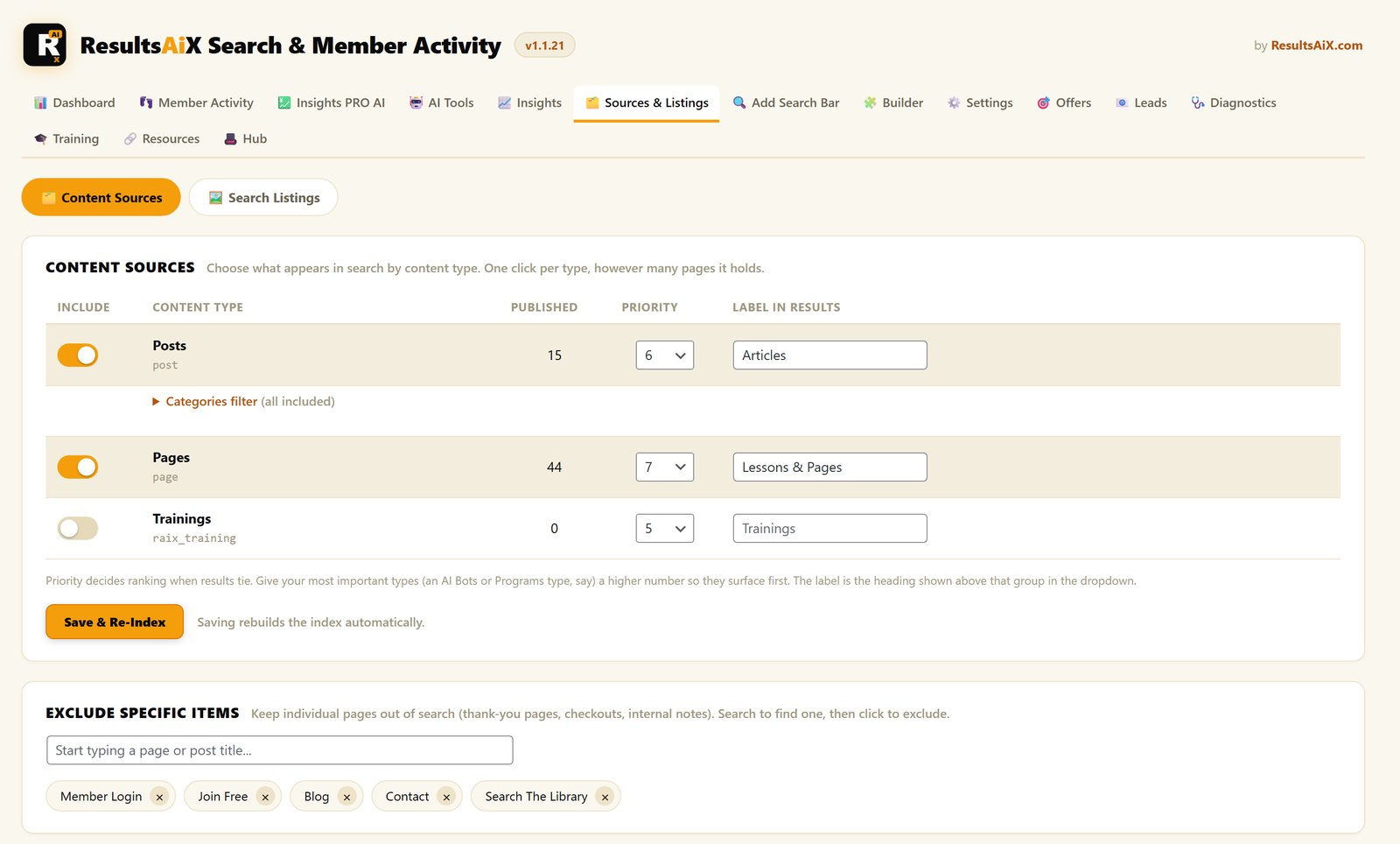
Then choose what shows up. This is the part I cared about most for big sites. You don’t tick a thousand boxes. You switch content on by type: pages, posts, store products and any custom type you run, each with one toggle. A thousand pages is still one click.
- Priorities, so your most important content ranks first when it matches.
- Category filters and grouping, when a bar should only cover one part of the site.
- Exclusions, so checkout and thank-you pages never show up in results.
- Pictures, from the featured image automatically or a custom search image, with a manager that lists everything missing a picture first.
- A different bar in each spot, each with its own settings.
The bar inherits your site font out of the box, so it looks like it belongs. You can set an accent colour, pick a style or add your own CSS. It’s responsive on phones, works with arrow keys and Enter, and supports screen readers.
On big sites it builds its own lightweight index and searches that, so it stays fast across thousands of pages. The index refreshes itself as you add, edit or remove content, and the bar only loads where you place it.
The Power-User Layer
There’s a Ctrl+K spotlight, so visitors can search from anywhere on your site, the way they already do in the apps they use every day. There’s a full search results page for when they press Enter.
Synonyms let you teach it that “vid” means “video”, so the words visitors use reach the pages you mean. Pinned results let you put a page at the top for the searches that matter, like the guide you most want people to read.
The Insights Are Where The Money Is
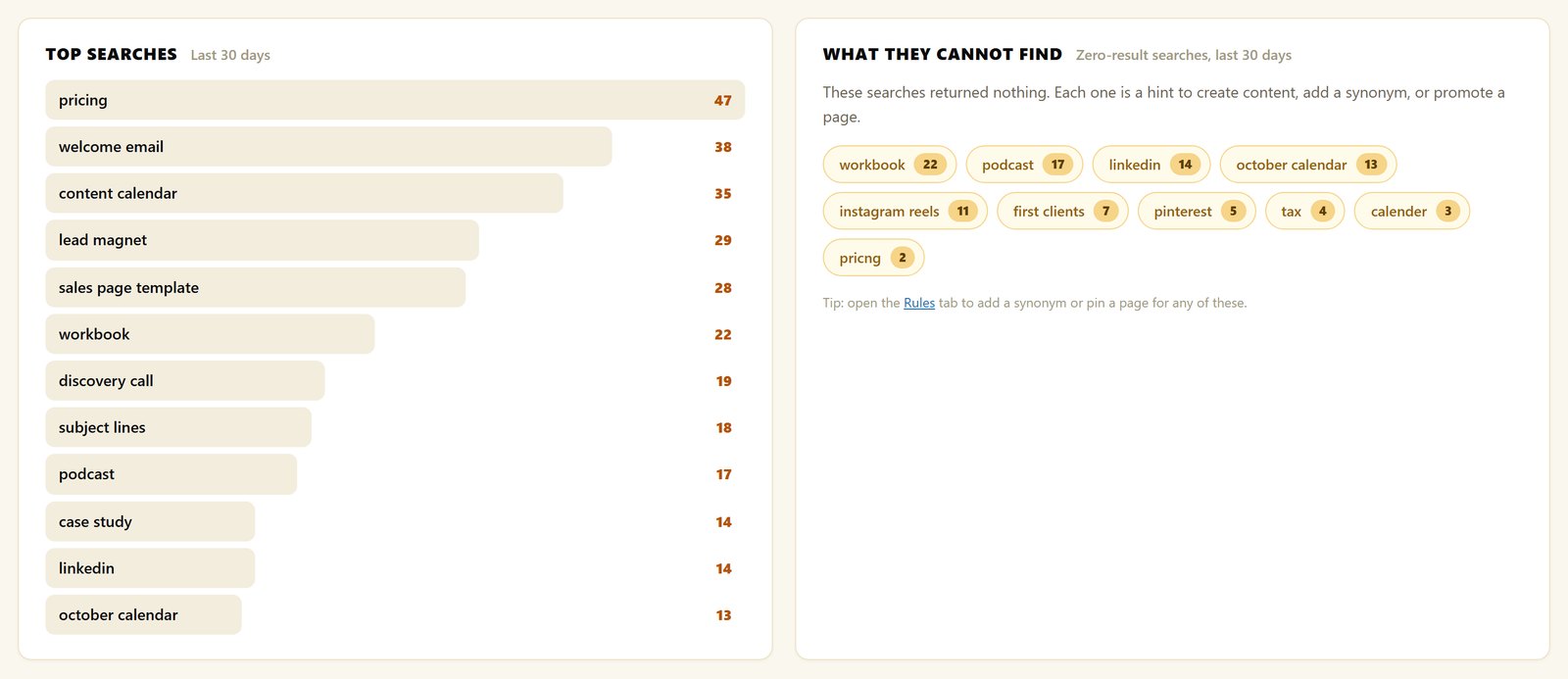
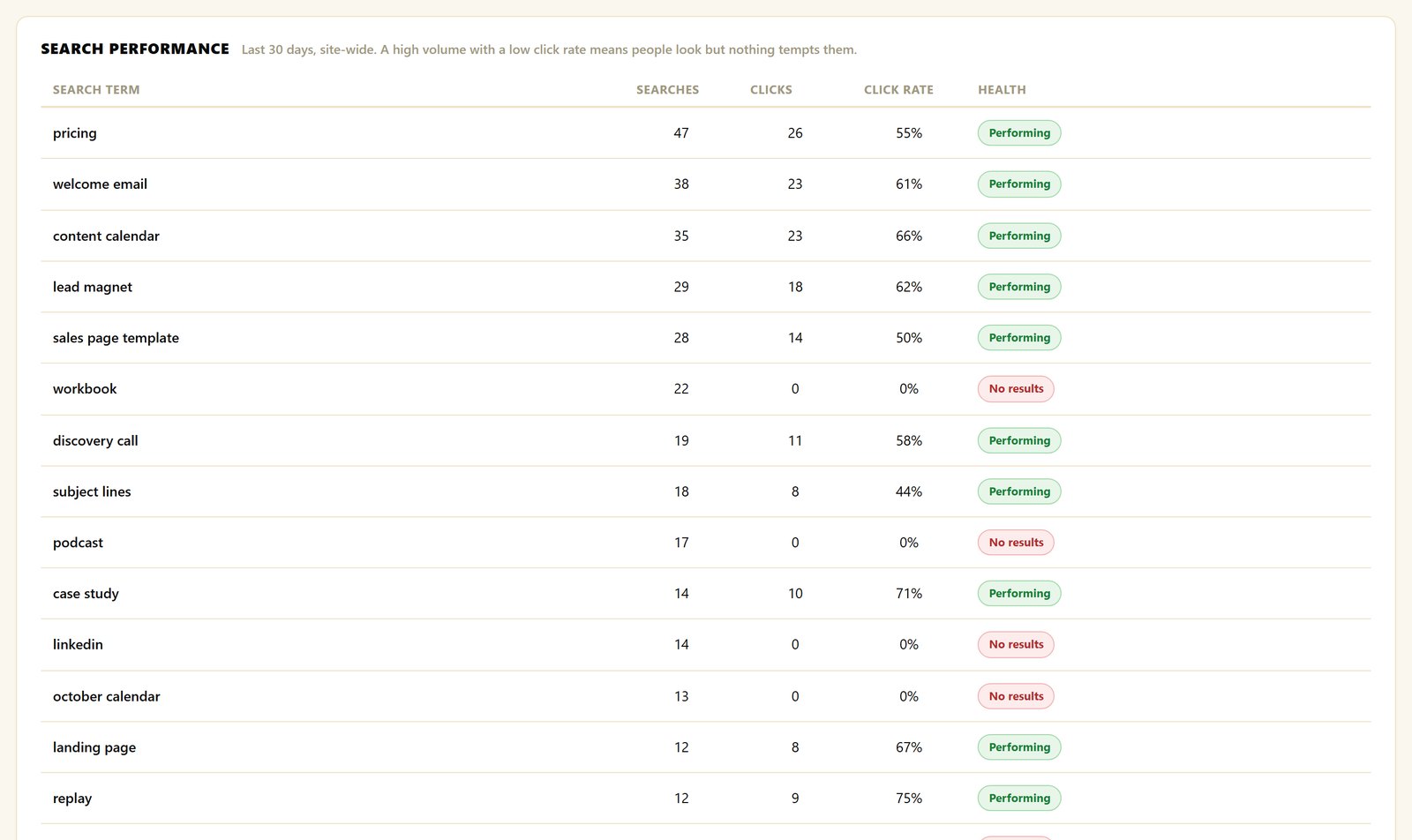
Every search on your site is a visitor telling you, in their own words, exactly what they want. The built-in Insights collect it: top searches, result clicks and search volume over time, inside WordPress with no third-party analytics.
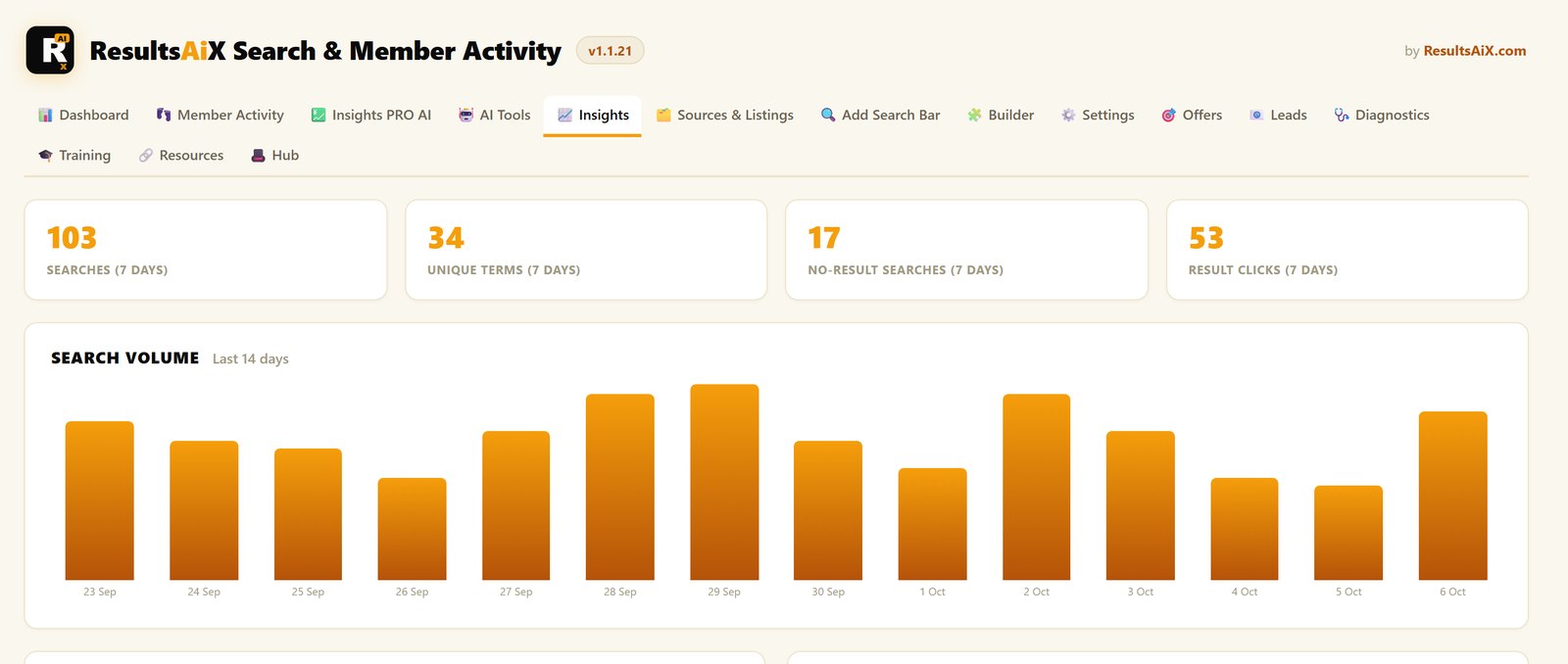
The report worth the whole setup is the one most sites never see: searches that came back empty. That list is a content plan written by your own audience. People searched your site for it and found nothing. Build what that list asks for.
What PRO Adds, Including Member Activity
ResultsAiX Search comes with PRO inside the Bundle, and PRO is where it goes further than any search plugin I’ve used. It’s one plugin and one key, so nothing extra to install.
Member Activity
Search tells you what visitors want. Member Activity tells you what your members actually do. Every signed-in member gets a pick-up-where-you-left-off list with the pages they were last reading, their favourites and what’s popular with other members.
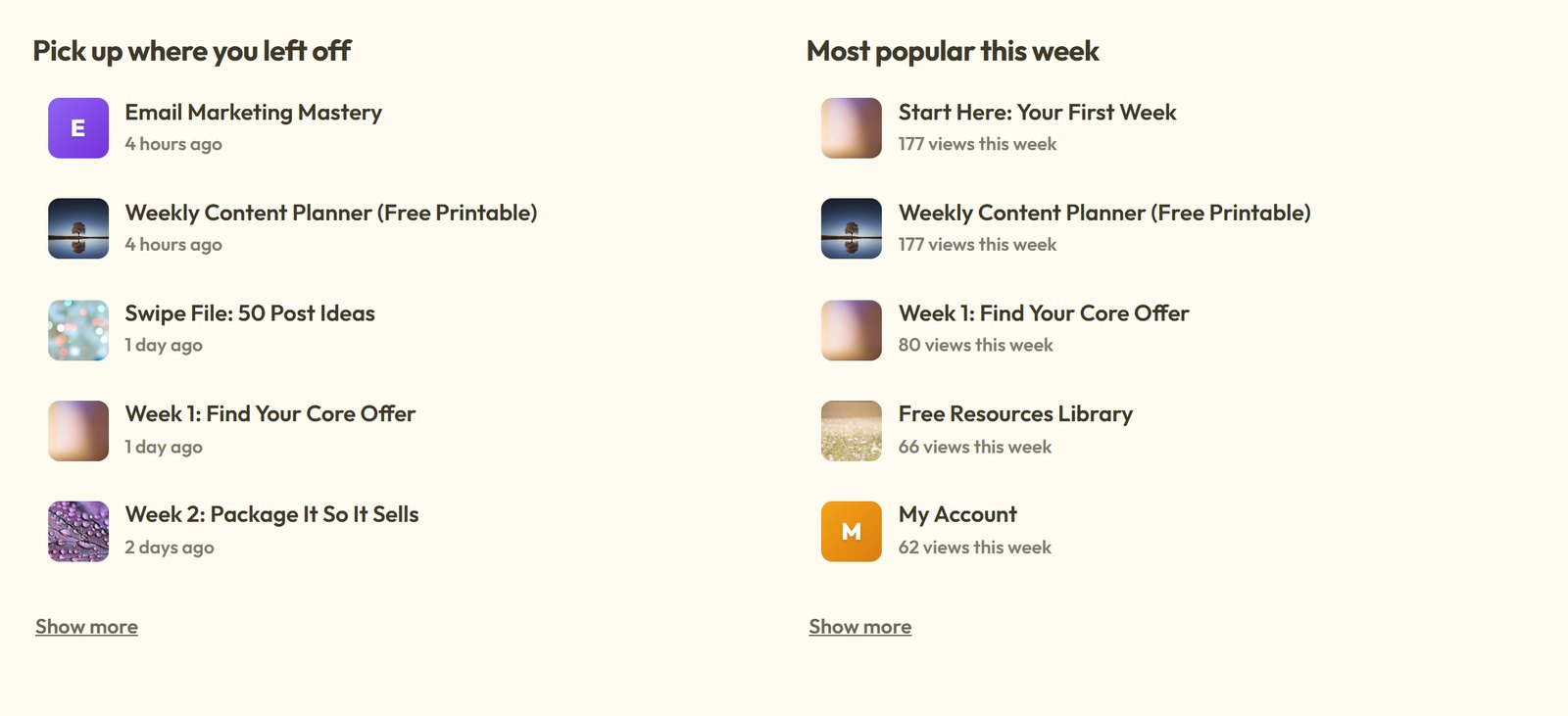
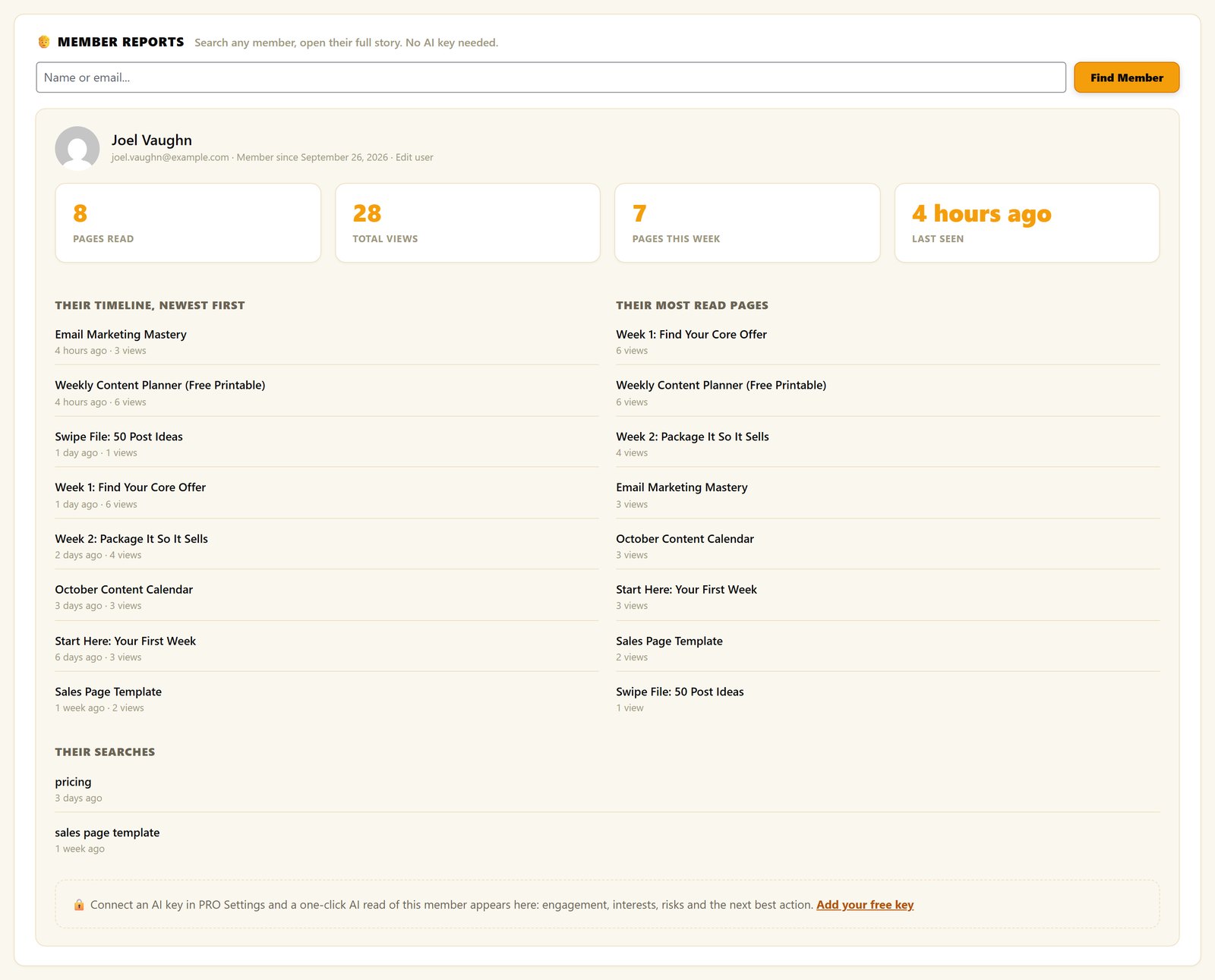
You get a live member report: who’s inside right now, what they’re reading, a daily activity chart and the content nobody has found yet. Search any member by name or email and open their whole story, with their timeline, most-read pages and searches. If your site already keeps an activity log, one click imports months of history.
AI On Your Own Data
The AI Analyst Report reads your search log and member activity together and tells you what’s working, what needs fixing and your three moves for the week. Ask AI lets you ask questions like “who are my most engaged members?” in plain language, with every answer showing how it was worked out.
The AI Listings Writer is a quiet favourite. WordPress builds result descriptions from the first text it finds, which on many sites is a popup, a cookie notice or a copyright line, repeated on every result. One click writes a clean description for every page.
These run on your own key. Google Gemini has a free tier that’s plenty for this, and OpenAI and Claude work too. Every data feature works with no AI key at all.
More In PRO
Typo tolerance, results filters, member-aware results that hide anything a member’s plan can’t open, a mode for online stores, PDF and custom field indexing, an AI Answer Box that answers from your own content, search-triggered offers, and zero-result lead capture that turns missing content into subscribers.
How It Works For Everyday Businesses
The Content Site
Years of posts, and readers only ever see the last five. With instant search and a pinned result on the most important search, the best evergreen guide is one keystroke away, and the insights show it getting found.
The Store
Shoppers who search buy far more often than shoppers who browse. Products, prices and SKUs appear as they type, and synonyms catch the words buyers use that your catalogue doesn’t.
The Membership
The fastest way to cut refunds is to help members find what they paid for. Member-aware results show each person only what their plan opens, and Member Activity shows you who’s stuck.
The Support Site
Every answered search is a ticket you never get, and the empty-search report tells you which help article to write next.
Default Search vs Hosted Search vs ResultsAiX Search
- Results as you type: default WordPress search reloads the page. ResultsAiX Search shows a dropdown instantly.
- Where it runs: hosted search services index your site in their cloud. ResultsAiX Search runs entirely on your own WordPress, with nothing to sign up for.
- Search analytics: none by default. ResultsAiX Search has Insights built in, including empty searches.
- Members: no other search plugin I know of watches what members read. ResultsAiX Search does, with PRO.
Site Search Mistakes To Avoid
Indexing everything. Legal pages and thank-you pages don’t belong in results. Switch content types on deliberately, because relevance is as much about what you leave out.
Ignoring the empty-search report. It’s the best free market research your site produces. Check it monthly and build what it asks for.
No pictures on results. A text-only list makes visitors read. Pictures let them recognise.
Burying the bar. Search in the footer is decoration. Put it where eyes go: the header, the hero, the members area home page.
Getting Started
First, put ResultsAiX Search on your site and place the shortcode in your header or hero.
Second, switch on your content types and set priorities for the pages that matter most.
Third, fill the missing pictures with the image manager, starting with your top pages.
Fourth, read the insights after a couple of weeks. Pin the winners, add synonyms where people use different words, and build the pages the empty-search report asks for.
If you run a members area, read how ResultsAiX Membership works. For the full list of tools I use alongside it, see the 10 tools I run my business on.
See It Working On A Real Site
Frequently Asked Questions
What Is The Best Search Plugin For A Large WordPress Site?
One that builds its own index on your site, shows results as people type, and tells you what they couldn’t find. ResultsAiX Search does all three from one shortcode and stays fast across thousands of pages.
How Do I Add The Search Bar?
Paste [[results_ai_search]] into any page, post or widget, or into your theme header for a site-wide bar. You can also use the Gutenberg block or the classic widget.
Will It Slow My Site Down?
No. It searches its own lightweight index, so it stays fast on big sites, and the bar only loads where you place it.
Does It Work With My Theme And Page Builder?
Yes. It inherits your theme font and works with the block editor and any page builder. You can adjust the accent colour, style or CSS.
Does It Handle Typos And Synonyms?
Synonyms are built in, and pinned results let you choose what tops a search. Typo tolerance is part of PRO, which comes with the Bundle.
Does It Need An Outside Service?
No. Everything runs on your own WordPress site, with nothing to sign up for and no usage fees.
How Do I Get It?
ResultsAiX Search, with PRO and Member Activity, comes inside the ResultsAiX Bundle, with a 3-site licence and a 30-day money-back guarantee.
Can I Control What Appears In Results?
Yes. You switch content on by type with one toggle each, set priorities so your most important content ranks first, use category filters when a bar should only cover one part of the site, and exclude pages like checkout and thank-you. Pinned results put a page at the top for the searches that matter.
What Are The Insights?
Built-in reports of top searches, result clicks and search volume over time, inside WordPress with no third-party analytics. Plus the searches that came back empty, which is a content plan written by your own visitors.
Can I Run More Than One Search Bar?
Yes. Place a bar with the shortcode, the Gutenberg block or the classic widget, and give each one its own settings.
Let Visitors Find Anything, Instantly
One shortcode, Google-style instant results. Grouped by content type, search terms highlighted. Insights show the searches that return nothing.


