
How I Moved 568 Thrive Pages Onto A New Theme In Minutes

568 pages built over five years, moved onto a new theme in minutes. The move tool checks every page first, lets you preview and pick what moves, keeps every link, video and members-only lock, and can undo it all.
I had 568 pages inside my members area, every one of them built with a page builder over about five years. Training days, AI bot pages, download pages, course modules. All of it locked into one builder.
Moving them by hand was never going to happen. Say ten minutes a page if nothing went wrong, and something always does. That’s roughly ninety-four hours of copying, pasting and checking, with hundreds of chances to lose a members-only lock along the way. So I had page moving built into the ResultsAiX Theme instead. Here’s how it works, what it checks, and what it won’t do.
What Moved
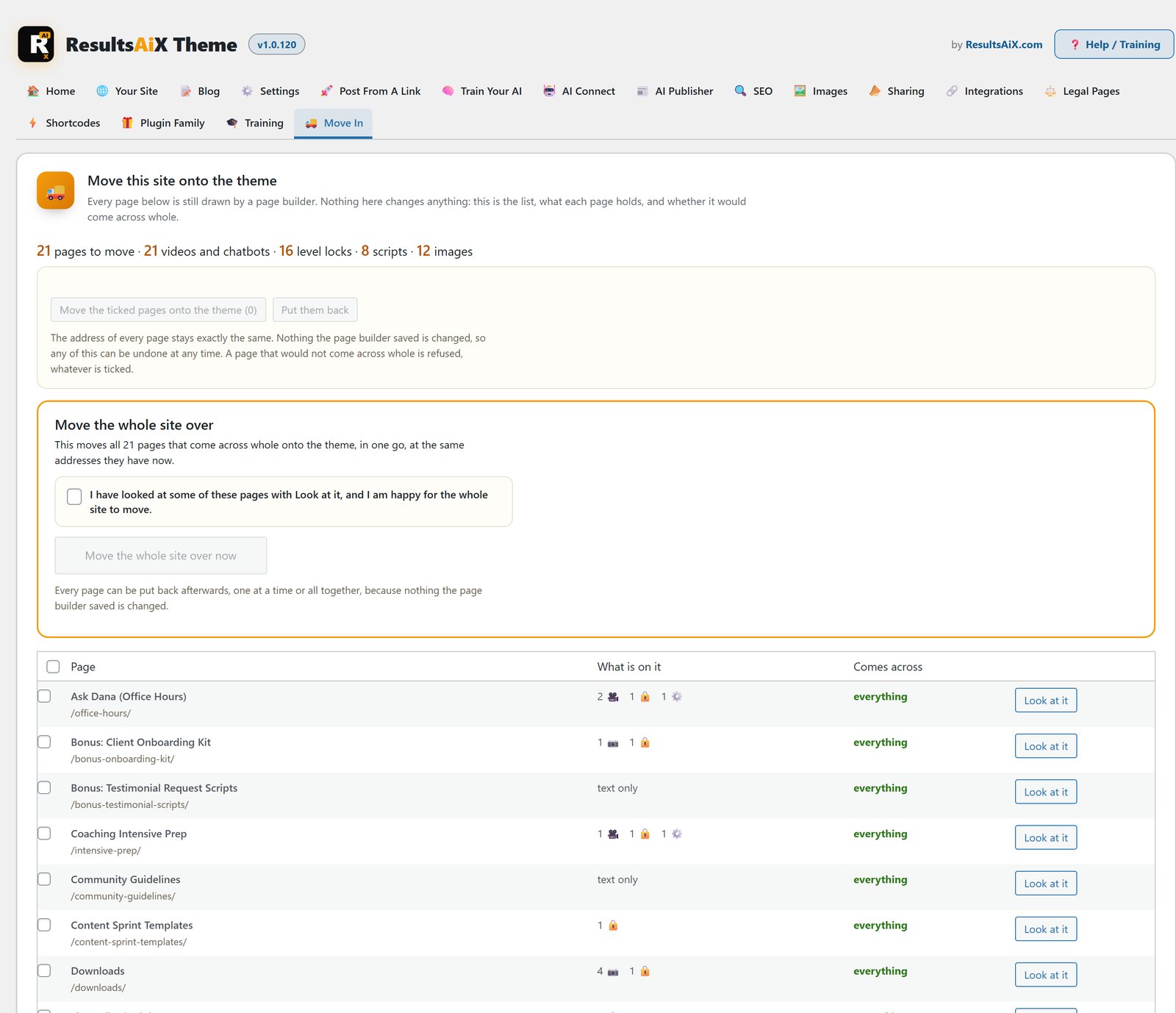
This is the count off the screen before I pressed anything. The tool reads your pages and tells you what’s in them first, so you know what’s at stake.
Watch it happen
- 568 pages
- 588 videos and chatbots
- 562 members-only locks
- 128 scripts
- 3,299 images
Every one of those came across. Not most of them. Every one. And every page kept the exact web address it already had, so no link I’ve ever sent out, in an email, a course or a Facebook post, stopped working.
How It Works, Start To Finish
1. It Shows You The List Before It Touches Anything
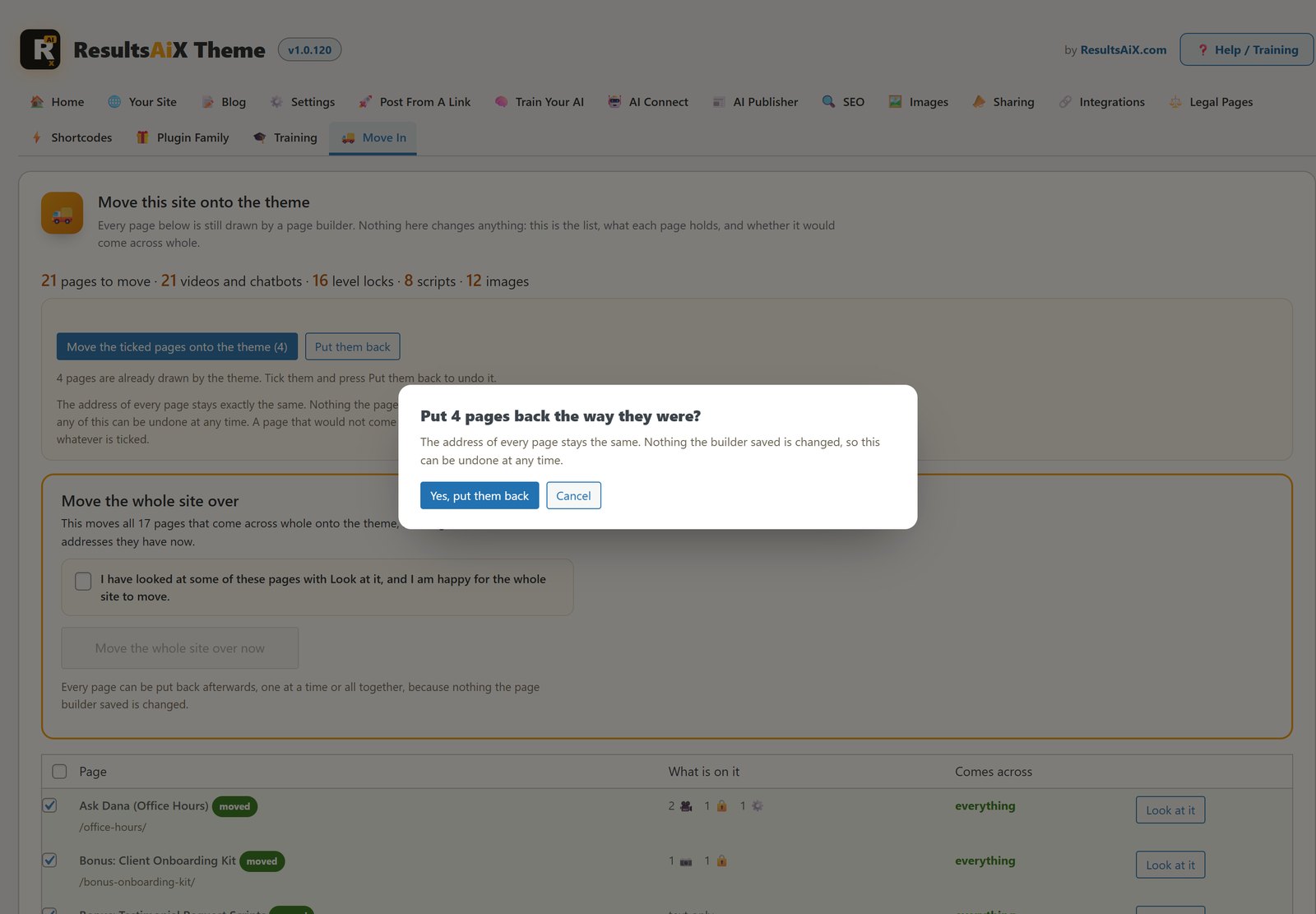
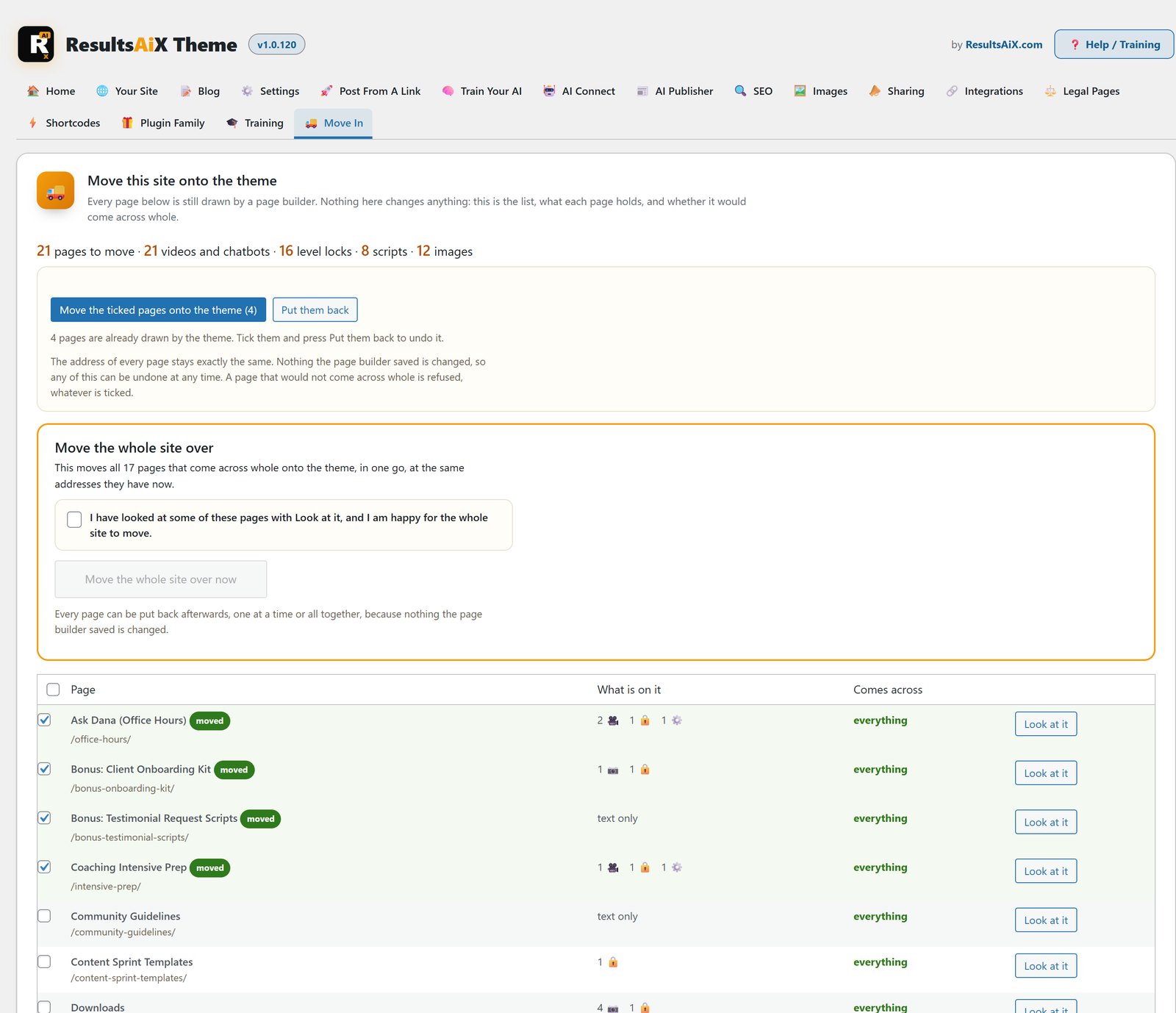
A tab appears in the theme called Move In, and it only appears if your site actually has page builder pages to move. It lists every one of them, what’s on it, and whether it would come across whole.
2. You Look At One First
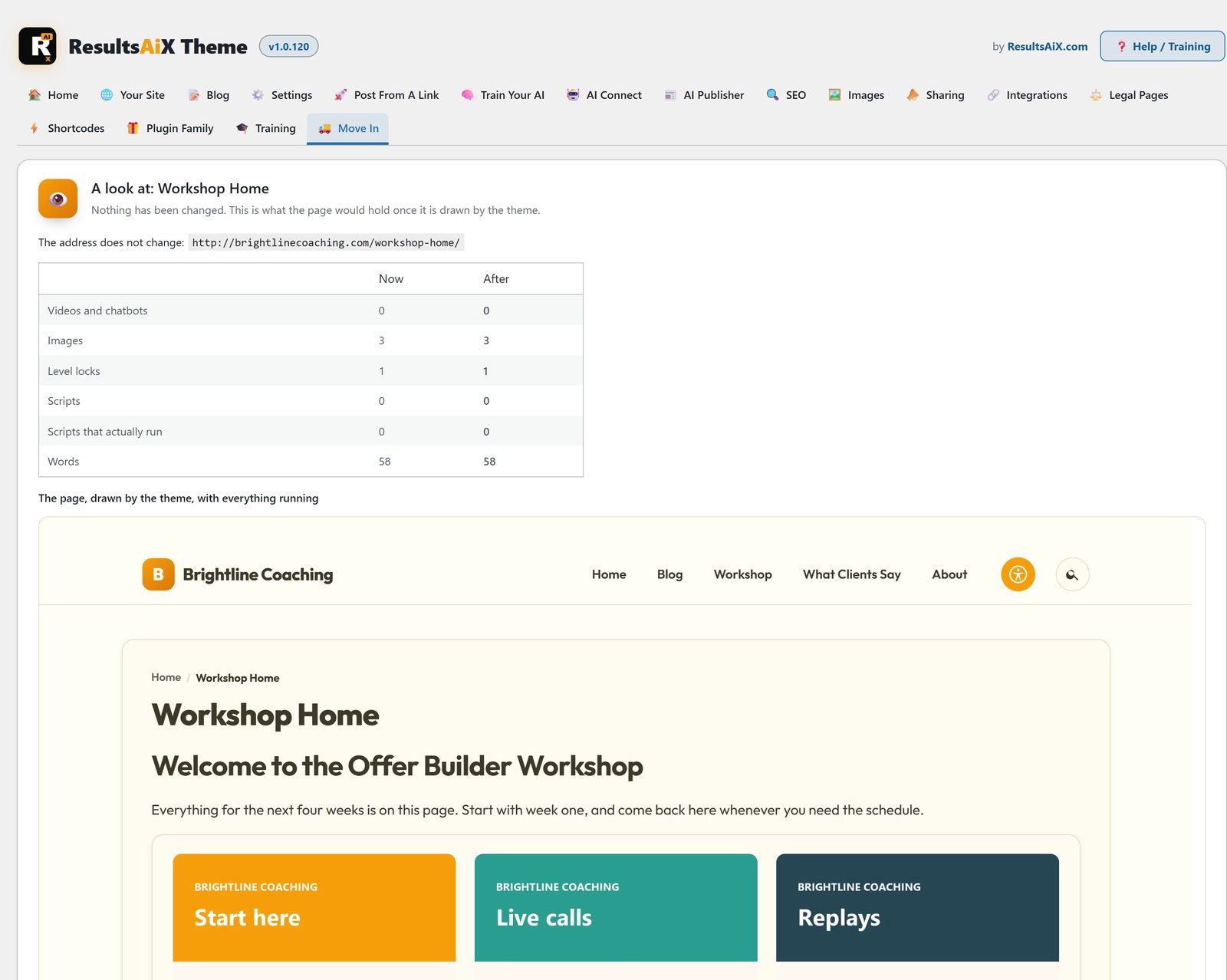
Every row has a Look At It button. That opens the real page, at its real address, drawn by the new theme with your real stylesheet and shortcodes running, with nothing saved and nothing changed. You see the finished thing before you agree to anything.
3. You Pick What Moves
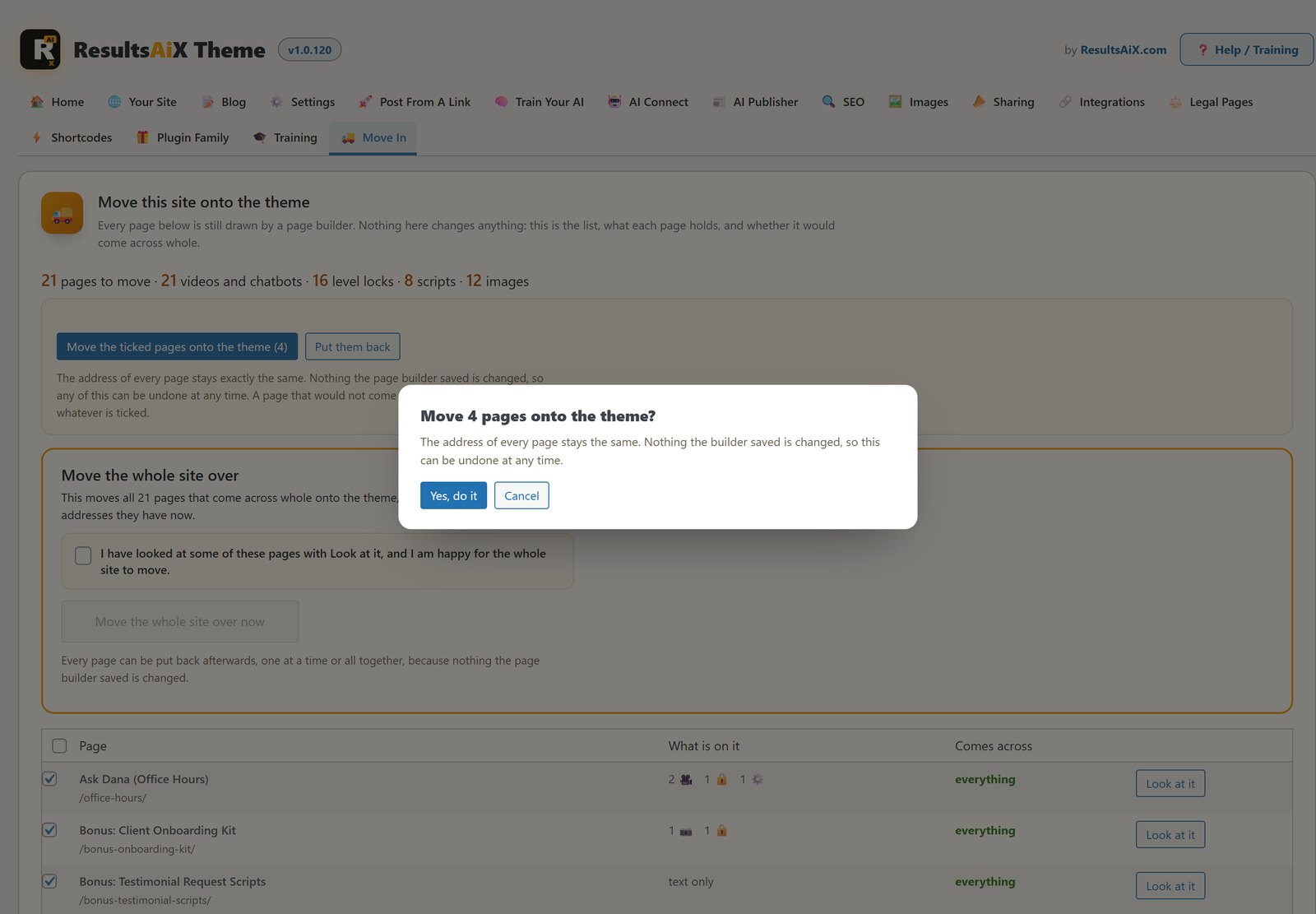
There’s a tick box on every row, a box at the top that ticks all of them, and a separate button for moving the whole site in one go. That last one won’t even press until you tick a box saying you’ve looked at some of the pages and you’re happy. A button that changes five hundred pages shouldn’t be pressable by accident.
4. It Goes In Batches, And Tells You Where It Is
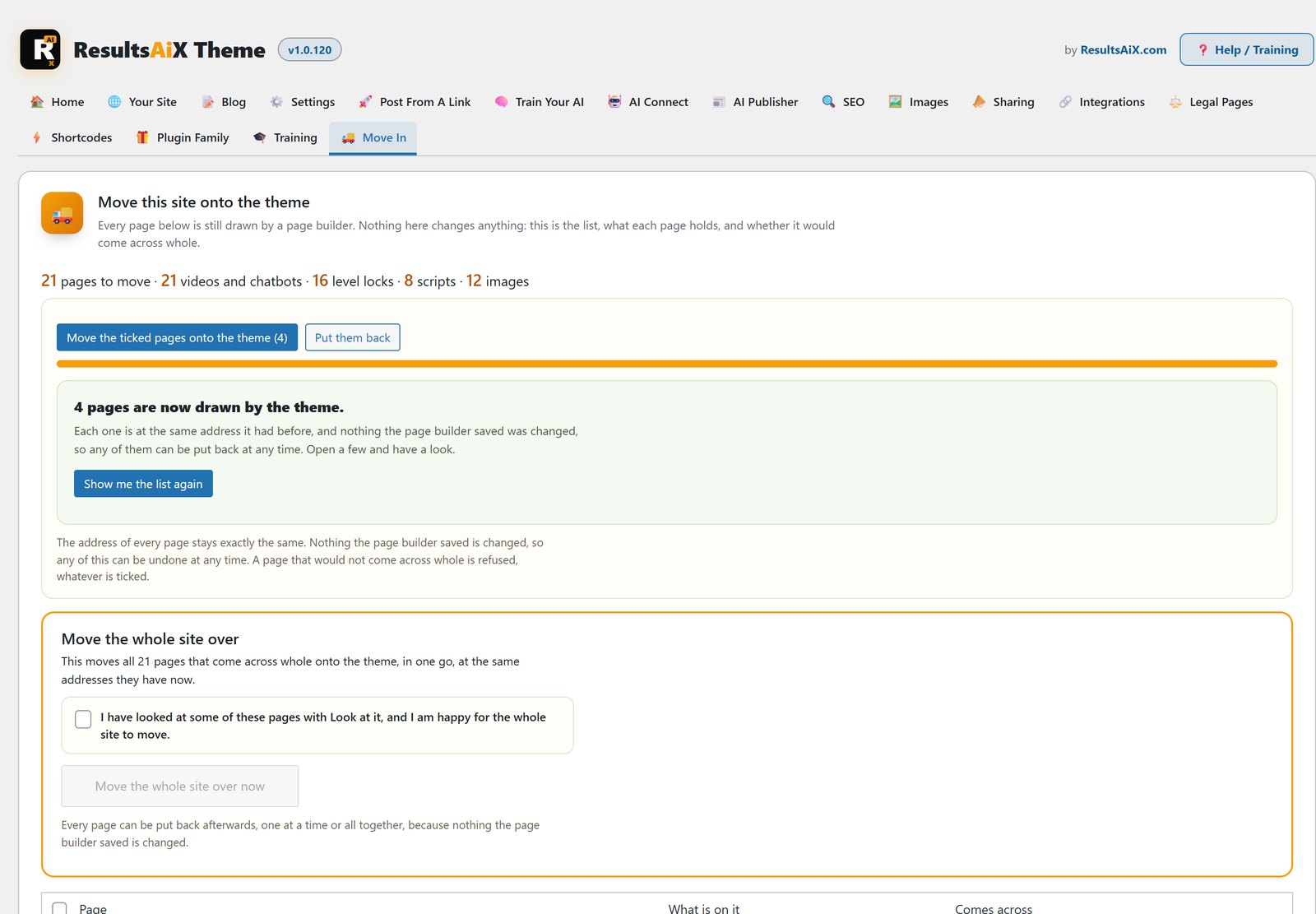
Pages move in small batches with a bar that counts up as it goes. Minutes, not an evening.
5. You Can Put Every Page Back
This is the part that let me press the button at all. Nothing the old page builder saved is edited, renamed or deleted. A moved page carries a marker, and while that marker is there the theme draws the page instead of the builder. Take the marker off and you’re exactly where you started, one page at a time or all of them at once.
What It Refuses To Do
Before a page moves, it’s counted: videos, chatbots, images, scripts, members-only locks and the words themselves, before and after. If the new version would hold less than the old one, that page is refused and left exactly as it was, whatever you ticked, and you’re told which page and why.
I’d rather be told that eleven pages need a look than be told everything went perfectly and find out three weeks later that a chatbot hasn’t been working the whole time.
The Details That Make It Look Right
Counting what’s on a page isn’t enough. A page can keep every word and still look wrong. These are the things it checks for, every one of them found by looking at a real page rather than trusting a number.
Your Columns Stay Columns
A page builder keeps its layout in its own markup. The move reads it, so a grid of four cards arrives as four cards, not one narrow column with half the screen empty. On my site, all 1,593 rows said how many columns they had, so nothing had to be guessed.
Buttons Stay Buttons
My site had 1,362 download buttons. They come across as buttons, not as lines of coloured text. That’s the kind of thing a page of numbers will never tell you and one look at the page tells you straight away.
The Logo Problem
Pages built in a page builder usually open with a course logo, because the builder never drew a title. The theme draws the title and a trail above it, so that logo is the same thing said three times, and it’s left behind. The move is careful about it, though. WordPress quietly turns an emoji into an image, so a line of text with an emoji in it is kept, and only the real logo goes.
No Page Ever Comes Out Blank
There are three separate safety nets under every moved page. The old builder is taken off the content entirely. The theme puts the page back if anything still empties it. And if even that fails, the page is rebuilt on the spot from the builder’s own saved data, which is never changed. There’s no route that ends in a blank page.
What It Doesn’t Do
Worth saying plainly. It brings across your content and your layout: columns, buttons, videos, chatbots, images, members-only locks and your words. It doesn’t bring across every colour and spacing choice you made inside the old builder. A section heading that had a coloured bar behind it arrives as a clean heading in your theme’s own style.
For me that’s the point. I was moving off the builder so the pages would look like my site, not like five years of separate decisions.
Why Move Onto A Theme At All
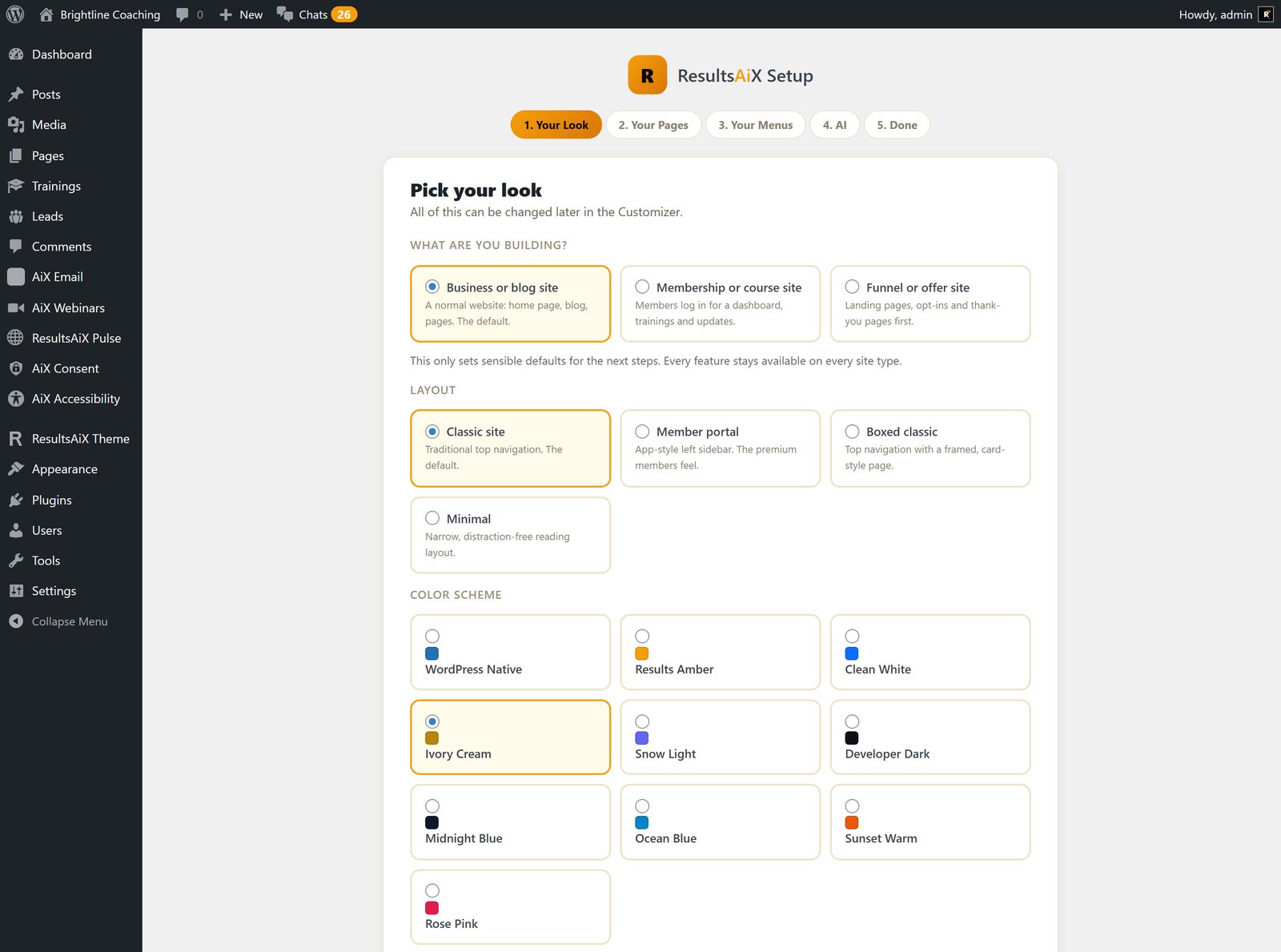
Once the pages are on the ResultsAiX Theme, you’re not paying for a page builder to keep them alive. The theme gives you four site layouts and ten colour schemes, a members area with trainings and progress without a separate membership plugin, built-in SEO and lead capture, and Create With AI on every edit screen.
It’s $47 a year for 3 sites, with Developer at $147 a year for 25 sites and Agency at $297 a year for 100. It’s also part of the ResultsAiX Bundle, and there’s a 30-day money-back guarantee.
If you want the full tour, read the ResultsAiX Theme feature guide, or from install to finished site in an afternoon.
How To Do It On Your Own Site
First, install the ResultsAiX Theme and open the Move In tab. If you don’t see it, your site has no page builder pages to move.
Second, read the list. Look at what each page holds and which ones would come across whole.
Third, press Look At It on a few of your most important pages, especially members-only ones.
Fourth, move one page and live with it for a week. Then move the rest, in batches or all at once.
Keep the old page builder installed while you’re deciding, because that’s what makes undo possible. Once you’re happy across the whole site, it has nothing left to do.
If your members area runs on a membership plugin you also want to leave, ResultsAiX Membership imports from your old plugin and keeps level IDs and join dates.
Who This Is For
If your site was built with a page builder years ago and you’ve been putting off a redesign because of the sheer number of pages, this is for you. It’s especially useful for members areas, where every page has a lock you can’t afford to lose and links that have been emailed out for years.
If you only have a handful of pages, you could move them by hand. But even then, being able to look at each page drawn by the new theme first, and undo any of it, makes the job a lot less nerve-racking.
Questions People Have Asked Me
Do My Web Addresses Change?
No. Same page, same address, same ID. Only the thing drawing it changes, so nothing you’ve ever linked to stops working.
Can I Undo It?
Yes, one page at a time or all of them together, at any point, because nothing the old builder saved is ever changed.
What Happens To My Members-Only Content?
It stays locked. All 562 locks on my site came through untouched, and a page that would come out with fewer locks than it started with is refused.
Do I Have To Move Everything At Once?
No. Move one page, look at it, live with it. The list shows what has moved and what hasn’t.
Will It Look Exactly Like My Old Pages?
The content and layout come across: columns, buttons, videos, chatbots, images, locks and words. The old builder’s individual colour and spacing choices don’t. Your pages take on your theme’s own style instead.
Do I Need To Keep The Old Page Builder?
Keep it while you’re deciding, because that’s what makes undo possible. Once you’re happy across the whole site, you can let it go.
The Short Version
Five years of pages moved onto a new theme in minutes, with every address intact and every video, chatbot and lock still working. If you're sitting on a members area built in a page builder you've fallen out of love with, you're not stuck with it, and you don't have to gamble your site to find out.


2 comments
Comments are closed.