
ResultsAiX Engage Is Live

Think about the last hundred people who landed on your site. Some came from Google. Some clicked an ad you paid for. Some came from an email you spent an hour writing. Almost all of them read a little, nodded, and left without leaving a name.
That’s not a traffic problem. Nobody asked them. ResultsAiX Engage is the plugin I use to ask, politely, at the right moment, and this guide walks through how to set it up so it grows your list without annoying anyone.
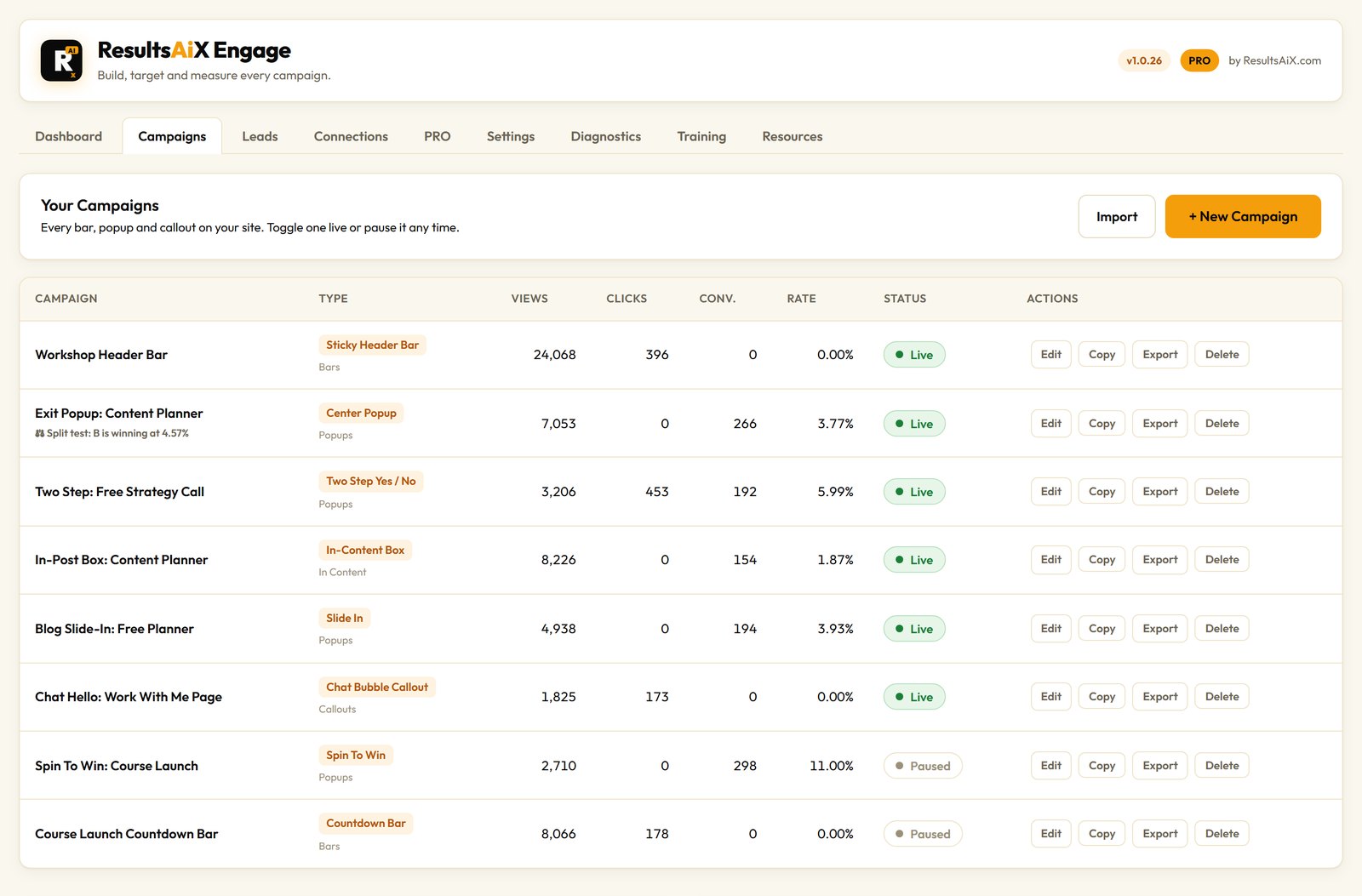
What Engage Actually Is
Engage is a WordPress plugin for popups, sticky bars, slide-ins and chat callouts. Twenty campaign types live in one builder, so you’re not running a popup plugin here, a bar plugin there and a chat widget somewhere else, all fighting for the same corner of the screen.
It runs on your own site. Every lead it captures is written to your own WordPress database first, before it goes anywhere else. That one detail matters more than any feature on the list, and I’ll come back to it.
Pick The Right Shape For The Job
The format you choose changes how a visitor feels about the ask. Here’s how I think about the main groups.
Bars For Always-On Messages
A sticky header bar is the gentlest campaign there is. It sits at the top of every page and never covers anything. Footer bars keep out of the way of your menu and are easy to reach on a phone. There’s also a floating bar that reads like a card, a split bar with up to three buttons side by side, an announcement ticker, a countdown bar and a coupon reveal that copies the code to the visitor’s clipboard.
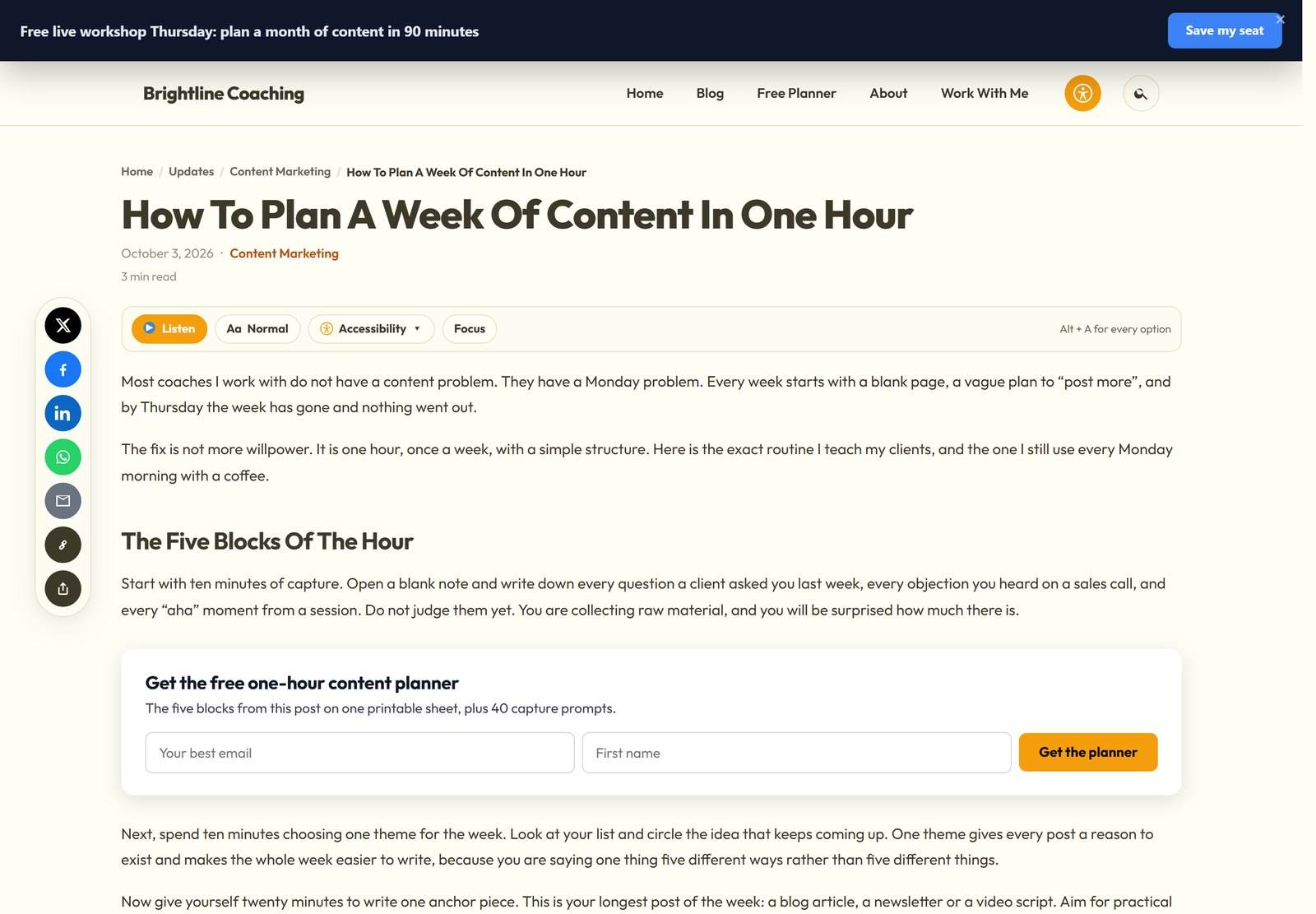
Popups For Your Single Most Important Ask
The centre popup, the slide-in, the side drawer and the full screen welcome mat are for the one offer you care about most. The two-step yes or no popup asks a question first and only shows the form to people who say yes. The content locker blurs the rest of an article until the reader subscribes, which turns your best long post into something that collects leads for years.
Callouts That Feel Like A Person
The chat bubble callout shows typing dots and opens into a short message card. It feels like someone saying hello rather than an advert. There’s also a sticky side tab and a video popup, plus a cookie notice bar if you want one from the same plugin.
Timing Is Everything
The same popup can be a welcome gift or an interruption. The only difference is when it appears. Engage gives you exit intent, scroll depth, a time delay or immediate display, on click from any button or link, after a number of page views, on a repeat visit, when someone goes idle, when a part of the page comes into view, and when a video reaches a certain point.
Scroll depth is my favourite for blog posts. Waiting until someone is halfway down means you only ask people who are actually reading. Exit intent catches the visit as it ends, so nothing gets interrupted.
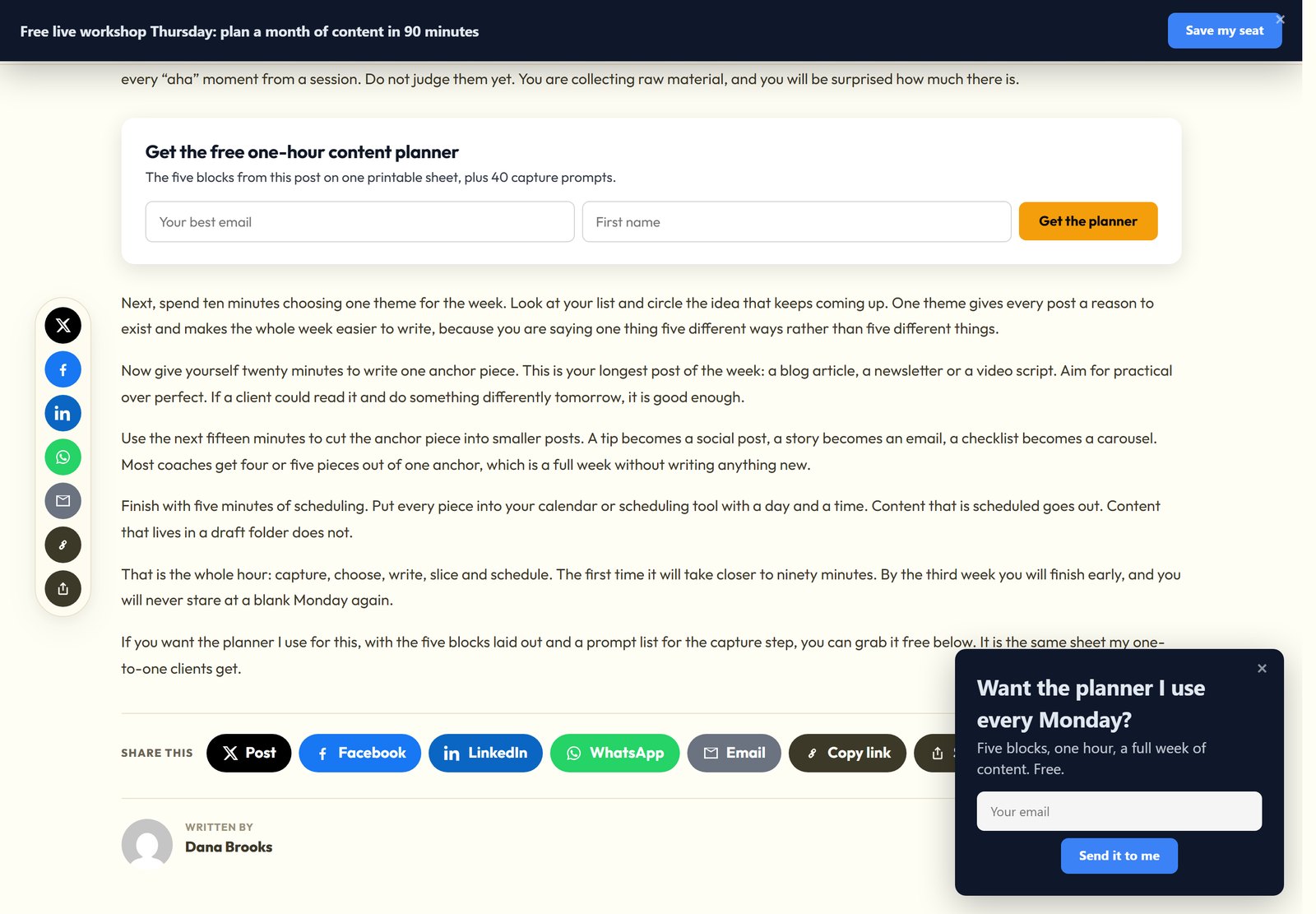
One thing I set on purpose: exit intent is desktop only by default. A phone has no cursor to leave the window, so a mobile exit popup ends up firing on a back gesture, and that feels like a trap. You can switch it on if you insist. I don’t.
Show It To The Right Person, Not Everyone
Blasting one popup at every visitor is why people hate popups. Engage lets you aim each campaign by page, post type, category, tag and the home page. You can target by device, logged in state, user role, and new or returning visitor. You can target by referrer and by any URL parameter, so a launch bar aimed at utm_source=newsletter only shows to people who came from your email.
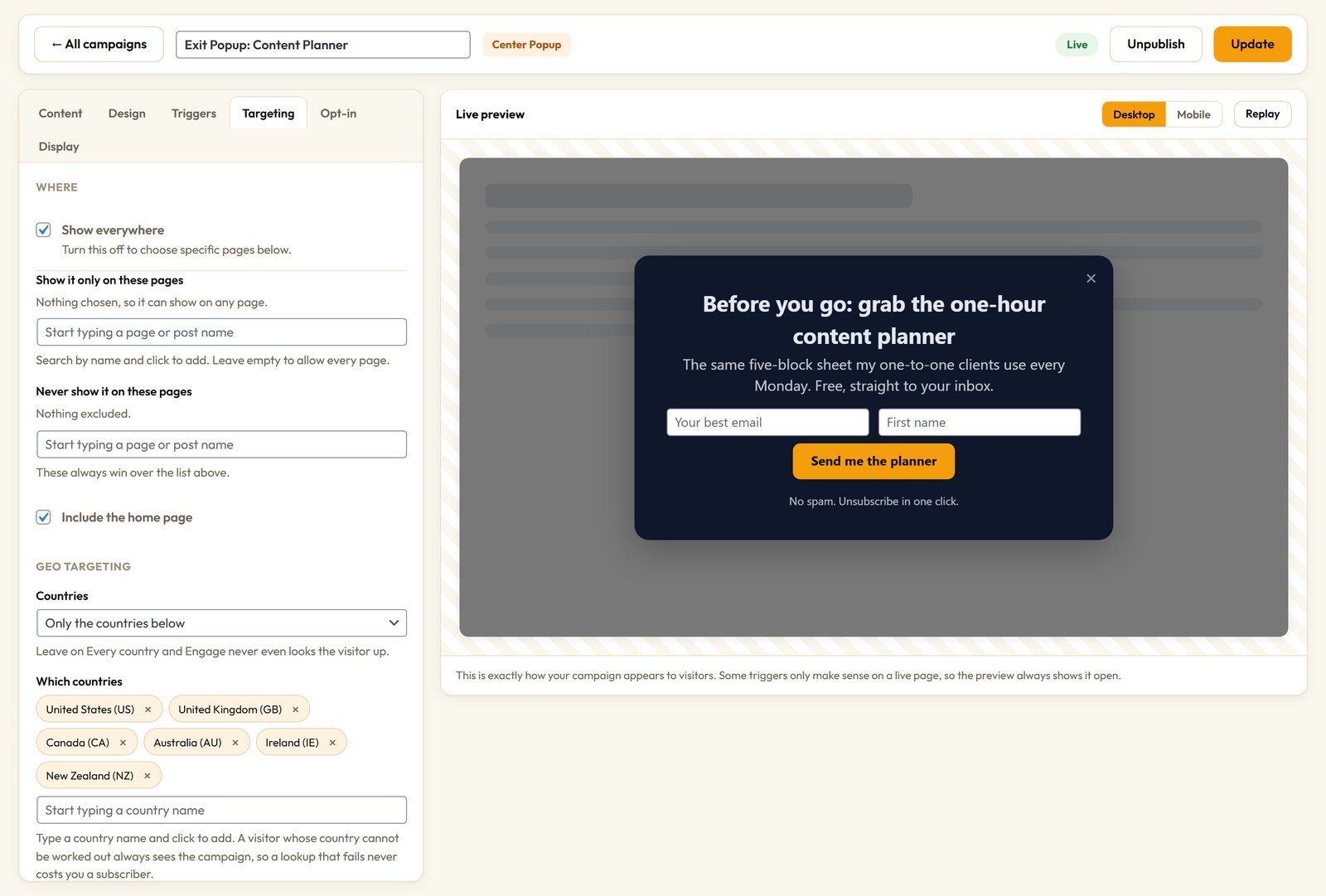
Then you decide how often. Once per session, once ever, or once every few days. It hides the moment someone converts, and two popups never stack on the same page. Stack those rules however you like and a campaign can run on blog posts, on desktop, for newsletter traffic, until Sunday night, and then switch itself off.
Your Leads Are Saved On Your Site First
Here’s the part most plugins get wrong. If your autoresponder is down, rate limiting, or your API key quietly expired last week, a plugin that passes leads straight through just loses them. Engage writes every opt-in to your own database before it tries to send it on. The lead sits on the Leads tab, tagged with the campaign, the page and the traffic source, ready to export as a CSV.
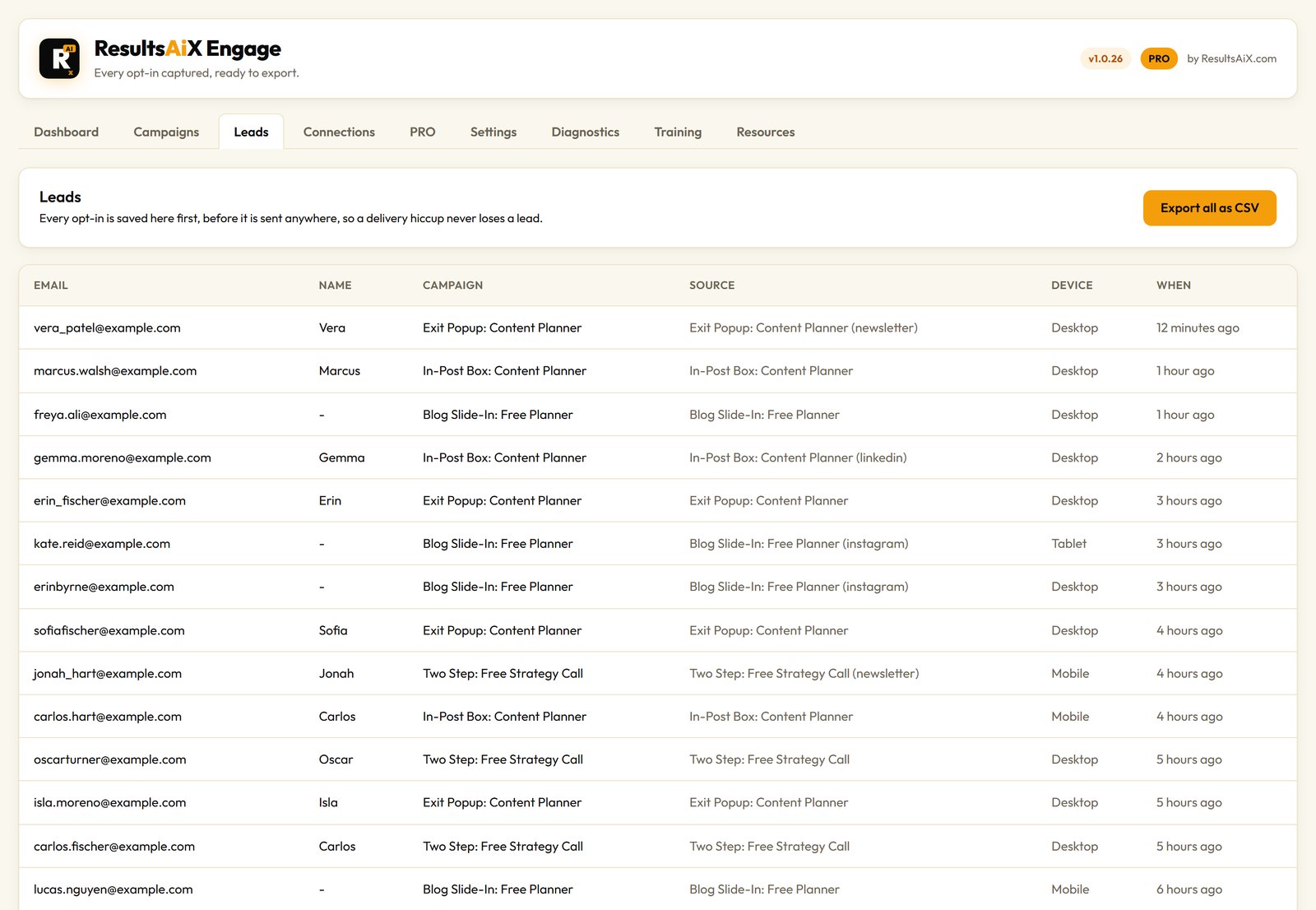
A service outage can’t cost you a subscriber.
Connect Your Email Service Once
Add your key on the Connections screen and it’s there for every campaign you ever build. More than 35 autoresponders are built in, including AWeber, ActiveCampaign, Mailchimp, Kit, GetResponse, Brevo, Klaviyo, MailerLite, HubSpot, GoHighLevel, Systeme.io and ResultsAiX Mailer. Each one has a Get Key link and a short walkthrough, so you’re not hunting through a dashboard. If yours isn’t listed, paste its raw form code or send every lead to a webhook.
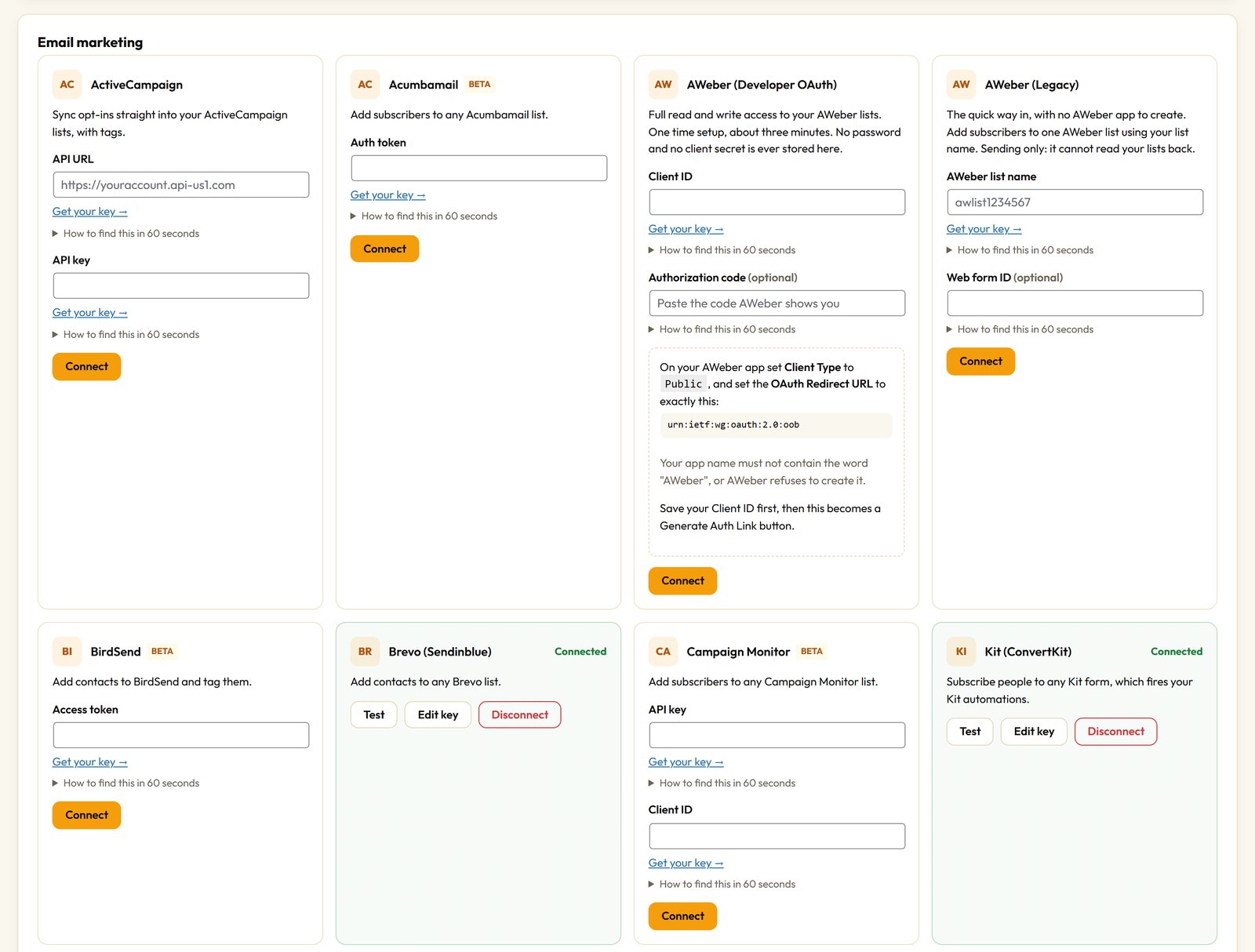
If you already run WP Sync, every Engage campaign shows up there as a source automatically. One opt-in can then fan out to several tools at once, each with its own tag and its own timing.
Run Campaigns Off WordPress Too
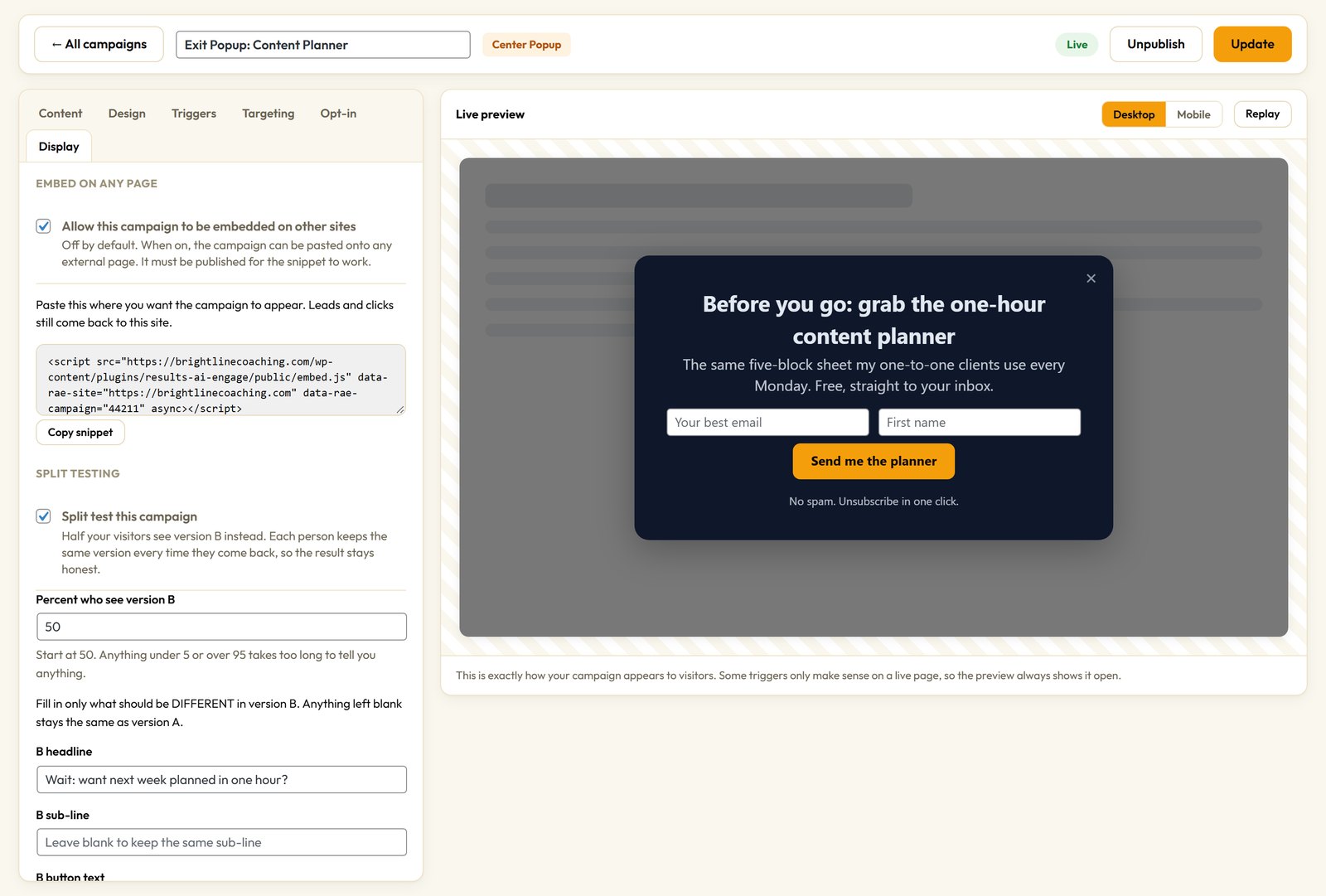
Build a campaign once in WordPress, switch on embedding for it, and Engage hands you one line of script. Paste it on a sales page on another domain, a page builder, a plain HTML site, or a client’s site that isn’t WordPress at all. It looks and behaves exactly the same, and the leads still come home to your Leads tab, tagged with where they came from. Embedding is off by default, one campaign at a time, so nothing leaves your site unless you say so.
The PRO Layer: Let AI Write It, Let Data Pick The Winner
Staring at an empty headline box is where most campaigns die. Guessing which version works is where the rest die. PRO is the same plugin with the AI layer switched on by your licence key. Bundle owners get it as part of the bundle.
- AI copywriter. Describe the offer, pick a tone, and it writes the headline, sub-line and button.
- AI campaign builder. Say what you want in one sentence and it picks the type, the trigger and the copy for you to review.
- Split testing. Two versions run at once, every visitor keeps the same one, and the winner is judged on conversion rate, not raw totals.
- Geo targeting. Show a campaign only in the countries you choose. If a country can’t be worked out, the visitor still sees it.
- Spin To Win. A prize wheel with odds you set, drawn on your own server so nobody can rig it from their browser.
- Dynamic text. Drop the traffic source or any URL value into your headline, so the ad and the popup say the same thing.
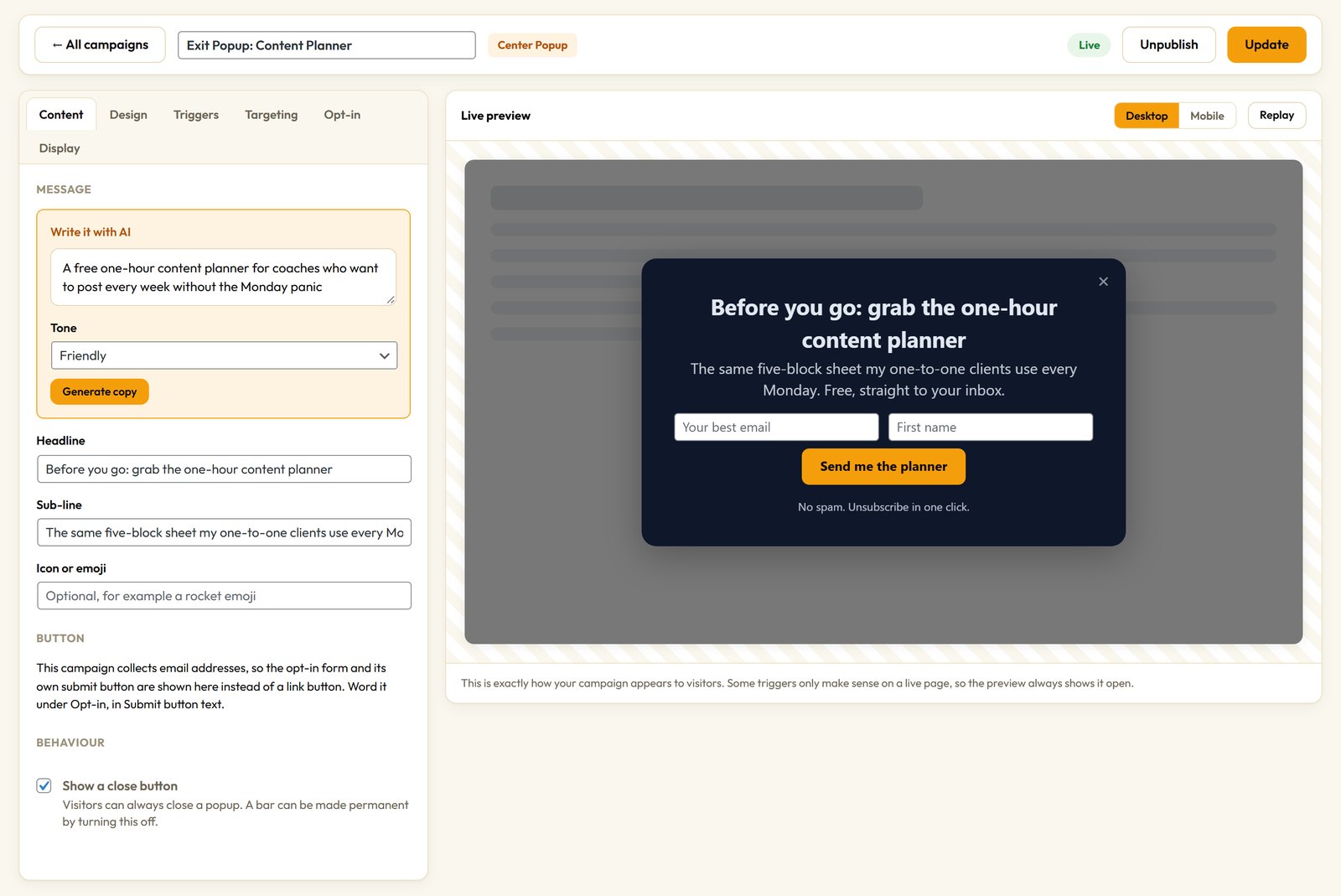
The AI uses your own key. Gemini gives away a free one with no card, so the AI features can cost you nothing to run. You can use OpenAI or Claude if you prefer.
Three Campaigns I’d Build First
A scroll-depth slide-in on your blog posts. Trigger it at 50%, offer one free guide, show it once every few days. It only asks readers, and it never covers the article.
An exit intent popup on your best page. Desktop only, once per session, with the single most useful thing you can give away. The visit was ending anyway.
A sticky header bar for whatever you’re promoting. Site wide, always on, with a start and end date, so it turns itself off when the offer does.
Once those are running, add a two-step popup and split test it against your slide-in. Let the numbers decide.
Questions People Ask
Will it slow my site down?
No. If no campaign matches the page, nothing loads at all, not one line of CSS or JavaScript. When something does load, it’s plain JavaScript with no jQuery and no framework.
Does it work with page caching?
Yes. Device detection, new versus returning visitor and frequency capping are decided in the visitor’s browser, so a cached page behaves correctly for everyone.
What if my licence lapses?
Your leads and campaigns stay in your own WordPress database, where you can export them any time. An active licence keeps updates, new features and support coming. It’s never a lock on your own data.
My traffic is small. Is it worth it?
Small traffic is exactly when every visitor matters most. If a hundred people visit and you capture eight instead of one, you didn’t need more traffic. You needed to ask. If you want somewhere for those leads to go next, read why I moved my whole marketing stack onto my own site.
What happens if my email service is down?
Nothing is lost. Engage writes every opt-in to your own database before it tries to send it on. The lead sits on the Leads tab, tagged with the campaign, the page and the traffic source, ready to export.
Which email services does it connect to?
More than 35 autoresponders are built in, including AWeber, ActiveCampaign, Mailchimp, Kit, GetResponse, Brevo and ResultsAiX Mailer. If yours isn’t listed, paste its raw form code or send every lead to a webhook.
Ask At The Right Moment
Twenty campaign types in one builder, aimed at the right visitor, with every lead saved to your own WordPress database first.
Every plugin, every update, every plugin still to come
One bundle covers everything mentioned in these updates and everything that ships after them, at no extra charge, running on your own WordPress site.


