SPECIAL OFFER on all 20+ plugins: the ResultsAiX Bundle, $347 in year one, then $147 a year. Join now, the price is going up soon.ResultsAiX Mailer: $147 a year, unlimited subscribers, on your own server. Or get every plugin we make in the Bundle.
Special offer on all 20+ plugins, price going up soon The AI Email Marketing Platform For WordPress

Stop Paying Rent On Your Own Audience.
Own It For $147 A Year.

Stop Paying Rent On Your Own Audience.
Own Your Email Marketing Empire.

$147 a year. Unlimited subscribers, unlimited sending, on your own WordPress. And right now, the ResultsAiX Bundle puts every plugin we make behind it for $347 in year one, then $147 a year, before the price goes up.

Everything below runs inside your own WordPress, on your own hosting, at one flat yearly price.

  • Your list lives in your database, not somebody else's
  • Unlimited subscribers, unlimited sending, one flat yearly price
  • AI trained on your own emails, so everything it writes sounds like you
  • Tell it what you want and it builds the automation, the series, the form
  • Talk to it and say it out loud instead of typing
  • Visual automations with triggers, waits and if/else branches
  • 12 sending services with automatic failover
  • Migration-safe: Safe Mode on by default, resumable imports, one click rollback

Watch what it does. Recorded inside a real WordPress install.

Bundle special offer, price going up soon

00Days
00Hours
00Minutes
00Seconds
Interested In The Bundle Deal? Click Here & Get Pro Access To All 20+ Plugins →

$147 a year, 3 sites, unlimited subscribers. Or the Bundle: all 20+ plugins for $347 in year one, then $147 a year, before the price goes up.$147 a year, 3 sites, unlimited subscribers. Or get every plugin we make in the ResultsAiX Bundle.

Your data, your server, your list AI trained on your own emails Talk to it instead of typing 12 sending services built in Migration-safe for UNLIMITED subscribers Unlimited sending, one flat yearly price AI on your own key, no markup 3 sites on one licence 30 day money back guarantee
Talk to it

Or Do Not Type At All. Just Say It Out Loud.

Every AI box in the plugin has a 🎤 Talk button. Press it, say what you want in your own words, and watch it appear. It uses your own browser's speech engine, so nothing is uploaded anywhere and it costs you nothing extra.

Building a form

🎤 Forms · describe the opt-in 🎤 Sequences · describe the series 🎤 Segments · describe the people 🎤 The AI Helper · ask it anything
What changes

Here Is What Changes When You Stop Renting.

Why people switch

You Are Paying Rent On Your Own Audience.

You built the list. You wrote the emails. You earned the trust. And every month you cut a cheque to reach the people who asked to hear from you, and every new subscriber makes that cheque bigger.

The climbing bill

Success Is Priced As A Penalty

At first it is manageable. Fifty a month, maybe a hundred. Then the list grows, because growing it is the whole point, and the bill climbs with it. Hundreds a month to email people who volunteered their address.

Underneath that is the part nobody mentions: none of it is yours. Your subscribers sit in someone else's database. Your automations run under someone else's terms. A policy change you did not vote on can freeze the asset you spent years building.

  • Per-subscriber pricing that charges you more for doing well
  • Terms that change without asking you first
  • AI features resold to you at a markup on models you could use directly
your-autoresponder.com · billing
Monthly invoiceas the list grows
2,500 subscriberstier 1
10,000 subscriberstier 3
25,000 subscriberstier 5
50,000 subscriberstier 8

Every win moves the bar to the right. The invoice never moves back.

The other way

Own The Whole Machine Instead.

Same automations. Same broadcasts. Same subscribers opening, clicking and buying. One difference: it runs on your server, in your WordPress, in your database, for one flat yearly price that does not move when your list does.

The automations builder

A Marketing Team That Never Sleeps.

Most platforms give you a drip: step one after three days, step two after five. This gives you real flows with triggers, waits, branches, tags and live counts at every step.

8 triggers · nested branches

Build The Journey, Then Watch It Run

Pick a trigger. Stack the steps. Hit activate. From that second every matching subscriber flows through automatically, and every step shows how many people are standing on it right now.

  • Triggers: joins a list, confirms, gets a tag, submits a form, makes a purchase, opens an email, clicks a link, or bulk enrol
  • Several start triggers on one automation. Joins a list, or gets a tag, or buys, each with its own settings
  • Steps: send, wait, if/else, add or remove tags and lists, notify, webhook, end
  • Name every email step, so a flow reads like Day 1 Welcome instead of Email
  • Pause and everyone freezes in place, resume and they carry on from the same step
  • Wait until a set time of day, so nothing lands at 3am
  • No caps on flows or on how many people are inside them
yoursite.com/wp-admin · automations
Buyer follow-upActive · 412 in flow
Trigger: makes a purchaseany product412 in
Send: thanks and next stepsimmediately0 waiting
Wait 3 daysuntil 9:00am local47 waiting
If opened the last emailbranch
🏷Yes: tag engagedthen VIP offer
No: resend, new subjectthen wait 2 days

Live counts update as people move. Nothing is estimated.

Bulk enrolment

Run Your Existing List Through A New Flow

Built something good and want the people you already have to see it? Tick the boxes, or select everyone matching a segment, and enrol them. That is how a re-engagement campaign, a new buyer sequence or a VIP nurture goes out to thousands of people in a couple of clicks.

  • Select by checkbox, by filter or by whole segment
  • Enrol thousands at once, the price does not change
  • Imported contacts stay protected by the silent lock until you say otherwise
  • Sort your audience by total spent, last contact, purchases or status, and filter by amount spent or by nobody contacted in 90 days
yoursite.com/wp-admin · audience
AudienceEnrol in automation
Segment: buyers, no open 90d1,284 selected
☑ sarah.k@…customer$412
☑ m.torres@…customer$189
☑ dave@…affiliate$1,020

Choosing an automation shows where each person will enter the flow.

NEW Behavior tagging

Your List Tags Itself While You Sleep

Every broadcast can tag people for opening it, for clicking any link in it, or differently for each individual link. Someone clicks the pricing link and they are tagged the same second, which means an automation can pick them up immediately.

  • Per-link tags, so one email sorts people into three different follow-ups
  • Applied once per subscriber, so repeat opens never double up
  • Tags start automations instantly. That is how a single click becomes a whole sequence
  • Tag an entire saved segment in one go from the Segments screen
yoursite.com/wp-admin · broadcast · tagging
Tag people by what they doapplied once each
Opens this emailengaged-aug
Clicks any linkclicker
Clicks /pricinghot-lead
Clicks /case-studyresearching

Each tag can start its own automation the moment it lands.

NEW The email library

Write It Once. Reuse It Anywhere.

Save any email under its own name and drop it into any automation later. The picker holds your saved emails, every broadcast you have actually sent with its real open rate, and the email steps from your other automations. Load one, edit it, save it as a new one.

  • Pick your winners on purpose. The open rate is right there beside each one
  • Edit any email with AI in your own words: "make it shorter and punchier", "add a P.S. with urgency"
  • Searchable pickers everywhere, so thousands of lists are never a problem again
yoursite.com/wp-admin · email library
Use a saved email3 sources, one list
💾 Day 1 Welcomesaved
📣 The mistake costing you 40% of your opens41.2% opens
📣 Doors close tonight38.7% opens
⚡ Day 3 nudgein: Buyer follow-up

Your best performing send is one click from being reused.

▶ Watch it happen

Build A Complete Automation With AI In 30 Seconds

Build a complete automation with AI in 30 seconds

Ask for a follow up series, watch the whole automation get built. Recorded live inside WordPress, nothing staged.

New Prebuilt automations

25 Finished Flows. Every Email Written. Ready In Two Clicks.

Pick one, answer one or two questions, and it lands in your editor as a draft with the trigger, the waits, the branches, the tags and every email in place. No AI needed. With your AI connected you can then adapt every email to your voice in one click. Each email carries a 📌 note saying why it exists and what to change.

yoursite.com/wp-admin · automations · library
📦 Prebuilt Automations· 25 finished flows, every email written, ready in two clicks
← All automations

Pick one, answer one or two questions, and it lands in your editor as a draft with the trigger, the waits, the branches, the tags and every email in place. No AI needed. With your AI connected you can then adapt every email to your voice in one click. Each email carries a 📌 note saying why it exists and what to change.

Welcome
🎉5-Day Welcome Series

Five emails over a week that turn a new subscriber into someone who knows you, trusts you and opens your emails.

5 emails · 7 days
🎁Lead Magnet Delivery

Deliver the thing they signed up for, then quietly check they actually got it.

2 emails · 4 days
🧭Find Out What They Want

One email, three links. Whatever they click tells you what to send them next.

2 emails · 3 days
🔥Cold List Warm-Up

Re-introduce yourself to an imported or neglected list before you ever try to sell to them.

3 emails · 7 days
🪢Welcome to Nurture Hand-off

When someone finishes your welcome flow, move them straight into the next one. No gap, no manual work.

1 email · 1 day
Selling
🚀Launch Runway

Seven days, six emails, from "something is coming" to "the cart closes tonight".

6 emails · 6 days
🛒Clicked But Did Not Buy

They clicked your sales link. If they did not buy within a day, three honest nudges.

3 emails · 6 days Launch Manager
🎓New Customer Onboarding

The four emails every buyer should get: thank you, get started, check in, what is next.

4 emails · 14 days Launch Manager
⬆️Upsell / Cross-sell

They bought one thing. Three emails introduce the natural next one, and stop the second they buy it.

3 emails · 10 days Launch Manager
72-Hour Flash Sale

Open, midpoint, last twelve hours, final hour. Four emails with real deadlines.

4 emails · 3 days
Engagement
🌟VIP Climber

When someone crosses an engagement score, tag them VIP, thank them, and give them something nobody else gets.

2 emails · 7 days
💤Win-Back

Three emails to people who have gone quiet. If they still do not open, they leave the list with dignity.

3 emails · 12 days
🕰️90-Day Sleeper Sweep

Ninety days after joining, anyone who has gone quiet gets one wake-up email. No click, they are tagged a sleeper.

1 email · 5 days
📬Weekly Value Drip

Eight weeks, one useful email a week. The structure is done; you drop in your eight best tips.

8 emails · 49 days
🙏Review / Testimonial Ask

A week after they buy, ask for a review. If they click, thank them properly.

2 emails · 10 days Launch Manager
Behaviour
🏷️Interest Tagger

When someone clicks a link about a topic, tag them with it and send the deep-dive on that topic.

1 email
📚Tag-Triggered Mini Course

Five lessons, one a day at 9am, started by a tag. Sell it, give it away, or use it as onboarding.

5 emails · 4 days
🖱️Clicks Any Link Follow-up

Anyone who clicks anything gets a timely follow-up while they are warm. Silent after that, one nudge, then tagged engaged.

2 emails · 3 days
👀Opened But Did Not Click

They opened, they did not click. Two days later, the link comes back front and centre.

1 email · 2 days
🔥Hot Link Follow-up

Someone clicks your sales link: you get told instantly, they get a follow-up in an hour and an objection-buster the next day.

2 emails · 1 day
Webinars
🎥Evergreen Webinar Invite

Invite, remind, last call. Started by a tag so you can run it to anyone, any time.

3 emails · 4 days
📝Registered: Confirm + Remind

Confirmation, 24 hours before, 1 hour before, and "we are live". Exactly what a registrant expects.

4 emails · 2 days
▶️Replay Sequence

After the live session: replay, the key takeaway, the deadline, and a last call.

4 emails · 3 days
😴No-Show Recovery

For people who registered but did not turn up: the replay, warmly, then two nudges.

3 emails · 4 days
💳Attended But Did Not Buy

They watched the whole thing and did not buy. A day later, three closes that stop the moment they purchase.

3 emails · 5 days Launch Manager
Two clicks, not two weekendsEvery flow arrives as a draft with the trigger, waits, branches, tags and every email already written. Read it, switch it on.
🎤Then make it sound like youWith your AI connected, one click rewrites every email in the flow in your own voice. No AI key? The flows still work, word for word.
📌A note on every emailEach email carries a pinned note saying why it exists and what to change, so you never stare at a blank draft wondering what it was for.
📦Start it from a list or a segmentStart a flow from a list and it keeps running for everyone who joins. Start it from a segment and everyone matching enters the moment you set it Active.
New Reports

Your Broadcast Reports Just Grew Up.

Not "Sent 12,040, Failed 17" and a bar chart from 2009. Real charts, real people behind every number, and the money each email made.

Every broadcast · every automation · the Reports screen

See Who Opened, Who Clicked, And What They Bought

  • Live charts with five looks: Area, Line, Bar, Trend and an Hourly view that shows which hours of the day your list actually reads
  • Date ranges that update in place: today, 7 days, 30 days, since send, or any custom range
  • The people behind every number: who opened, who clicked which link and how often, who did not open, who unsubscribed. Tick anybody and tag them on the spot
  • Money on the report: a Revenue tab matched against your sale records, and beside every person what they bought in the 30 days after this email and everything they have ever spent with you
  • Devices, countries and inbox providers: one provider opening far below the others is the fastest way to spot a spam-folder problem
  • A ranked, colour-coded top links chart above the links table
yoursite.com/wp-admin · broadcast report
The mistake costing you 40% of your opens41.2% opens · 12.8% clicks
HourlyWho openedWho clickedRevenueDevicesCountriesInbox providers
6am9am12pm3pm6pm9pm
☑ sarah.k@…clicked /pricing ×3Email rev $147 · LT $412
☑ m.torres@…openedEmail rev $0 · LT $189

Tick anyone on any tab and tag them. A "clicked but did not buy" follow-up starts right there.

Everything included

The Whole Platform, Not A Starter Tier.

Broadcasts, sequences, segments, forms and reports. No feature gates, no per-seat upsell, no "available on higher plans".

Broadcasts

Write It, Test The Subject, Send It

Full-screen rich text editing with email-safe fonts, one-click CTA buttons that survive every mail client, and A/B subject testing that picks the winner for you.

  • Per-broadcast reports: opens, clicks and unsubscribes
  • Merge codes anywhere, including subject and preheader
  • Compliance footer and suppression checked on every send
yoursite.com/wp-admin · broadcast
New broadcastA/B running
Subject AThe mistake costing you 40% of your opensopens 38.4%
Subject BYour open rate is lying to youopens 31.1%
Winner sent to the remainderautomatic

The winner goes out to everyone left, without you watching the clock.

Segments

21 Filters, Or Just Say It In Plain English

Point and click your way to an audience with live member counts as you build. Or type what you want, or press Talk and say it, and let the AI segment builder turn it into real targeting rules.

  • "Buyers who have not opened in 30 days" becomes a working segment
  • Example segments load with one click, so you are never staring at an empty box
  • Live counts and sample members before you save
  • If it cannot express something precisely, it tells you instead of guessing
yoursite.com/wp-admin · segments
New segment1,284 members
> buyers who spent over $100
  and have not opened in 30 days
// building rules…
purchased ≥ $100 last open > 30 days status: subscribed

Counts update live as each rule lands.

Your subscriber database

Open Anybody And See Everything They Ever Bought

No AI required. Click a subscriber and their whole history is on one screen: every purchase, what it was worth, and what they are worth to you in total. Then search the database like a database.

  • A full buyer timeline on every profile: each order, the date, the amount and where it came from
  • Lifetime numbers at a glance: net spend, purchases, refunds, average order, opens and clicks
  • How you met them, right down to the page they signed up on, the date and the signup IP
  • Filter on anything: status, tag, country, source, amount spent, engagement, score, first seen, last contacted, and whether they have ever bought
  • Sort by total spent and your best customers are the top of the list, in one click
  • 22 columns to choose from, so the table shows what you care about and nothing else
  • Edit any subscriber by hand, or add one, without a CSV in sight
yoursite.com/wp-admin · subscriber
DW Dana Whitfielddana@example.com
Repeat buyerCame via affiliateNever refunded
  • Annual Plan $147.0007 Jun 2026 · sale
  • Pro Add-On $47.0021 May 2026 · sale
  • Starter Bundle $67.0021 May 2026 · sale
Net spend$261
Purchases3
Avg order$87
Where they subscribed
Your checkout page
First seen
21 May 2026

Everything on this screen came from your own database, not a report you had to request.

Forms & reports

Capture Them Anywhere, Then See What Actually Happened

Inline, embedded, popup, floating bar and slide-in forms with one-click style presets, GDPR consent and double opt-in per list. The preview is rendered by the same code your visitors get, so what you see is what ships.

  • Put a form on any site you like. A script embed that stays in sync with your design, or a plain HTML form for anywhere that strips scripts. Any page builder, a static HTML page, even a different WordPress install, with every signup landing back in your database
  • Open rates with bot filtering, so machine opens stop inflating the number
  • Click tracking on every link, growth charts, source breakdowns and a top broadcasts leaderboard
  • List Health: unsubscribes, bounces and spam complaints for any date range, with trends and the benchmarks that decide whether you keep reaching the inbox
yoursite.com/wp-admin · reports
Last 30 daysbots filtered out
Real open rate41.2%machine opens removed
Click rate8.4%every link tracked
Signup forms+1,842
Imported+320
The move

Built While Moving A 50,000 Subscriber Business.

Every safety system here exists because it was needed during a real migration, where one wrong click would have been expensive.

Safe by default

Nothing Sends Until You Say So

Safe Mode ships switched on. Import the list, build the automations, design the forms, test everything. Not one email reaches a subscriber until you deliberately flip the switch.

  • Silent import lock: imported people never trip a "joins a list" automation or a welcome email
  • Resumable imports: if PHP times out mid-file the job pauses and picks up at the exact row
  • One-click rollback that refuses to touch anyone already emailed, updated or engaged
  • Suppression import so your old opt-outs are protected from day one
  • Block audit log recording every send that was stopped, and why
yoursite.com/wp-admin · import
Importing subscribers.csvSafe Mode on
31,480 of 50,000 rowsresumable
Silent lock appliedno auto-enrol
Suppression file loaded4,912 protected
Emails released so far0

Timed out at row 31,480? It resumes there within a minute.

Bring everything with you

Your Old Export, Mapped For You

Drop in the CSV from your current provider and it recognises the columns on sight: status, signup date, unsubscribe date, signup IP, country, source and tags. Every column it does not recognise becomes a custom field, so nothing is left behind in the old system.

  • People who unsubscribed at your old provider stay unsubscribed here
  • Everyone keeps their real signup date and signup IP, so your history moves with them
  • Tags split automatically with no limit, and merge with tags a subscriber already has instead of overwriting them
  • Large exports upload in small pieces with a progress bar, so a 25,000 subscriber file does not depend on your host's PHP settings
  • Custom fields work immediately as merge codes in emails, as audience filters, and in the next import
yoursite.com/wp-admin · column mapping
25 columns foundmapped automatically
Email Address→ Email
Signup Date→ First contact
Unsubscribe Date→ Unsubscribed
Tags→ merged, no limit
Affiliate ID→ custom field

Anything it does not recognise still comes across, as your own field.

NEW Your data, handled properly

The Import File Does Not Live On Your Server

An export from your old provider is real personal data: email addresses, names, IP addresses, towns. Most tools upload it and quietly leave it sitting in your hosting account forever, one more copy with every import.

Not here. It is deleted the moment the import finishes, and immediately if you cancel one.

  • A daily clean up removes anything abandoned, including files left by earlier versions
  • A panel on the Imports screen shows exactly what is still stored, with a Delete Staged Files Now button so you can clear it yourself at any moment
  • An upload still in progress is never touched
  • Uninstalling the plugin removes the folder entirely, so nothing is left behind on a site you retired
yoursite.com/wp-admin · imports
🔒 Uploaded files on this serverDelete staged files now
Files stored right now0
Space used0 bytes
subscribers.csv · 27 MBdeleted on completion

Protected folder while it runs. Gone the moment it does not need to be there.

▶ Watch the move

Importing Your Lists Via CSV Or Automatically

Importing your lists via CSV or automatically

The whole import, start to finish, including what happens to your unsubscribes. Recorded live inside WordPress, nothing staged.

List hygiene

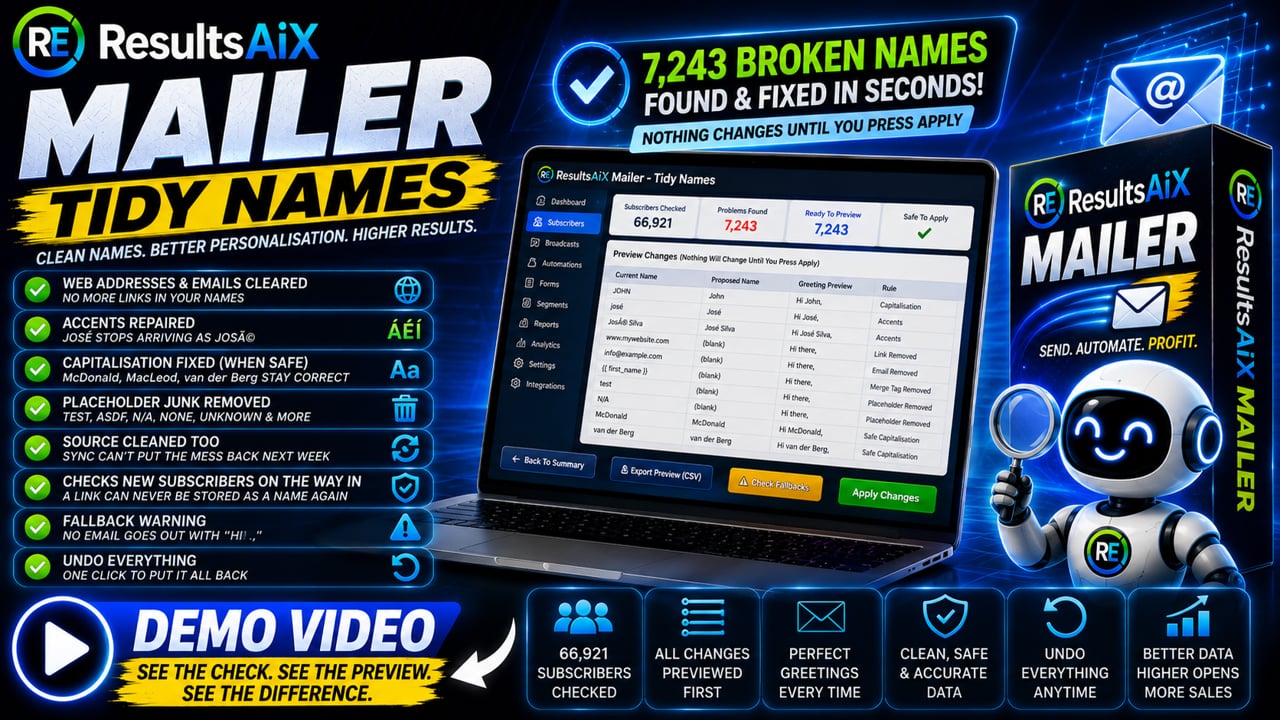
7,243 Broken Names Out Of 66,921. On Our Own List.

That is what one check found the first time we pointed it at our own database. Broken names, dead domains and people who have not opened anything in years. Every one of them costs you either an embarrassing greeting or your sending reputation. Here is what finds them.

Tidy Names

"Hi MARTIN HOLBROOK" Is Costing You Money

Names shouted in capitals. Names in all lowercase. Web addresses sitting where a first name should be, and accented names that arrived as gibberish. One check finds the lot, and shows you every one before it touches anything.

  • Nothing changes until you press Apply. It shows you every single fix first, and one button undoes the entire run
  • A greeting column so you see exactly what your email will say before you send it
  • Capitalisation only where it is safe: McDonald, MacLeod and van der Berg are left exactly as they were typed
  • Repairs mangled accents, so José goes back to being José
  • Clears the junk: links, stray email addresses, leftover merge tags, phone numbers, test and n/a
  • Cleans the source too, so a sync cannot quietly put the mess back next week
  • Checks new subscribers on the way in, so it never happens again
yoursite.com/wp-admin · tidy names
What it foundNothing applied yet
66,921 checked7,243 to fix6,566 capitals282 web addresses
NowWould becomeGreeting
MARTIN HOLBROOK Martin Holbrook Hi Martin
petra lindqvist Petra Lindqvist Hi Petra
https://yoursite.com/free‐training/ cleared Hi there
José Martínez José Martínez Hi José
*|FNAME|* cleared Hi there
mcdonald McDonald Hi McDonald

Every change previewed, every change reversible.

Verify Leads

Most List Cleaners Would Delete Your Best Customer

Anything that judges people on opens alone will quietly bin somebody who bought from you 166 times, because they read with images turned off. This sorts your list into six groups and shows you what every one of them spent before you touch anything.

  • Quiet is not the same as gone. A purchase outranks a click, and a click outranks an open, because opens are unreliable in both directions
  • Unknown is its own group. Somebody you have never actually mailed has not gone quiet, they have never been tested
  • Limits are set per provider, because the strict mailbox providers punish dead addresses harder than the rest
  • Your own tags are read as dates, so years of history you already recorded counts as real evidence
  • Misspelled domains are offered as a fix, not a delete. Somebody who typed gnail.com is a subscriber you keep, in one click
  • It tells you what changed since last time, including who came back to life
  • It only ever reads and reports. A scheduled check never archives or deletes anybody on its own
yoursite.com/wp-admin · verify leads
Last resultNothing changed
Alive23,276ok
Cold940review
Unknown435never mailed
Typo domain1fixable
Dead domain3remove
Role address60review
About those 435 unknown people. They are not cold. No email has ever been sent to most of them from here, so their silence has never been tested. Mail them once and run it again.
3 came back to life since the last check. 16,152 unchanged.

24,715 examined. Nothing archived, removed or deleted until you say so.

Then It Shows You What Each One Spent.

This is the screen that stops a cleanup becoming an expensive mistake. Every flagged subscriber arrives with their lifetime spend, their order count, how many of your lists they sit on, and the exact reason they were picked up.

📦 Archive Remove from this list only 🏠 Leave these alone 🗑 Delete for good Archive is reversible. Delete is not.
SubscriberLast sign of lifeSpentListsWhy it was flagged
Marcus Delaneycold Jul 2025 purchase $3,910.46166 orders 17 ⚠ Last purchase about 14 months ago, past the 12 month limit for this provider
Rosa Ivanenkocold Oct 2024 purchase $1,406.9875 orders 8 ⚠ Last purchase about 22 months ago, past the 12 month limit for this provider
Tobias Renncold Jan 2022 tag: open $261.4015 orders 13 ⚠ Last open about 4.7 years ago, past the 24 month limit
Priya Raghunathanunknown never no history held $0.00no orders 2 Imported without engagement data. Never mailed from here, so nothing has been tested yet
⚠ 14,821 of the people examined sit on more than one list. Archiving removes somebody from everywhere, so it warns you before you act in bulk. And 149 of the cold group once clicked or bought something, which is a win-back email, not a delete.
✨ Ask your AI what the numbers mean, or have it draft the win-back email for the people worth one more try. Only the totals are sent. No email address ever leaves your site.
Lead scoring

Know Who Is Worth Emailing Today

Scores are worked out from what people actually do, not from a number somebody typed once. Opens, clicks, purchases and the size of those purchases all add points. Bounces, complaints and unsubscribes take them away.

  • Bigger orders count for more. A sale is worth points, a larger sale is worth more of them, and you set where those lines sit
  • Each rule counts once or every time, whichever makes sense for it
  • Every number is a box you type in, including the negative ones
  • Points fade with age, so the score tells you who is interested now rather than who was busy years ago
  • You can always see why. Open anybody and there is a plain list of everything that earned them points
  • Sales and tracked clicks on your own site count too, not just what they did inside an email
  • Give a whole list or segment points in one go, for the things you already know that no rule can see
  • Bringing scores with you? Two more slots hold the numbers you import, and the rules never touch them
yoursite.com/wp-admin · scoring
Score people automaticallyOn
Opens an email+1
Clicks a link in an email+5
Clicks a tracked link on your site+3
Buys anything+20
Buys over $100+40
Buys over $250+100
Their address bounced−20
Marked it as spam−50
Unsubscribed−30

Every number here is a box you can type in, and each rule can count once or every time.

Why this person is on 68 Bought the annual plan · clicked 4 links · opened 11 emails Faded 9 points with age, because interest a year ago is not interest today
▶ Watch it run

7,243 Broken Names On A 66,921 Subscriber List

Tidy Names running on a 66,921 subscriber list

The whole check, running on our own list. Nothing staged, nothing sped up.

Sending

Twelve Services. Automatic Failover.

Pick a service, test the connection with one click, and go. Set priorities and the queue moves to your backup the moment one errors or hits its daily limit.

Deliverability

Rotate Your Sending. Warm Up Cold Servers. Never Lose An Email.

Connect as many sending accounts as you like, from any provider, several accounts of the same provider included. Then rotate your sends across them: 1,000 emails over 5 connections is about 200 each, or set your own shares. Failover sits under every mode, so a service having a bad day never costs you an email.

  • Warmup mode drips a fresh server up day by day. Queue 20,000 today and it goes out politely as capacity grows, nothing fails, nothing is lost
  • The DKIM guard checks your domain is authenticated at every provider in the pool, because rotating through an unauthenticated one hurts the reputation rotation protects
  • Every send checks suppression before a single email is released
yoursite.com/wp-admin · sending
Send rotation & warmuprotating evenly
Amazon SES412 today · 33% · DKIM ✓
SendGrid407 today · 33% · DKIM ✓
SMTP2GOwarming up: day 4 · cap 800

All caps reached? The rest of the queue waits and carries on tomorrow. Nothing fails.

AI Studio

AI That Answers To You, Not To A Subscription.

Plug in your own Claude or OpenAI key. You pay the provider directly at their published rates. No markup, no middleman, no monthly AI fee stacked on top. Then teach it to write like you, and start handing it the work.

NEW Train your AI

It Writes Like You, Because You Taught It

Paste in your own best performing emails, or upload them, and press Learn My Voice. It reads them once and writes a style guide: your greeting, your sign off, your tone, your rhythm, the phrases you genuinely reuse, and the things you never do.

From that moment every AI feature writes in that voice. Not "professional marketing copy". Yours.

  • Used everywhere: broadcasts, rewrites, subject lines, whole series, even the forms it builds
  • Up to 150 emails in, one analysis out, so a big library costs no more per email than a small one
  • The style guide is plain text. Add a rule like "never use the word unlock" and it is followed
  • Switch it off any time without deleting a thing
yoursite.com/wp-admin · train your AI
Your voice profilelearned from 38 emails
Greeting

Opens with the reader's first name on its own line, then a one line hook.

Sign off

"Talk soon, Kevin" with a P.S. that repeats the offer in plain words.

Rhythm

Short paragraphs. Lots of one line sentences. Almost no bullet lists.

Never does

Hype words, fake countdowns, emoji in the subject line.

Read it, edit it, add your own rules. It is just text.

NEW The AI helper

Ask It Anything. Or Tell It To Build The Whole Thing.

Ask for a five day follow-up series for new buyers and it writes all five emails and creates the automation, waits in place, trigger set, branches included. It is always created as a draft, so nothing sends until you have read it and switched it on.

  • It knows your real numbers. New subscribers this month, open and click rates, unsubscribes and bounces, how many buyers you have and what they spent, your most used tags
  • Ask for an email and a button opens a new broadcast with the draft already in the composer
  • Talk to it. Press Talk and dictate instead of typing, using your own browser, at no extra cost
  • Chats are saved, named and reopenable, so follow-ups like "make it shorter" still work tomorrow
  • It answers support questions from the plugin's own 45 training guides, combined with how your install is actually set up
yoursite.com/wp-admin · AI helper
Build me a 5 day follow-up for new buyers
Written. Five emails, day 0 to day 7, with a branch for anyone who has not opened by day 3. Saved as a draft so nothing sends yet.
How many people subscribed in the last 30 days?
1,284 new subscribers in the last 30 days, up 18% on the previous 30. Your best source was signup forms with 842.
⚡ Open the automation🎤 TalkSaved chats

It reads your database directly. Nothing here is estimated.

NEW Build me a form

Describe The Opt-In. Watch It Build Itself.

Type "a floating bar for my blog, first name and email, headline about my free AI training, amber button on a dark background" and press Build My Form. Or press Talk and just say it out loud.

The fields, the labels, the headline, the supporting line, the button wording and every colour fill themselves in, with the live preview updating as it goes.

  • Ask for a change instead of starting again: make it darker, shorter headline, add a phone field
  • One press of Undo puts the form back exactly as it was
  • Colours that would leave your text unreadable are corrected, and it tells you what it changed
  • It writes the headline in your trained voice, so the copy still sounds like you
  • Nothing is saved until you press Save form. You always get the final say
yoursite.com/wp-admin · forms
Build me a form🎤 or say it
a floating bar for my blog, first name and email, headline about my free AI training, amber button on a dark background
Free AI Training, Every Week One short email. Unsubscribe any time.
First nameyou@example.com
Send me the training

Built in seconds, in your own words, in your own voice.

NEW Build the sequence

Describe The Series. It Writes Every Email.

Open a new sequence and the first thing you see is a box. Type "a five email welcome series for people who downloaded my free AI training, then invite them to the paid course at the end", or press Talk and say it, pick how many emails and what kind, and press Build my sequence.

Every email is written in full, in your trained voice, with the waits between them already set.

  • Welcome, nurture, launch, win back, abandoned cart and post purchase, each written to its own job
  • The whole thing arrives as a draft. Nothing reaches a subscriber until you read it and switch it on
  • Undo puts the steps back exactly as they were
  • Edit any email afterwards in plain English: "make it shorter and punchier", "add a P.S. with urgency"
yoursite.com/wp-admin · sequences
Build this sequence with AI🎤 or say it
a five email welcome series for people who downloaded my free AI training
Welcome, here is your trainingimmediatelywritten
Wait 2 days
The one mistake most people makeday 2written
Wait 2 days
Ready to go further?day 4 · the offerwritten

Saved as a draft. Nothing sends until you switch it on.

Subject lines

Ten Variants, Nine Angles, One Click

Curiosity, benefit, urgency, social proof, question, story, contrarian, list and news. Each variant arrives with a predicted open rate and a matching preheader, and picking one fills both fields.

  • Write With AI drafts or rewrites a whole email from your instructions, in the tone and length you pick
  • Send-time optimiser learns each subscriber's best hour from their own open history
  • It learns from your own winners, so the output sounds like you
yoursite.com/wp-admin · AI Studio
Subject line ideasyour own key
The mistake costing you 40% of your opens38%
Your open rate is lying to you34%
I moved 50,000 subscribers. Here is what broke.31%
curiositybenefitstorycontrarian

Predicted rates are estimates from your own send history, not promises.

Inbox placement score

Find The Problems Before You Hit Send

Every email is scored out of 100 before it leaves your site, with a plain English list of what to fix. Spam triggers, formatting trouble, missing personalisation, all flagged while you can still do something about it.

  • Colour-coded score with the specific fixes underneath
  • Runs on your key, so nothing is queued behind another company's quota
  • AI segment builder turns plain English into rules with live counts
yoursite.com/wp-admin · inbox score
84/ 100
Spam trigger wordsclear
Text to image ratiogood
Personalisationadd a merge code
Link count7, consider fewer

Scores are guidance for your copy, not a delivery guarantee.

▶ Watch the AI work

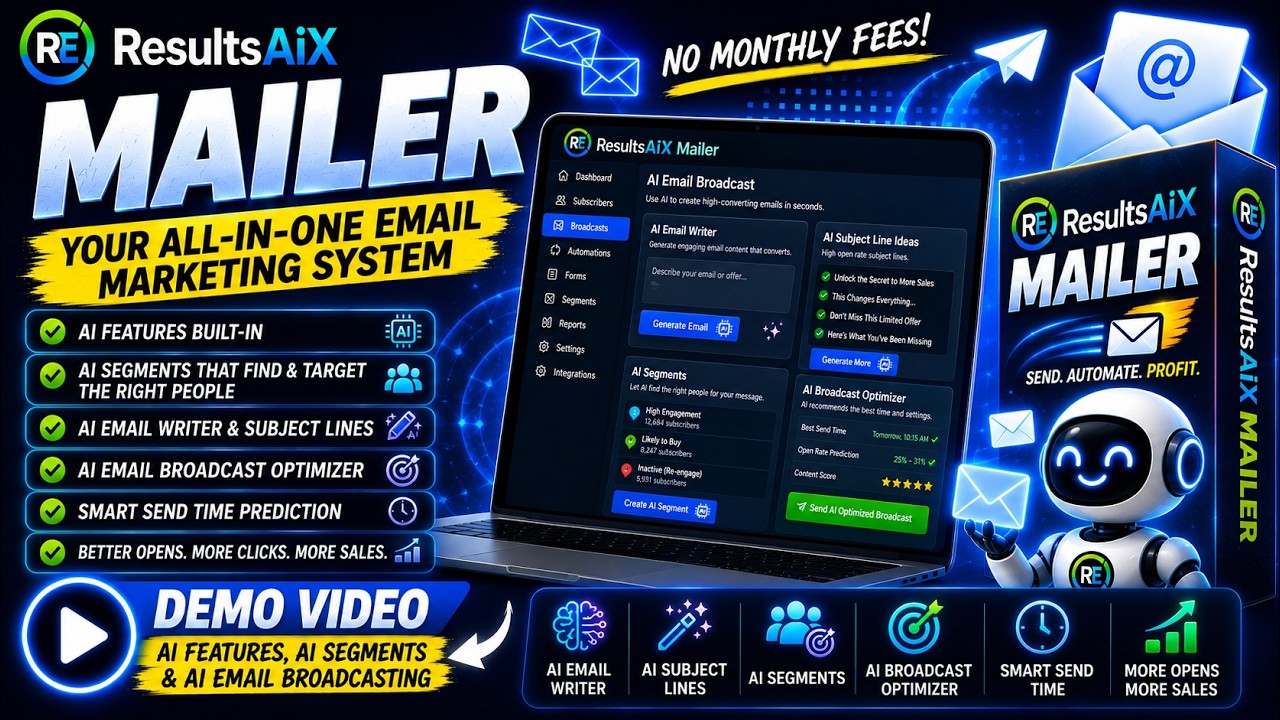
AI Features, AI Segments And AI Email Broadcasting

AI features, AI segments and AI email broadcasting

Describing an audience in plain English, then writing and sending the broadcast. Recorded live inside WordPress, nothing staged.

The ecosystem

Then It Starts Seeing Money, Not Just Opens.

Mailer is a complete platform on its own. Connect the rest of the ResultsAiX family and your segments start being built from real spend and real purchases.

📊

WP Conversion Tracker AI

The Audience Vault tracks clicks, views and purchases on your site, then hands Mailer 14 ready-made buyer segments computed from real spend, recency and frequency.

WhalesChampionsBig Spenders LoyalHot LeadsAt RiskResurrected
🚀

Launch Manager AI

Connects your WarriorPlus and JVZoo accounts and puts purchase history on every profile: total spent, products owned, last order, buyer or affiliate.

has purchased Xtotal spendbuyer typelast order
🔄

WP Sync

New signups from 150+ connected apps flow straight onto your Mailer lists. No exports, no CSV shuffling, no manual imports.

StripeWooCommerceTypeformCalendlyMemberPress
▶ Watch it on real data

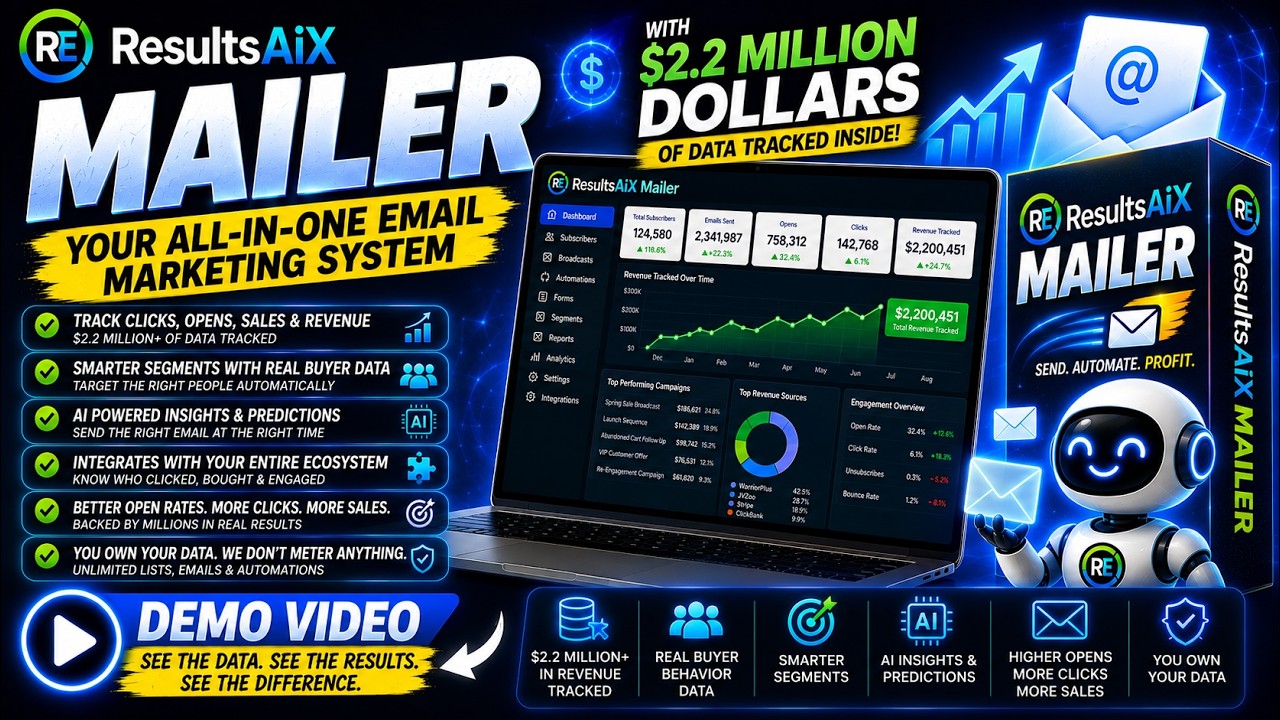
Email Marketing With Real Buyer Data Behind It

Email marketing with real buyer data behind it

What the segments look like when the platform can see what people actually bought. Recorded live inside WordPress, nothing staged.

What it costs

The Bill That Does Not Move.

Subscriber-priced platforms charge more as your list grows. This one does not, so the gap widens every year you keep going.

Your listTypical subscriber pricing, per yearResultsAiX Mailer
per year
10,000$2,400 to $4,800$97
25,000$6,000 to $9,600$97
50,000$12,000 to $24,000$97
100,000higher again$97

Figures describe typical published pricing in this software category generally, not any single named product, and are for illustration. Your own costs depend on the platform, plan and features you use.

From the ResultsAiX community

Marketers Who Made The Switch To Owning Their Tools

See the whole thing

Before You Decide, Watch It Work.

The complete walkthrough, recorded live inside WordPress. Every screen on this page, in the order you would actually use them, with the AI features included.

▶ The full demo

The Complete Walkthrough, With The AI Features

The full ResultsAiX Mailer demo, with the AI features

The full walkthrough, with the AI features. Nothing staged, nothing sped up, all of it on a real site.

Shipped in the last few weeks

The Mailer Keeps Getting Better While You Use It.

Every one of these is already in the plugin and included in the $147 a year. This is the pace you are buying into.

🔁

SMTP rotation across every connection

Rotate sends evenly or by weighted shares across as many connections as you like, any provider, several accounts of the same provider. Failover stays underneath, so rotation never costs you an email.

v1.0.145
🌡️

Warmup: drip 20,000 through a cold server

A fresh server ramps day by day on the pace you pick. Queue the whole send now; the queue sends up to each day's cap and the rest waits politely. Nothing fails, nothing is lost.

v1.0.145
🛡️

The DKIM guard

Rotation only helps reputation when your domain is authenticated at every provider in the pool. Each connection shows a live authentication badge, and strict mode keeps unverified ones out of the rotation.

v1.0.145
🛒

Commerce sales inside the Mailer

Every sale, renewal, refund and cancellation from Results AI Commerce reaches the product pickers, the "makes a purchase" trigger and buyer profiles. One purchase ledger for every source, Launch Manager sales included.

v1.0.126

25 prebuilt automations

Ready-made automations in the menu. Start one from a list and it keeps running for everyone who joins; start it from a segment and everyone matching enters the moment you set it Active.

v1.0.125
📊

Reports, the full chart system

Area, line, bar, trend and hourly views with date ranges and a ranked top-links chart, on the Reports screen as well as on every broadcast and automation.

v1.0.125
🔍

Search anything, from anywhere

Press Ctrl+K. Type an email, a name, an IP, a list, a tag, a setting or a question and everything answers at once, grouped: people, emails, automations, lists, settings.

v1.0.124
🧹

Tidy Names

Eleven switchable rules repair mangled accents, clear leftover merge tags and placeholder junk, with a preview, apply only the rows you tick, and one-click undo. On our own 66,921-subscriber list it found 7,243 to fix.

v1.0.95

Verify Leads

Sorts everybody into Alive, Cold, Unknown, Typo domain, Dead domain and Role address, shows lifetime spend on every flagged row, and only ever reports until you choose to act.

v1.0.81+
🎯

Lead scoring

A score built from what people actually do, with editable rules, points that fade with age, a "why this score" list on every subscriber and two extra slots for scores imported from elsewhere.

v1.0.83+
👤

Buyer timeline on every profile

Each purchase with product, date, gateway, amount and status, lifetime net spend and order count, and write-once signup attribution so later imports can never overwrite how you met somebody.

v1.0.76+
🔑

Deliverability that understands CNAME DKIM

Domains signed through SMTP2GO, AWeber, SendGrid, Mailgun or Postmark are now correctly recognised as signed. Plus no more clutter: without an AI key, the AI panels shrink to a one-line note.

v1.0.125
Special offer, price going up soonPricing

$147 A Year. Or Every Plugin We Make.$147 A Year. One Flat Price.

ResultsAiX Mailer is $147 a year, flat, with unlimited subscribers. And right now, the ResultsAiX Bundle gives you the Mailer plus every other plugin we make for $347 in year one, then $147 a year, before the price goes up. If you are serious about your business, the Bundle is the one.ResultsAiX Mailer is $147 a year, flat, with unlimited subscribers. Or get the Mailer plus every other plugin we make in the ResultsAiX Bundle.

✉️ Standalone Plugin
ResultsAiX Mailer
Everything on this page. One license, 3 sites.
$147/year
Unlimited subscribers and unlimited sending
  • Unlimited subscribers and unlimited sending, no per-contact pricing ever
  • The full ⚡ Automations builder with triggers, branches and live counts, plus 25 prebuilt automations
  • Broadcasts, sequences, forms, templates, segments and reports
  • Train Your AI: it learns your writing voice from your own emails and uses it everywhere
  • An AI helper that builds whole automations, whole sequences and your opt-in forms from a description you can speak out loud
  • 🎤 Talk instead of typing on every AI box, using your own browser, at no extra cost
  • Behavior tagging, lead scoring, Tidy Names, Verify Leads and List Health reporting
  • Migration safety: Safe Mode, silent lock, rollback, suppression import, and uploaded files deleted after every import
  • 12 sending services with automatic failover
  • AI Studio with your own Claude or OpenAI key
  • 45-guide Training tab and human support
  • Every update included
Get ResultsAiX Mailer · $147 A Year →
⭐ Highest Value • Most Recommended
The ResultsAiX Bundle
ResultsAiX Mailer plus every plugin we make. All 20+, one license, one login.
$347year oneAll 20+ plugins
Then $147 a year. Price going up soon, join now.The special offer has ended. Current pricing is on the bundle page.
  • ResultsAiX Mailer, everything in the other column
  • WP Conversion Tracker AI + Audience Vault: 14 buyer segments built from real clicks and spend
  • Launch Manager AI: target by the exact products people bought, their spend and recency
  • WP Sync: subscribers in from 150+ apps, kept in sync
  • ResultsAiX Video, Results AI Webinars, ResultsAiX Funnels
  • ResultsAiX Engage, ResultsAiX Testimonials, Results AI Search
  • Results AI Support, Sign, Surveys and Publisher
  • Every plugin we release while your licence is active
  • 30 day money back guarantee
Get The Bundle · All 20+ Plugins →

Price going up soon

00Days
00Hours
00Minutes
00Seconds
Why the Bundle, and why now: the Mailer on its own is $147 a year. For $200 more in year one you get WP Conversion Tracker AI, Launch Manager AI, WP Sync and every other plugin we make, and from year two the whole family renews at $147 a year. The price is going up soon, so lock it in now.Straight pricing: the Mailer is $147 a year, flat. The Bundle is every plugin we make under one login, and its current pricing is on the bundle page. Interested In The Bundle Deal? Click Here & Get Pro Access To All 20+ Plugins →
🔗 The unfair advantage

The Mailer Is Complete On Its Own. With The Family, It Knows Who Your Buyers Are.

WP Conversion Tracker AI feeds the Mailer 14 buyer segments built from real spend. Launch Manager AI puts purchase history on every profile and lets you target by the exact products people bought. WP Sync pipes signups in from 150+ apps. Results AI Commerce sales land in the same purchase ledger. Bought separately they add up. In the Bundle they arrive together, with every other plugin we make, all under one login.

Mailer alone$147 / year
All 20+ plugins$347 first year, then $147 / yearToday's price on the bundle page
WP Conversion Tracker AIAudience VaultLaunch Manager AIWP SyncResults AI Commerceand every other plugin we make
See The Bundle Deal → Price going up soon, join nowOne login for the whole family

One license covers 3 sites. Yearly billing through Stripe, cancel anytime.

🛡️

The 30 Day "Move Your List" Guarantee

Install it. Import your list with the safety systems on. Build an automation, send real campaigns, watch the reports. If ResultsAiX Mailer is not everything this page promises, request a refund within 30 days and get every cent back.

Try the whole platform. Risk nothing.
Questions, answered straight

Frequently Asked Questions

Is this really a WordPress plugin, with my data on my server?
Yes. Subscribers, broadcasts, automations and every statistic live in your own WordPress database on your own hosting. The license server validates your key, and optional AI features call Anthropic or OpenAI directly with your own API key. Nobody can hold your list hostage.
I have 50,000 subscribers elsewhere. Will moving break anything?
The whole platform was built around that exact move. Safe Mode blocks all outbound email until you switch it off, imports are file-backed and resume themselves after timeouts, migrated contacts are locked out of automations until you say otherwise, a bad import can be rolled back, and you can import your old unsubscribe file so everyone who ever opted out stays opted out from day one.
What can the Automations builder actually do?
Pick a trigger: joins a list, confirms, gets a tag, submits a form, opens an email, clicks a link, or makes a purchase. Then stack steps: rich-editor emails, waits from minutes to weeks or until a set time of day, real if/else branches on tags, lists, engagement and buyer status, add or remove tags and lists, notify yourself, or call a webhook. Live counts show how many people are waiting at every step, and you can pause a flow without losing anyone's place.
Can every affiliate on my list get their own link in one broadcast?
Yes. Save a tag like aff=partner123 on each subscriber, then write the link as https://offer.com/?a={{tag.aff}}. At send time every recipient receives their own URL, and click tracking still works. Tags import straight from a CSV column.
Can I really just talk to it?
Yes. Every AI box in the plugin has a 🎤 Talk button: the form builder, the sequence builder, the AI Segment Builder and the AI Helper. Press it, say what you want in normal words, and the text appears in the box as you speak. It uses the speech engine already built into your browser, so nothing is uploaded to us or to anyone else and there is no extra cost. On a browser that cannot do it, the button simply never appears, so there is nothing to break.
Can the AI really write in my own voice?
Yes, and this is the part people underestimate. On the Train Your AI tab you paste in or upload your own best performing emails, up to 150 of them, and press Learn My Voice. It reads them once and writes a style guide describing your greeting, your sign off, your tone, your rhythm, the phrases you genuinely reuse and the things you never do. Every AI writing feature then uses that guide: broadcasts, rewrites, subject lines, whole series, even the headline on a form it builds for you. The guide is plain text, so you can edit it or add your own rules by hand, and you can switch it off at any time without deleting anything.
What does it mean that the AI "builds" things for me?
Ask the AI Helper for a five day follow-up series for new buyers and it writes all five emails and creates the automation itself, with the waits between them, the trigger set and any branches in place. It is always created as a draft, so nothing sends until you have read it and switched it on. It also answers questions about your real numbers straight from your database, opens a pre-filled composer when you ask it to write an email, remembers your chats so follow-ups work, and answers support questions from the plugin's own 45 training guides.
Can I build an opt-in form just by describing it?
Yes. On the form editor, type what you want or press Talk and say it: "a floating bar for my blog, first name and email, headline about my free AI training, amber button on a dark background". The fields, labels, headline, supporting line, button wording and colours all fill in with the live preview updating as it goes. A second instruction like "make it darker" or "add a phone field" edits the form you already have rather than starting again, Undo puts it back exactly as it was, and nothing is saved until you press Save form.
What happens to the CSV file I upload when importing?
It sits in a locked-down folder while the import runs and is deleted the moment the import finishes, or immediately if you cancel. A daily clean up removes anything abandoned, an Imports panel shows exactly what is still stored on your server with a button to clear it yourself, an upload still in progress is never touched, and uninstalling the plugin removes the folder entirely. An export from your old provider holds real personal data, so it is not left sitting on your hosting.
What does the AI cost?
You bring your own Anthropic (Claude) or OpenAI API key and pay the provider directly, with no markup. A heavy month typically runs a few dollars; light use costs pennies. Every AI feature is optional, and the platform is fully functional without a key.
Which sending service should I use?
Twelve connectors ship in the box: WordPress mail, your own custom SMTP server, Amazon SES, SendGrid, Mailgun, Postmark, Resend, SparkPost, Mailjet, Brevo, Elastic Email and SMTP2GO. A built-in plain-English guide recommends one for your situation, and you can configure several with priorities so the engine fails over automatically if one rate-limits.
What happens if PHP times out during a big import or send?
Nothing is lost. Imports are staged to disk with a heartbeat and resume from the exact row within about a minute. Sending runs from a queue in batches, so a timeout simply means the next run continues where the last one stopped.
What does ResultsAiX Mailer cost?
$147 a year. That covers one licence on up to 3 sites, unlimited subscribers and unlimited sending, every feature on this page, every update and human support. There is no per-contact pricing and no higher tier to grow into.
What is the Bundle special offer?
Right now, the ResultsAiX Bundle is $347 for year one, then $147 a year. It includes ResultsAiX Mailer plus every other plugin we make, 20+ in total, on one licence with one login: WP Conversion Tracker AI, Audience Vault, Launch Manager AI, WP Sync, Video, Webinars, Funnels, Engage, Testimonials, Search, Support, Sign, Surveys, Publisher and every plugin we release while your licence is active. For $200 more than the Mailer alone in year one, and the same $147 a year after that, you get the whole family. The price is going up soon.The ResultsAiX Bundle is ResultsAiX Mailer plus every other plugin we make, 20+ in total, on one licence with one login. The special offer on it has ended; current pricing is on the bundle page.
Why is the Mailer better inside the Bundle?
Because the family plugs straight into it. WP Conversion Tracker AI gives you 14 ready-made buyer segments built from real clicks and spend. Launch Manager AI lets you target by the exact products people bought, their total spend and how recently, and puts a full purchase history on every subscriber profile. WP Sync imports and keeps syncing subscribers from 150+ apps. Results AI Commerce sales flow into the same purchase ledger. The Mailer on its own is complete. With the family connected, it knows who your buyers are.
I already own ResultsAiX Mailer. Can I move to the Bundle?
Yes, and you lose nothing. The Bundle includes the Mailer, it is the same plugin, so your lists, automations, forms and every statistic stay exactly where they are. You activate everything with one Bundle licence. Grab it from the bundle page.
Is there a guarantee?
A 30-day money-back guarantee. Install it, import your list, build an automation, send real campaigns. If it is not what we promise, request a full refund within 30 days.
Where do I get support?
Real humans at the ResultsAiX support desk, with typical response times under a few hours. The plugin also ships a 45-guide Training tab covering every feature, searchable from inside your WordPress admin.

Your List. Your Server.
Your Flat Price, Forever.

$147 a year for the Mailer, on your own server, with unlimited subscribers. Or every plugin we make for $347 in year one, then $147 a year, before the price goes up.$147 a year for the Mailer, on your own server, with unlimited subscribers. Or get every plugin we make in the ResultsAiX Bundle.

00Days
00Hours
00Minutes
00Seconds

$147 a year. 3 sites. Unlimited subscribers. 30 day money back guarantee.$147 a year. 3 sites. Unlimited subscribers. 30 day money back guarantee.

$147 a year. Bundle special on all 20+ plugins, price going up soon.$147 a year, unlimited subscribers, your own server. 3 sites, 30 day guarantee.

Get ResultsAiX Mailer Or Get All 20+ Plugins →