
Your Site Can Read Itself Out Loud Now

Try this before you read on. Press Alt and A together on your keyboard, or press the Accessibility button in the corner of this page. Turn on dark mode. Then press Listen and let the page read itself to you.
That’s ResultsAiX Accessibility, and it runs on every page I own. Roughly one adult in four lives with some kind of disability. They’re already on your site, and almost none of them will write in to say it was hard to read. They just leave.
This guide covers what your visitors get, what you get as the site owner, and which version fits you.
Three Ways To Have It
ResultsAiX Accessibility comes as a free WordPress plugin, as a PRO plugin, and built into the ResultsAiX Theme. The free plugin gives every visitor the full reading panel. PRO adds the tools for you: a checker on every save, Fix with AI, a whole-site scan and a statement page. The theme carries the whole system, checker included. Run the theme and the plugin together and they sort it out between themselves, so nothing prints twice.
What Your Visitors Get
A button on every page. You choose where it sits: in your header, in any of six corners, or in the middle of either edge. Three sizes, gold, dark, white or any colour you paste in, and your own word on it if Accessibility isn’t the word you want. It steps clear of a cookie notice sharing its corner, and a visitor who doesn’t want it can hide it for the day. Alt + A still opens the panel for them.
The first time somebody opens it, it asks one plain question: is anything making this hard to read? One tap and the page adjusts. After that it opens the full panel.
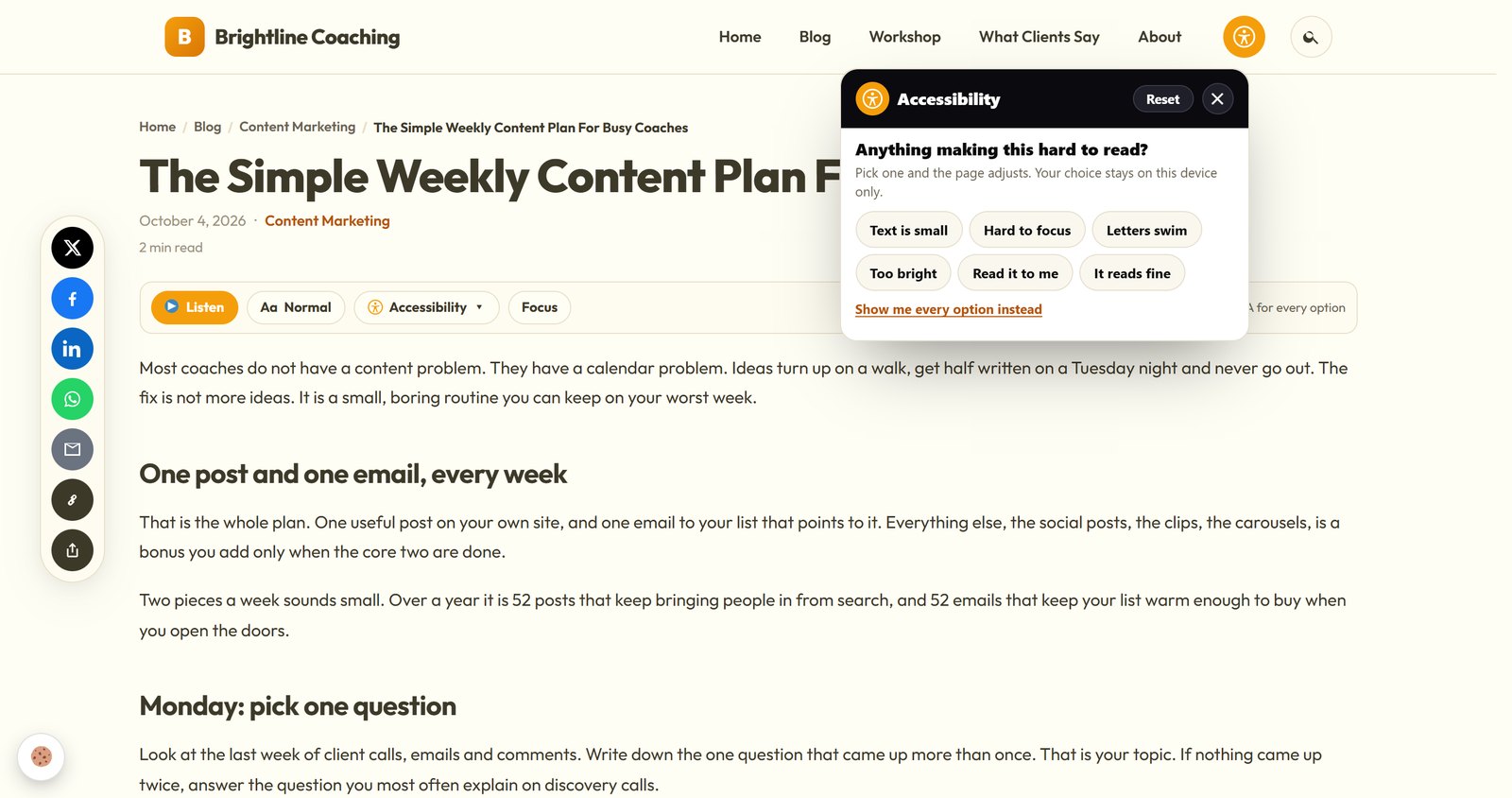
Five Profiles, One Press Each
Low vision, dyslexia, ADHD and focus, seizure safe, and keyboard and motor. Each profile switches on a sensible group of tools for somebody who doesn’t want to learn an interface. They just want the page to be readable. Press it again and everything goes back. Change any single setting by hand and the profile quietly steps aside.
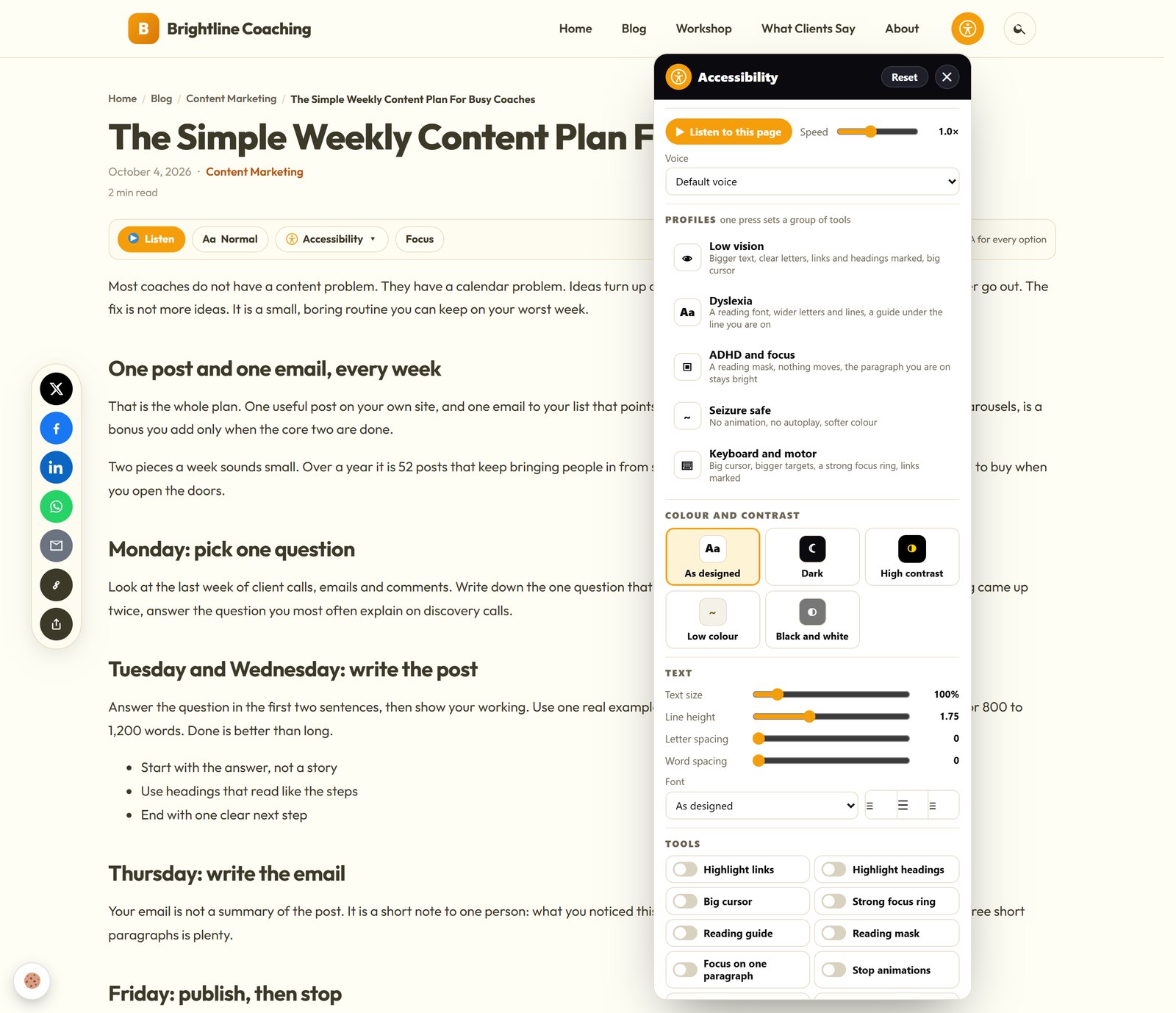
Five Colour Modes
As designed, dark, high contrast, low colour, and black and white. These are real modes, not a tint thrown over the top. On the ResultsAiX Theme, dark and high contrast use the colours your own scheme was designed with, on every page of the site.
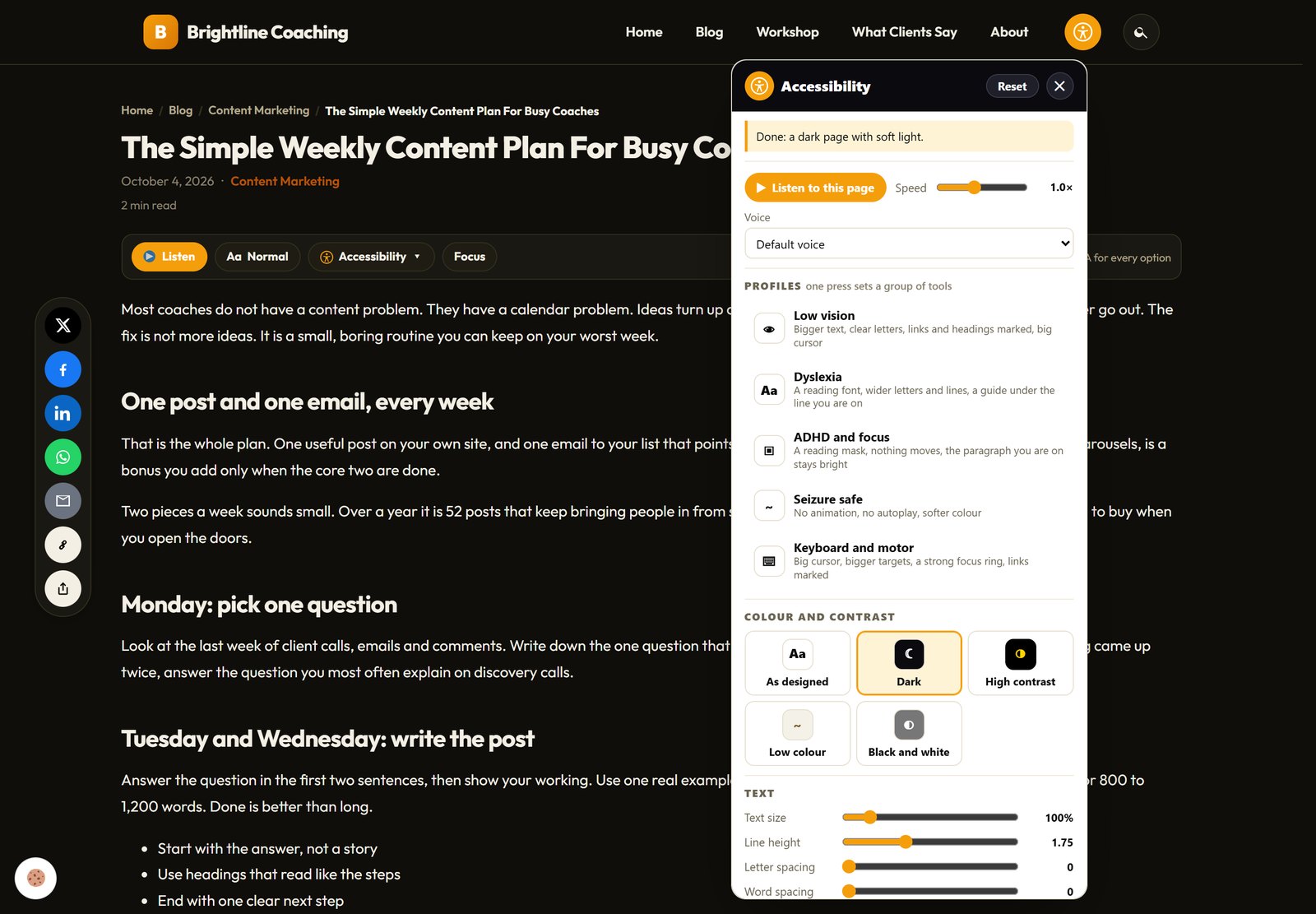
Text And Ten Reading Aids
Text size goes from 85 to 200 percent, with line height, letter and word spacing, alignment, and two fonts built for reading: Atkinson Hyperlegible for low vision and Lexend for reading ease. Neither font is fetched until somebody picks it.
Then ten switches that change how the page actually works:
- Highlight links and highlight headings
- A big cursor and a strong focus ring
- A reading guide that follows the line, and a reading mask that dims the rest
- Focus on one paragraph
- Stop animations, hide images and bigger buttons
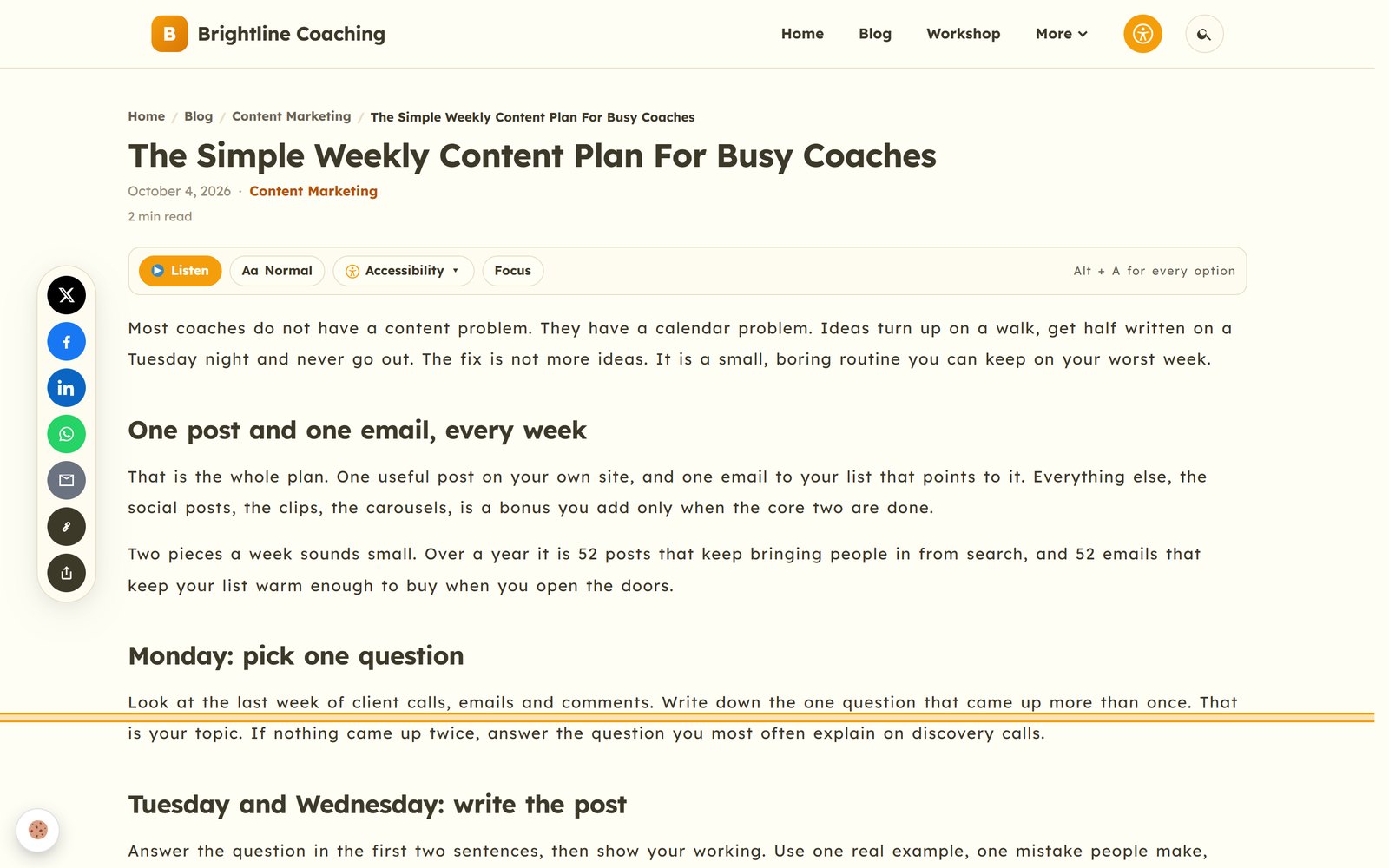
Under them sits a map of every heading on the page, each one a button that jumps straight there. On a long post, that’s the difference between reading it and giving up.
Listen: The Page Reads Itself Aloud
Press Listen and the page is read out sentence by sentence, each one lit up as it’s spoken. There’s a speed slider and a proper voice picker. Click any sentence to start from there. Select any text and a Listen button appears beside it. Alt + L pauses and carries on.
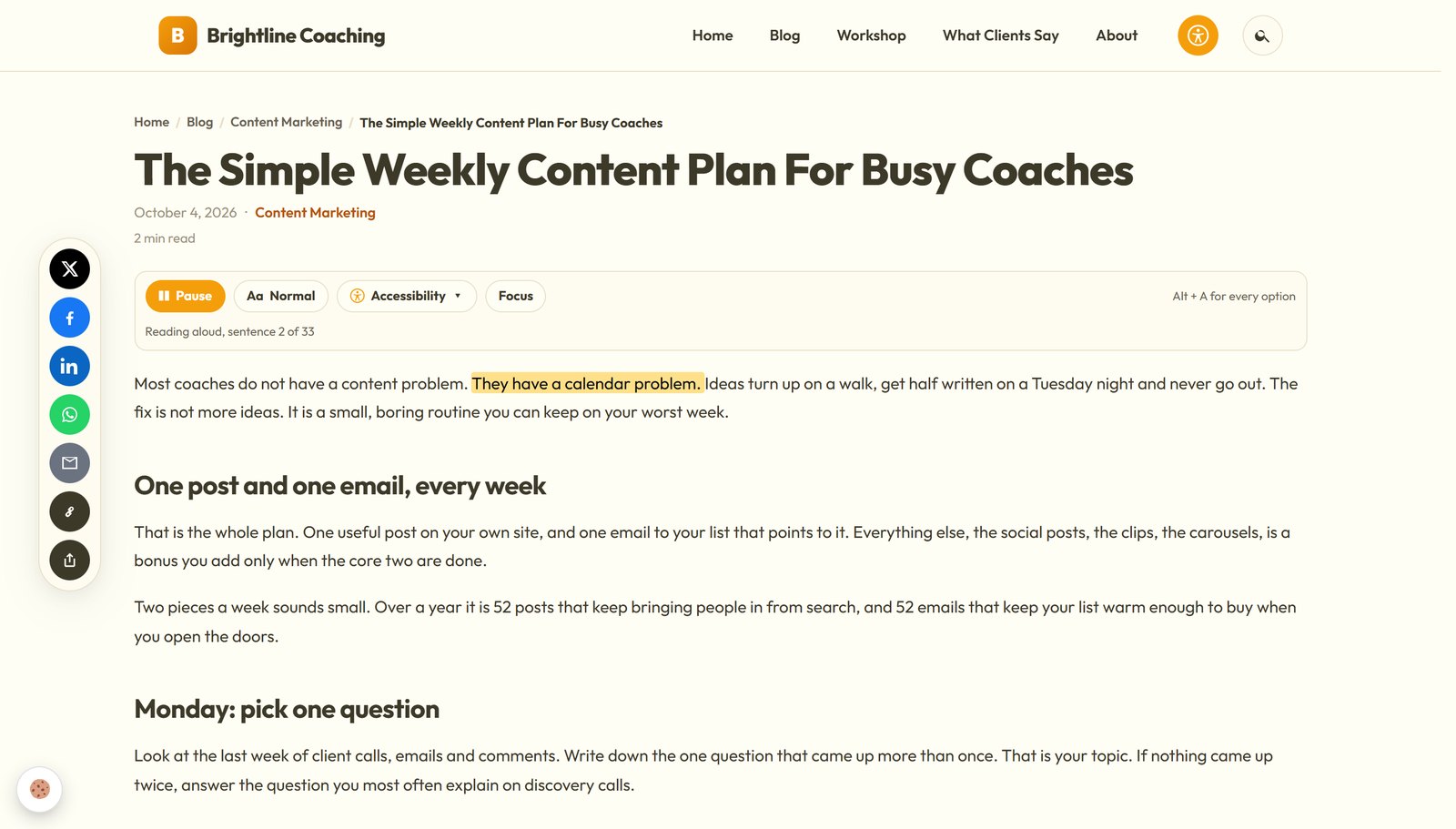
This is the part I like most. It costs you nothing to run, ever. It uses the voices already built into your visitor’s own phone or computer: Microsoft voices on Windows, Siri voices on Apple, Google voices on Android. No AI, no key, no fee per page, and nothing is uploaded anywhere. The read-aloud services this replaces charge hundreds a year and send your text to their servers to do it.
Under every post there’s also a small reading bar: Listen, Focus, which keeps one paragraph bright, and In short, a plain-language summary of the page. On a phone, that bar becomes a strip along the bottom of the screen.
Private By Design
Every choice a visitor makes is kept in their own browser and applied before the page paints, so nothing flickers on their next visit. There’s no account, no tracking and no third-party server involved. Nothing about your visitor reaches you or me, which also means there’s nothing extra to write in your privacy policy.
The keyboard works the way the standard asks, too. Every control announces itself, focus stays inside the panel while it’s open and goes back where it came from when it closes, and the shortcuts are written down inside the panel.
What You Get As The Site Owner
This is the half overlays never sell you, and it’s what PRO and the theme add.
Thirteen Checks On Every Save
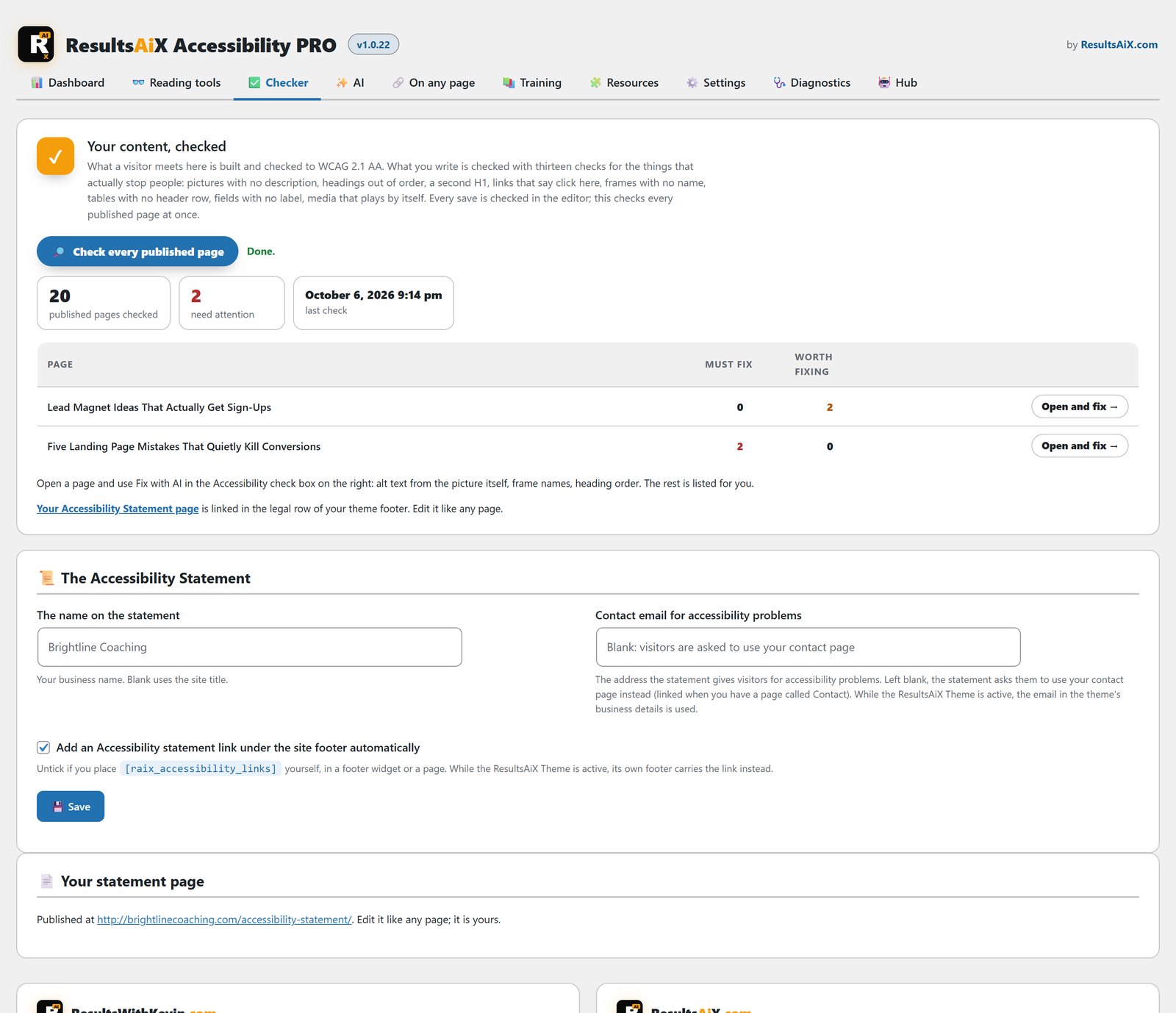
Every time you save a post or page, it reads what you wrote and lists what’s stopping people, right on the edit screen. It separates what genuinely stops somebody from what’s merely untidy. Press Check now and it reads what’s in the editor that second.
The thirteen checks cover pictures with no alt text, alt text that’s just a file name, headings that skip a level, a second H1, empty headings, links with no text, links that say click here, buttons with no words, form fields with no label, frames with no name, tables with no header row, media that plays by itself, and video with no captions.
Fix With AI
Then Fix with AI does the work. It looks at each picture itself, not the file name, and writes one plain sentence describing it, or marks it as decoration where that’s the right answer. It fills in your media library alt text at the same time, so the next post using that picture is already right. It names embedded frames from where they come from and renumbers skipped headings with your blocks kept intact.
It changes what’s in the editor and stops there. You read it, and you decide when to save. It runs on your own key from Anthropic, OpenAI or Google Gemini, which has a free tier, and on the ResultsAiX Theme it simply uses the key the theme already has.
One button runs the same checks across every published page, in batches, and gives you a list of the pages that need attention with a link straight into each one. Worth doing after a big import, or once a month with a coffee.
Your Accessibility Statement
The European Accessibility Act and the UK guidance both expect a public statement: the standard you work to, what isn’t perfect yet, and how people can tell you about a problem. One click writes it from your business details, publishes it and links it.
One Line For Pages That Aren’t WordPress
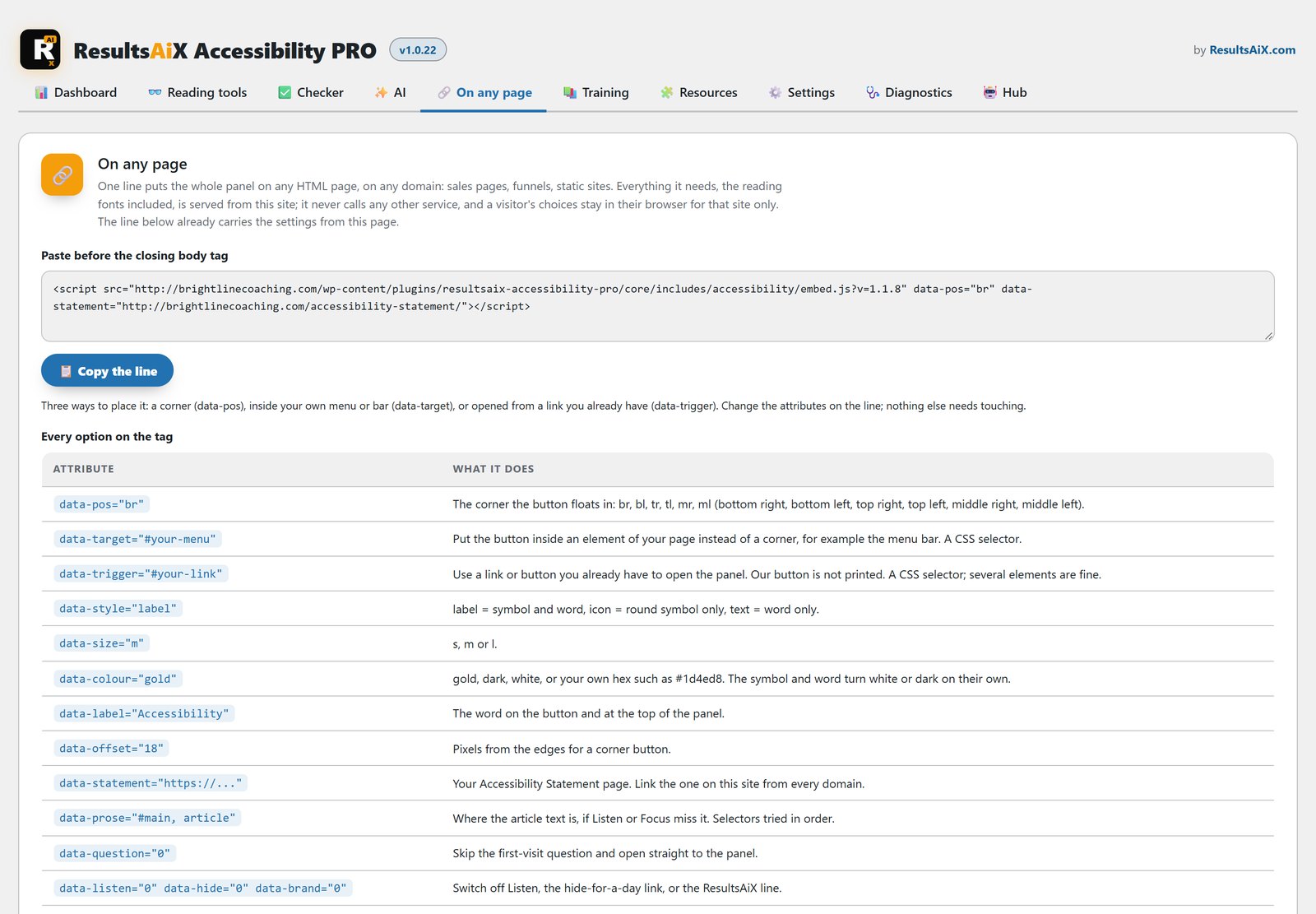
Sales pages, funnels, a static site on another domain. Paste one line of script before the closing body tag and the same panel is on that page. Float it in a corner, print it inside your own menu, or point it at a link you already have in your footer. The exact line, with your settings filled in, sits on the settings screen with a Copy button.
Why An Overlay Isn’t The Answer
You’ve probably been offered one: a floating button and a monthly bill. An overlay paints a menu of filters over your page and changes nothing underneath. The headings are still out of order and the pictures still have no description. The people it claims to help are often the ones who complain about it most, and overlays are what the lawsuits keep landing on.
What the law asks for is plain. The ADA, the European Accessibility Act, the UK Equality Act and Canada’s AODA all point at the same standard, WCAG 2.1 AA: pictures described, headings in order, links that say where they go, forms with labels, nothing playing by itself, and everything still working with a keyboard and bigger text. So this does two real things instead of selling one badge. Real tools for your reader, and a checker that finds and fixes what’s in your content.
What It Doesn’t Do
It doesn’t make your site compliant, and it never says so. No plugin can promise that about content it didn’t write, so it prints no badge.
The checker reads normal WordPress editor content, so pages built in a page builder get all the reading tools but aren’t checked. And it can’t judge taste. It knows a picture has a description, not whether the description is any good, so read what the AI writes before you save. None of this is legal advice.
Free, PRO, Developer And Agency
- Free: $0. The full visitor panel on every page, with Listen, Focus and In short. One free sign-up, and it comes with five more free ResultsAiX plugins.
- PRO Standard: $27 a year for three sites. Everything for visitors, plus the checker, Fix with AI, the whole-site scan, the statement page and the one-line embed.
- Developer: $97 a year for 25 sites.
- Agency: $297 once for unlimited sites, with ongoing updates and nothing to renew.
It’s the same plugin in every paid tier; only the site count changes. Every paid licence has a 30-day money-back guarantee. If you run the ResultsAiX Theme, the whole system is already built in, and it’s included in the ResultsAiX Bundle too.
Questions People Ask
Does the read-aloud really cost nothing?
Yes. Listen uses the speech voices already on the visitor’s device. There’s no AI, no key and no server involved, so there’s nothing to meter. The only AI in the product is Fix with AI, it’s optional, and it runs on your own key.
Will it slow my site down?
The reading fonts load only when somebody turns them on, and saved choices are applied before the page paints. It works on cached pages, because everything that remembers a visitor lives in their own browser.
Will it work with my theme and page builder?
The reading tools work on any WordPress theme and find the article text on their own, including on builder pages. The checker reads normal editor content.
I have the ResultsAiX Theme. Do I need this?
No. The theme carries the whole system, checker included. The plugin is for sites running somebody else’s theme.
What happens if I stop renewing?
Your site keeps working. The statement is a normal page on your own site, and every change the AI made was saved into your own content. You keep the work.
Does it make my site compliant?
No, and it never says so. No plugin can promise that about content it didn’t write, so it prints no badge. It gives your readers real tools, and the checker finds and fixes what it can in your content.
Is there a free version?
Yes. The free plugin gives every visitor the full reading panel, with Listen, Focus and In short. PRO adds the tools for you: the checker on every save, Fix with AI, the whole-site scan, the statement page and the one-line embed.
Let Your Site Read Itself Out Loud
Open your longest post, press Listen, and hear it read back to you. That's the moment it all makes sense.
Every plugin, every update, every plugin still to come
One bundle covers everything mentioned in these updates and everything that ships after them, at no extra charge, running on your own WordPress site.


