
How To Run Automated Webinars From Your Own WordPress Site

This page explains how to run live and automated webinars from your own WordPress site. It covers three ways to run a session, an AI assistant that answers questions in the chat, turning a live session into an evergreen one in one click, and email reminders, with no seat fees.
Automated webinars on WordPress let you record a session once and have it play on a schedule, from your own site, with registration, reminders, replays and follow-up handled for you. No monthly webinar platform, no per-attendee fees, and your registrants on your own list.
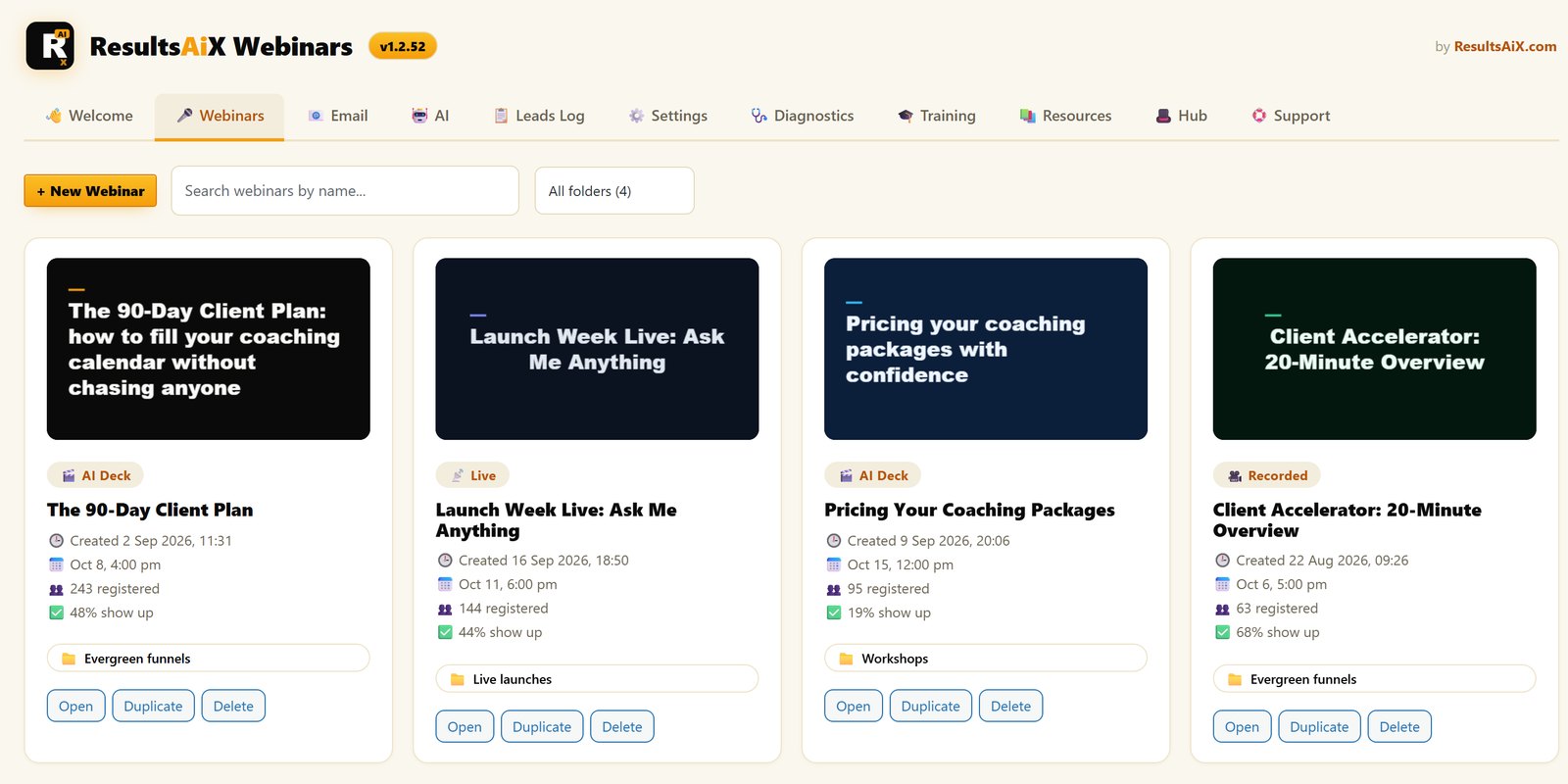
This guide shows how I run them with ResultsAiX Webinars: the three ways to run a session, the AI assistant that answers questions in the chat, turning a live show into an evergreen one, and the machinery around the room that actually decides how many people buy.
Why Webinars Still Convert, And Why The Bill Stings
Webinars outlast every marketing trend for one reason. An hour of attention converts like nothing else. Someone who watches a session on your topic is warmer than a hundred people who skimmed a page.
The platforms know it, and price accordingly. Zoom’s Webinars plan is $89 a month and GoTo Webinar’s Reach plan is $69 a month, and most webinar platforms charge more as your audience grows. Teaching more people shouldn’t cost more.
There’s a deeper problem too. Your registrants, your recordings and your brand all live on someone else’s platform, behind their login. Your audience, their product.
What An Automated Webinar Is, And Isn’t
An automated webinar is a recorded session that runs on a schedule without you presenting it every time. Record it once, set the schedule, and registration, reminders and the replay take care of themselves. It converts because the appointment creates commitment.
It isn’t a way to pretend you’re live when nobody’s answering questions. That’s always been the weak spot. On most automated webinars nobody is in the chat, so a hot buyer asks a question, hears nothing and leaves. That’s the gap the AI assistant fills, and I’ll come to it in a minute.
Three Ways To Run A Session
ResultsAiX Webinars gives you three modes. All three share the same rooms, chat, offers and follow-up, and most people end up using all of them.
The AI-Written Webinar
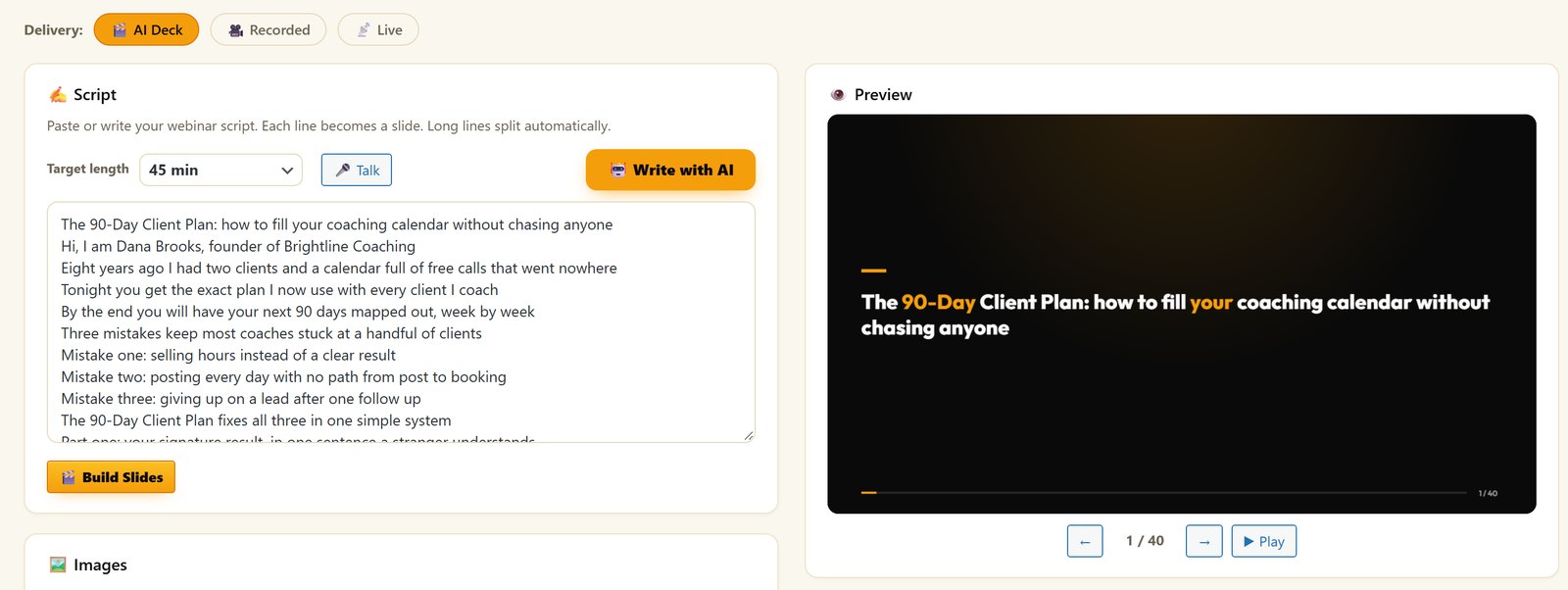
Give it a topic, an audience and an offer, and the AI drafts the whole script, from the hook to the pitch, and designs a slide for every line. Built-in voices narrate it on your own device, or you can narrate it in your own cloned voice with the free Voice Engine app. If you’ve put off a webinar for a month because the deck felt heavy, this is the way round it.
A Recording On A Schedule
Use a Vimeo or YouTube video, an uploaded file, or a recording made in your browser. It plays on its own the second the countdown hits zero, and late arrivals drop in at the right minute. Schedule it one-off, recurring, on demand, or as often as every minute so nobody waits long. Vimeo plays clean with no title or controls, and viewers can’t pause or skip ahead.
Truly Live From Your Browser
When you want to be in the room, go live from your browser with your camera and screen share. You can go live early, pause and carry on into one replay, and mute your mic or camera with a click. No separate streaming software, and attendees never install anything, on iPhone and Mac Safari as well as every other modern browser.
An AI Assistant In Your Chat
This is the part that changes automated webinars. Switch on the assistant for any webinar, live or automated, and it answers questions in the public chat. Anything personal goes as a private message that only that person can see, including their own buy link with their affiliate and campaign tracking attached.
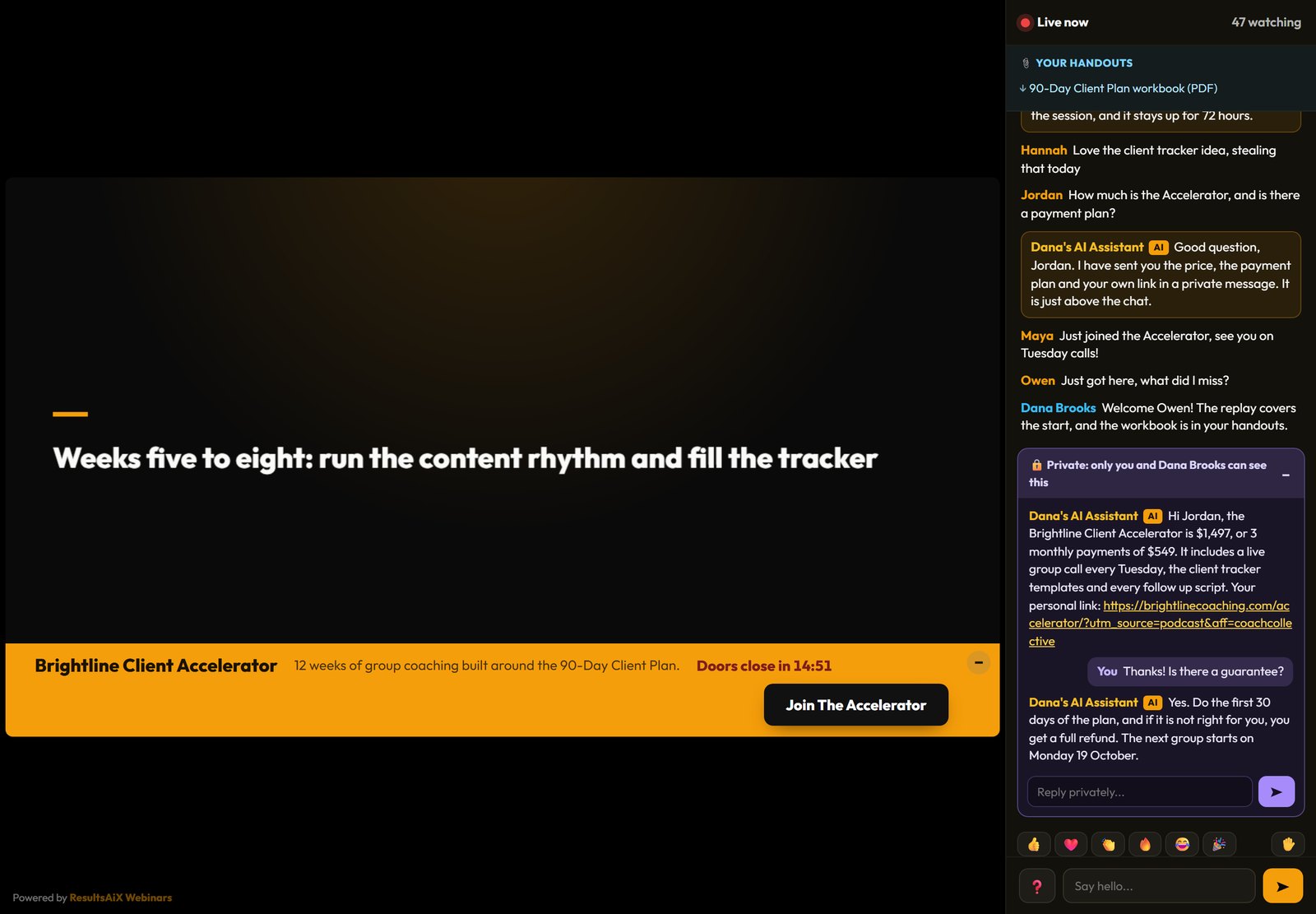
It knows your products, from the product you pick for that webinar and your Support Desk knowledge or anything you paste in. It knows the person too. It can see which of your products they already own, so it never tries to sell them something they have, and it never mentions what anyone spent.
You stay in charge. On a live webinar it waits whenever you type, so it never talks over you. It passes anything it can’t answer to your queue, and pauses with one click. It runs on your own AI key, with a daily limit you set, and everything else in the plugin works without a key.
Turn Your Best Live Show Into An Evergreen Webinar
Most great live webinars are over in an hour and never sell again. Here, one click from the Chat History tab makes an automated copy that plays the recording on a schedule, with the live chat shown at the exact moment each message was posted.
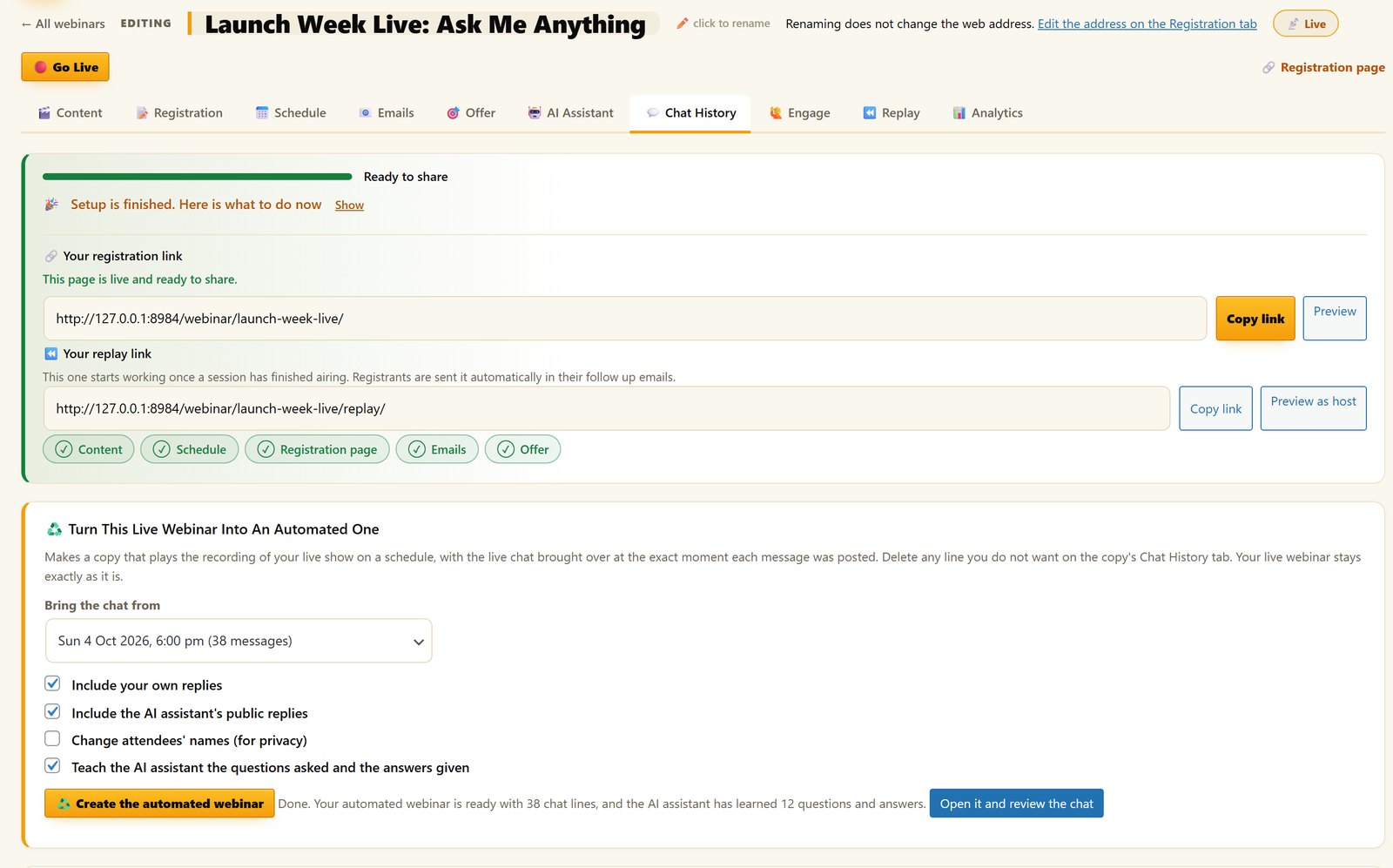
Delete any line you don’t want, like the off-topic one about somebody’s cat. The AI assistant learns every question that was asked and the answer you gave. Your original live webinar isn’t touched.
Hosted Platform vs Your Own Site
| What matters | Hosted platform | ResultsAiX Webinars |
|---|---|---|
| Billing | Monthly on most platforms, often rising with your audience | One flat yearly price with no per-attendee charges |
| Your registrants | On their platform | On your own WordPress site and your own list |
| The chat on an automated webinar | Usually empty | An AI assistant answers around the clock |
| Building the session | Bring your own slides | Have the AI write the script and design the slides |
| Replays and follow-up | Often extra | In the one plugin |
The Machinery Around The Room Matters Most
After years of running webinars, I’m sure of this: the session is the easy part. The money is made and lost in the machinery around it.
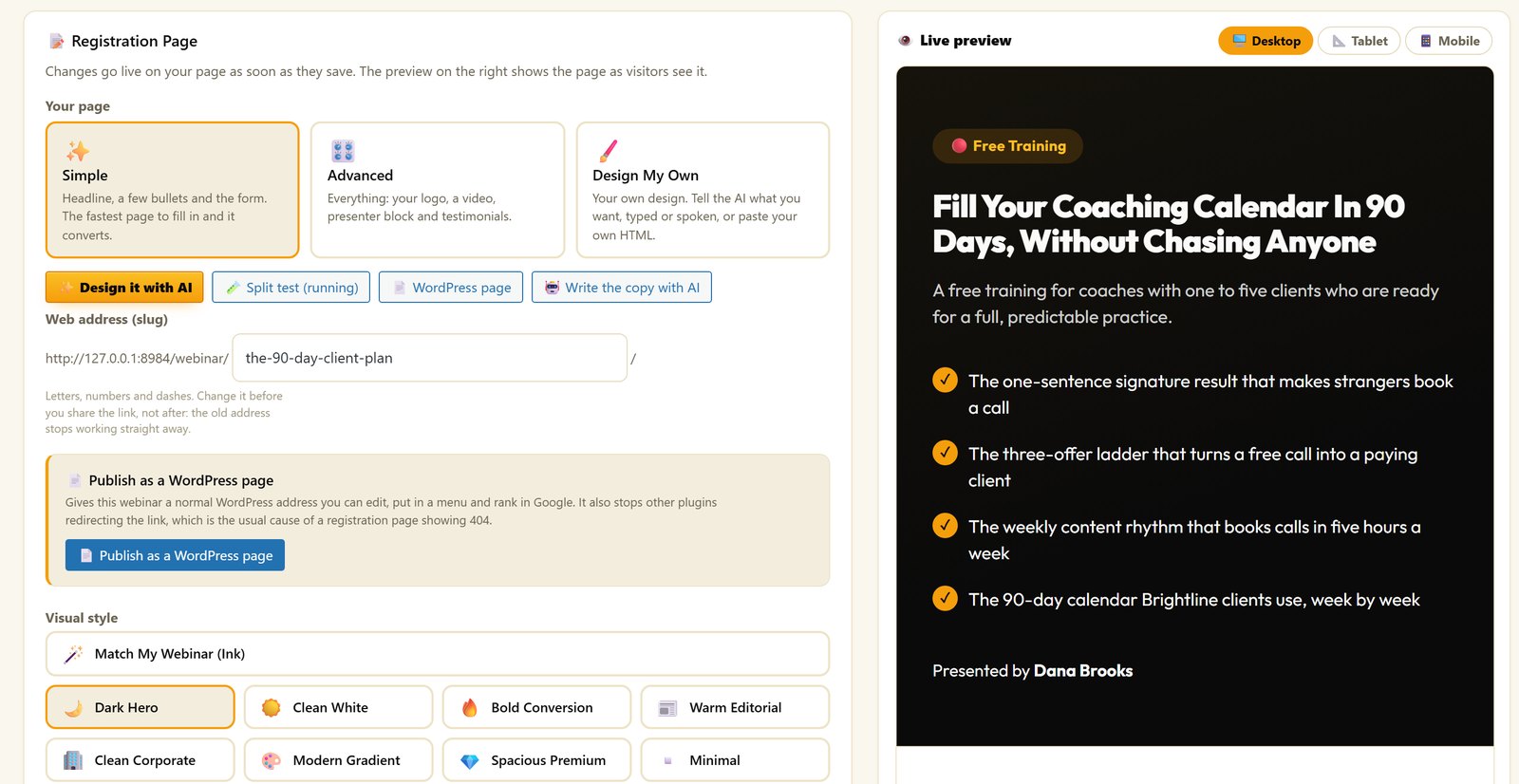
The registration page. There are eight page styles, every word and colour yours to change, plus an embed form for any page, or publish it as a normal WordPress page. You can split test two versions with a fair 50/50 split, and a winner is only called with at least 100 visitors on each and 95% certainty. Bots and your own previews don’t count.
The emails. Confirmations, reminders and follow-ups by behaviour, shown in each reader’s own time zone, and the AI can write all eight follow-up emails from the webinar itself. Reminders decide your show-up rate, so this matters more than any slide.
The offer. Reveal it at the exact second you choose, with a countdown in your own words. Pick a dark, light or gold bar, or a corner card that covers less of the video. Viewers can minimise it to a small button that keeps counting down. Every click carries the visitor’s own affiliate and campaign tags to your checkout, on the replay too if you want.
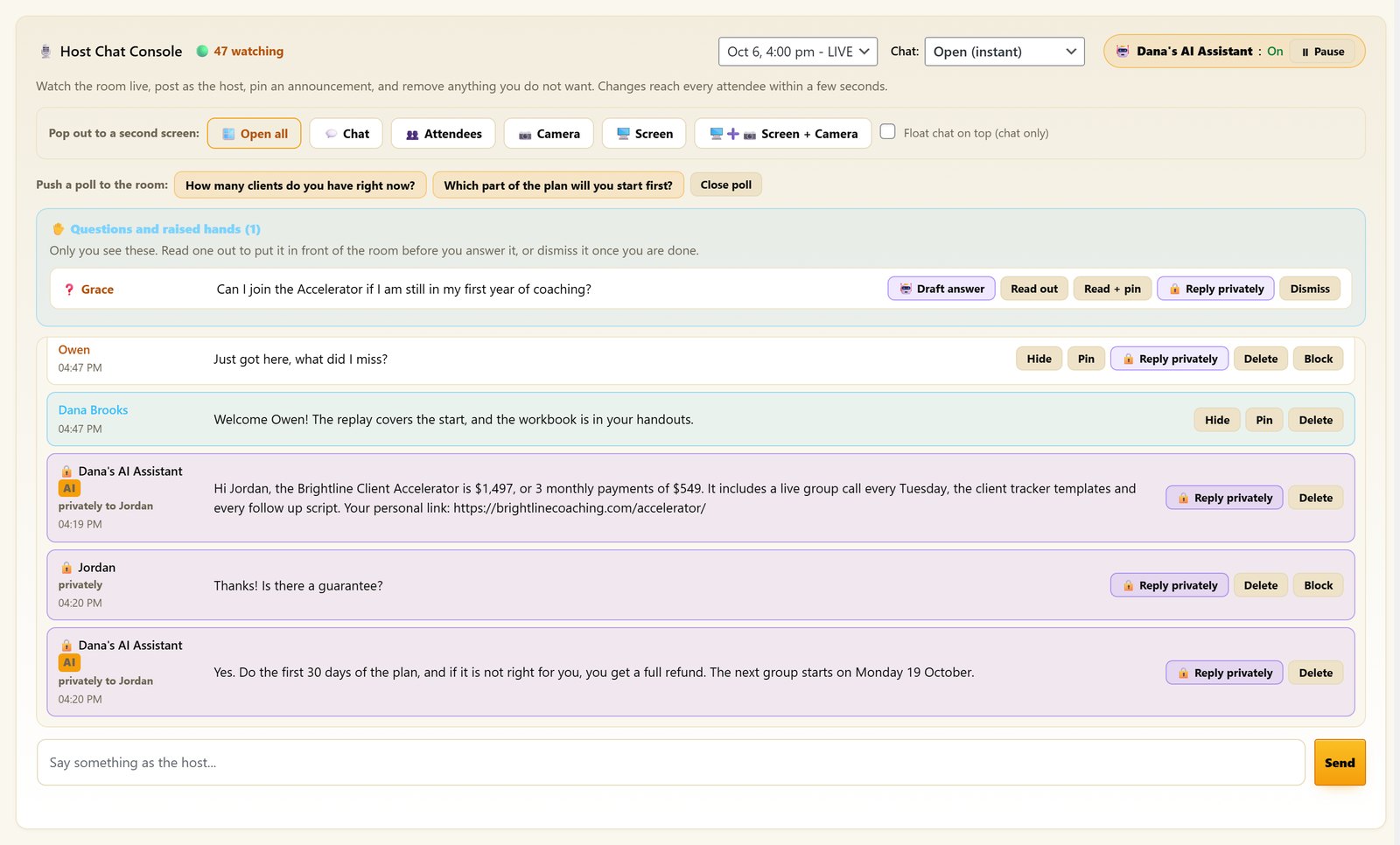
The room itself. A Host Console lets you watch the room, post as the host, pin, hold or block. You can push polls, take questions privately and release handouts at the right moment.
Every Registrant Lands On Your List
Every registrant is tagged by what they did: registered, attended, saw the offer, clicked, watched the replay. That goes straight into ResultsAiX Mailer with no API key, or directly into AWeber, Mailchimp, ActiveCampaign, GetResponse or ConvertKit, and anywhere else through WP Sync.
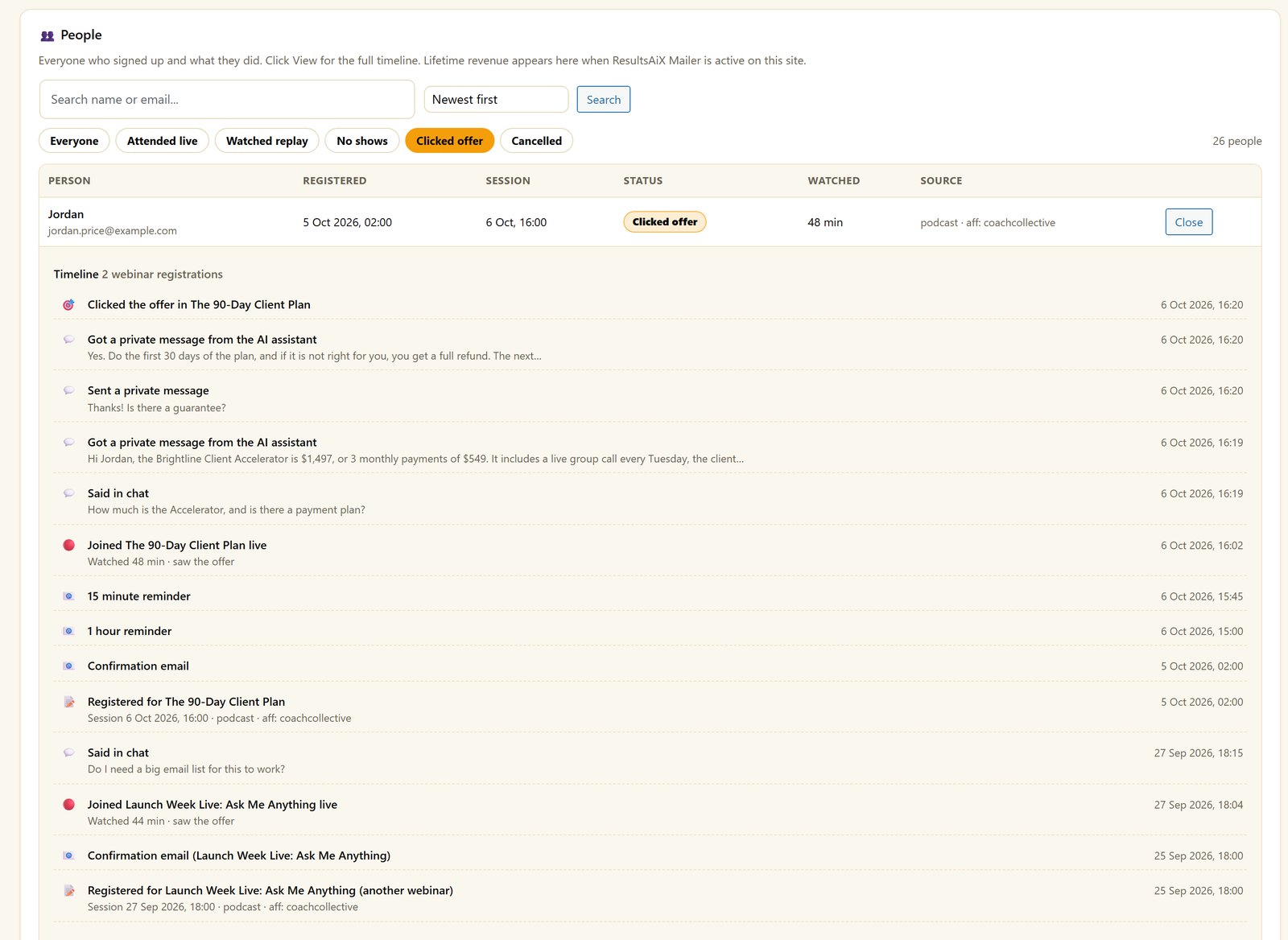
Each person gets one row showing what they watched, what they clicked and their lifetime revenue from the Mailer, on a full timeline. And because the tracking tags ride along, WP Conversion Tracker AI can tell you which traffic source filled the room with buyers.
How It Works For Everyday Businesses
The Coach
Records one strong “how I work” session and runs it twice a week. Every registrant gets reminders, the assistant answers questions in the chat, and every attendee ends on a booking link. The calendar fills without the coach presenting the same hour forty times a year.
The Product Seller
Runs a live session from the browser for launch week, for the energy and the questions. Then one click turns it into an evergreen webinar with that same chat, and the assistant has learned every answer. Same registration page, same reminders, no extra platform bill.
Webinar Mistakes That Kill Conversions
Skipping reminders. Registration is a promise made in a moment of enthusiasm. Without reminders, most of those promises quietly expire.
No replay. Live-only feels pure and costs you a big share of your sales. People register with good intentions and watch when life allows.
An empty chat. On an automated webinar, an unanswered question is a lost sale. Either be there, or let the assistant be there.
The deck that took a month. Perfect slides delay sessions that would have converted fine. Start from the AI draft, make it true, and run it.
Renting the audience. If your registrant list lives inside a webinar platform, your audience is a feature of their product. Keep it on your own site and your own list.
Getting Started
First, install ResultsAiX Webinars on the site where your audience already is, on up to 3 of your own sites.
Second, build the session. Let the AI write the webinar from your topic, audience and offer, or bring the recording you already have.
Third, pick a page style, set the schedule and switch on reminders. Connect ResultsAiX Mailer or your autoresponder so registrants land on your list.
Fourth, switch on the AI assistant and pick the product to promote. Then send traffic and watch the first session run itself.
If you want to send webinar emails through your own sending service, my guide to SMTP rotation and warm-up covers the setup, and own your marketing stack covers the bigger picture.
See A Full Session Get Built And Run
Frequently Asked Questions
Can I Run Automated Webinars On WordPress Without A Webinar Platform?
Yes. ResultsAiX Webinars runs automated, recorded and live webinars inside your own WordPress site, with registration pages, reminders, replays, chat and offers in one plugin, and no per-attendee fees.
What Is A Simulated Live Webinar?
A recording that plays on a schedule, with real registration, reminders and a replay. It starts by itself when the countdown hits zero and late arrivals join at the right minute.
Does The AI Assistant Cost Extra?
No, it’s part of ResultsAiX Webinars. It uses your own AI key, so you pay your provider directly for what it uses, and a daily limit you set keeps that in check.
Can Other Attendees Read The Private Messages?
No. Private messages never go into the shared chat. Each attendee sees only their own, and you can read and answer every conversation from your Host Console.
Can I Turn A Live Webinar Into An Automated One?
Yes, in one click from the Chat History tab. You get a copy that plays your recording on a schedule with the live chat at the moment each message was posted, and your live webinar is left as it was.
Do Attendees Need To Install Anything?
No. They click their link and watch in any modern browser, including iPhone and Mac Safari. No accounts and no downloads.
What Does It Cost?
$147 a year for up to 3 of your own sites, with no monthly fee and no per-attendee charges, and a 30-day money-back guarantee. It’s also part of the ResultsAiX Bundle.
Does The AI Really Write The Webinar?
Yes. Give it a topic, an audience and an offer, and the AI drafts the whole script, from the hook to the pitch, and designs a slide for every line. You then make it true and make it yours.
Can I Still Run A Genuinely Live Session?
Yes. Going live from your browser is one of the three modes, with your camera and screen share. It uses the same rooms, chat, offers and follow-up as the automated sessions.
Are Replays Included?
Yes. Replays and follow-up are in the one plugin, not an extra. People register with good intentions and watch when life allows, so the replay catches a big share of your sales.
Are Registrants Stored On My Site?
Yes. Registrants stay on your own WordPress site, tagged by what they did. They go straight into ResultsAiX Mailer with no API key, or into AWeber, Mailchimp, ActiveCampaign, GetResponse or ConvertKit, and anywhere else through WP Sync.
Your Webinars, Your Site, No Seat Fees
AI writes the script and designs the slides from your topic, audience and offer. Simulated live: one recording runs sessions on a schedule. Registration, reminders and replays built in.


