
Three More Plugins, And One I Never Announced

Three plugins in the ResultsAiX Bundle get less attention than they deserve. ResultsAiX Forms, ResultsAiX Publisher and ResultsAiX Sign. None of them is the flagship, and that’s exactly why people forget they own them.
One of them, Forms, I never announced at all. I built it for myself. This is a guide to all three: what each one does, who it’s for, and how to get your first result from it.
ResultsAiX Forms: The One I Never Announced
I needed a form on my own site. I could have thrown together something that emails itself to my inbox, the way we’ve all done it for years. Or used a free hosted form, which hands your enquiries to somebody else. So I built the form plugin I actually wanted.
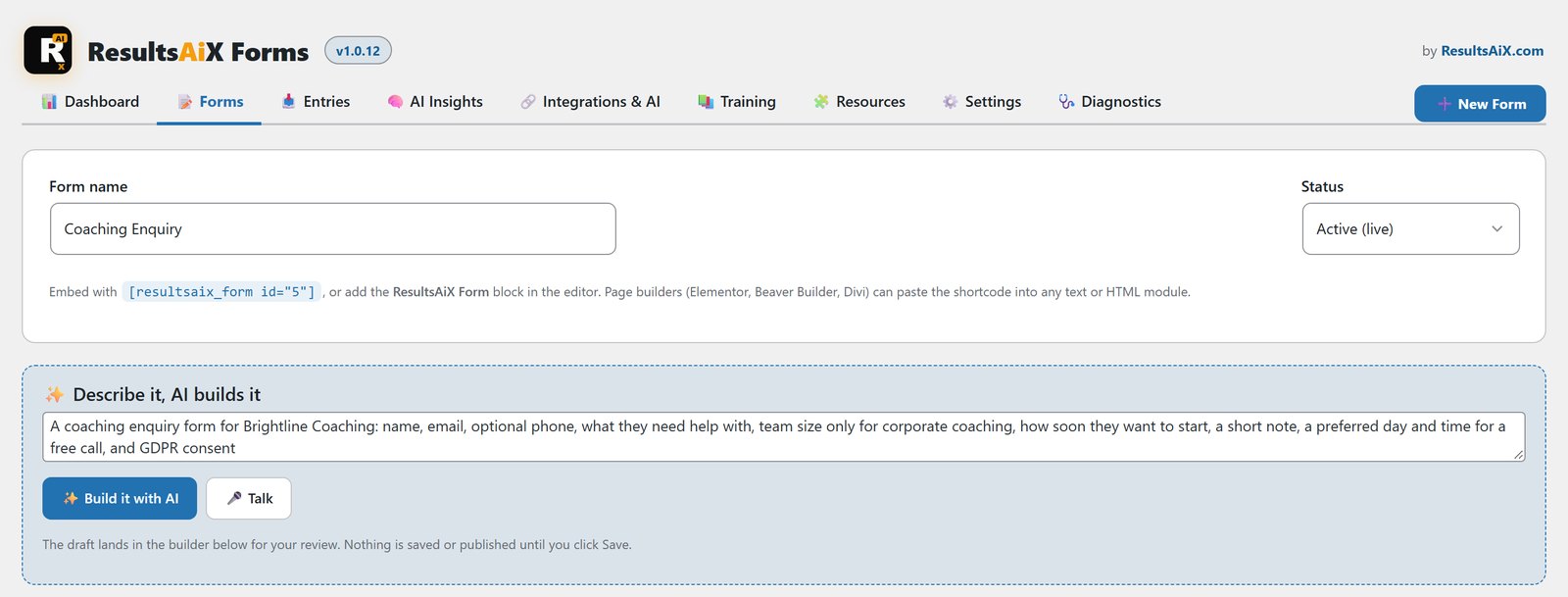
Describe It, And AI Builds It
Type what you need in plain English, something like “a quote request for a plumbing business with an issue type, an address and a photo upload”. The AI builds the fields, the validation and the thank-you message. There are 19 field types, including file uploads, star ratings, date and time pickers and a GDPR consent box, and conditional logic is included rather than locked away.
Every Submission Comes With Context
This is what makes it different. Every entry arrives with where the person came from: the traffic source, the UTM campaign, the referrer, the page they submitted on, their device and browser, and how long they took. That shows up in your notification email, in the entries screen, and in the CSV export. Filter by source and you can see only the enquiries that came from one campaign.
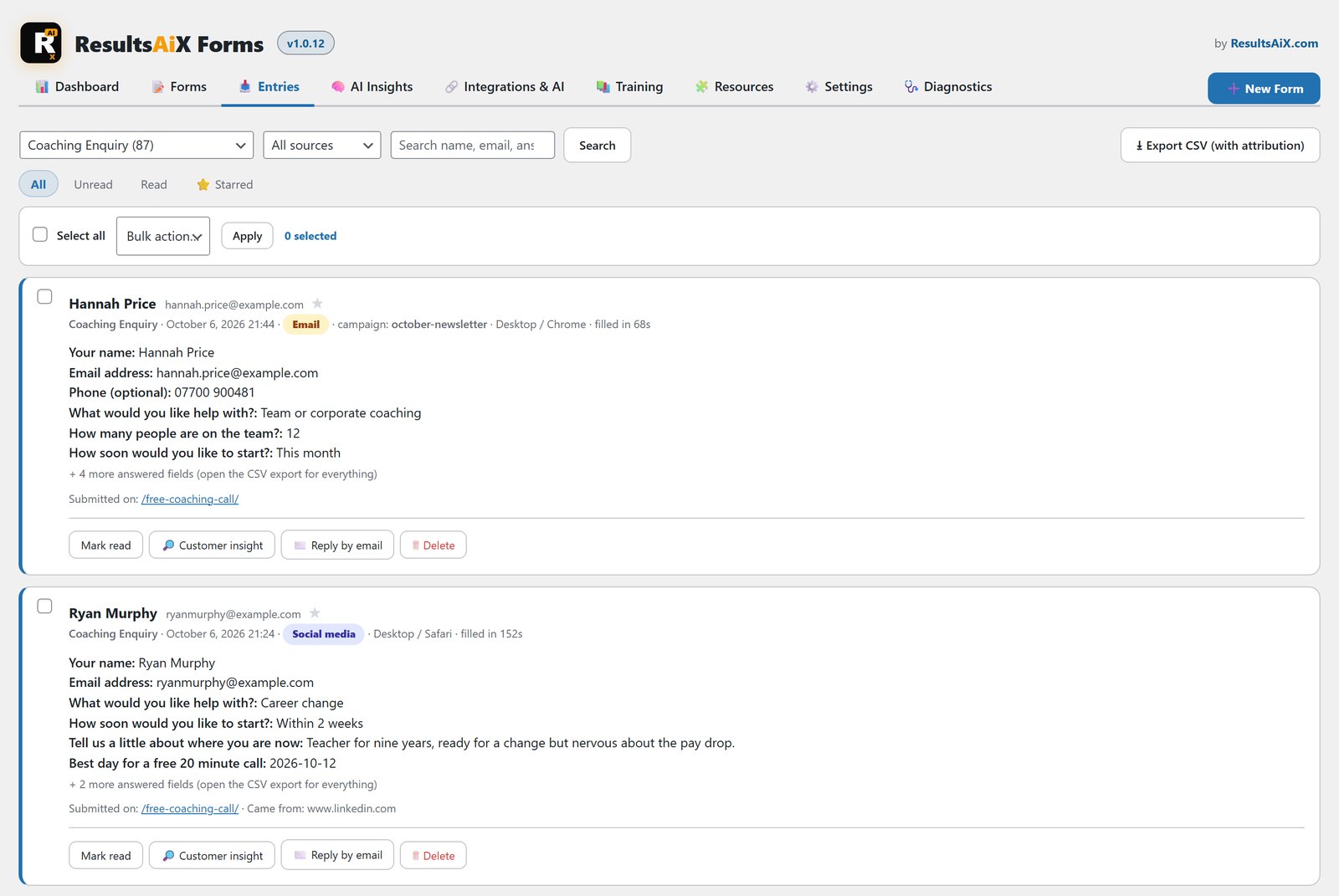
Once you have a few entries, AI Insights reads them together with that context and hands back findings and next steps. It works on your own AI key.
Spam Stays Out Without A Puzzle
Five invisible layers do the work: a honeypot, a minimum fill time, per-IP rate limiting, duplicate blocking and your own word blocklist. Real customers never see a CAPTCHA puzzle. No raw IP addresses are stored, and you can set old entries to delete themselves.
It Talks To The Rest Of Your Stack
Tick one box and every submission goes to ResultsAiX Mailer on the same site, onto the list you pick, with no API key. Or route it through WP Sync to any of 35+ autoresponders and other tools. Put a form on a page with the editor block, a page builder widget or a shortcode.
If you collect customer feedback or general enquiries, or you run an offline business that needs more than a name and an email address, start here. Build one contact form, put it on your contact page, and look at the first five entries. You’ll know more about where your enquiries come from than you did the day before.
ResultsAiX Publisher: One Sentence To A Print-Ready Book
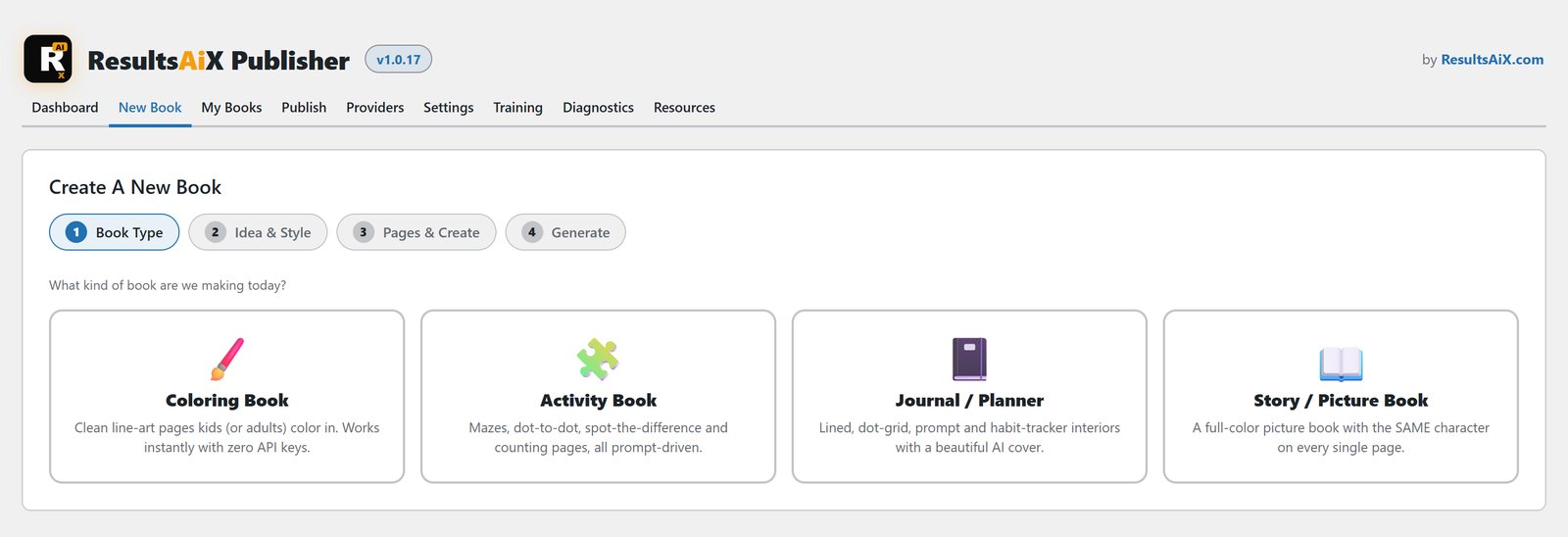
ResultsAiX Publisher turns one sentence into a book you can upload to Amazon KDP. It makes four book types: coloring books, activity books, journals and planners, and full-color story books.
The biggest reason AI books get ignored is that the character changes from page to page. Publisher’s Character-Lock keeps the same character on every page and on the cover. If one page drifts, you reroll it against the locked reference.
The print side is handled for you. Interiors come out at a true 300 DPI, 2550 by 3300 pixels for an 8.5 by 11 book. Trim, bleed and margins are preset for each book type, and the spine width is worked out from your page count. You get the two files KDP wants: the interior and a single wraparound cover with back, spine and front. A front-only image exports alongside it for eBook editions and social posts.
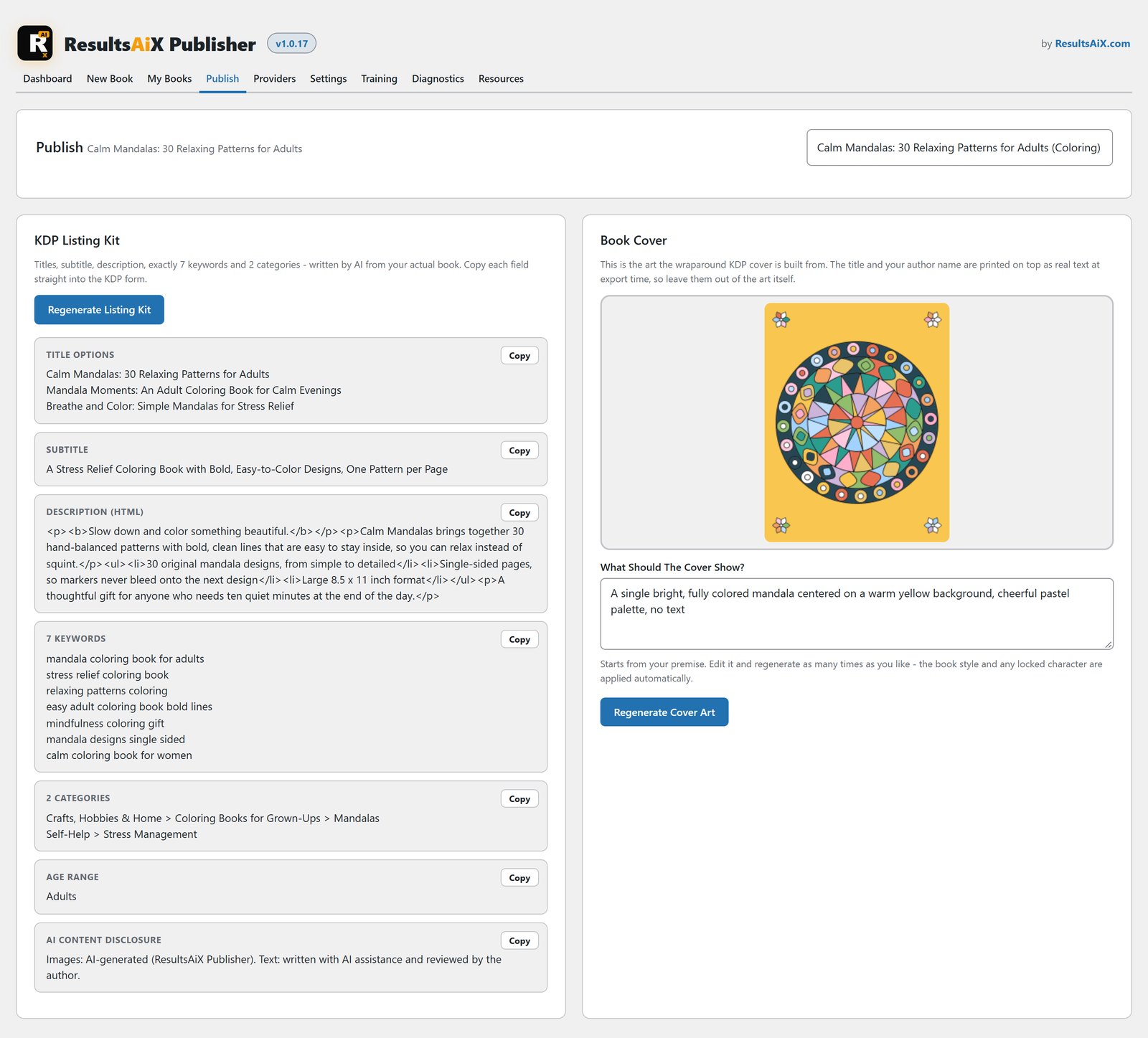
Then there’s the listing kit: title options, a subtitle, an HTML description, exactly 7 keywords to fill KDP’s 7 slots, 2 category suggestions and 3D mockups rendered in your browser. A built-in checklist follows the KDP upload form in order.
Coloring and activity books generate with a built-in keyless provider, so they work the minute the plugin is installed. Story books use your own GPT, Claude or Gemini key. Activity pages like mazes and dot-to-dots are generated mathematically, so they’re always solvable.
ResultsAiX Sign: Contracts Signed From Your Own Site
If you send contracts, quotes or waivers, ResultsAiX Sign turns your WordPress site into an e-signature platform, with no per-user or per-envelope fee. It’s the plugin that replaces DocuSign for most of the everyday documents a small business sends.
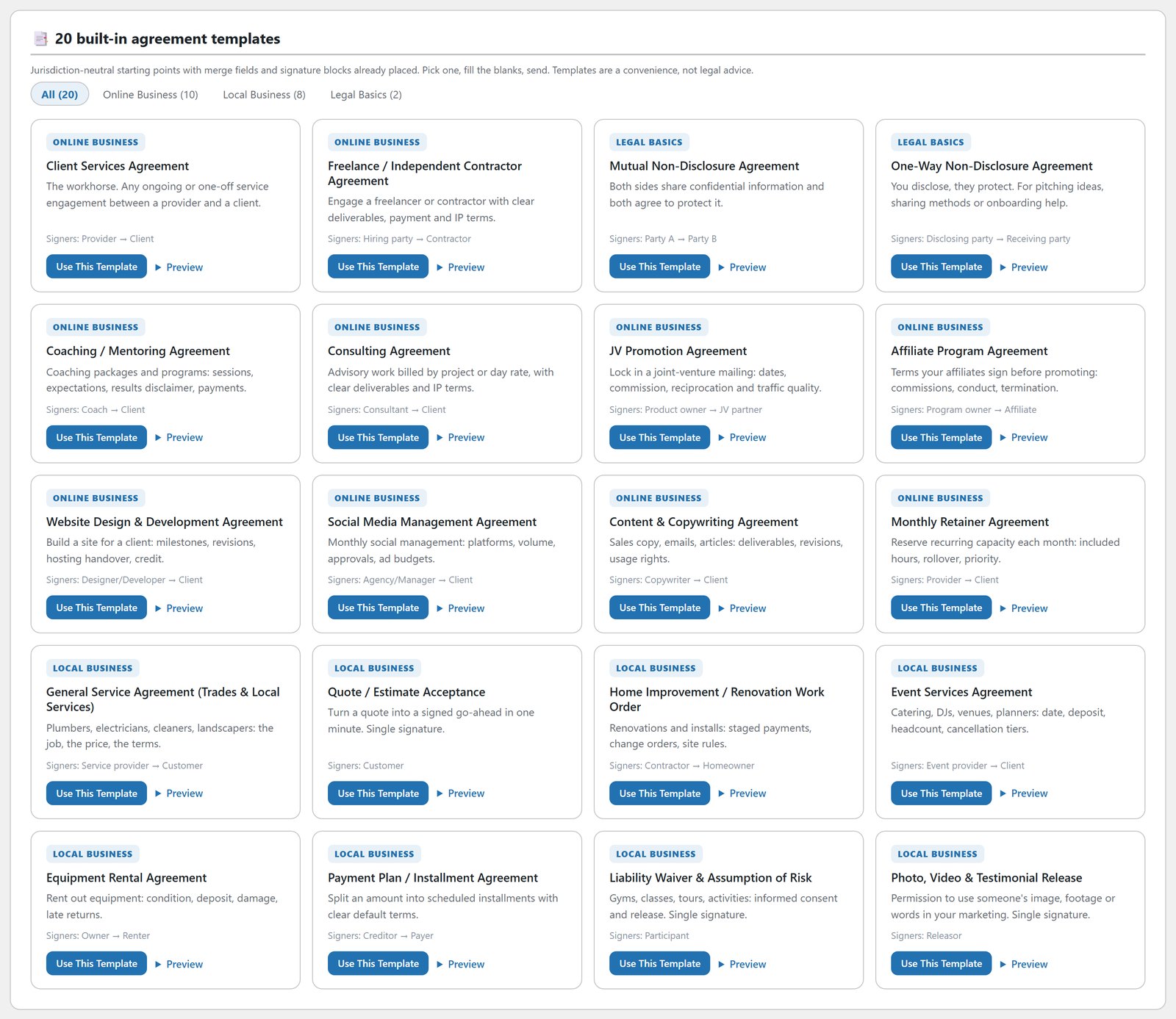
Pick one of 20 agreement templates, write your own, or upload a PDF. The templates cover online work, like client services, coaching, consulting, NDAs and JV promotion agreements, and local work, like service agreements, quote acceptance, rentals, payment plans and liability waivers. Fill the merge fields, add your signers and send.
Each signer gets a personal link by email. No account, no app, no login, and it works on a phone. Signers can draw, type or upload a signature. Multiple signers can sign in order or all at once, and the next invitation goes out by itself as each person signs.
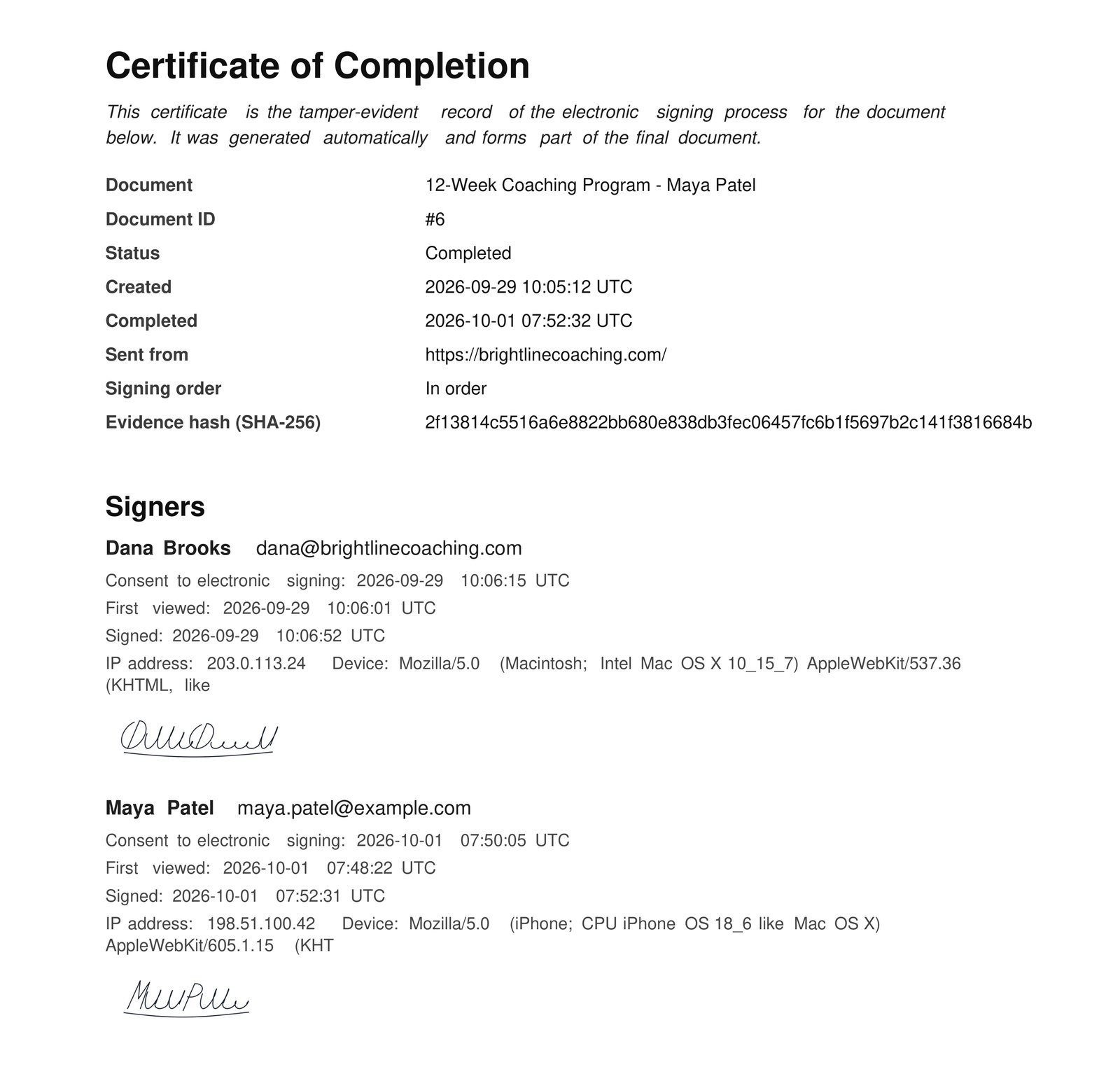
When the last signature lands, everyone gets the finished PDF with a Certificate of Completion attached, listing every consent, view and signature with timestamps, IP addresses and devices. The file is sealed with a SHA-256 fingerprint, so changing one character makes verification fail. You can set expiry dates and per-signer access codes, and every completed signer can flow into your email list through WP Sync.
The PRO layer, which the Bundle unlocks, adds AI contract drafting from a plain English description, AI Localize to adapt any template for another country and language, automatic reminders, bulk send, your own branding and completion webhooks.
One honest note. Templates are starting points, not legal advice. Some documents, like wills and certain property transfers, still need traditional formalities in most places.
Which One Should You Install First?
If people contact you, install Forms. Everyone has a contact page, and knowing which campaign sent each enquiry pays off straight away.
If you work with clients, install Sign. The first contract you don’t have to print, sign, scan and chase is worth the five minutes it takes to set up.
If you’ve been curious about low-content and children’s books on Amazon, install Publisher and make one coloring book. It costs nothing to generate, so there’s no reason not to try.
All three are in the ResultsAiX Bundle, on the same key you already use. If you want to see how they sit alongside everything else, here’s the full map of what’s in it.
Every plugin, every update, every plugin still to come
One bundle covers everything mentioned in these updates and everything that ships after them, at no extra charge, running on your own WordPress site.


