
ResultsAiX Membership Is Live In Your Bundle
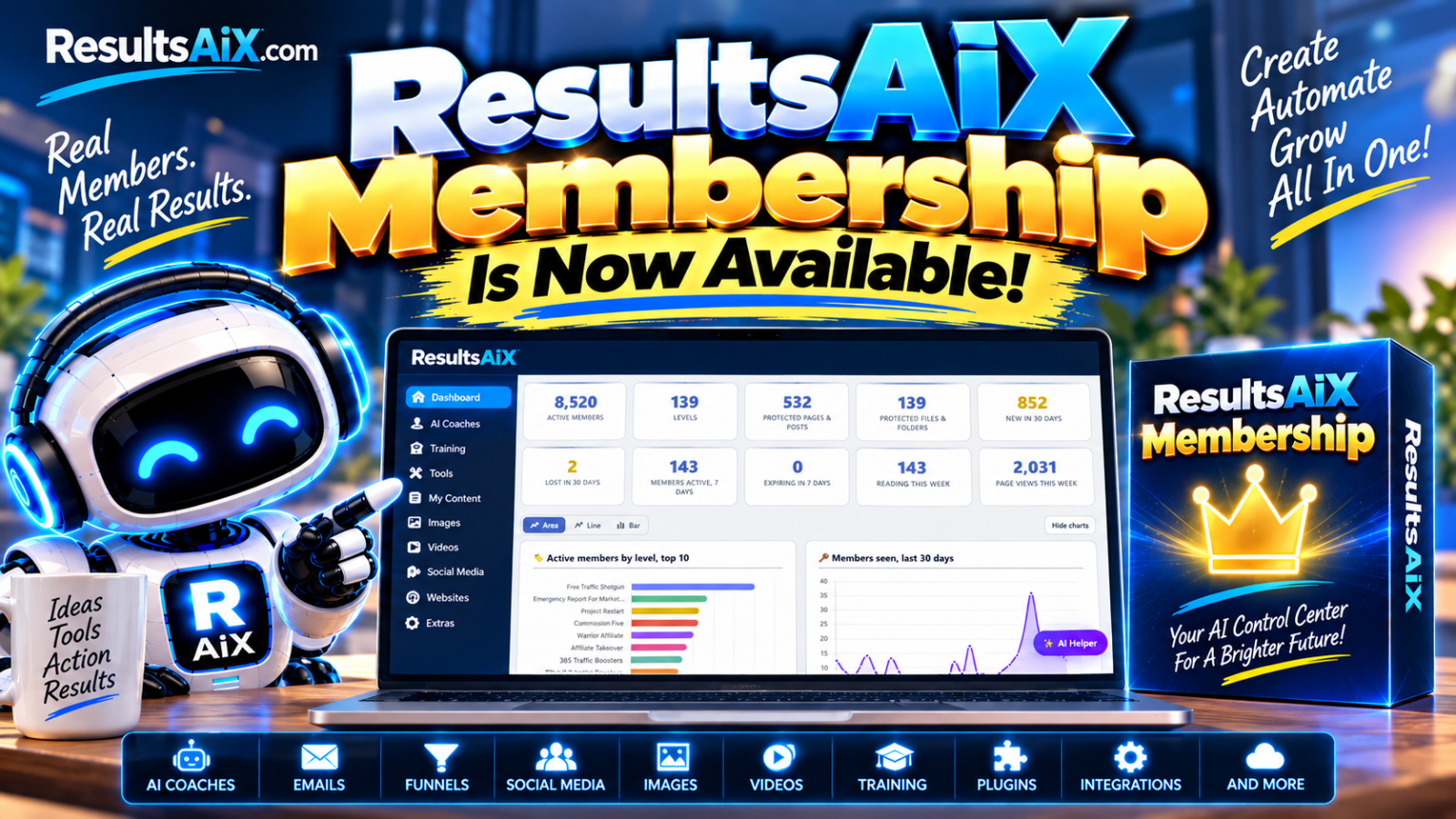
ResultsAiX Membership is now included in the bundle at no extra cost. This update explains how to set up levels and protected content, and how to safely migrate from an old membership plugin without losing members, logins, or access history.
Two weeks ago I told you Membership was landing in the next 48 hours, and that the delay was deliberate because for a lot of you this replaces a membership plugin you already depend on.
It is here. It is in your dashboard right now. Open WordPress, go to Updates, and take it.
This is the biggest single plugin I have ever put in the bundle, so this update is long. I have split it by what you would actually do with it, in the order you would do it. If you are migrating from another membership plugin, skip to the migration section, because that is the part that decides whether the rest of it matters.
What To Do First
Three minutes, and you have a working members area. You do not need Stripe, you do not need an import, and you do not need to read the rest of this page.
1. Make a level
Levels tab, Add Level. Call it Gold, Members, anything. That name is your access group.
2. Protect something
Open any page and tick Protect This Content in the sidebar box, then choose the level.
3. Check it as a stranger
Open that page in a private window. You should see your message, not the content.
Migrating From Your Old Plugin
Three clicks, read only, and it never modifies the plugin you are leaving. I moved my own site with 138 levels and 39,853 memberships in an afternoon, and the old plugin was off the same day.
If WishList Member is, or was, on your site, its data is still sitting in your database. The Import / Export tab reads it and brings all of it across in four guided steps, showing you what it found before it touches anything.
- Step 1, levels. 138 levels created, each matched by its original id, so re-running never duplicates anything.
- Step 2, content protection. 531 pages and posts, 1 category and 152 folder rules collected for the next step.
- Step 3, folders. 138 folders matched to real folders on disk and guarded, 12 skipped, 2 listed for you to check.
- Step 4, members. 39,853 memberships across 8,520 people, in batches of 250, and it resumes if it is interrupted.
Then run Verification, which puts the old counts next to the new counts level by level, before you switch anything off. Do not skip it. It is the difference between knowing the migration worked and hoping it did.
Why nobody notices the switch
No new logins
Members are already WordPress users, so every password keeps working. Nobody is asked to reset anything.
Level ids survive
Levels keep their original numbers, so checkout links, licence servers and sync tools need no changes.
Join dates survive
Drip schedules stay where they were instead of dropping long standing members back to week one.
Your old pages keep working too. Turn on compatibility mode and this plugin answers to seventeen of the old plugin’s shortcode names, plus nine of its action hooks, its PHP functions and its REST endpoint. Pages you built years ago carry on, and a licence server wired to the old API keeps getting answers.
And the old tables stay put, because they are your rollback path. When you are ready, Retire The Old Tables renames them with a wlmretired_ prefix so nothing can read stale rows. Nothing is deleted, and Restore reverses it in one click.
Levels, Your Access Groups
A level is a named group. Content is protected for levels, members hold levels, and a member can hold as many as you like. An access check passes when any one of them matches, so somebody holding Gold and Course Members sees everything either one unlocks. There is no limit on how many you create.
- Expires after N days. Memberships added from then on lapse automatically. A daily task marks them expired, and 0 means never.
- Allow free registration turns on a registration form for that level, which is how a free tier that feeds your paid ones works.
- Per level redirects after login, after registration and after logout, each falling back to your global setting when empty.
- Sort order decides which level wins when somebody holds several and only one redirect can apply.
- Active or inactive. An inactive level grants nobody access without you having to delete it.
Eight Surfaces, Not One
Most membership plugins lock the page and stop there. Then somebody finds the same content through the REST API, your RSS feed, or a cached archive listing.
Pages and posts, custom post types, categories and tags, the WordPress REST API, RSS feeds, archives and search, comments, and files and folders on disk. All eight, from one tick.
Three ways to apply it: per item in the editor sidebar, in bulk across a whole content type, or by category. The category one is the one people underuse. Protect a category once and every post you publish in it later is members only, the moment you hit publish, with nothing to remember.
A caching plugin can also serve a member only page to a stranger, because the cache does not know who is asking. Exclude your protected pages from full page caching and that problem goes away.
Files And Whole Folders
The file library. Upload on the Files and Folders tab and the file lands in a sealed folder inside uploads that the web server refuses to serve directly, so guessing the address gets you nothing. Members download through a checked link using the raxm_file shortcode, and download counts are tracked per file.
Whole folder protection. Point it at any folder under your site root, a course area full of HTML and video for instance, pick the levels, and every file in it and its subfolders requires membership from then on.
A folder per level
Add a level and it gets a protected folder of its own, named after its slug. Downloads put there are members only the moment they land.
Change access live
Edit Levels on any row, tick and untick, save. Nothing on the server is rewritten, because the guard only carries the folder id.
Re-apply if it vanishes
If a guard file goes missing after a restore or an FTP tidy up, the row says so and Re-apply puts it back.
Drip Content
Drip unlocks content a set number of days after the member joined the level, so a course releases week by week without you scheduling anything. Set it per page in the editor, or wrap one section inside a page with the raxm_protect shortcode and a drip attribute, which is how you build a single course page that fills in over time.
Charging For Access, Five Ways
Your own Stripe account plus JVZoo, Warrior Plus, ClickBank and PayPal. All five feed one member record and one ledger. The money goes straight to you and I take no cut of any of it, ever.
None of this exists until you connect something. No Payments tab, no price fields on a level, nothing new on your registration forms. If you run a free members area you cannot tell payments were ever added, and that is deliberate.
Map a product code to the levels a buyer receives, and a bundle is simply a product with several levels ticked. On a sale the account is found by email or created, a set your password email goes out rather than a password in plain text, the levels are granted, the order is recorded, and your level actions, AI Mailer and WP Sync all fire.
Forgery is ignored
Every notification is verified the way the marketplace documents it. One that fails is logged and ignored.
Duplicates are caught
The same transaction arriving twice is recognised, so nothing is granted or emailed a second time.
Unmapped sales are kept
A sale for a product you have not mapped is logged, not lost. Map it, click Process Again, the buyer gets access.
Renewals, Failed Cards And The Daily Check
Access is granted when the webhook confirms the payment, never because somebody reached a particular page. Closing the tab the second after paying cannot lose them the membership they just bought.
Then there is the daily check, and this is the bit I would want to know about if I were you. Levels are access. Subscriptions are billing. They drift. A webhook gets missed during an update, somebody cancels in the Stripe dashboard, a card finally dies for good. Once a day the plugin compares the two and fixes both directions, writing down everything it changed.
Bundles, Trials And Upgrades, In One Sentence
A level action reads like English: when a member is added to X, add them to A, B and C. That one sentence is how a bundle hands out its parts, how a trial ends, and how an upgrade moves somebody.
A bundle
When a member is added to Gold Bundle, add them to Silver, Bronze and Toolkit.
A trial that ends
When a member loses Trial, cancel their Pro after 7 days.
An upgrade
When a member is added to Upgrade, move them to Pro.
Rules fire for every join or loss whatever caused it: your checkout, a marketplace sale, the API, an administrator, or a registration form. They never fire during an import, because migrating ten thousand members should not set off ten thousand bundle rules.
If you came from WishList, your existing bundle relationships are imported automatically with the levels and marked as imported, so you can see which rules came across and which ones you wrote.
An AI That Builds, Not Just Answers
It reads your site's real numbers, so how many joined this week comes back with the figure. Then it builds the thing you asked for, with one click, while you watch.
Ask it for a twelve month training course and it creates the level, twelve protected lesson pages dripped thirty days apart, an index page listing them, and then writes every lesson as a long form article while you watch the progress. It also builds a one page members area, a level, a level action, a marketplace mapping, or protection across a set of pages.
Keys go on the Settings tab. Claude, OpenAI and Gemini are supported with a fallback provider. If ResultsAiX Mailer or the ResultsAiX Theme already holds an AI key on your site, the helper uses that one and tells you so. Nothing has to be set up twice. Forty questions an hour per administrator, and chats are saved per user.
What Your Members See
One shortcode, raxm_profile, and every member gets their own page. It opens with what they were last reading, then everything they can open grouped by the membership that unlocks it, then anything ending soon, then what they hold, then what else is available to them. Money never appears on it. A member’s page is not a billing statement.
Eight sections, rendered in whatever order you list them: recent, stats, unlocked, ending, levels, offers, files and activity. Limits, headings, column counts and the search boxes are all attributes, so you can cut it down to a simple list or run the full dashboard.
The Member Side Panel
Click any member’s name on the Members tab or the dashboard and their whole story slides in. Not an email address and a join date. Levels held with quick actions on each, orders and total spent, last login, reading history, and a timeline of everything that has happened to them.
Twelve event types feed that timeline: joined, removed, cancelled, reactivated, expired, registered, login, order, refund, note, action and sync. Orders and totals are administrator only.
It Already Knows Your Other Plugins
Both of these are detected automatically when they are active on the same site. There is nothing to connect.
ResultsAiX Mailer. Every new member goes on a list and is tagged member- plus the level slug. Set the default list on the Integrations tab, then override it per level and per marketplace product, so your Warrior Plus buyers land on one list and your own buyers on another. A real join is a real opt in, so the welcome sequence runs. On a cancellation the tag is swapped for cancelled- plus the slug, never a permanent suppression, because somebody who cancels this year may buy again next year.
WP Sync. ResultsAiX Membership appears as a source in the bridge builder. Pick the event, new member, cancelled, came back, rebilled or refunded, pick the level, and send it anywhere WP Sync reaches. Cancellations and refunds only go to the syncs that name them, so a new members sync never receives a refunder.
Shortcodes And Developer Hooks
Eight shortcodes cover the whole front end: raxm_protect, raxm_no_access, raxm_login, raxm_register, raxm_account, raxm_file, raxm_member_name and raxm_profile.
For anything the plugin does not model, there are action hooks on every membership change, an access filter, a timeline hook you can write your own events into, and the family payment hook that lets other ResultsAiX plugins report on your money. Test mode never fires that one, because a practice purchase must never reach a revenue report as real money. A refund arrives as its own event with a negative amount, never as an edit to the original, and the transaction id is unique per charge so a replayed webhook cannot double count.
Safety, Licence And Diagnostics
Never fails open
A lapsed licence locks the admin screens only. Protection, login, registration and checkout all keep running.
Diagnostics
A read only report of versions, protection state, environment and every table with its row count. It never contains your API keys.
Uninstall keeps data
Deleting the plugin keeps your levels, members and protection unless you explicitly tick the box. User accounts survive either way.
There are 24 written guides in the docs and the same 23 topics inside the plugin’s own Training tab, so the answer is always one click from the screen you are on.
Questions
Do I have to pay anything for this?
No. If your bundle is active it is in your account now, at no extra charge, with no upsell attached. That is the deal you joined on: every plugin released while you stay active lands in your account automatically.
Do I have to charge my own members?
No. Payments are entirely optional and completely invisible until you connect Stripe or a marketplace. If you run a free members area you would not be able to tell payments were ever added.
Do you take a cut of what I sell?
No. The money goes into your own Stripe account, or your own marketplace account. I add no fee of any kind and never hold or touch it. Stripe’s own processing fee is between you and Stripe.
Will my members have to log in again after migrating?
No. They are already WordPress users, so every password keeps working and nobody notices the switch. Original join dates come across, so drip schedules stay correct rather than restarting.
What if the import goes wrong?
The importer is read only and never modifies the plugin you are leaving, so rolling back is reactivating the old plugin and unticking compatibility mode. Run Verification first: it puts the old counts next to the new counts, level by level, before you switch anything off.
Does it work on nginx?
Everything except whole folder protection, which relies on .htaccess. Use the file library and the raxm_file shortcode for downloads there. Diagnostics tells you which server you are on.
What happens if my licence lapses?
Your content stays protected, members keep their access, non members stay locked out, and registration, login and checkout all keep working. Only the admin management screens lock. A membership site must never fail open, and a member halfway through a checkout must never hit a dead endpoint because a key expired.
How many levels and members can it handle?
As many as you like, and there is no limit on levels. I run 138 levels and 39,853 memberships across 8,520 people on my own site, and the members list handles it without falling over.
Not in the bundle yet?
One bundle covers everything in these updates and everything that ships after them, at no extra charge, on your own WordPress site. 26 plugins and the ResultsAiX Theme, $347 for your first year, then $147 a year locked in for as long as you stay active.
Or just want the membership plugin?
ResultsAiX Membership on its own, for three of your sites, with every feature on this page and a thirty day money back guarantee. No pro edition, no add ons, no upsell.


