
I’m Sending This With ResultsAiX Mailer (And It’s Working)

I have one rule about the tools I sell. If a tool is good enough to sell you, it’s good enough to run my own business on. So when ResultsAiX Mailer was ready, I didn’t write you a description of it. I moved my own list onto it and started sending with it.
This is what that move was actually like, with the real numbers from my own database, and what I’d tell you to do if you’re about to make the same move.
Why I Moved My Own List
I’ve spent more than a decade running email across a dozen different tools. The pattern is always the same. The bill climbs as the list grows, and the subscribers sit on somebody else’s server, under terms you never got a vote on.
I wanted the list in my own database, at a price that doesn’t move when the list does. And I wanted to see the money, not just the opens. Mailer is what I built to get that. Running my own business on it is the only honest way I know to prove it works.
The First Send
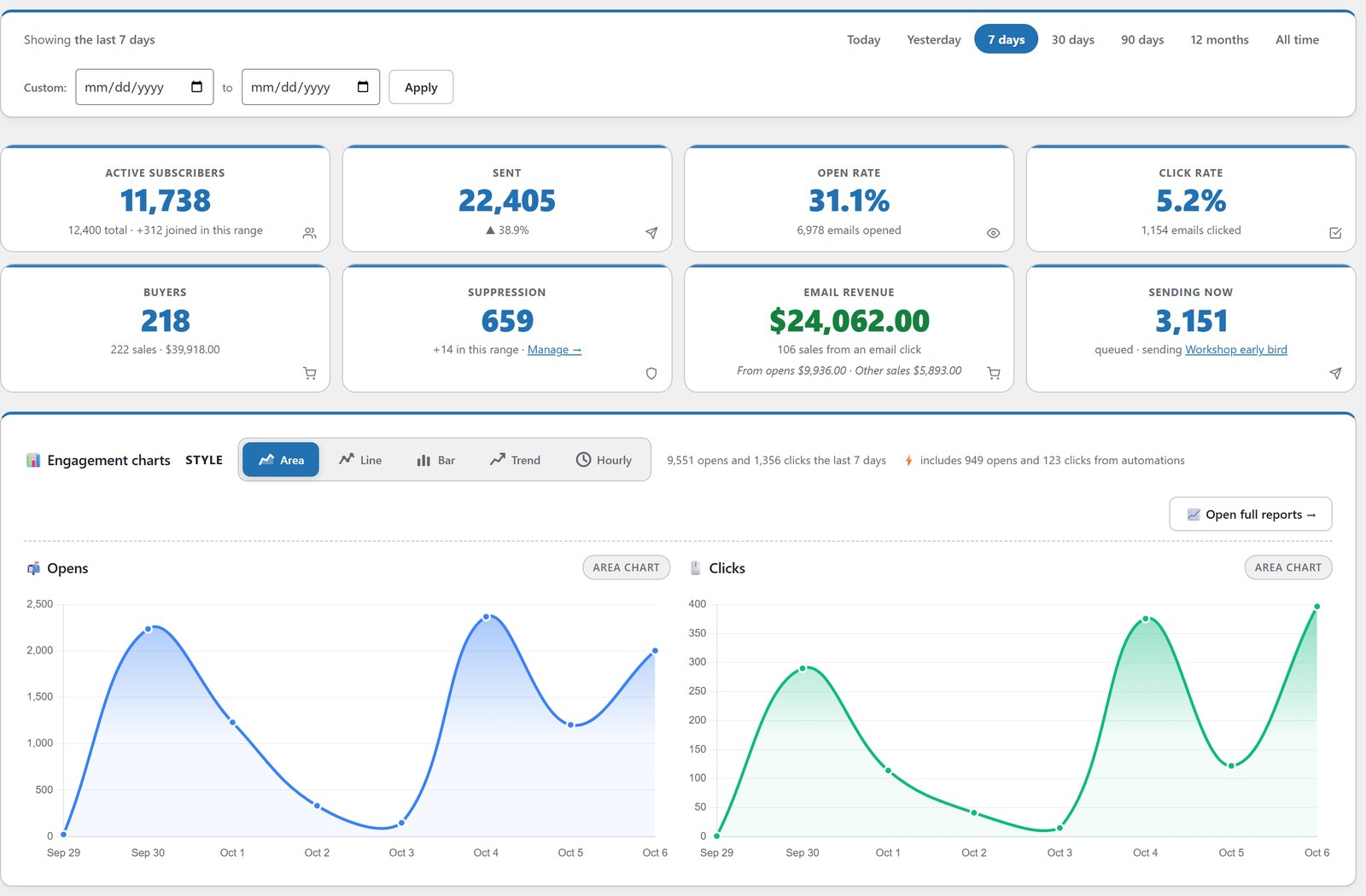
The first email I sent through Mailer went out through SMTP2GO, connected as my sending service. Before I mailed everyone, I sent a warm-up test to a few hundred people. It came back with a 34% open rate. I was genuinely pleased with that.
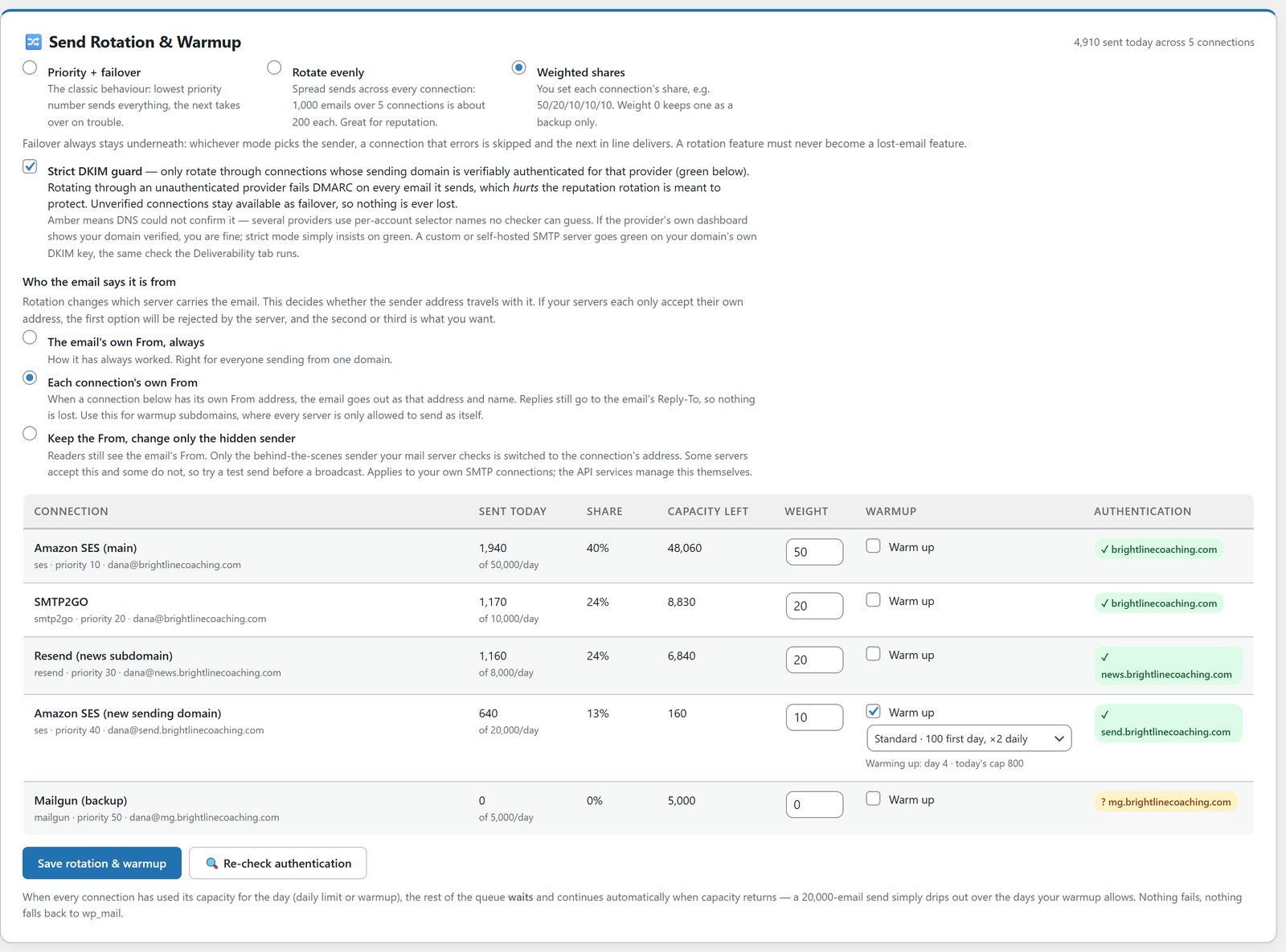
Starting small was deliberate. A new sending connection has no history, and pointing a whole list at it on day one is how you get blocked. Mailer now has warmup built in for exactly this. Each connection starts small and grows daily, and a queue that’s bigger than the connection’s daily capacity just waits its turn instead of failing.
What Moving A 50,000 Subscriber Business Taught Me
Mailer was built while I moved a business of more than 50,000 subscribers onto it. Every safety system in it is there because I needed it during that move, at a point where one wrong click would have been expensive.
The big fear in any migration is emailing thousands of people by accident. So Safe Mode is on from the start. I could import everyone, build every automation and test every form, and nothing reached a subscriber until I flipped the switch myself.
The second fear is a welcome email going to people who joined years ago. Imported people sit behind a silent lock, so they never trigger a “joins a list” automation. My old unsubscribes came across as unsubscribes, and the suppression file protected old opt-outs from day one.
Then there’s the host. Big CSV files and shared hosting don’t always get along. When PHP times out, the import pauses and picks up again at the exact row it stopped on. And if I’d got a mapping wrong, one-click rollback would take the import back out without touching anyone already emailed or engaged.
The Names Nobody Warned Me About
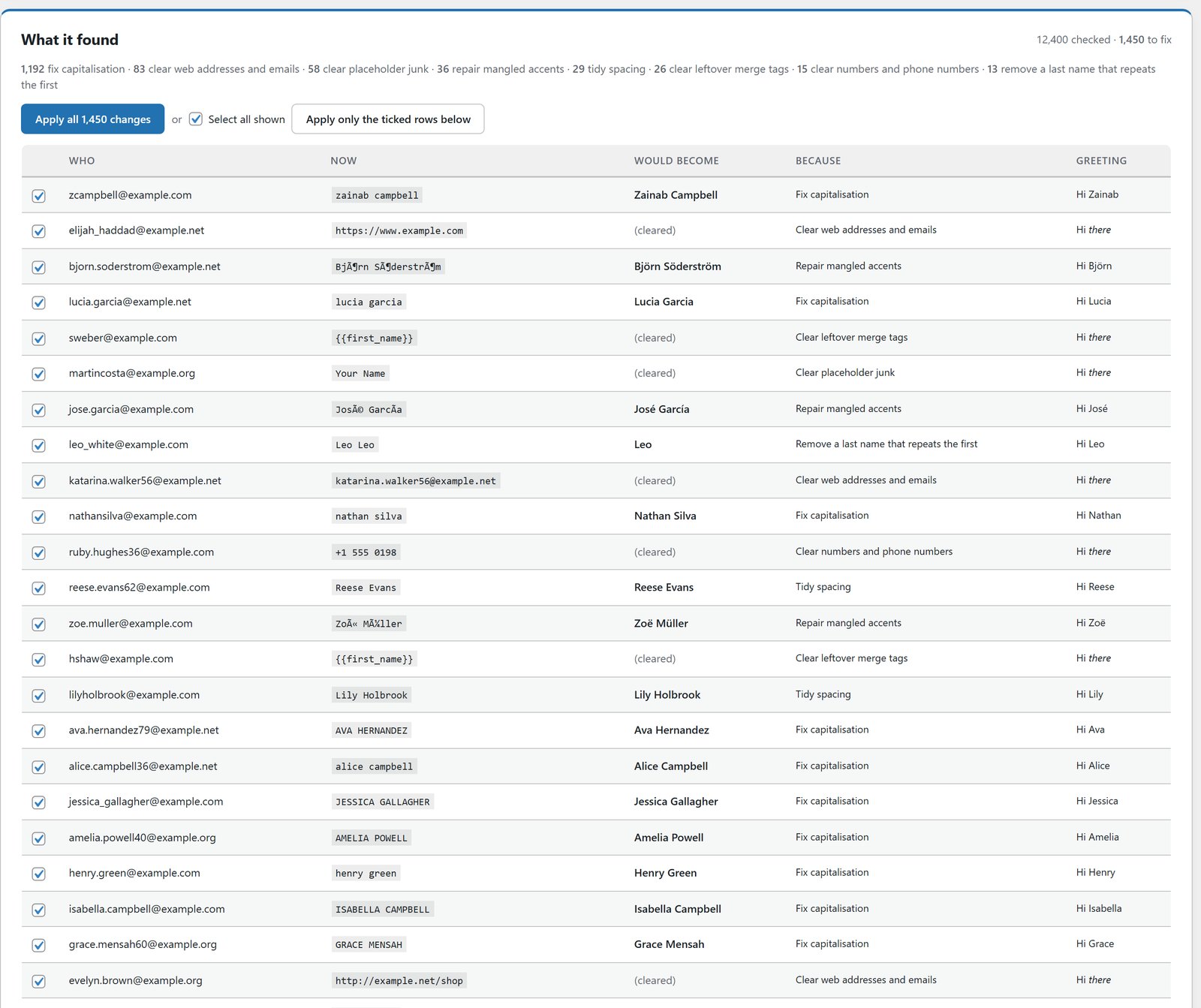
This one surprised me. I pointed Tidy Names at my own database and it checked 66,921 subscribers in seconds. It found 7,243 names that needed fixing.
Not addresses. Names. 6,566 of them were shouted in capitals or typed all in lowercase. 282 had a web address sitting where a first name should be. The rest were mangled accents, leftover merge tags and junk like “test”. Every one of those was a real email about to go out with a greeting that would have made me look careless.
What I like about how it works is that it doesn’t guess. It only changes names that are entirely capitals or entirely lowercase, so McDonald and van der Berg stay exactly as typed. It shows every change and the greeting each person would get, nothing happens until I press Apply, and one button undoes the whole run. I wrote it up properly in how to clean up email list names after an import.
Cold Isn’t The Same As Gone
The next thing I ran was Verify Leads, on an imported list of 24,715 people. The lesson from that run changed how I think about list cleaning.
Opens lie in both directions. On a real list, one subscriber flagged as cold turned out to have 166 orders and $3,910 of lifetime spend. They just read in a mail client that doesn’t report opens. A cleaner working from opens alone would have deleted one of my best customers without a word.
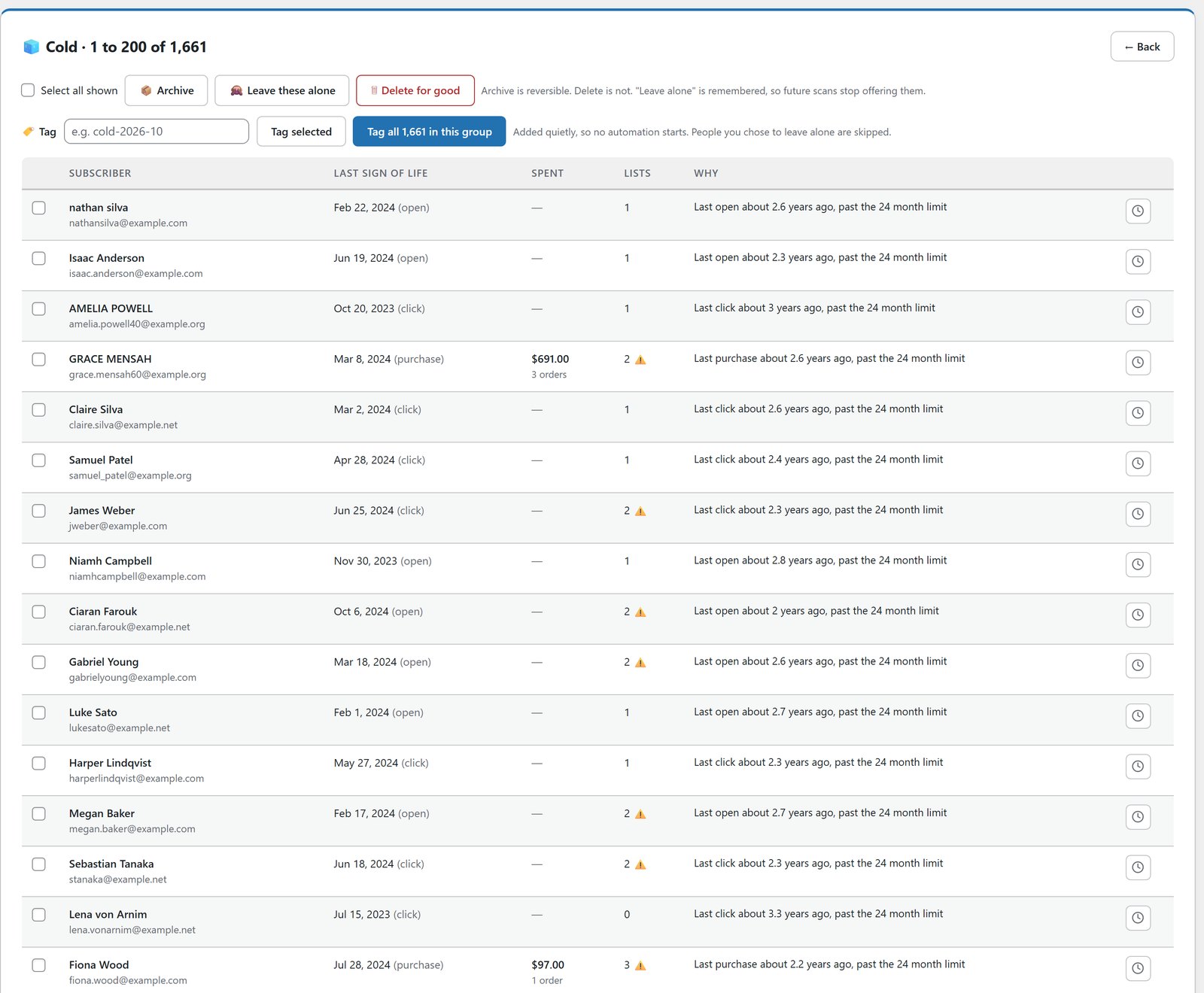
That run also showed 14,821 people sitting on more than one of my lists, which matters because archiving someone removes them from everywhere. So Mailer warns you before a bulk action, shows lifetime spend beside every flagged person, and archives instead of deleting. If an archived person clicks, buys or opens later, they come straight back. The full method is in how to verify email leads without deleting your best customers.
Seeing Money, Not Just Opens
The part I’d miss most if I went back is the money. Every broadcast report has a Revenue tab. Beside each person I can see what they bought after that email and what they’ve spent with me in total. Open any subscriber and the whole buyer timeline is on one screen.
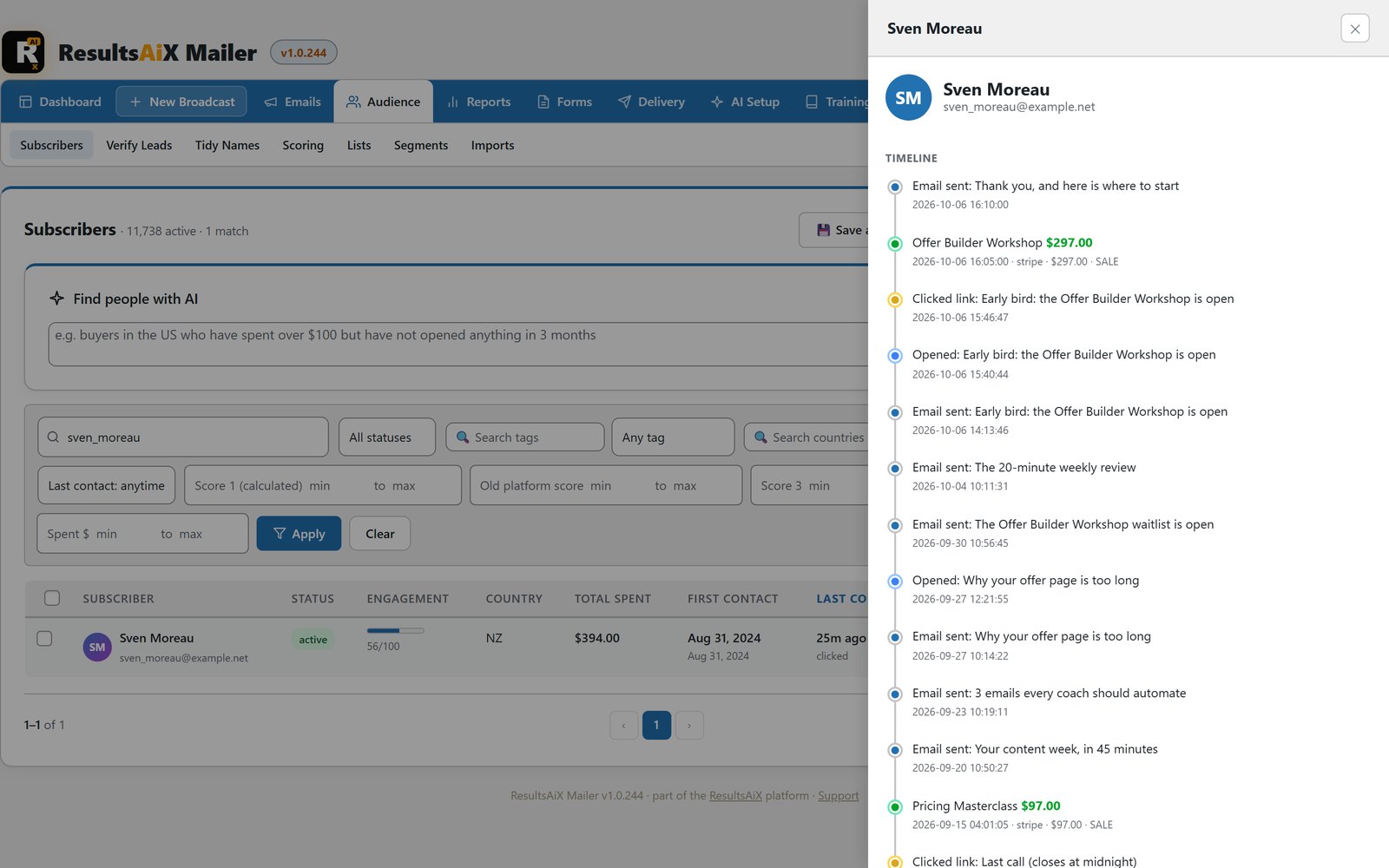
Because I also run WP Conversion Tracker AI, Mailer gets 14 buyer segments built from real spend, recency and frequency. That’s the difference between emailing a list and emailing customers.
What I’d Tell You Before You Move
If you’re about to move your own list, here’s the order I’d do it in, knowing what I know now.
- Connect your sending service and confirm DKIM before you import anyone.
- Import with Safe Mode on, and load your suppression file first.
- Run Tidy Names before your first broadcast, and check your emails use a fallback like {{first_name|there}}.
- Run Verify Leads, then mail the “unknown” group once before you judge them.
- Send a small warm-up to your most engaged people first, then grow it.
- Watch the Inbox Providers tab on the first few sends.
None of that is clever. It’s just what stops a migration becoming an expensive mistake. If you want the step-by-step setup, it’s in the Mailer setup guide.
Is It Working?
Yes. My email marketing runs on my own WordPress now, with the list in my own database and no meter on it. My subscribers don’t notice any difference, and that’s the point. What I notice is a bill that doesn’t climb when the list grows, and a list that’s finally mine.
If you own Mailer already, update from Plugins, then Updates, and watch the training videos. Then tell me what you want next.
Make Your List Finally Yours
Your list in your own database, a bill that doesn't climb when the list grows, and the money on the report, not just the opens.
Every plugin, every update, every plugin still to come
One bundle covers everything mentioned in these updates and everything that ships after them, at no extra charge, running on your own WordPress site.


