
More From ResultsAiX Mailer, And What’s Still Coming

Getting your list into ResultsAiX Mailer and sending a first broadcast is the easy bit. I wrote that up in the Mailer setup guide. This post is about what comes after, when the list is in and you start asking better questions. Who actually reads? Who bought because of that email? Who is worth a second touch, and who should you stop mailing?
Most autoresponders answer those with a percentage and a shrug. Here’s what Mailer gives you instead.
Reports With People Behind The Numbers
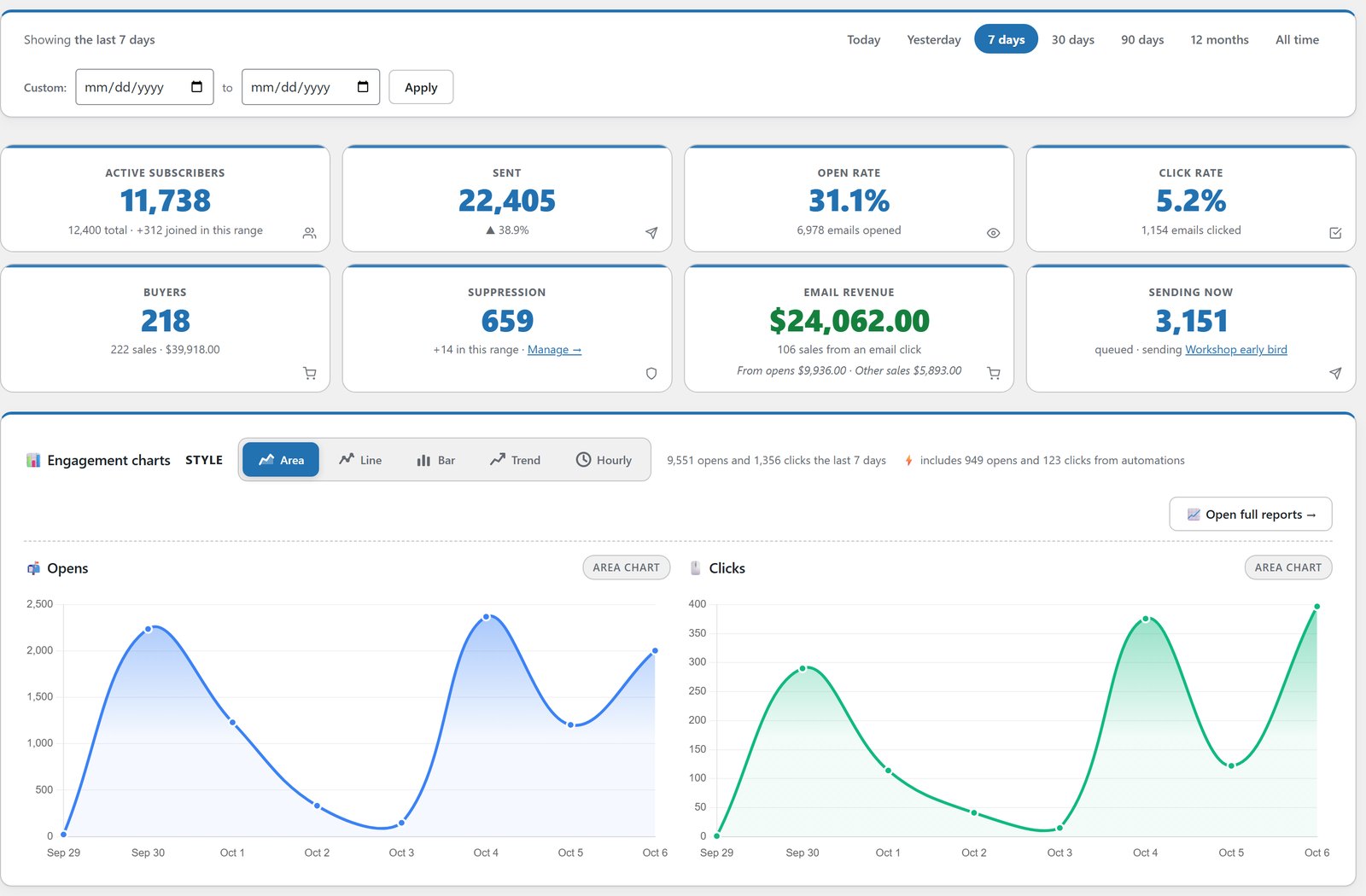
Every broadcast report has live charts in five looks: area, line, bar, trend and an hourly view that shows which hours of the day your list really reads. Change the date range and every chart updates in place.
The part I use most is underneath. Open and click rates show how many people sit behind the percentage, and one click shows you exactly who they are. Who opened, who clicked which link and how often, who didn’t open, who unsubscribed. Tick anyone and tag them on the spot, which is how a “clicked but didn’t buy” follow-up starts from the report itself.
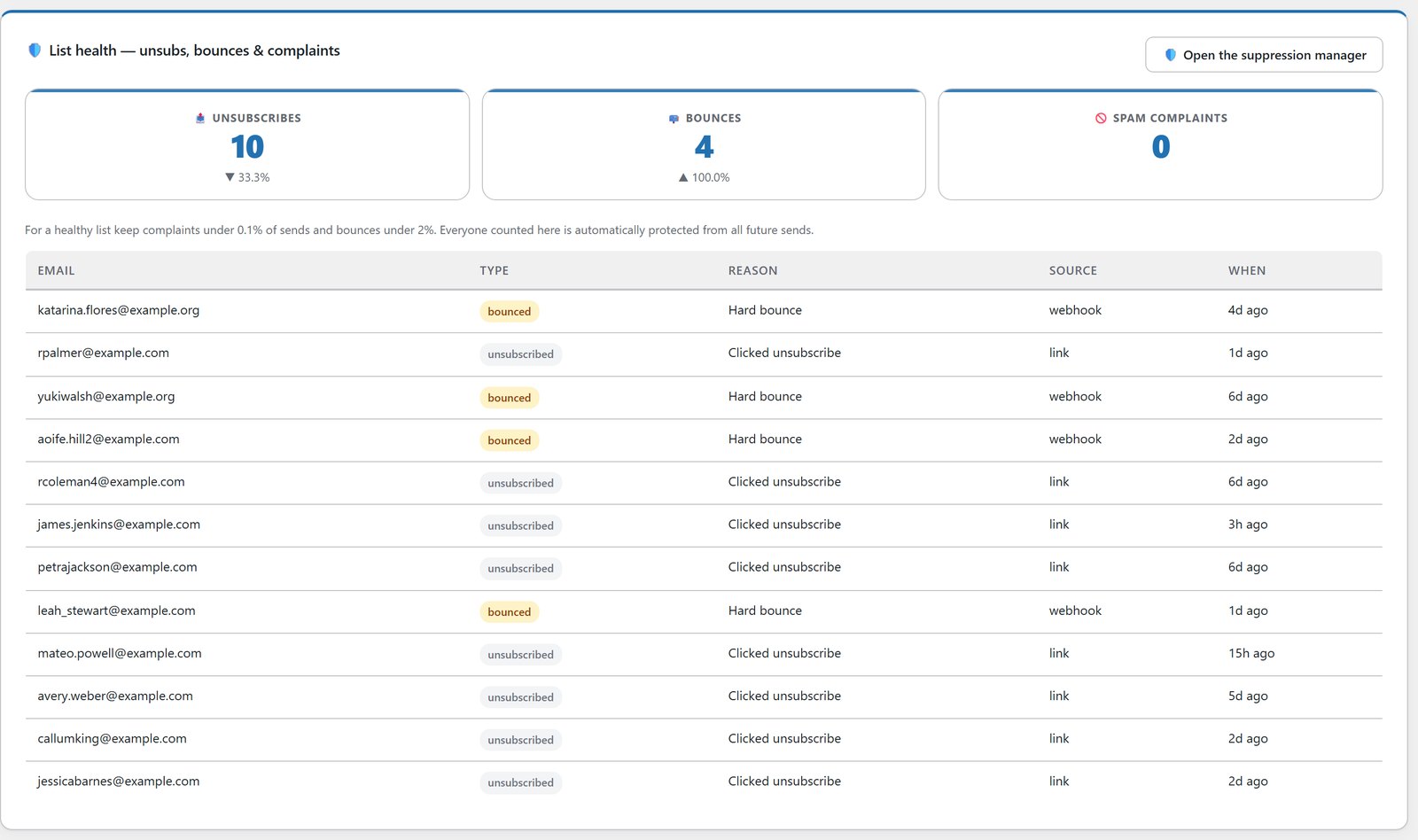
Open rates are filtered for bots, so machine opens stop inflating the number. There’s a ranked chart of your top links, and a List Health view for unsubscribes, bounces and spam complaints over any date range.
Money On The Report, Not Just Opens
The Revenue tab matches your sale records against each email. Every sale is credited to the email the buyer last clicked in the 7 days before buying, sales after an open get their own line, and refunds come off the email that earned them. So revenue adds up to your real sales instead of being counted twice.
Beside every person on the report you see what they bought in the 30 days after that email, and everything they’ve ever spent with you. When a big broadcast finishes, Mailer emails you a summary with delivered, opened, clicked and revenue so far.
Devices, Countries and Inbox Providers tabs sit on every report too. If one provider is opening far below the others, that’s the fastest way I know to spot a spam folder problem before the whole list goes quiet.
Let The List Tag Itself
Every broadcast can tag people for opening it, for clicking any link, or differently for each individual link. Someone clicks the pricing link and they’re tagged that second. Tags can start automations, so one click becomes a whole follow-up sequence while you’re asleep. You can do the same inside automations, tagging people when they open or click a specific email in a series.
Tags are applied once per subscriber, so repeat opens never double up. You can also tag an entire saved segment in one go.
Segments In Plain English
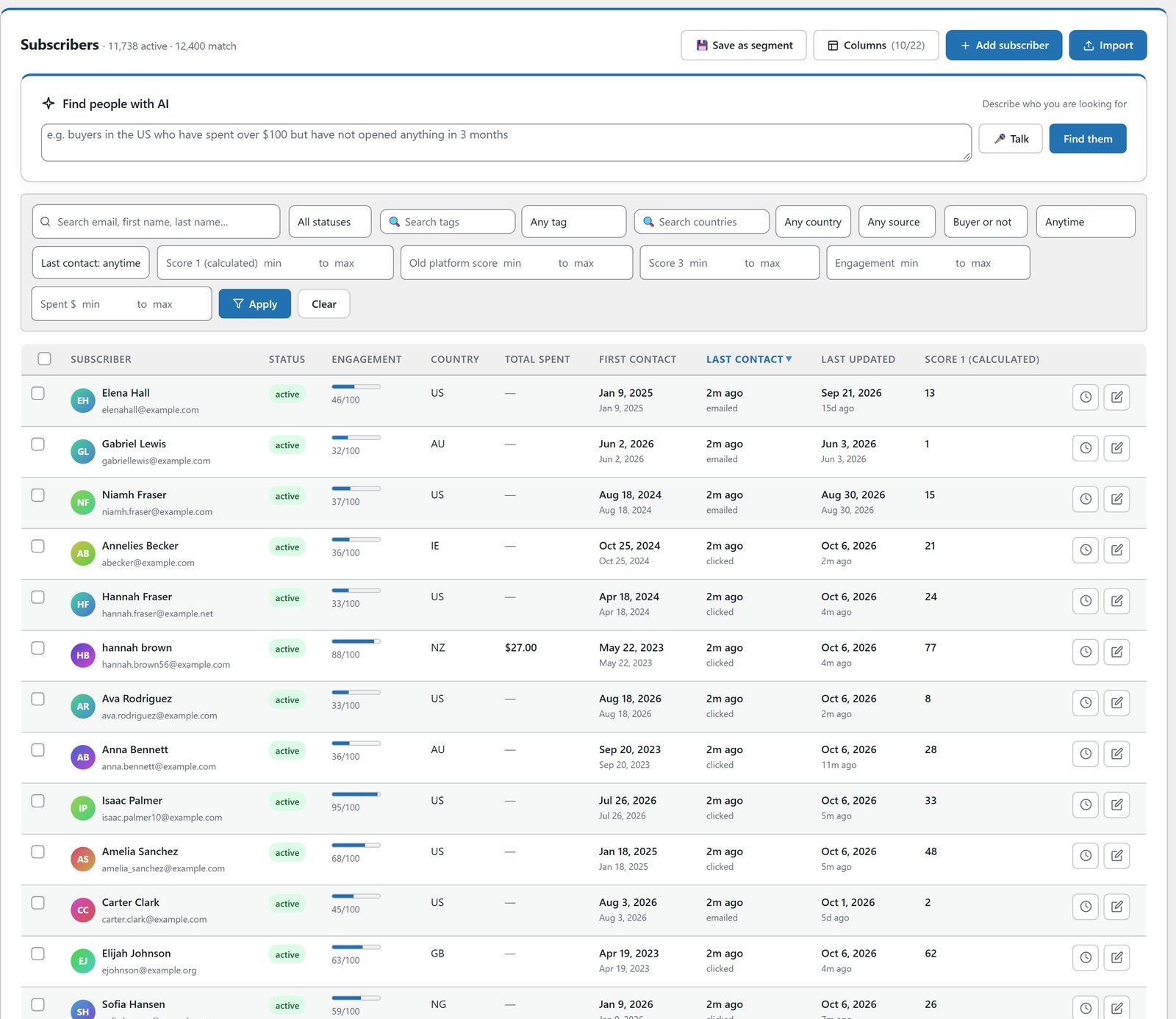
There are 21 filters you can point and click through, with live member counts as you build. Or type what you want, or say it out loud, and the AI segment builder turns “buyers who have not opened in 30 days” into real rules. If it can’t express something precisely, it tells you instead of guessing.
Know Who Is Worth Emailing Now
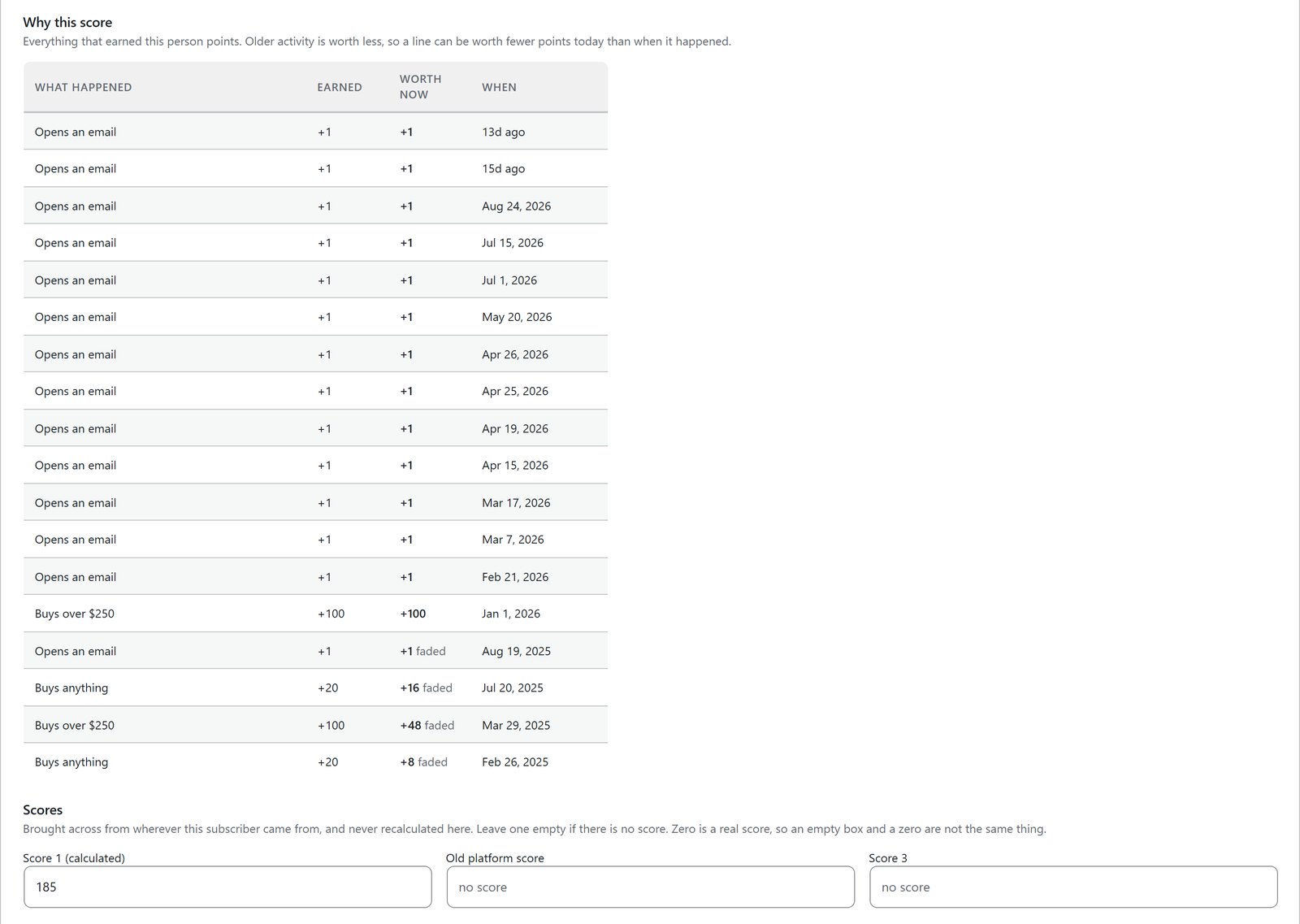
Lead scoring works from what people do. Opens add a little, clicks more, purchases most, and bigger orders count for more again. Bounces, complaints and unsubscribes take points away. Sales and tracked clicks on your own site count too. Points fade with age, so the score tells you who is interested now rather than who was busy two years ago.
Every number is a box you can type in, and every subscriber has a plain list of what earned them their score. Bringing scores from an old platform? They go into their own slots and the rules never touch them. The detail is in lead scoring for email marketing.
Keep The List Healthy Without Losing Buyers
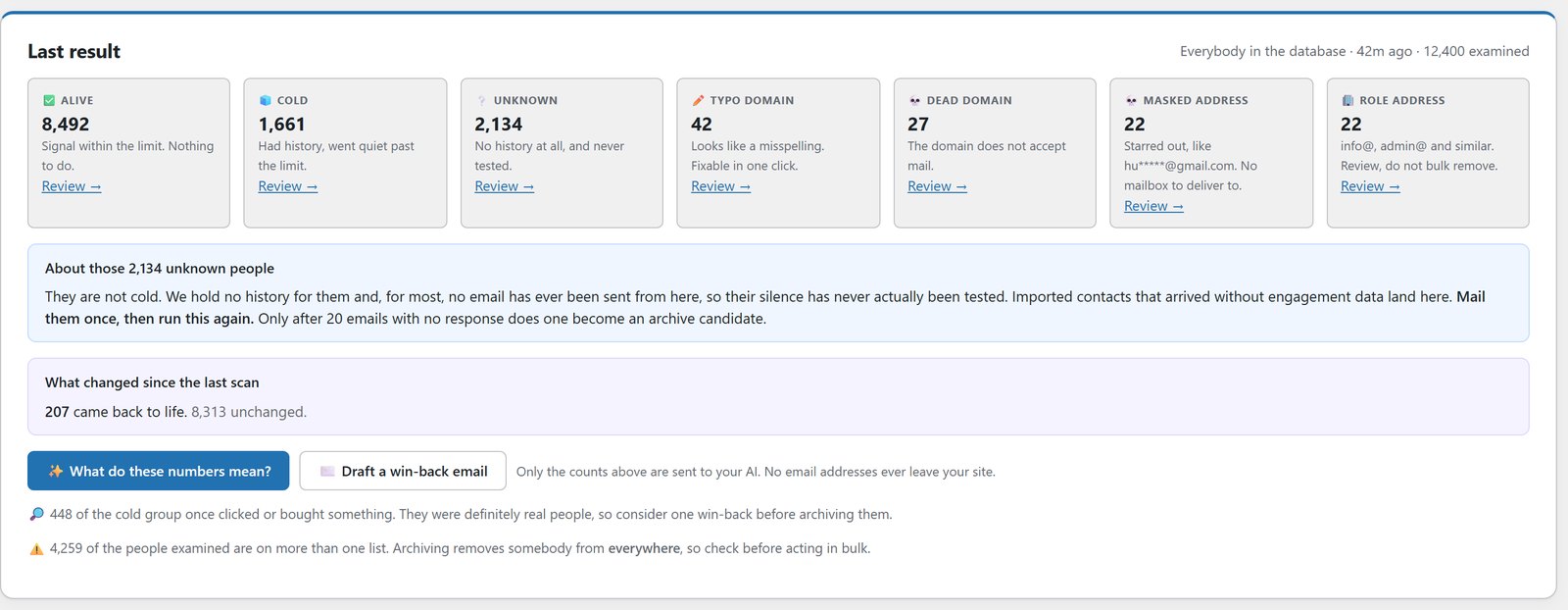
Two tools do the cleaning. Tidy Names repairs the greetings: capitals, lowercase, mangled accents, web addresses in the name field. Verify Leads sorts your list into six groups, alive, cold, unknown, typo domain, dead domain and role address, and shows what every flagged person has spent before you touch anything. It archives rather than deletes, and anyone who shows life comes straight back.
That matters because opens lie in both directions. A cleaner that works on opens alone will happily bin a customer who reads with images turned off. I explain why in how to verify email leads without deleting your best customers and how to clean up list names after an import.
Sending At Real Volume
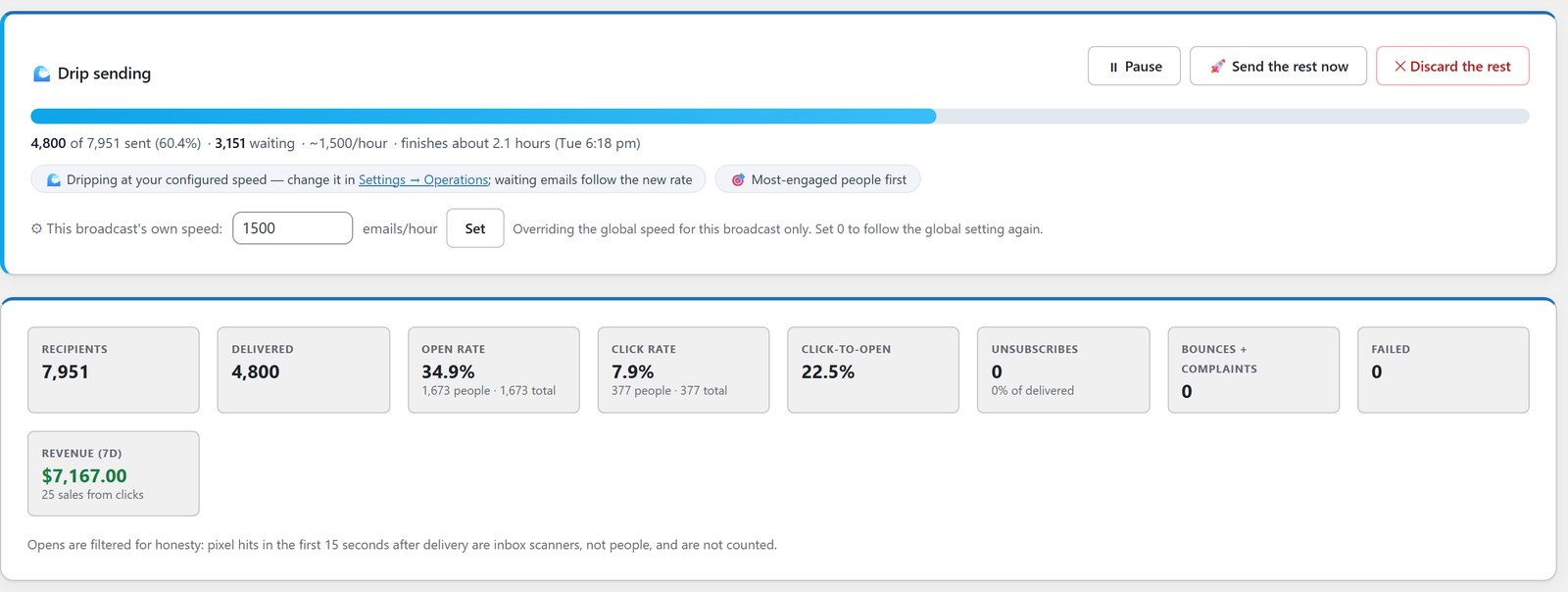
Once you’re sending to tens of thousands, the questions change. Mailer can rotate your sends across as many connections as you like, warm up a new server day by day so a big queue drips out instead of failing, and check every connection for DKIM before it’s trusted with your reputation. Failover sits under all of it.
While a broadcast is running, you can pause it, send the rest at full speed, or set it aside and bring those people back later. That whole set is covered in SMTP rotation and email warmup and 20 things Mailer can do at scale.
An AI Helper That Knows Your Numbers
The AI helper reads your own database. Ask how many people subscribed in the last 30 days, or what your buyers spent, and it answers from real figures. Ask it for a five-day buyer follow-up and it writes the emails and builds the automation as a draft. Chats are saved, so “make it shorter” still works the next day.
The subject line tool gives you ten variants across nine angles, each with a predicted open rate from your own send history and a matching preheader. A send-time optimiser learns each subscriber’s best hour from when they open. Every AI job shows in a usage log with what it cost, and a monthly budget warns you early.
Reuse Your Winners
The email library holds every email you’ve saved, every broadcast you’ve sent with its real open rate, and the email steps from your other automations. Pick your best performer on purpose, load it into a new flow, and edit it with AI in your own words.
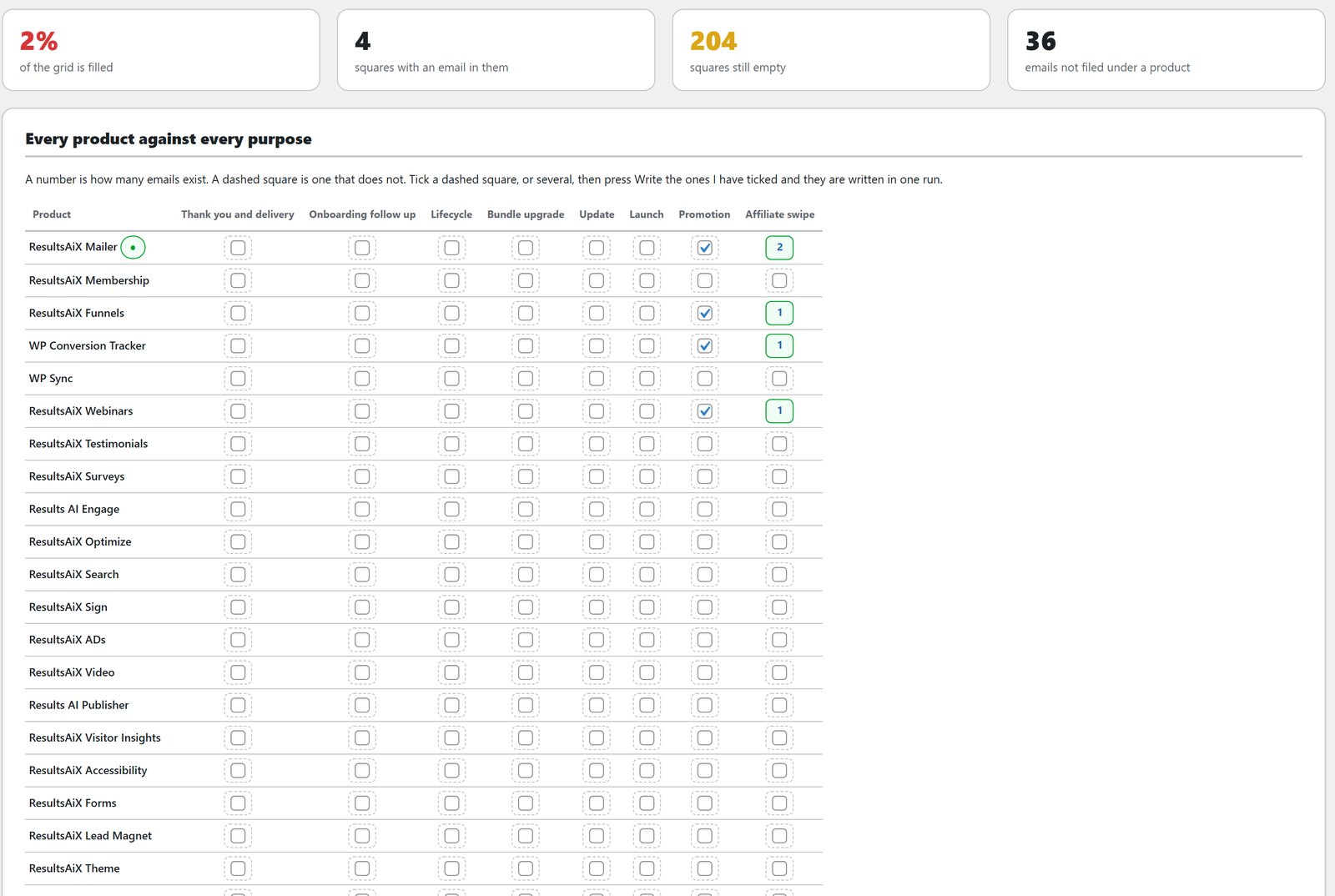
Bundle owners also get ResultsAiX Email, which holds every autoresponder email your business needs, maps each product against each purpose to show which ones you’re missing, and writes the gaps in your voice. Pick an email inside Mailer and it loads itself in.
Plug In The Rest Of The Family
Mailer is complete on its own. Connect the other ResultsAiX plugins and it starts seeing money. WP Conversion Tracker AI hands Mailer 14 ready-made buyer segments built from real spend, recency and frequency. Launch Manager AI puts WarriorPlus and JVZoo purchase history on every profile. WP Sync brings new signups in from your other apps with no CSV shuffling.
And What Keeps Coming
I won’t give you a roadmap with dates on it. What I can tell you is how it works. Mailer is the plugin I run my own list on, so it keeps getting my attention. New features arrive as normal WordPress updates, from Plugins, then Updates, or with one click from the ResultsAiX Hub. They’re included for as long as your licence is active, and the Mailer sales page keeps a running list of what has shipped.
A lot of what’s on this page started as a customer telling me what they needed. If something would make Mailer better for you, open a ticket and tell me. That’s still the fastest way to get it built. New training videos go up on the Mailer training page as features land.
See Who Is Behind Your Numbers
Reports with the people behind every percentage, the money on the report and not just the opens, and a list that tags itself, all in your own WordPress.
Every plugin, every update, every plugin still to come
One bundle covers everything mentioned in these updates and everything that ships after them, at no extra charge, running on your own WordPress site.


