Every episode plays in the same player, on your site, in the listener's page and in embeds on other sites. You choose its look and colours once on the Settings tab, and any single block or shortcode can differ.
Where to find it:
Podcasts, Settings, The player card. Press Save podcast settings at the bottom of the card when you change anything.
The four looks:
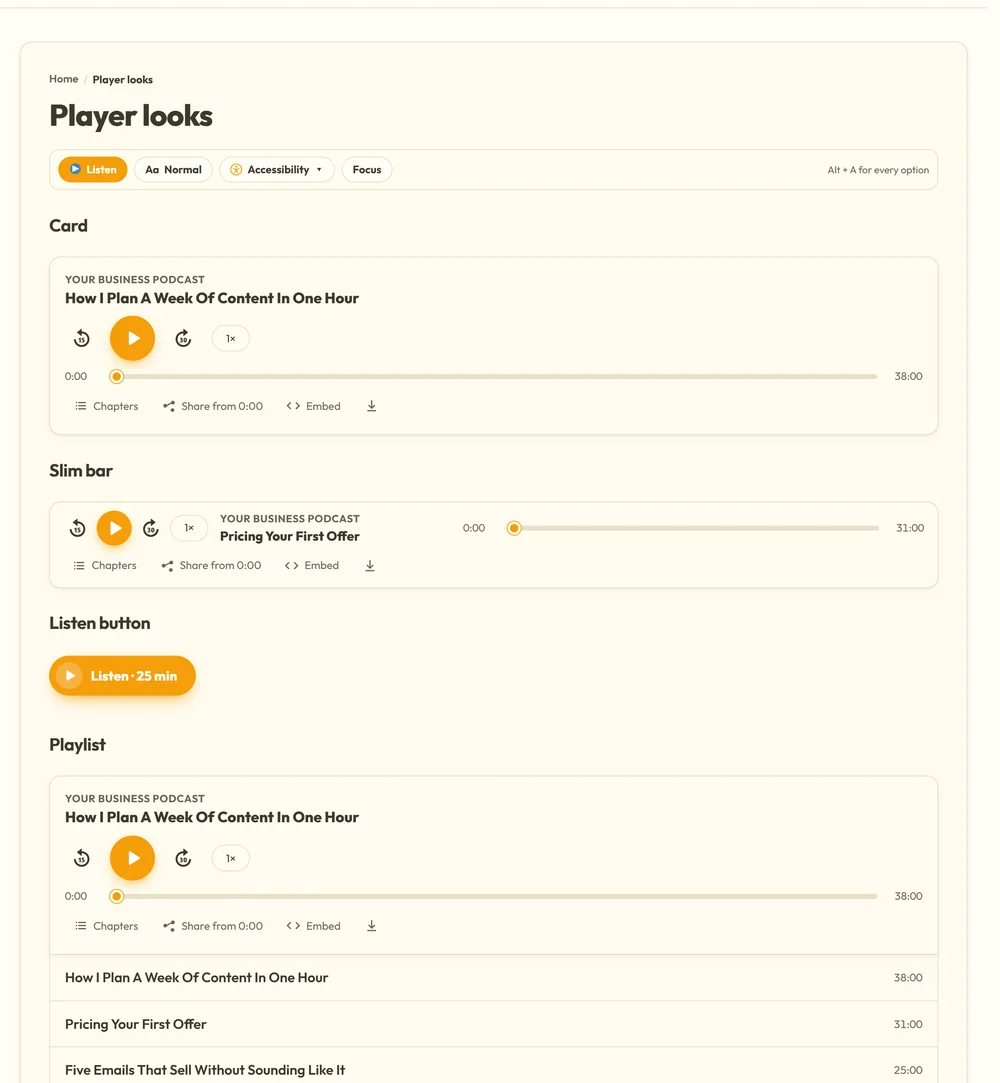
- Card: the full player with the cover, made for an episode page.
- Slim bar: a quiet strip that fits inside a blog post.
- Listen button: one button where space is tight, for example Listen · 38 min.
- Playlist: a whole show on one page, with the player on top and every episode listed underneath.
Set the default look under Look. A playlist is for whole shows; one episode uses the card. Any block or shortcode can pick its own look.
Colours:
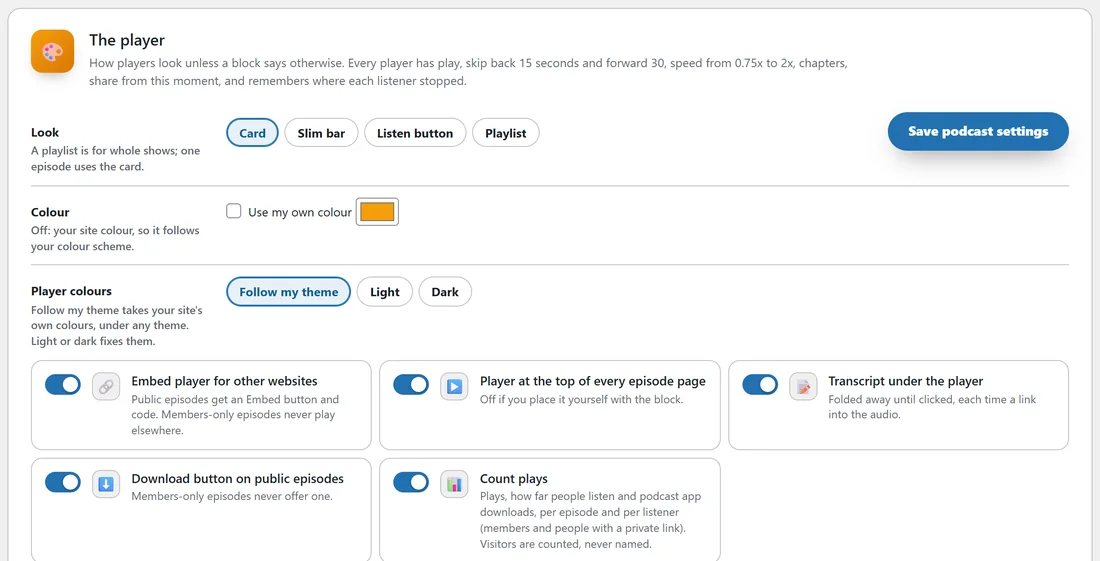
Player colours and Colour sit in The player card on the Settings tab.
- Follow my theme takes your site colours by itself, including every colour scheme and dark mode of the ResultsAiX Theme, and block themes such as Twenty Twenty-Five. It was tested with the ResultsAiX Theme, Astra, Kadence and Twenty Twenty-Five.
- Light or Dark fixes the player the same everywhere.
- Use my own colour (under Colour) gives every player one accent colour, picked with the colour box. Unticked, the player uses your site colour.
- One block or shortcode can also have its own colour, with accent="#7c3aed".
The switches:
- Embed player for other websites: public episodes get an Embed button and code. Members-only episodes never play elsewhere.
- Player at the top of every episode page: switch it off if you place the player yourself with the block.
- Transcript under the player: folded away until clicked, each time a link into the audio.
- Download button on public episodes: members-only episodes never offer one.
- Count plays: the stats. See Stats: Plays, Finishes And Who Listens Most.
Join link:
The Join link box sits under the switches. A members-only episode shows a Join button with this address to everyone who may not listen, beside Sign in.
What every player does:
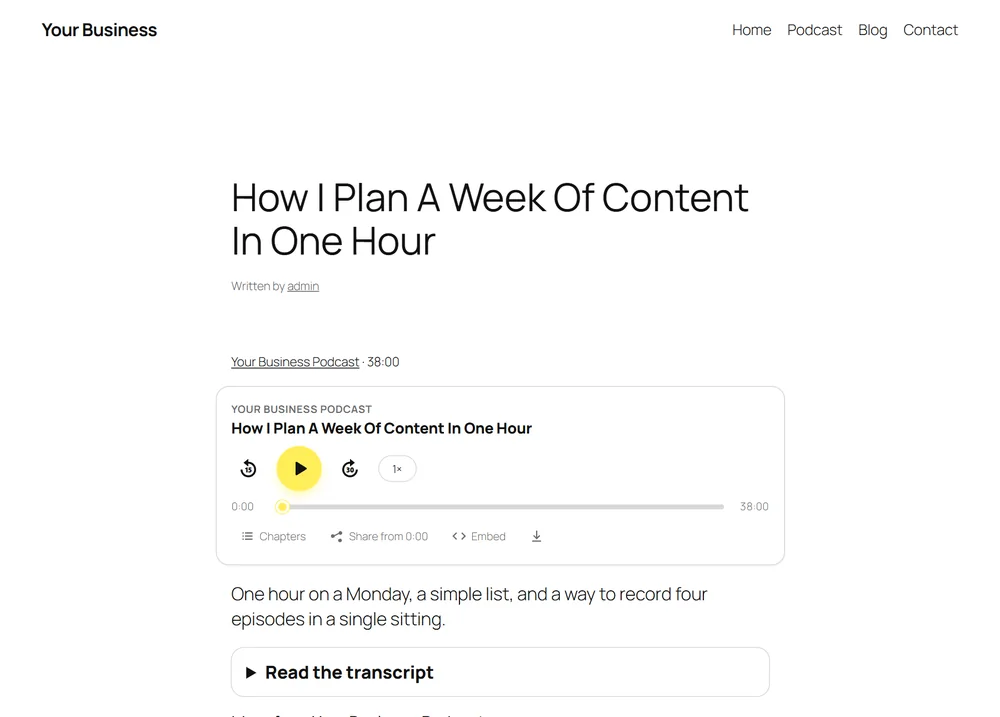
- Play, skip back 15 seconds and forward 30.
- Speed from 0.75x to 2x, remembered for next time.
- Chapters to jump to, when the episode has them.
- Share from this moment, which copies a link that starts at that second.
- Pick up where you left off: the place is remembered on the device, and across devices for signed-in members.
- Embed, which copies the embed code, on public episodes when embeds are on.
- A download button on public episodes, which you can switch off.
- Keyboard and screen reader friendly controls. Without JavaScript it is still a plain working audio player.
The episode page:
Under any theme an episode page gets the player at the top and the transcript underneath, folded away until clicked. Switch either off on the Settings tab if you would rather place the player yourself.
A real example:
yoursite.com uses the ResultsAiX Theme in a warm colour scheme. You leave Look on Card and Player colours on Follow my theme, so every player matches the site. On one sales page you want a quieter player, so you use [raix_audio episode="12" look="bar"].
Tips:
- See Putting The Player Anywhere: Block, Shortcodes And Embeds for every way to place a player.
- Switch to Light or Dark only if your theme's colours make the player hard to read.