The Your Site tab holds everything visitors see around your content. The header, the mark, landing pages and the login page are covered in other articles. This one covers the sticky bar, your YouTube channel, Talk instead of type, the fonts and the footer copyright name.
Where to find it:
ResultsAiX Theme, Your Site. Each part is its own card. Press Save Your Site at the bottom after changing anything.
The sticky bar:
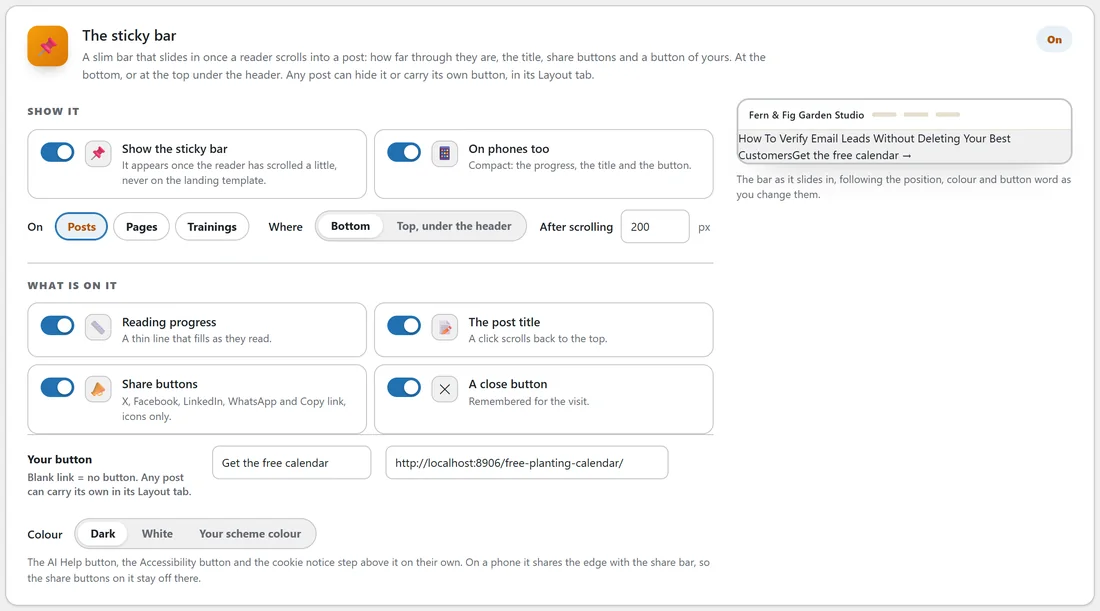
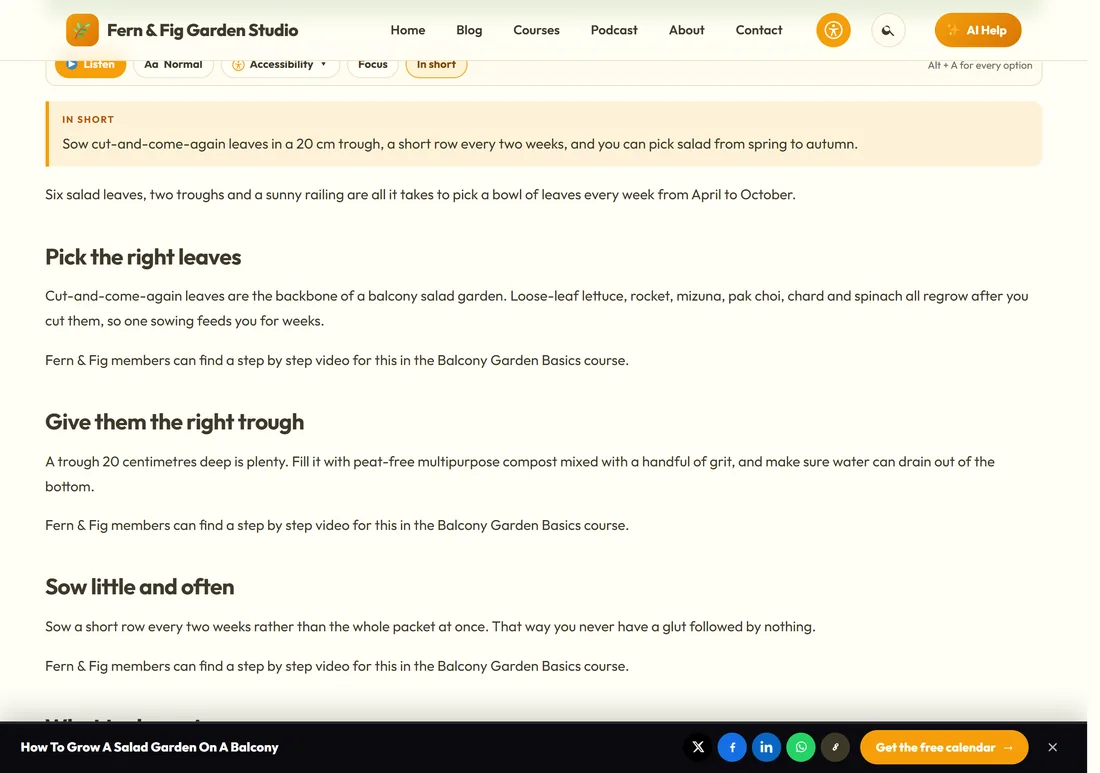
A slim bar that slides in once a reader scrolls into a post: how far through they are, the title, share buttons and a button of yours.
- Show the sticky bar: it appears once the reader has scrolled a little, never on the Landing template.
- On phones too: compact, with the progress, the title and the button.
- Show it on: Posts, Pages and Trainings.
- Where: Bottom, or Top, under the header. After scrolling so many pixels.
- What is on it: Reading progress, The post title (a click scrolls back to the top), Share buttons (X, Facebook, LinkedIn, WhatsApp and Copy link) and A close button (remembered for the visit).
- Your button: a word and a link. A blank link means no button.
- Colour: Dark, White or Your scheme colour.
The preview shows the bar as it slides in. The AI Help button, the Accessibility button and the cookie notice step above it by themselves.
One post, its own sticky bar:
On a post's Layout tab, The sticky bar can be set to Hide on this one, and the post can carry its own button word and link. Blank uses the site button.
Your YouTube channel:
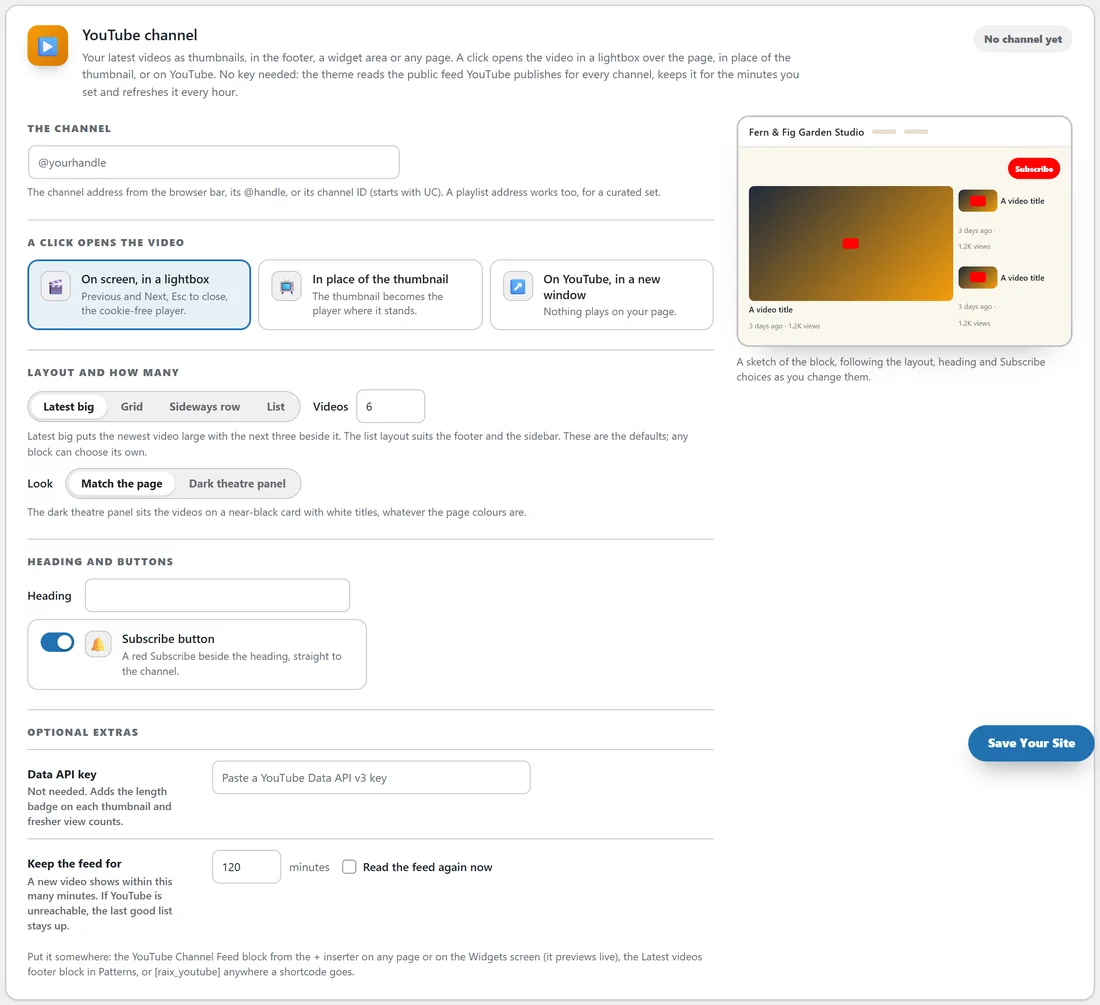
Your latest videos as thumbnails, in the footer, a widget area or any page. No key is needed: the theme reads the public feed YouTube publishes for every channel.
- In The channel, paste the channel address from the browser bar, its @handle or its channel ID (starts with UC). A playlist address works too.
- A click opens the video: On screen, in a lightbox (with Previous and Next), In place of the thumbnail, or On YouTube, in a new window.
- Layout and how many: Latest big, Grid, Sideways row or List, and the number of videos.
- Look: Match the page, or Dark theatre panel.
- Heading and buttons: your heading, and a red Subscribe button straight to the channel.
- Optional extras: a Data API key (adds the length badge and fresher view counts), and Keep the feed for so many minutes. If YouTube is unreachable, the last good list stays up. Read the feed again now refreshes it.
Then place it: the YouTube Channel Feed block from the + inserter, the Latest videos footer block, or [raix_youtube] anywhere a shortcode goes.
Talk instead of type:
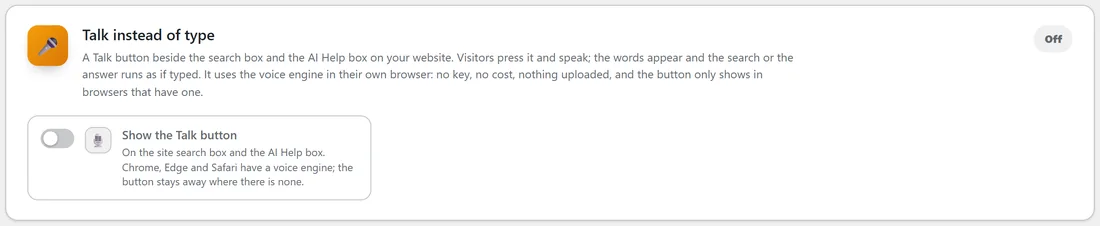
Show the Talk button puts a Talk button beside the search box and the AI Help box. Visitors press it and speak; the words appear and the search or the answer runs as if typed. It uses the voice engine in the visitor's own browser: no key, no cost and nothing uploaded. The button only shows in browsers that have one, such as Chrome, Edge and Safari.
Fonts:
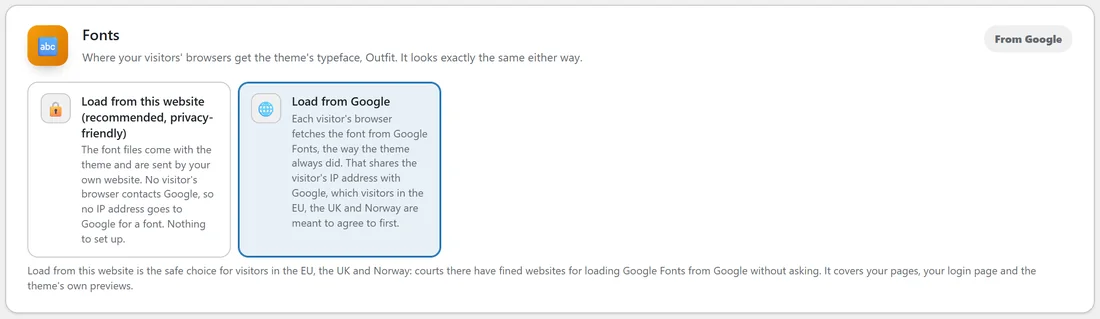
The theme's typeface is Outfit. Choose where visitors' browsers get it from.
- Load from this website (recommended, privacy-friendly): the font files come with the theme and are sent by your own website, so no visitor's browser contacts Google for a font.
- Load from Google: each visitor's browser fetches the font from Google Fonts.
It looks exactly the same either way. Load from this website is the safe choice for visitors in the EU, the UK and Norway, and it covers your pages, your login page and the theme's previews.
Footer copyright name:
The name shown in your website footer. Blank uses your site name.
A real example:
Jo turns on the sticky bar for posts on yoursite.com, at the bottom, dark, with the button Get the free calendar linking to the Free Planting Calendar page. Readers halfway through the salad post see the progress line, the title, five share icons and the button. The salad post keeps the site button; the podcast posts carry their own button, Listen to the show.
Tips:
- Keep the sticky bar button to three or four words.
- Use Load from this website for fonts unless you have a reason not to.
- Next, set up your legal pages and cookie notice. See Legal Pages, Business Details And The Cookie Notice.