Drip holds content back until a member has been in a level for a set number of days. A six-week course can release one lesson a week, on its own, for every member, without you scheduling anything.
Each member has their own clock. Somebody who joins today starts at lesson one today; somebody who joined two months ago already has every lesson.
Where to find it:
- On one page or post: the Drip: unlock after field in the Membership Protection box in the editor sidebar.
- On many items at once: the Drip (optional) field in Bulk protect on the Protect Content tab.
- Inside a page: the drip attribute on the [raxm_protect] shortcode.
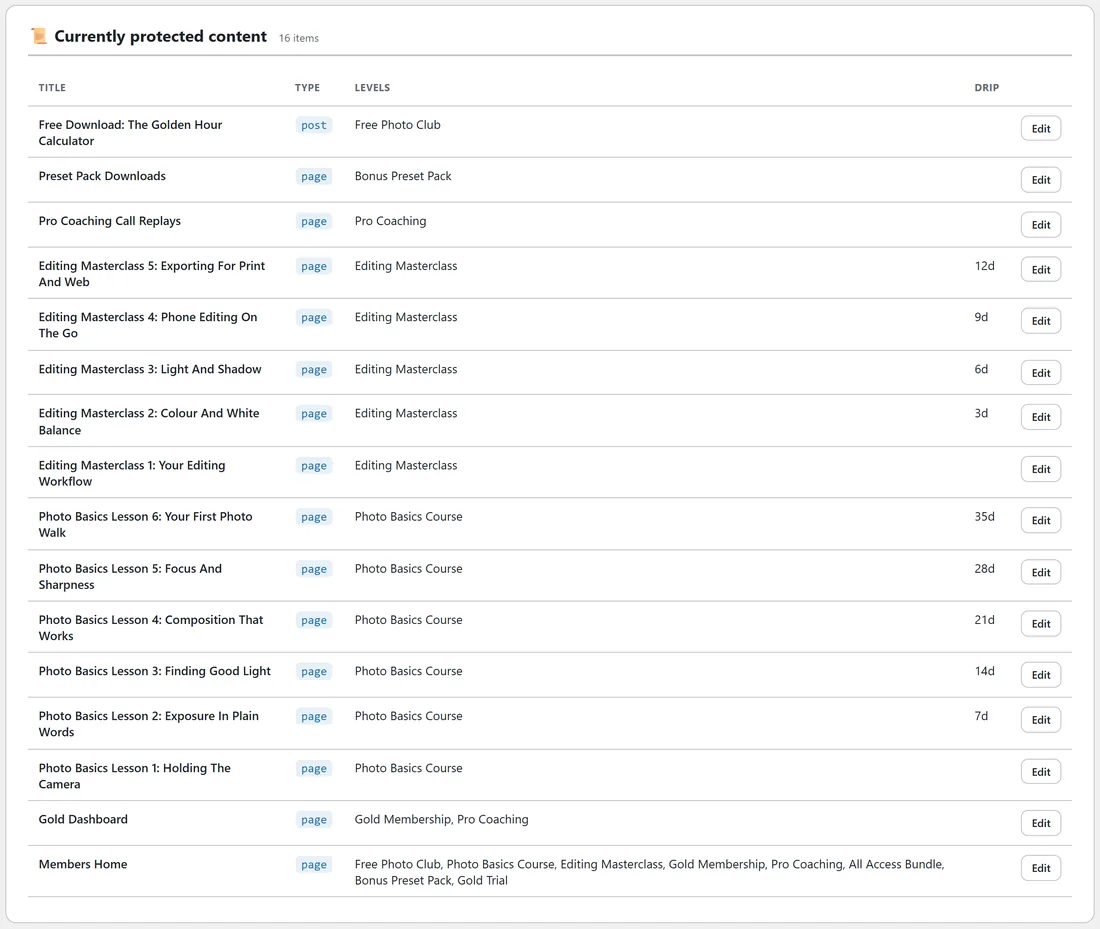
- To check your setup: the Drip column of Currently protected content on the Protect Content tab.
Setting drip on a page, step by step:
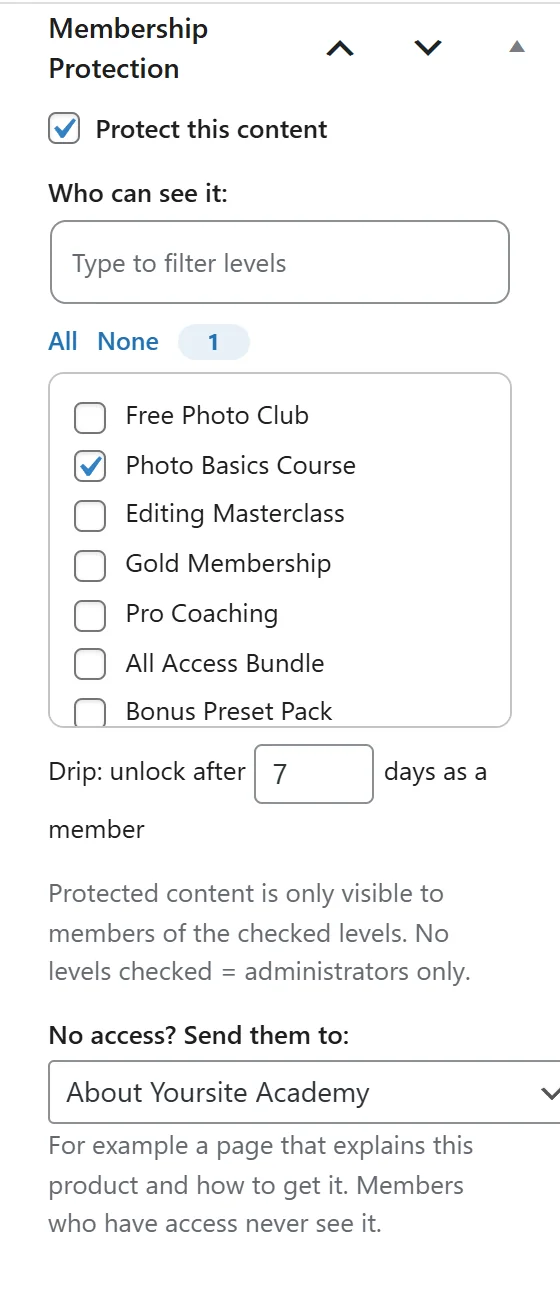
- Open the lesson in the editor.
- In Membership Protection, tick Protect this content and tick the course level.
- In Drip: unlock after, type the number of days, for example 7.
- Click Update.
0 or empty means the page opens as soon as somebody joins.
Building a weekly course:
- Create one page per lesson.
- Protect every lesson for the course level.
- Give lesson 1 a drip of 0, lesson 2 a drip of 7, lesson 3 a drip of 14, and so on.
- Check the Drip column on the Protect Content tab. It shows 7d, 14d and so on next to each lesson.
Dripping part of a page:
Wrap a section in the protect shortcode and give it a drip attribute, like this.
[raxm_protect level="photo-basics" drip="14"] Week three bonus video [/raxm_protect]
The rest of the page shows straight away, and the wrapped part appears 14 days after the member joined. This is how one course page can fill in over time instead of having a page per week.
How the clock works:
- The count starts at the member's join date for the level that gives access to the page. If the page is protected for several levels and the member holds more than one, the earliest join date counts.
- Bundles count too. A member who holds a bundle that opens the course level is timed from the date they joined the bundle.
- Members brought in from WishList Member, Paid Memberships Pro or a CSV keep their original join dates, so long-standing members see everything they already had, rather than starting again at lesson one.
- Administrators see everything while Administrators always see everything is ticked on the Settings tab.
What a member sees before the day comes:
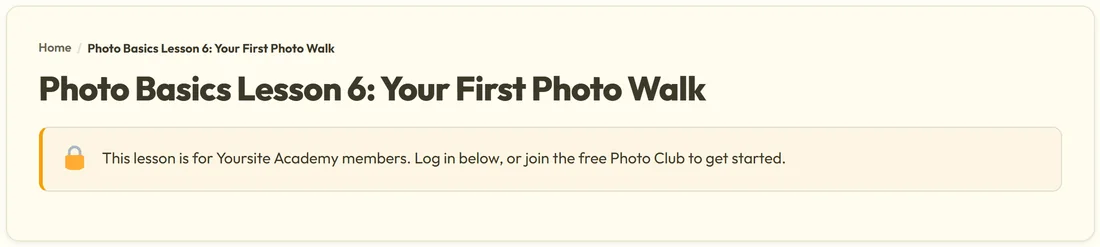
A member who is still waiting for a lesson sees the same protection message as anyone else without access to that page. A good habit is to name lessons with their week, such as Photo Basics Lesson 3, and say on the course home page that a new lesson opens each week.
The [raxm_profile] page lists the pages protected for a member's levels under Everything you can open. In version 1.4.25 that list does not check drip, so a lesson can appear there before its day; clicking it shows the protection message until the day comes.
A real example:
Yoursite Academy releases the Photo Basics Course over five weeks. Lesson 1, Holding The Camera, has no drip. Lessons 2 to 6 have drips of 7, 14, 21, 28 and 35 days. Ella Nash joined the course 33 days ago, so she can open lessons 1 to 5, and lesson 6, Your First Photo Walk, opens for her in two days. The Editing Masterclass uses shorter steps of 3 days, and inside each Masterclass lesson a [raxm_protect level="bonus-presets"] block shows a preset tip only to members who hold the Bonus Preset Pack.
Tips:
- Set drip in bulk when every item gets the same delay, for example everything in a bonus category after 30 days. For a stepped course, set each lesson in the editor.
- Changing a drip number takes effect at once for everybody, because nothing is scheduled; the plugin works it out each time the page is opened.
- To give one member early access, set an earlier join date by editing their membership, or give them a level that is not dripped.