Every launch has a Launch Stats tab next to Setup & Affiliates. For your own launches it is your launch control room: total sales and revenue, a live affiliate leaderboard, your prize ladder, daily revenue and the latest sales. It also builds the public pages your affiliates love: a live sales feed during the launch and a Final Leaderboard card afterwards.
Where to find it:
Open Launches, click a launch, and click 📊 Launch Stats.
The stats window:
A note at the top shows the exact window being counted, from the start date and time to the end date and time in Central European Time, the WarriorPlus timezone, and where the data comes from. Sales are matched to the launch by product name, so other products sold in the same week are left out. For an exact match with a WarriorPlus contest page, link a W+ Leaderboard Snapshot on the Setup & Affiliates tab.
The headline numbers:

Four tiles show Total Sales, Revenue (gross sales before fees), Affiliates (partners with at least one sale) and Avg Sale.
Live Sales Feed:
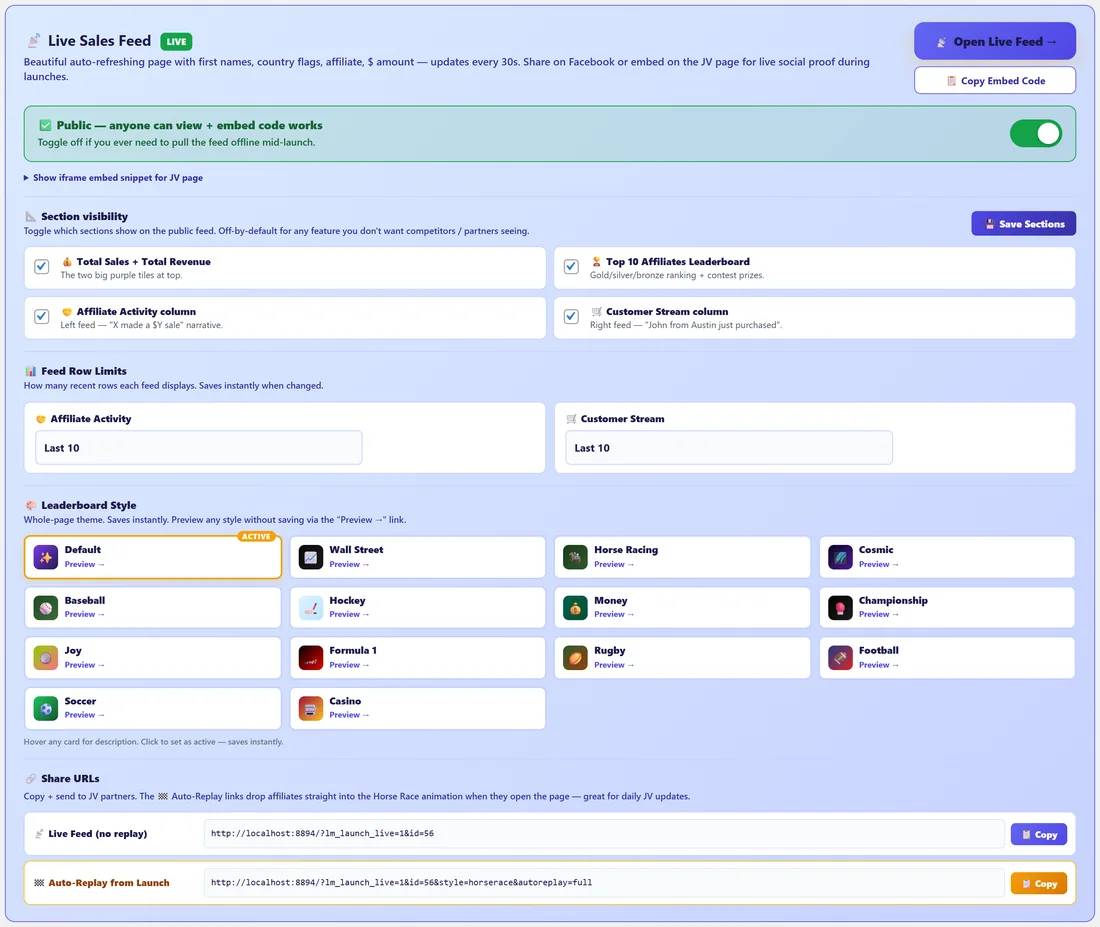
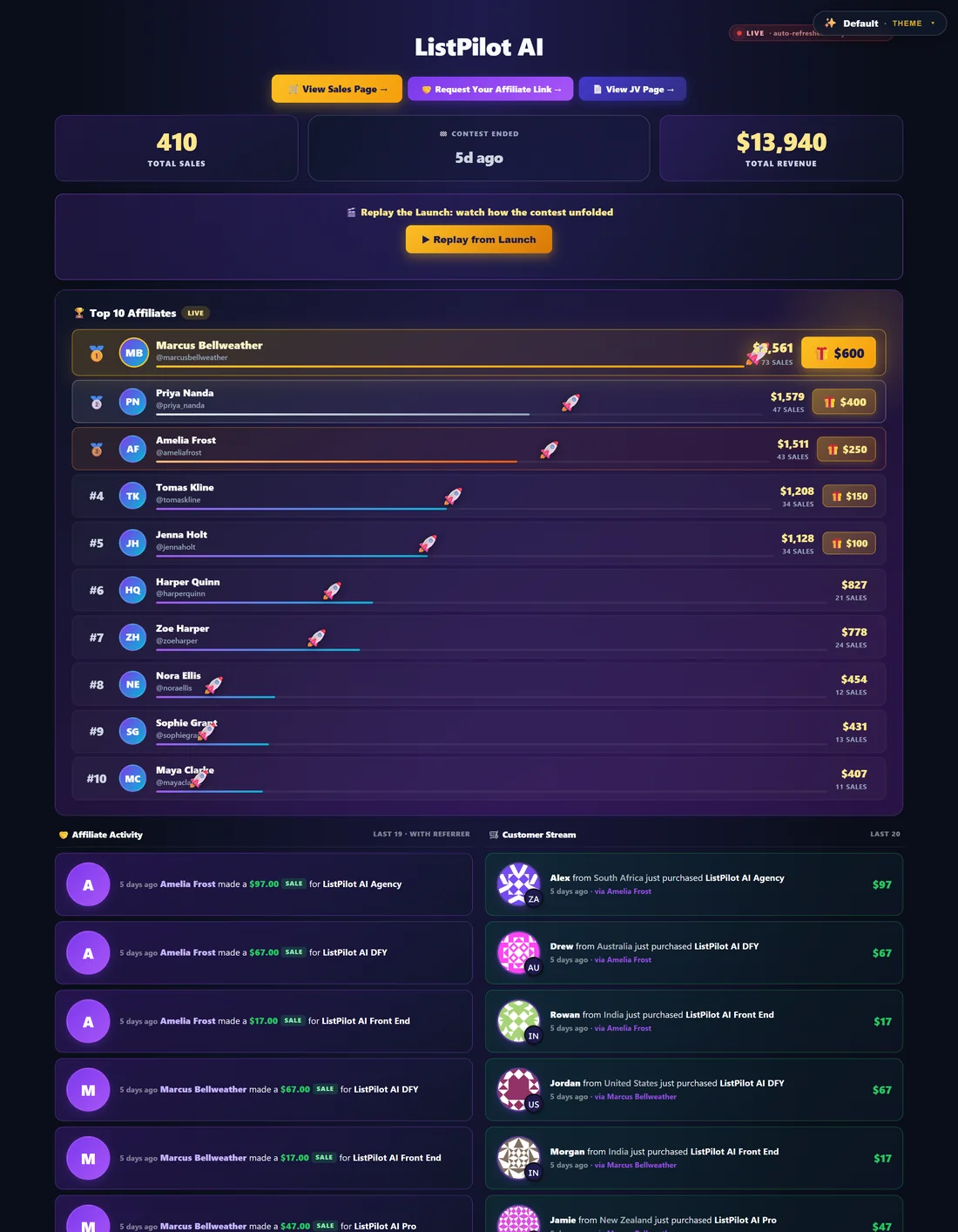
The Live Sales Feed is a public page that refreshes itself every 30 seconds, with first names, country flags, affiliates and amounts. Share it on social media or embed it on your JV page during the launch.
- The switch at the top makes it public. When it is off, only you can open it. You can also tick Live Sales Feed Public in the launch details.
- Open Live Feed opens it, and Copy Embed Code copies an iframe for your JV page. Show iframe embed snippet shows the code itself.
- Section visibility: tick which parts the public sees. Total Sales and Total Revenue, Top 10 Affiliates Leaderboard, Affiliate Activity column and Customer Stream column. Click Save Sections.
- Feed Row Limits: how many rows each feed column shows. Last 10, Last 50, Last 100 or ALL.
- Leaderboard Style: pick a theme for the whole page, such as Default, Wall Street, Horse Racing, Cosmic, Baseball, Hockey, Money, Championship, Joy, Formula 1, Rugby, Football, Soccer or Casino. Click Preview on any style to see it first. A click saves it straight away.
- Share URLs: Live Feed (no replay) and Auto-Replay from Launch, which replays the launch from the start as a race. Copy either one to send to partners.
Contest Prize Ladder:
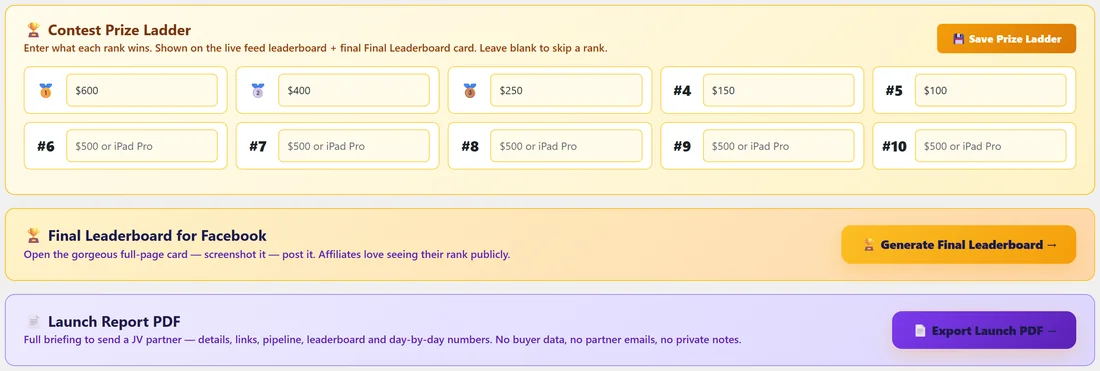
Enter what each rank wins, from 1st to 10th, and click Save Prize Ladder. Leave a rank empty to skip it. The prizes show on the live feed leaderboard and on the Final Leaderboard card.
Final Leaderboard for Facebook:
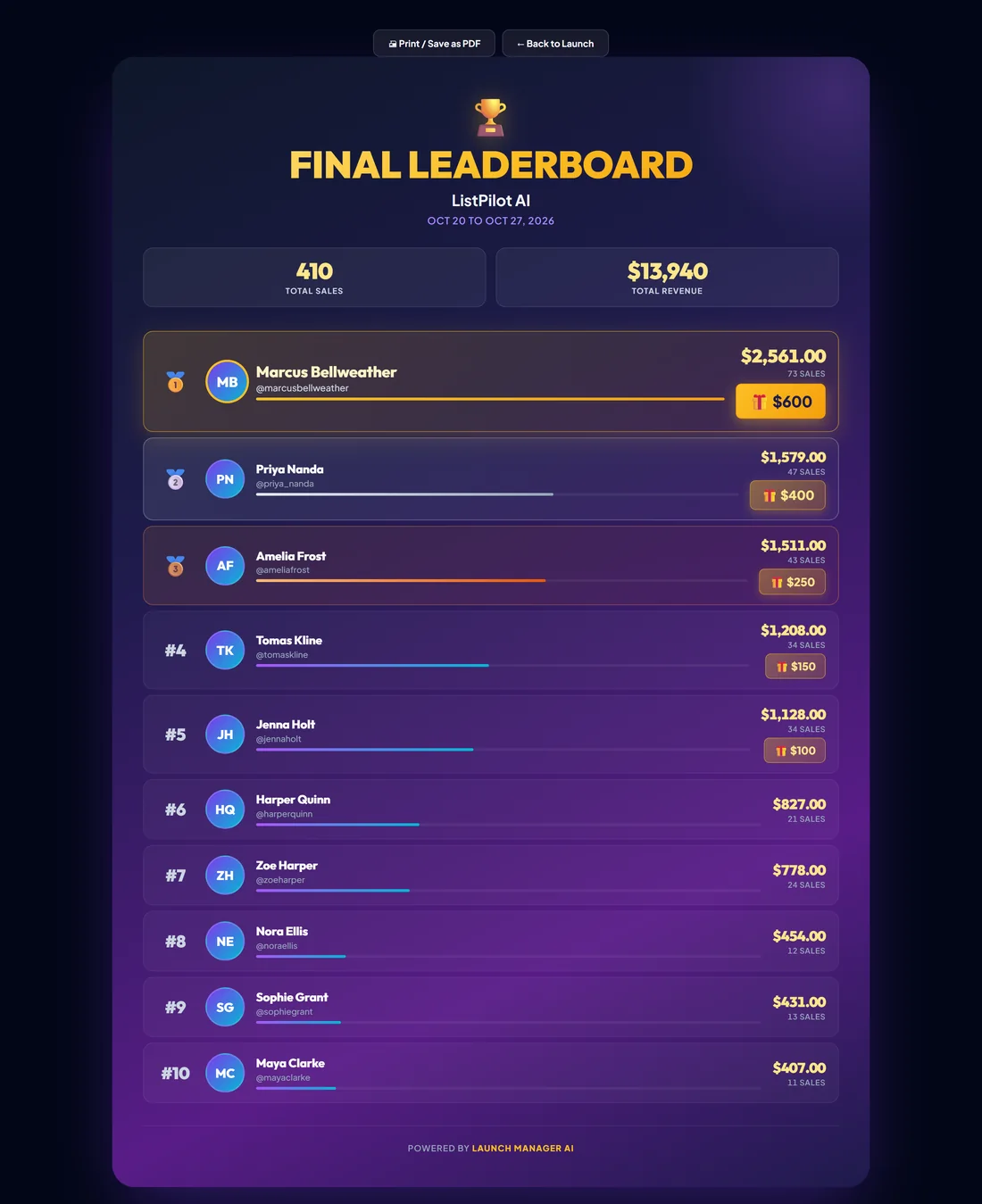
Click Generate Final Leaderboard for a full-page card with the launch totals and the top affiliates with their revenue and prizes. Take a screenshot and post it to thank your affiliates. The card has a Print / Save as PDF button too.
Launch Report PDF:
Click Export Launch PDF for a briefing you can send to a JV partner: launch details, key links, the affiliate pipeline, the leaderboard and day-by-day numbers. It leaves out buyer data, partner emails and your private notes.
Live Leaderboard:
The full leaderboard lists every affiliate with sales in the window, with rank, sales, a share bar and revenue. The top three get gold, silver and bronze. Sync Promoted Now moves every affiliate with sales to the Promoted stage in your pipeline. This also happens by itself each time you open the tab.
Daily Revenue and Most Recent Sales:
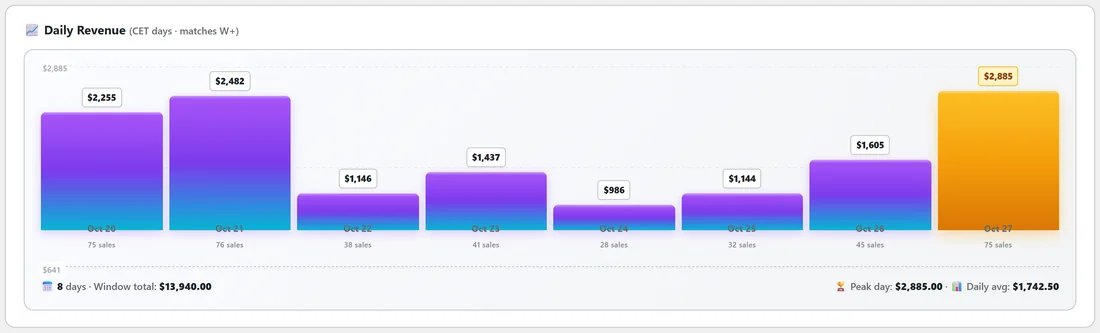
Daily Revenue is a bar chart with one bar per day of the launch, in Central European Time to match WarriorPlus, with the peak day and daily average. Most Recent Sales lists the last 25 sales of this launch with time, product, customer, affiliate and amount, and keeps showing new sales after the contest ends. Use the search box to filter by customer, email, product or affiliate.
A real example:
ListPilot AI ran for eight days. During the launch Dana switched the Live Sales Feed on, chose the Default style, and embedded it on her JV page. Afterwards the Launch Stats tab shows 410 sales from 21 affiliates. Marcus Bellweather finished first. She clicks Generate Final Leaderboard, takes a screenshot and posts it in her JV group with a thank-you, then exports the launch PDF for her records.
Tips:
- Set the start and end times on the launch so the stats match the contest window exactly.
- Switch the public feed off when the launch is over if you prefer to keep the numbers private.
- Use the Auto-Replay link in your post-launch thank-you email. Partners enjoy watching the race again.