The Reports tab shows how the library is growing, what the AI has cost, where the writing slips, and which emails actually get used. Everything on it is read from your own library and your own AI job log.
Where to find it:
Open AiX Email and click the Reports tab, or Reports in the WordPress sidebar.
Choosing a range:

The buttons across the top choose the period: Last 7 days, Last 30 days, Last 90 days, Last 6 months, Last 12 months, This year and Everything. Last 90 days is chosen when you open the tab. The dates the range covers are shown on the right.
The headline cards:
- Emails written: how many emails are dated inside the range, with a green or amber percentage against the period before, and the count for that period.
- In the library: every email, with how many are clean, need a look and break a rule.
- Coverage: the share of the coverage grid that is filled.
- House rule score: the average across everything.
- AI spend, 30 days: the estimated spend, with how many jobs and errors.
What got written:
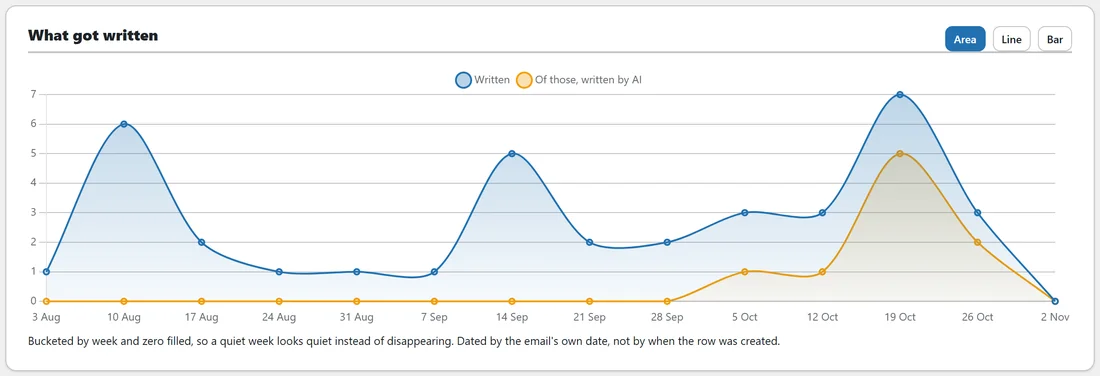
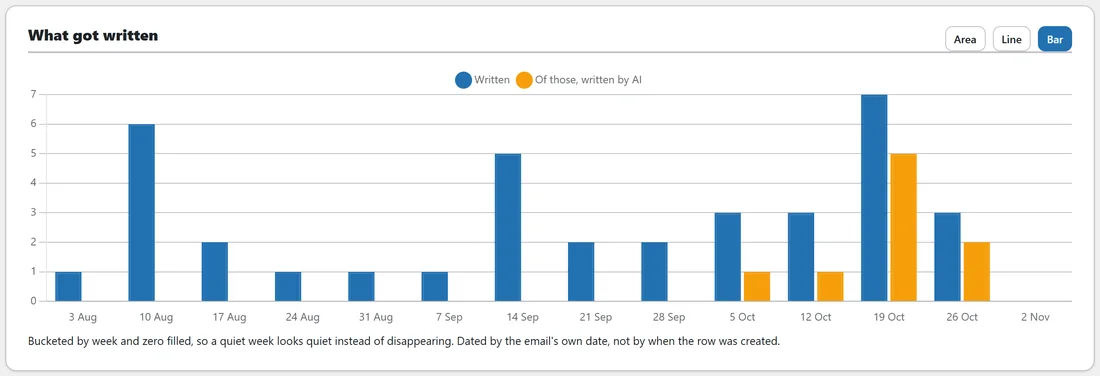
A chart of emails written in the range, with two lines: Written, and Of those, written by AI in gold. Area, Line and Bar switch the style. Short ranges are counted by day, longer ones by week or month, and a quiet week shows as zero instead of disappearing. Each email is counted by its own date, the date in its file name or the day it was added, not by when its row was created.
What the AI cost:
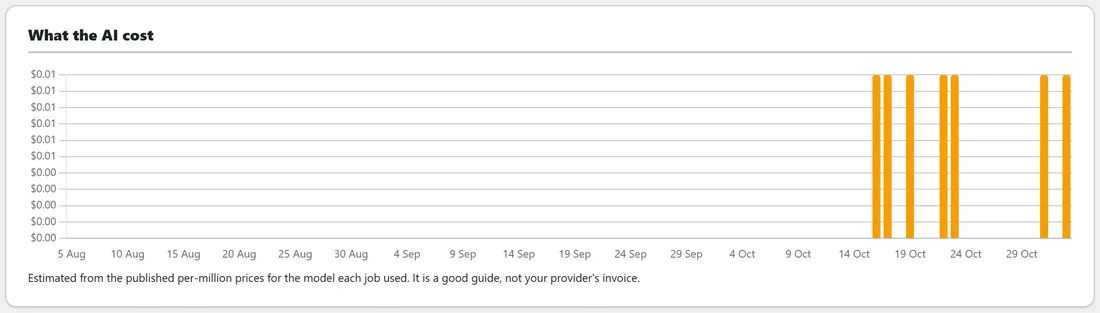
With AI ready, a bar chart shows the estimated spend for each day in the range. It is estimated from the published per million prices for the model each job used, so it is a good guide, not your provider's invoice.
By purpose and By product:
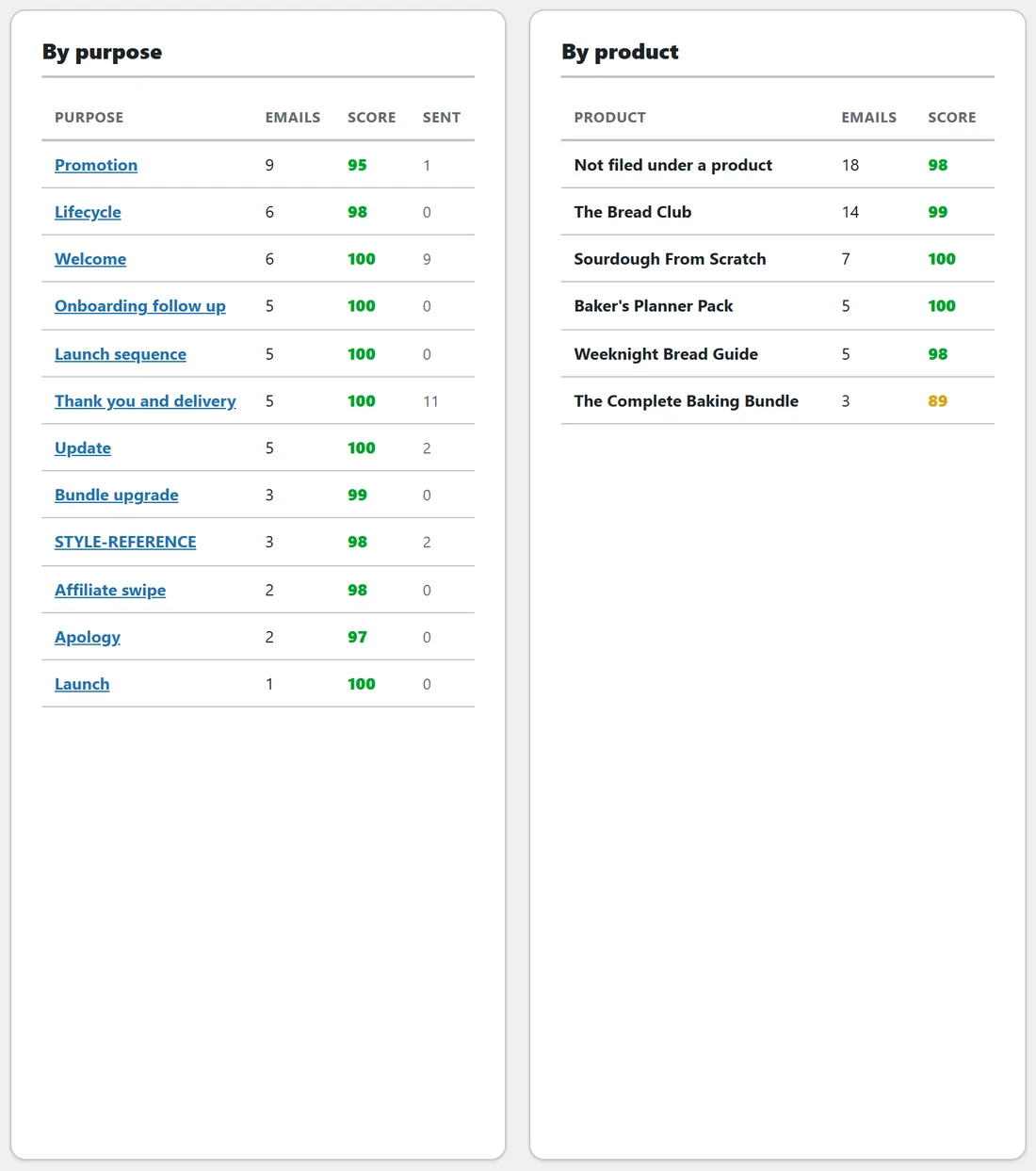
- By purpose lists each purpose with its number of emails, the average score and Sent, the number of times emails of that purpose were loaded into ResultsAiX Mailer from this plugin. Click a purpose to open it in the Library.
- By product lists each product with its number of emails and average score, with Not filed under a product for the rest.
Which rule you break most:
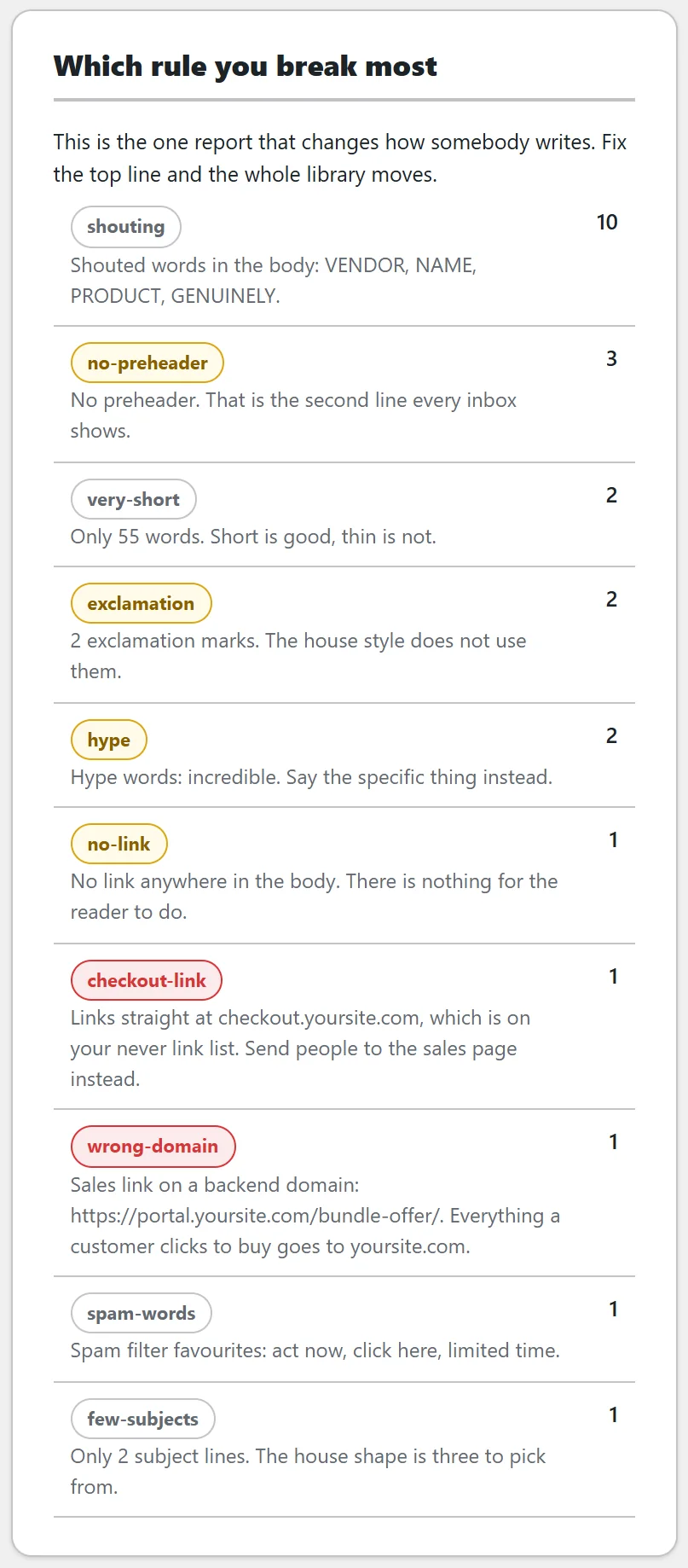
The top twelve house rules broken across the whole library, each with how many emails break it and one example finding. Red pills are hard rules, amber are warnings and grey are notes. This is the one report that changes how somebody writes: fix the top line and the whole library moves.
Used and unused:
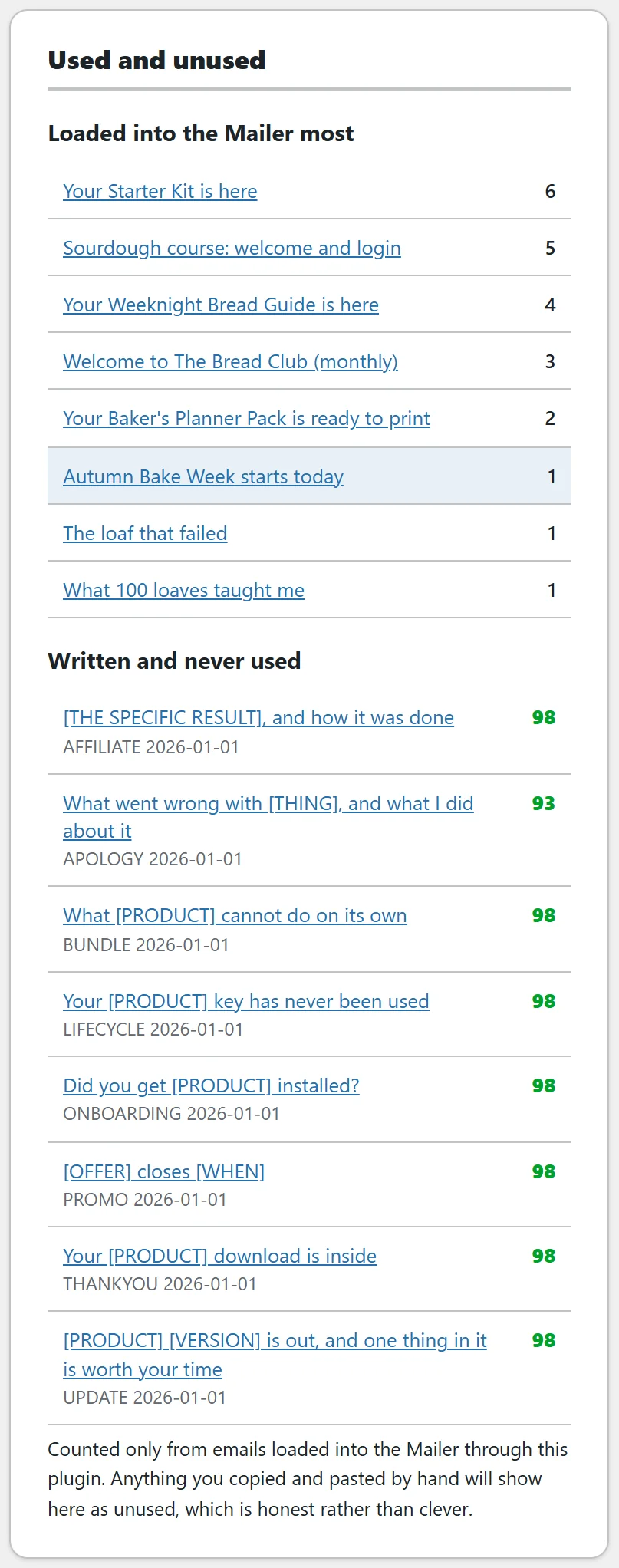
- Loaded into the Mailer most: up to eight emails with how many times each has been loaded into a broadcast.
- Written and never used: up to eight emails that have never been loaded, oldest first, leaving out retired ones. Each shows its purpose, date and score.
Only loads through this plugin are counted. Anything you copied and pasted by hand shows as unused, so set Status to Live in the autoresponder on those to keep track yourself.
Support report:
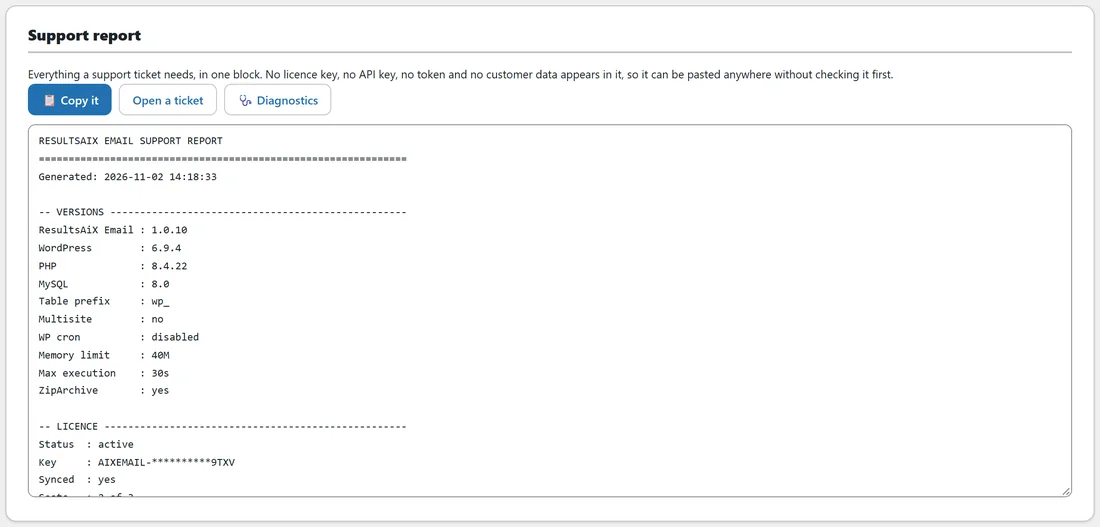
At the bottom is a block made for support tickets: sections for Versions, Licence with the key masked, Library, Voice, AI, Tables, Family and Other plugins. No licence key, no API key, no token and no customer data appears in it, so it can be pasted anywhere. Copy it puts it on your clipboard, Open a ticket opens the support portal, and Diagnostics opens that tab.
A worked example:
Sam opens Reports on Last 90 days. Emails written shows 37, up sharply on the period before because Sam imported the whole folder. The chart shows the gold AI line rising in October, when Sam started filling gaps. Which rule you break most is topped by shouting, all from the starter templates, so Sam rewrites the starters next. Written and never used lists the starters too, which tells Sam the same thing from the other side.
Tips:
- Look at Which rule you break most once a month.
- Use Written and never used to find emails worth loading into your next broadcast.
- Paste the Support report into a ticket along with Copy this for support from Diagnostics.