Each look changes more than the colours: the top of the page, the shape of the buttons, the cards, the corners and the headings all change with it, so two looks never feel like the same page in another colour.
Where to find it:
On step 4, in the Style box. Click a look and the preview changes at once.
The seven looks:
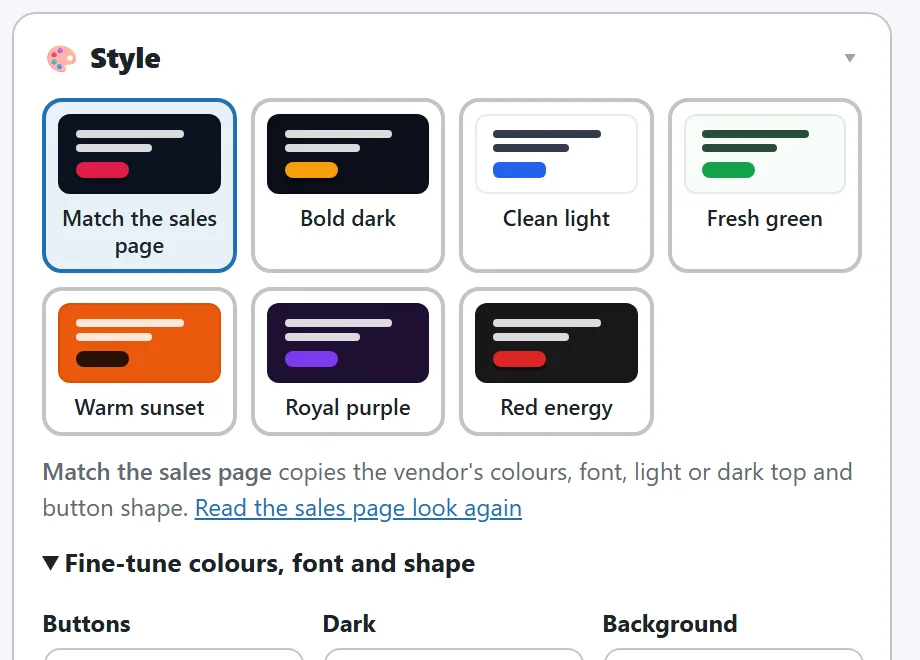
- Match the sales page. Bonus Builder takes a real screenshot of the sales page and reads the colours buyers actually see, whether the top is light or dark, plus the fonts and button shape from the page code. Step 1 shows the screenshot it matched.
- Bold dark. Amber on a dark top, raised buttons, Outfit.
- Clean light. Blue on white, flat buttons, outlined cards, Inter.
- Fresh green. Green on a light top, round buttons, soft cards, Poppins.
- Warm sunset. An orange colour top, round buttons, Montserrat.
- Royal purple. Purple on a dark top, round buttons, outlined cards, Plus Jakarta Sans.
- Red energy. Red on a dark top, square raised buttons, capital headings, Archivo.
- Bright orange, Luxury gold, Ocean calm, Neon night, Soft pink, Trusted navy and Black and white: seven more, each with its own top, buttons and cards.
Each look is drawn as a small picture of the page in its own colours, font, buttons, covers and cards, so you see it before you click.
Match the sales page:
When you add the product on step 1, Bonus Builder reads the sales page's colours (including colours a page keeps in its stylesheet settings), its fonts, its own top section to see if it is light or dark, and the shape of its buttons. Projects made before version 1.0.6 can click Read the sales page look again under the looks to read it with the newer reader.
Fine tuning:
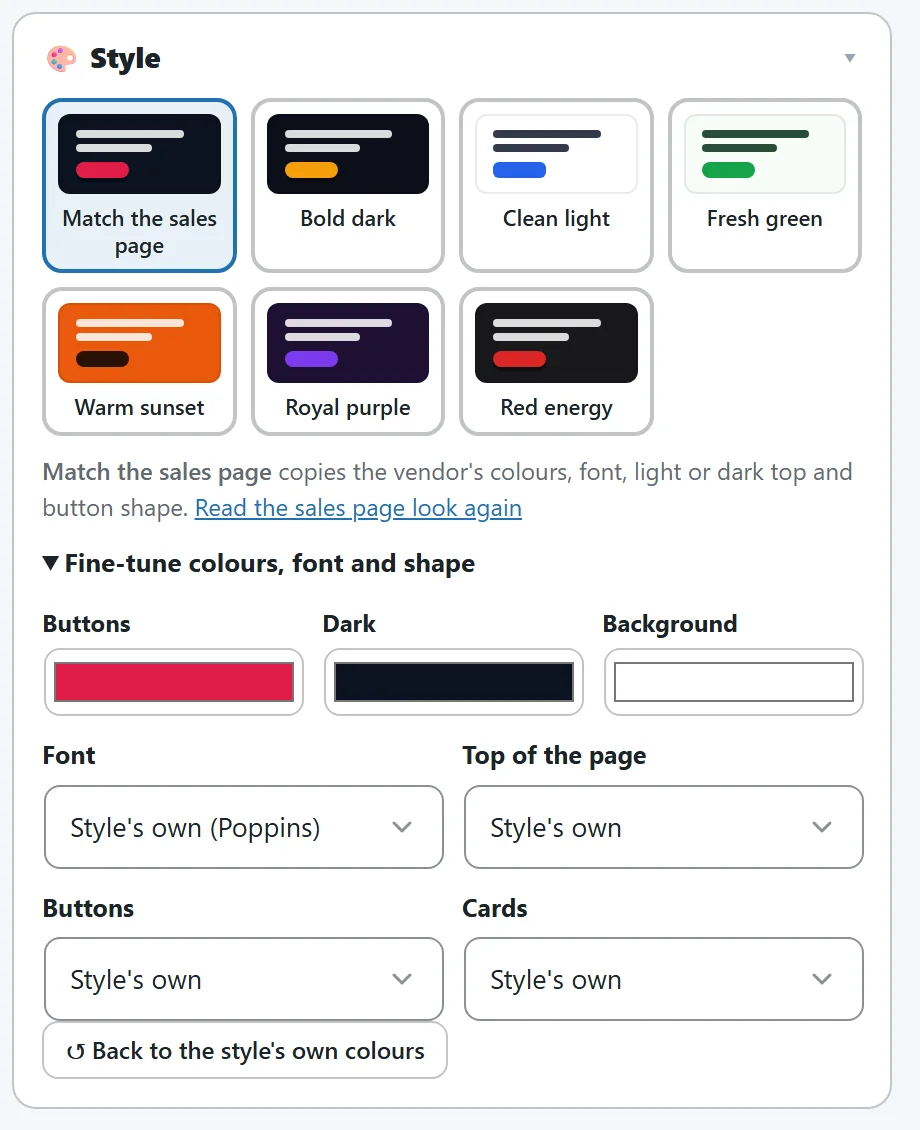
Click Fine-tune colours, font and shape:
- Buttons, Dark and Background colours.
- Font. The look's own font, or one of 18 Google fonts.
- Top of the page. Dark, Light or Colour.
- Buttons. Raised, Round or Flat.
- Cards. Shadow, Outline or Soft fill.
- Back to the style's own colours clears your changes. Clicking another look also starts from that look's own colours.
Saving:
Click Save. Your designed covers follow the page colours, so they always match.
Tips:
- The page uses its own design, not your theme's, so it looks the same on any WordPress theme. Tracking and analytics code from your other plugins still loads on it.
- For changes to single words, pictures or sections, use Edit the page live.