Besides Google Gemini, Anthropic Claude and OpenAI, Bonus Builder connects to four more providers. Each has its own card on the AI tab with the same layout: How To Get Your Key In 60 Seconds, API Key, Model and a Test button.
OpenRouter:
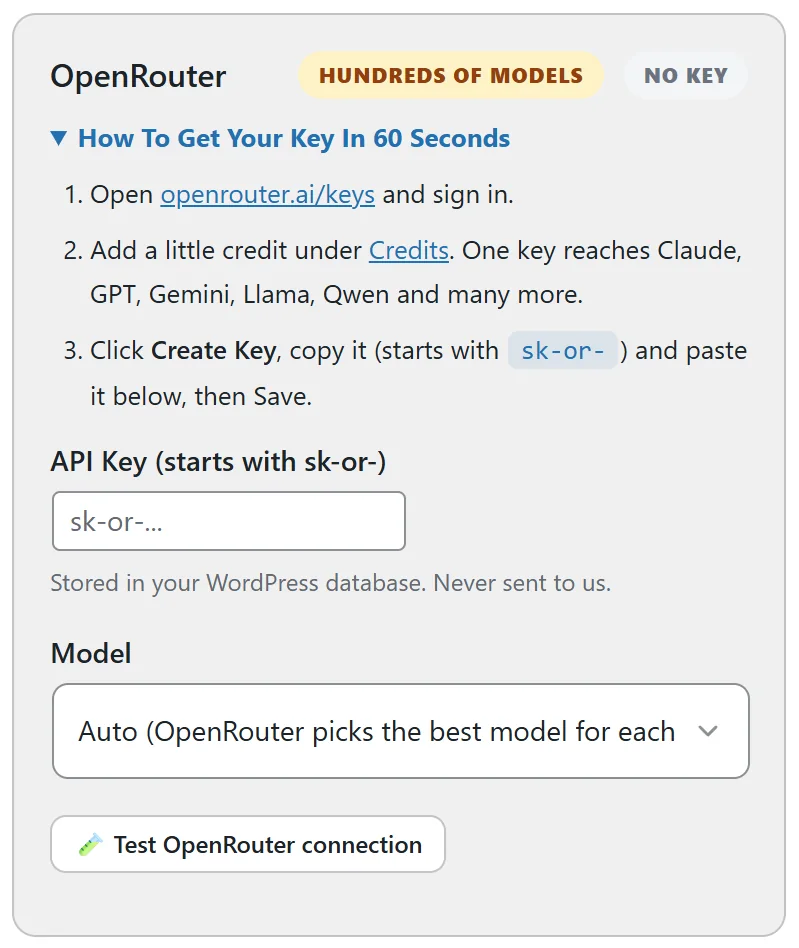
One key that reaches hundreds of models, including Claude, GPT, Gemini, Llama and Qwen. The card is marked Hundreds Of Models.
- Open openrouter.ai/keys and sign in.
- Add a little credit under Credits.
- Click Create Key and copy it. It starts with sk-or-.
The default model is Auto, where OpenRouter picks the best model for each request. The costs report shows what OpenRouter billed for each call.
Grok From xAI:
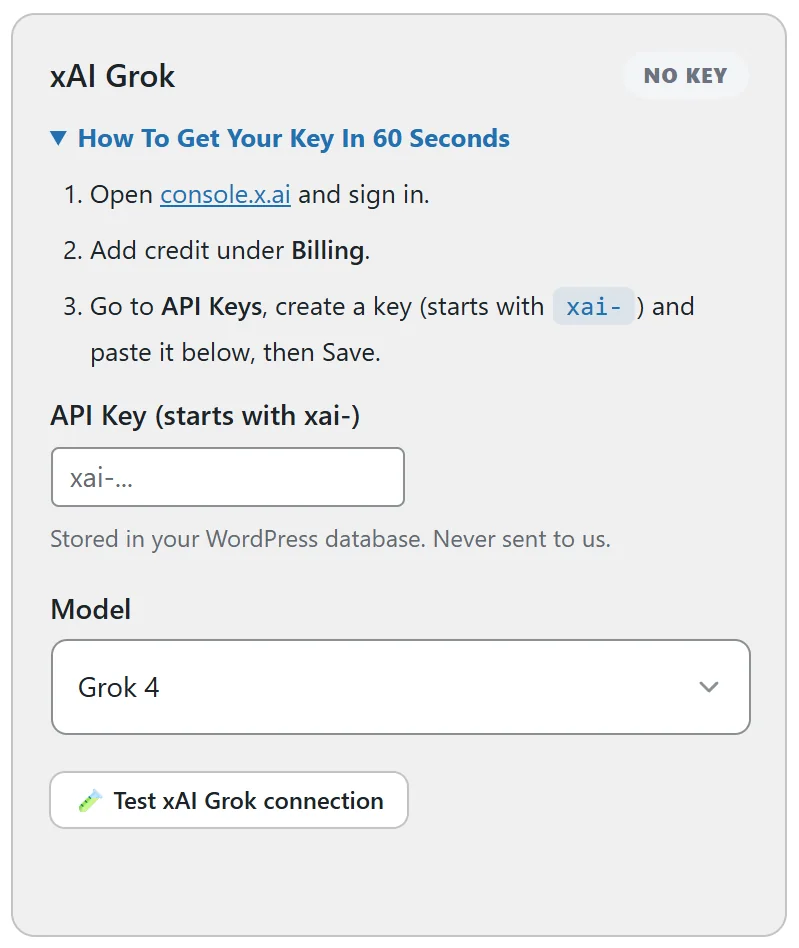
- Open console.x.ai and sign in.
- Add credit under Billing.
- Go to API Keys and create a key. It starts with xai-.
xAI Grok also makes images, so it can be your Image AI.
DeepSeek:
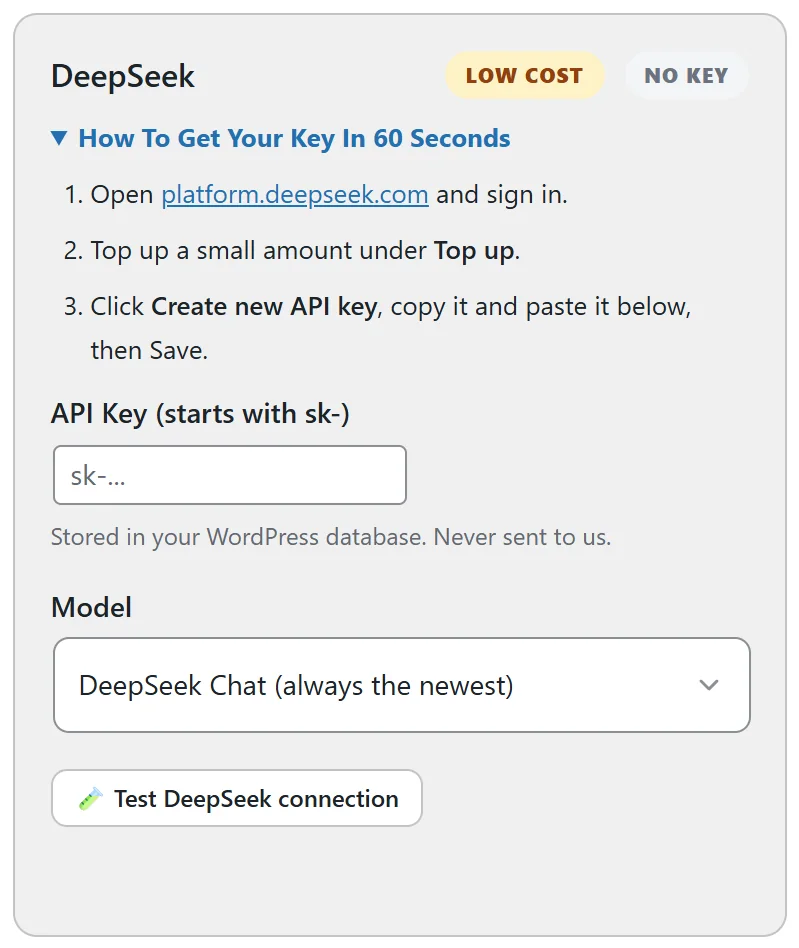
A low cost choice, marked Low Cost on its card.
- Open the DeepSeek platform and sign in.
- Top up a small amount under Top up.
- Click Create new API key and copy it.
Models: DeepSeek Chat (always the newest) and DeepSeek Reasoner.
Mistral:
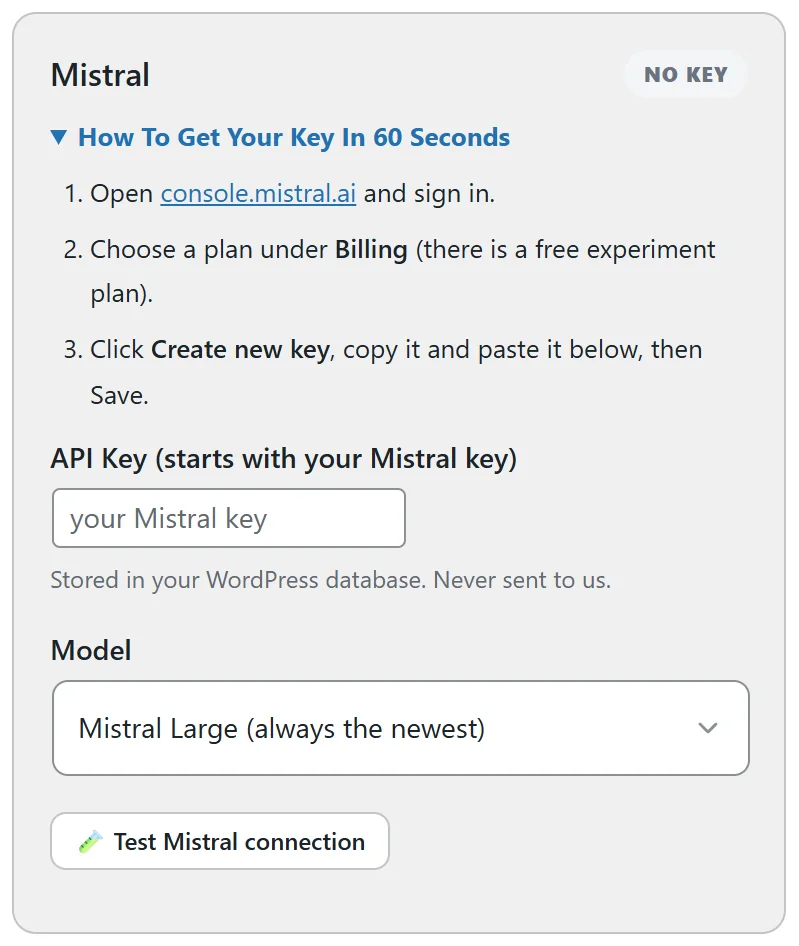
- Open console.mistral.ai and sign in.
- Choose a plan under Billing. There is a free experiment plan.
- Click Create new key and copy it.
Models: Mistral Large, Mistral Medium and Mistral Small, each always the newest.
Saving and testing:
For every provider: paste the key, click Save AI settings, then click the Test button on the card. Once a key is saved, the Model list also shows every model on your account, live from the provider.