At the very bottom of each bonus page, under the disclosure, there is a small Made with ResultsAiX Bonus Builder link. You choose whether it shows, and where it points.
Where to find it:
On the Settings tab, in the Made with credit on your bonus pages card.
The settings:
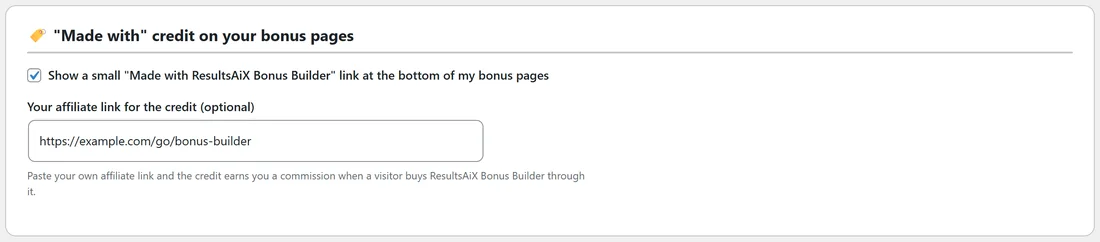
- Show a small Made with ResultsAiX Bonus Builder link at the bottom of my bonus pages. Ticked by default. Untick it to hide the credit on all your bonus pages.
- Your affiliate link for the credit (optional). Paste your own affiliate link and the credit earns you a commission when a visitor buys ResultsAiX Bonus Builder through it.
Turning the credit into a commission:

- Copy your affiliate link for ResultsAiX Bonus Builder.
- Paste it into Your affiliate link for the credit.
- Click Save settings.
Every bonus page now sends the credit through your link. When the box is empty, the credit links to resultsaix.com.
Switching it off:
- Untick the box.
- Click Save settings.
The credit disappears from every bonus page at once.
A real example:
Sam keeps the credit on with an affiliate link, so readers who ask how the page was made can find the plugin through Sam's own link.