Every written bonus can be read and changed on the spot. It is a good idea to give each one a quick read before you publish, and to add a personal touch.
Where to find it:
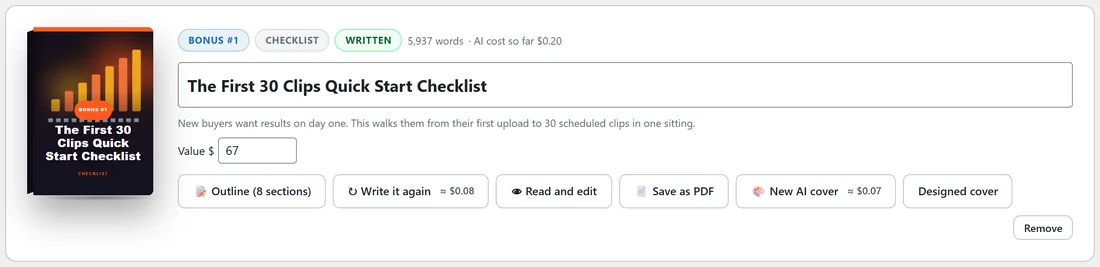
On step 3, click Read and edit on any written bonus. The full bonus opens under its card.
Editing the words:
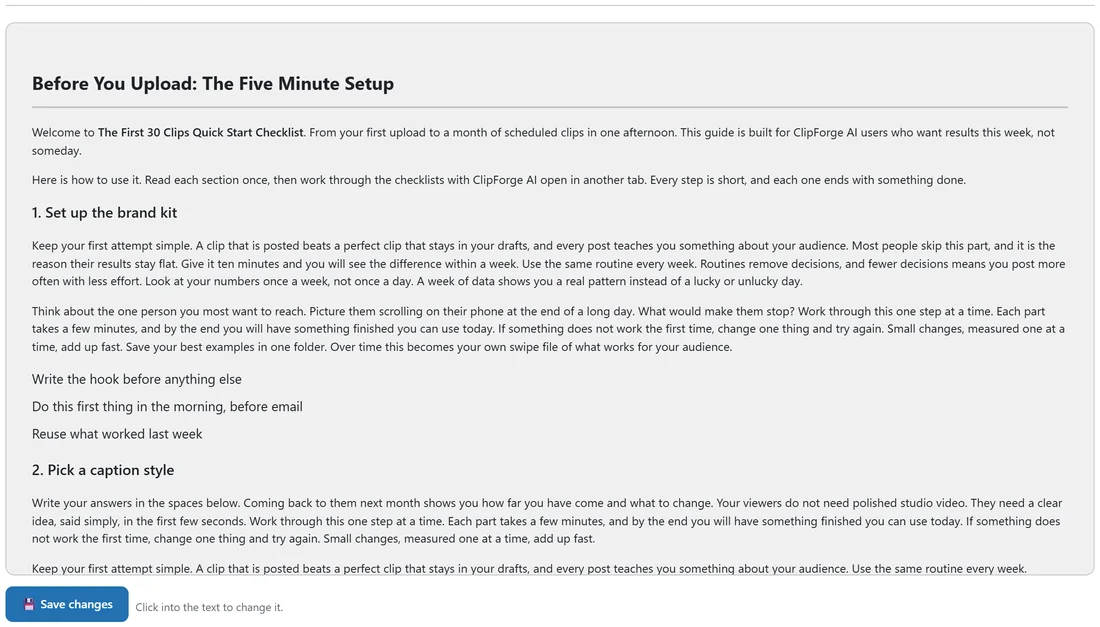
- Click into the text anywhere and type, just like a document.
- Change headings, rewrite a paragraph, or remove a part you do not need.
- Click Save changes.
The word count on the card updates when you save, and the PDF and the zip use your edited version.
What is inside a bonus:
- Sections with headings, in the order of the outline.
- Sub-headings, numbered steps and bullet lists.
- Fill in tables and checklists with blank lines for the reader.
- Short quotes and tips.
- A welcome at the start and a Your next step section at the end.
Changing the title:
Type into the title box on the bonus card. It saves as soon as you click away and is used on the cover, the page and the PDF.
Tips:
- Add a line or two in your own voice, such as how you use the product yourself.
- Write it again writes the whole bonus fresh from the outline, so make your hand edits after your final write.