Diagnostics is one screen that checks every part of Pulse and says, in plain words, what is fine and what to do next. It is the first place to look when something seems quiet, and the screen support asks for.
Where to find it:
WordPress menu, ResultsAiX Pulse, 🩺 Diagnostics. Settings, Help & your account has Open Diagnostics too.
The verdict:

At the top, a short verdict: for example 2 Things To Look At, with how many lines are failing, how many to look at and how many are fine. Three buttons:
- Run The Live Tests: runs the tests below.
- Copy For Support: copies the whole report as text, ready to paste into a ticket.
- Open A Ticket: opens the support portal.
Under it, 🛠 Needs Your Attention lists the lines to look at, each with the one click that sorts it, for example Chats waiting for you with Open Chats.
Live Tests:
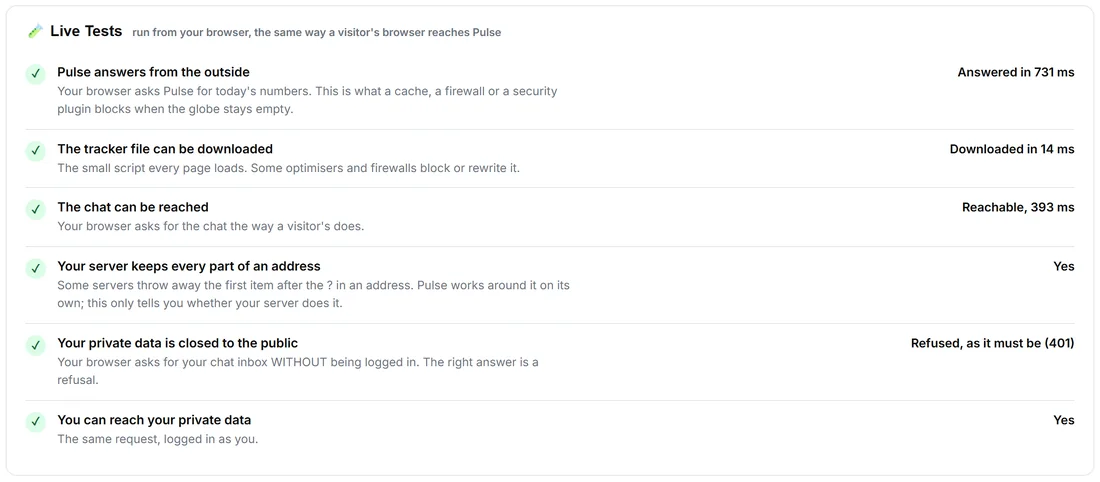
Run from your browser, the same way a visitor's browser reaches Pulse.
- Pulse answers from the outside: what a cache, a firewall or a security plugin blocks when the globe stays empty.
- The tracker file can be downloaded: some optimisers and firewalls block or rewrite it.
- The chat can be reached.
- Your server keeps every part of an address: some servers drop the first item after the ? in an address. Pulse works around it on its own; this only tells you whether your server does it.
- Your private data is closed to the public: the right answer is a refusal.
- You can reach your private data: the same request, logged in as you.
Each shows a tick and the result, for example Answered in 383 ms.
The checks:
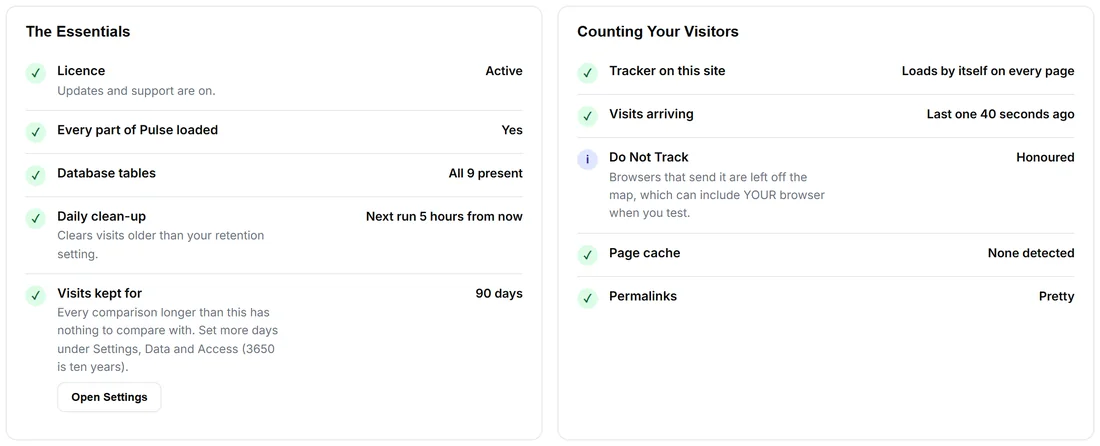
Each card lists its checks with a tick, an i (for information) or a ! (to look at), the result on the right, and a button where there is something to do.
- The Essentials: Licence, Every part of Pulse loaded, Database tables, Daily clean-up, Visits kept for, and Counted once when Pulse has left anything out of the totals (with Put Them Back).
- Counting Your Visitors: Tracker on this site, Visits arriving, Do Not Track, Page cache and Permalinks.
- Putting Them On The Map: Local location database and Visits placed on the map (7 days).
- Your Own Visits: when Pulse last learned your own browsers (with Check now), the email addresses of yours it knows, and Search engines and robots: Never counted.
- Talking To Them: Moments and Chats waiting for you.
- Your AI Assistant: AI assistant, Last AI call, Monthly budget and What it knows about your business.
- Your Sites: each site's last visit and how many visits are stored, and Turned away (not one of your domains).
- The Family: the family plugins feeding names and sales, Support Desk, WP Sync, Sales webhook and Google Search Console.
- Security: The ID in your page source, Secrets in your pages and Secure connection (https).
- Your Server: Pulse, WordPress, PHP, Memory, Scheduled jobs, Web server and Multisite.
Repair:

🔧 Repair creates any missing database table, schedules the daily clean-up again and gives every part of Pulse a fresh start. It never deletes or changes anything you already have, so it is always safe to press. Troubleshooting Guide opens the troubleshooting part of the built-in Training.
A real example:
The owner of yoursite.com installs a new caching plugin and the globe goes quiet. Diagnostics shows Visits arriving with the last one an hour ago. Run The Live Tests: Pulse answers from the outside fails. The owner allows /wp-json/pulse/v1/ in the caching plugin, runs the tests again, and every line is green.
Tips:
- When you open a ticket, press Copy For Support first and paste it in.
- If one part of Pulse ever fails to load, Pulse switches that one part off instead of taking your site down, and Every part of Pulse loaded says which. Every update gives it a fresh start by itself.