LeadsLeap is marked BETA in the plugin. It sends sign-ups to your LeadsLeap SendSteed list the same way LeadsLeap's own form does, so there is no API key. You need your LeadsLeap username and the list ID of the list you want.
How LeadsLeap works:
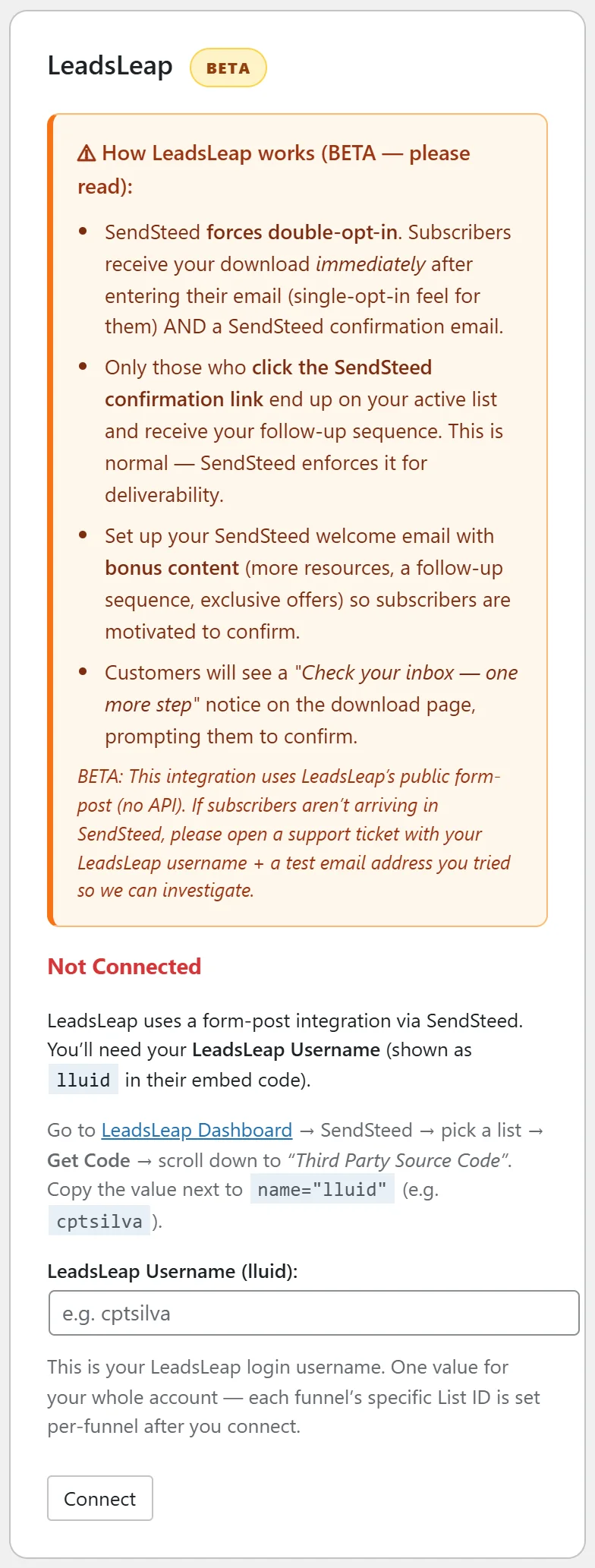
- SendSteed always uses double opt-in. Your visitor gets their download straight away and also receives a SendSteed confirmation email.
- Only people who click that confirmation link join your active list and get your follow-up emails.
- The download page shows a short "Check your inbox, one more step" notice so people know to confirm.
Where to find it:
Go to Free List Building → Autoresponders and find the LeadsLeap card with the BETA badge.
Where to find your username and list ID:
- In LeadsLeap, go to SendSteed, pick your list and click Get Code.
- Scroll down to Third Party Source Code.
- Copy the value next to lluid. That is your username.
- Copy the number next to lllid. That is the list ID.
Step by step:
- Paste your username into LeadsLeap Username (lluid) and click Connect.
- The card now shows Connected and LeadsLeap User ID.
- Paste the list ID into Default List ID (lllid) and click Save List ID. A green line confirms which list ID LeadsLeap will use.
- Use Apply to Funnels Without a List or Apply to ALL Funnels to point funnels at LeadsLeap.
Per funnel:
On a funnel's edit page choose LeadsLeap (BETA) in Autoresponder Provider. The field is called LeadsLeap List ID (lllid). Paste a different list ID for that funnel or leave it blank to use the default.
If a funnel has no list ID:
The opt-in page shows a "Setup needed: List ID missing" message instead of a form, so you can spot it during testing. Add a list ID on the card or on the funnel, and the form returns.
A real example:
A LeadsLeap member saves their username and the list ID 122779, then applies it to all funnels. They write a SendSteed welcome email with a bonus resource, so more people click the confirmation link.
Tips:
- Give people a reason to confirm: mention the bonus in your confirmation email.
- The Debug Log records each LeadsLeap opt-in with the list it used, which helps support.
- The default list ID on this card is kept for LeadsLeap only, so another service's list can never replace it.