The Training tab is the help that ships inside WP Sync. It is always there, works offline, and matches the version installed on your site, because its counts and tables are drawn from the plugin itself.
Where to find it:
Open WP Sync and click the Training tab.
What is on it:
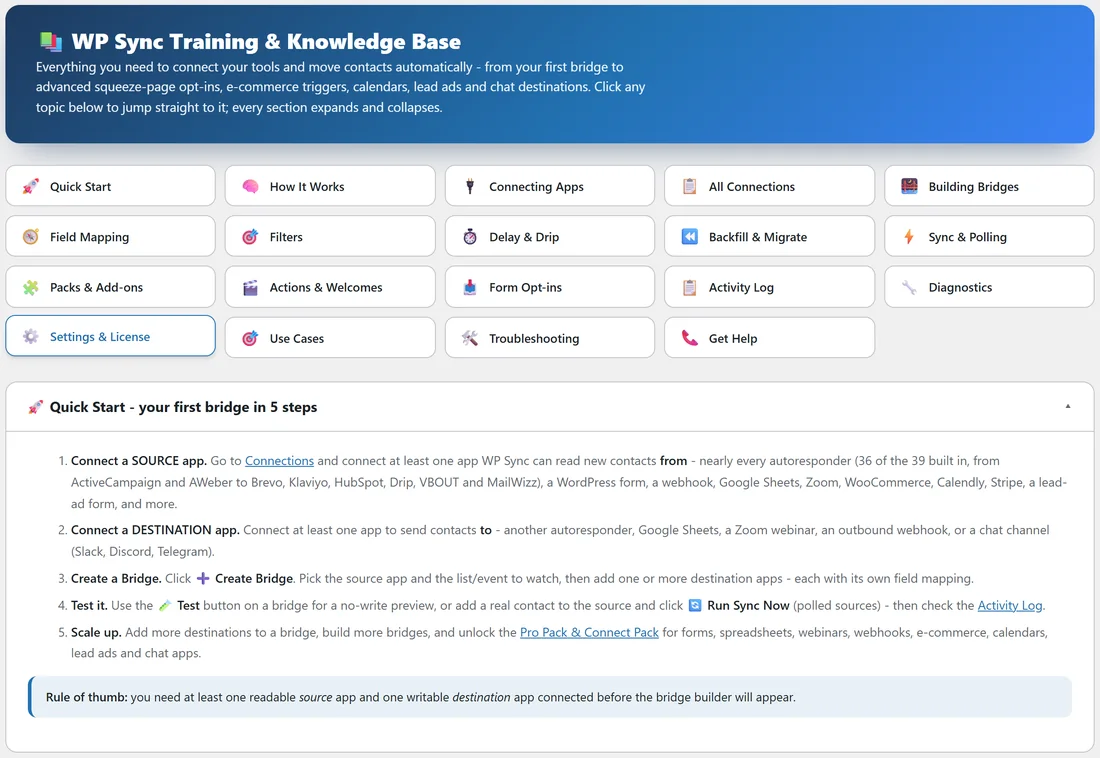
At the top, a banner called WP Sync Training and Knowledge Base, then a grid of topic buttons: Quick Start, How It Works, Connecting Apps, All Connections, Building Bridges, Field Mapping, Filters, Delay and Drip, Backfill and Migrate, Sync and Polling, Packs and Add-ons, Actions and Welcomes, Form Opt-ins, Activity Log, Diagnostics, Settings and License, Use Cases, Troubleshooting and Get Help. Click a button to jump to its section.
How the sections work:
Each section is a bar you click to open or close. Quick Start is open when the page loads. Open as many as you like.
Quick Start:
Five steps to a first bridge: connect a source app, connect a destination app, create a bridge, test it, then scale up. It ends with a rule of thumb: you need one readable source and one writable destination connected before the builder appears.
The capability matrix:
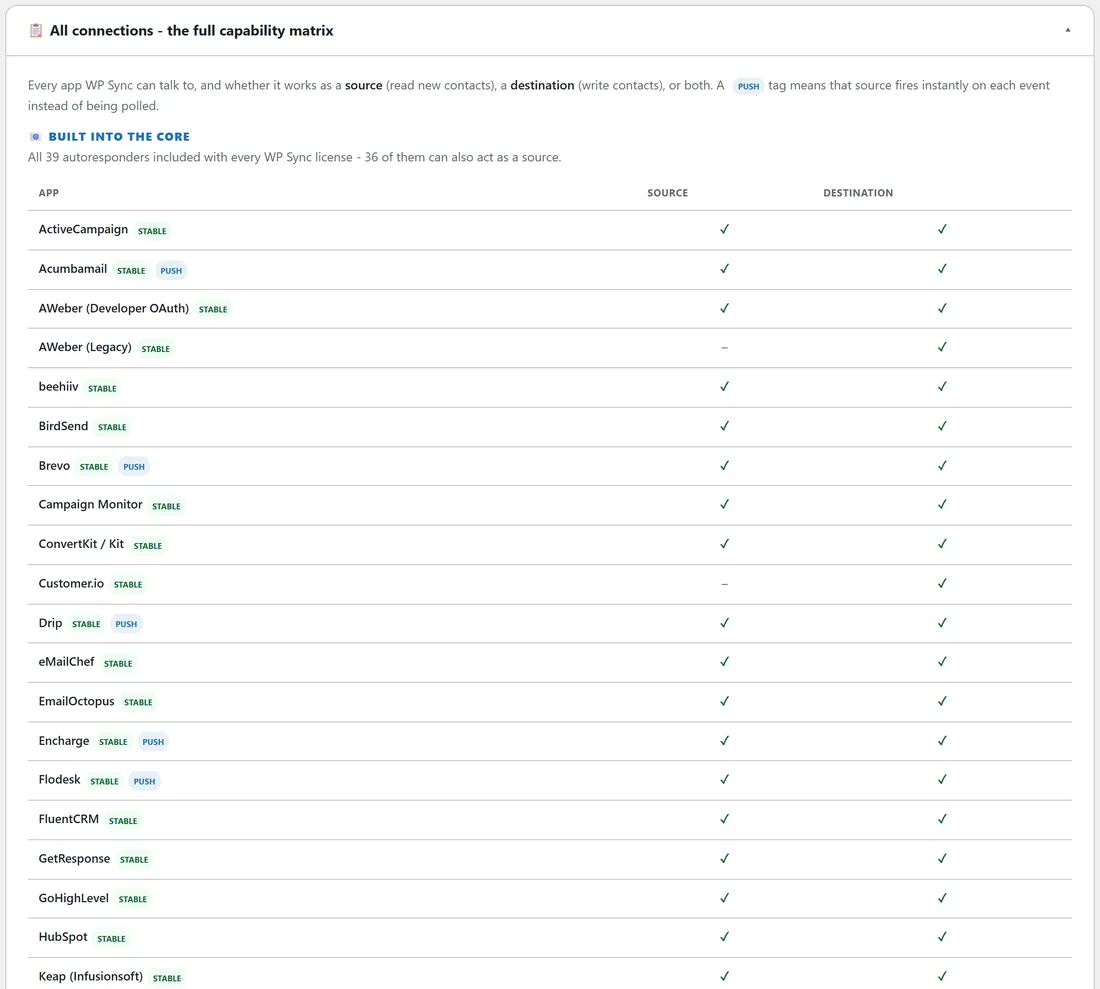
All connections lists every app with a tick or a dash for Source and Destination, and a PUSH badge for instant sources. The first table, Built into the core, says All 39 autoresponders and how many can act as a source. Below it come tables for the Pro Pack and the Connect Pack. These numbers are counted from the plugin's own code, so they always match the Add-ons tab.
Use Cases:
Short recipes, such as warming up a new account with a drip of 50 an hour, or routing buyers and refunds to their own follow up.
How it fits with these docs:
The Training tab is the quick reference inside your admin. These online docs go deeper, with screenshots and worked examples for yoursite.com. Both describe the same plugin.
A real example:
A new team member at yoursite.com was asked to add a Typeform quiz to the newsletter. They opened Training, clicked All Connections, saw Typeform listed as a source in the Connect Pack table, then followed Building Bridges.
Sections worth reading first:
- How It Works, for the core ideas in two minutes.
- Delay and Drip, for the difference between holding and pacing.
- Backfill and Migrate, before catching up an existing list.
- Troubleshooting, for quick answers inside your admin.
Tips:
- Use All Connections to check whether an app can be a source before planning a bridge.
- Still need a hand? The last section has a Contact Support button.