With a few ResultsAiX plugins on one site, the page you want can be several menus away. Search ResultsAiX finds any page of any ResultsAiX plugin on your site in a few keystrokes. With the ResultsAiX Hub installed, its last line asks AiX Brain whatever you typed.
Where to find it:


- Press Ctrl+K on any ResultsAiX screen, or Cmd+K on a Mac
- Click the Search ResultsAiX box beside by ResultsAiX.com at the top of a ResultsAiX screen, or just start typing in it
- Click Search ResultsAiX in the WordPress admin bar, on any admin screen
Outside ResultsAiX screens, Ctrl+K stays with WordPress, and the admin bar button opens the search.
Step by step:
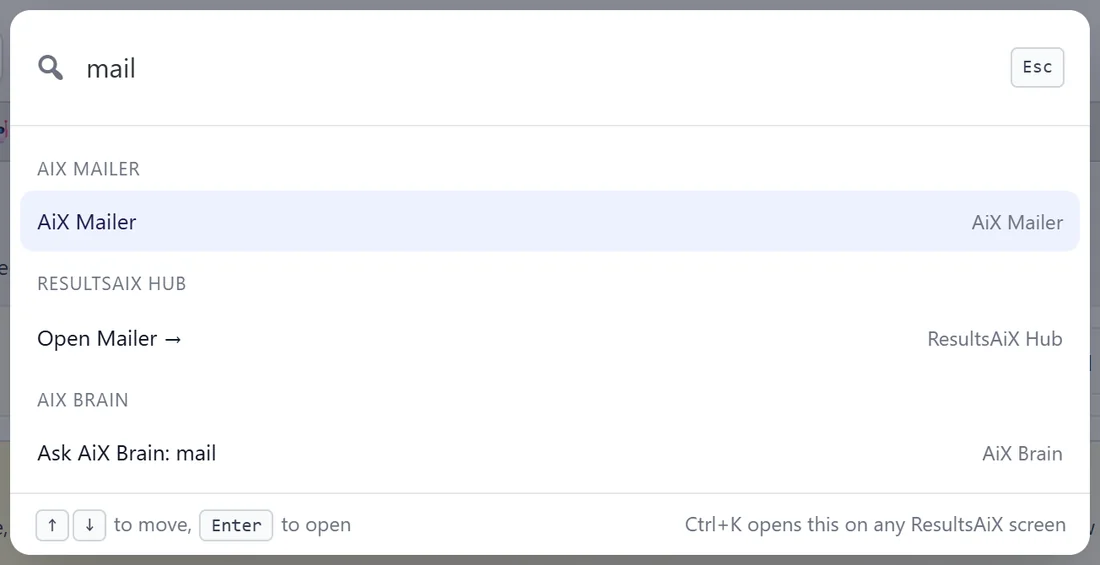
- Press Ctrl+K. The search opens in the middle of the screen.
- Type a few letters of what you want, such as mail, licen or broadcast.
- Move with the up and down arrows and press Enter to open the page, or click it.
- Press Escape to close it without going anywhere.
What it finds:
- Every menu page of every ResultsAiX plugin on the site, grouped by plugin
- The tabs inside each plugin, learned as you use them: each time an administrator opens a ResultsAiX screen, the search remembers its tabs and links, so it reaches deeper pages over time
- ResultsAiX plugins that are not installed here, when you type three letters or more of their name or what they do. With the Hub installed they open Get More; one that is installed but switched off opens your Plugins screen
- Search on this screen, which hands your words to the screen's own search box when it has one
- Ask AiX Brain, the last line, which opens the AiX Brain tab and asks your words as a question
It only lists pages you are allowed to open, and a page of a plugin that is switched off or removed drops out of the list.
How matching works:
Words match from the start of a word, so book finds book types but not Facebook. Plurals and simple endings are forgiven, so bridges finds bridge. A few everyday words reach the page they mean: tickets finds the Support Desk inbox, contacts and leads find subscribers, and customers find members.
Ask AiX Brain from the search:
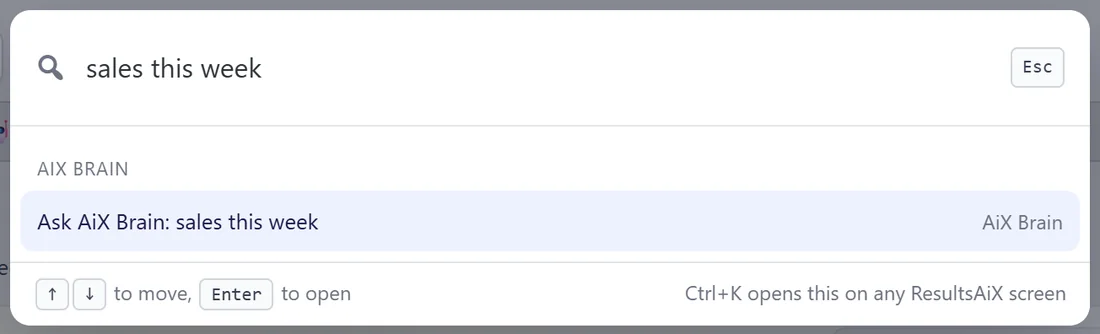
Type a question, such as sales this week, and pick Ask AiX Brain followed by your words. The AiX Brain tab opens in a new chat and asks it straight away. See AiX Brain: Ask About Your Business In Plain Words.
Plugins with their own search:
ResultsAiX Mailer and ResultsAiX Membership have their own Ctrl+K search on their screens, which searches inside them. There, Ctrl+K opens their search, and the box beside by ResultsAiX.com says Search all ResultsAiX and opens this one.
A real example:
Jamie is on the Overview and wants the Mailer. Ctrl+K, mail, Enter, and the Mailer opens. Later Jamie types sales this week, sees no page by that name, and picks Ask AiX Brain: sales this week, which opens the AiX Brain tab with the answer on its way.
Tips:
- Ctrl+K is often faster than the sidebar, even for pages you use every day.
- Open each plugin's main tabs once after installing it, so the search learns them.