The Overview shows how your business is doing whenever you open it. The weekly report brings the same numbers to you: one email a week with how your site did over the last seven days, compared with the seven before. It goes to you, the site owner, never to your customers or members.
It is off until you switch it on.
Where to find it:
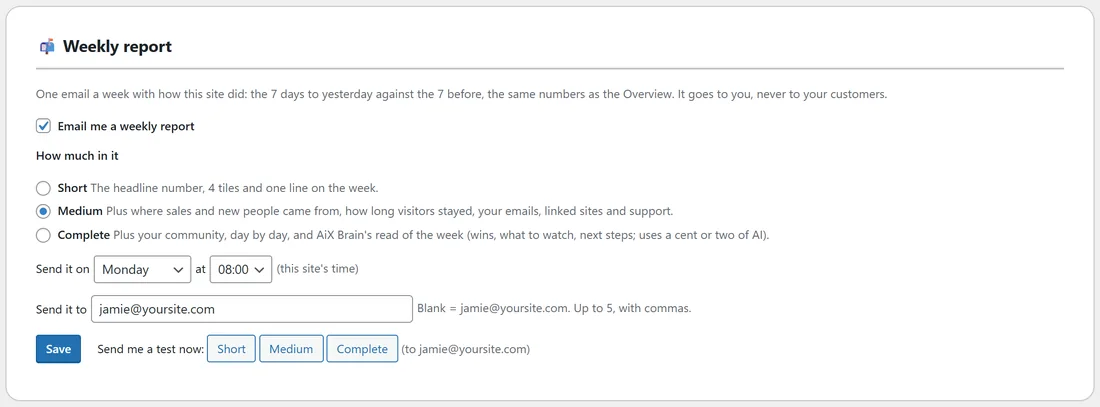
Open ResultsAiX Hub, click the Settings tab. Weekly report is the first card.
Step by step: switch it on:
- Tick Email me a weekly report.
- Under How much in it, pick Short, Medium or Complete.
- Pick the day in Send it on, and the hour in at. The hour is your site's time.
- In Send it to, type the addresses it goes to, up to five, with commas. Leave it blank to use your site's admin email address.
- Press Save. The card says Saved.
Send me a test now:
Beside Save, three buttons send a test straight away: Short, Medium and Complete. The test goes to your own address, the one shown beside the buttons, and the message at the top of the card says The medium test is on its way, with your address. If it says it could not be sent, check that your site can send email, through AiX Mailer or an SMTP plugin.
A test is the best way to choose a level: send all three and keep the one you like.
What every report has:
- The week that ended yesterday: seven whole days in your site's time, against the seven days before
- A headline number for the week, usually your revenue with the number of sales, or a quiet week line when nothing happened
- Tiles for sales, new people, visitors and emails sent, each with its change against the week before. Medium and Complete add tracked clicks and new tickets, up to six tiles
- One line on the week
- A button to open the Hub, and a button to ask AiX Brain
The numbers come from the same counters as the Overview and from AiX Brain's own read only lookups, so the email and the Hub always agree.
Short, Medium or Complete:
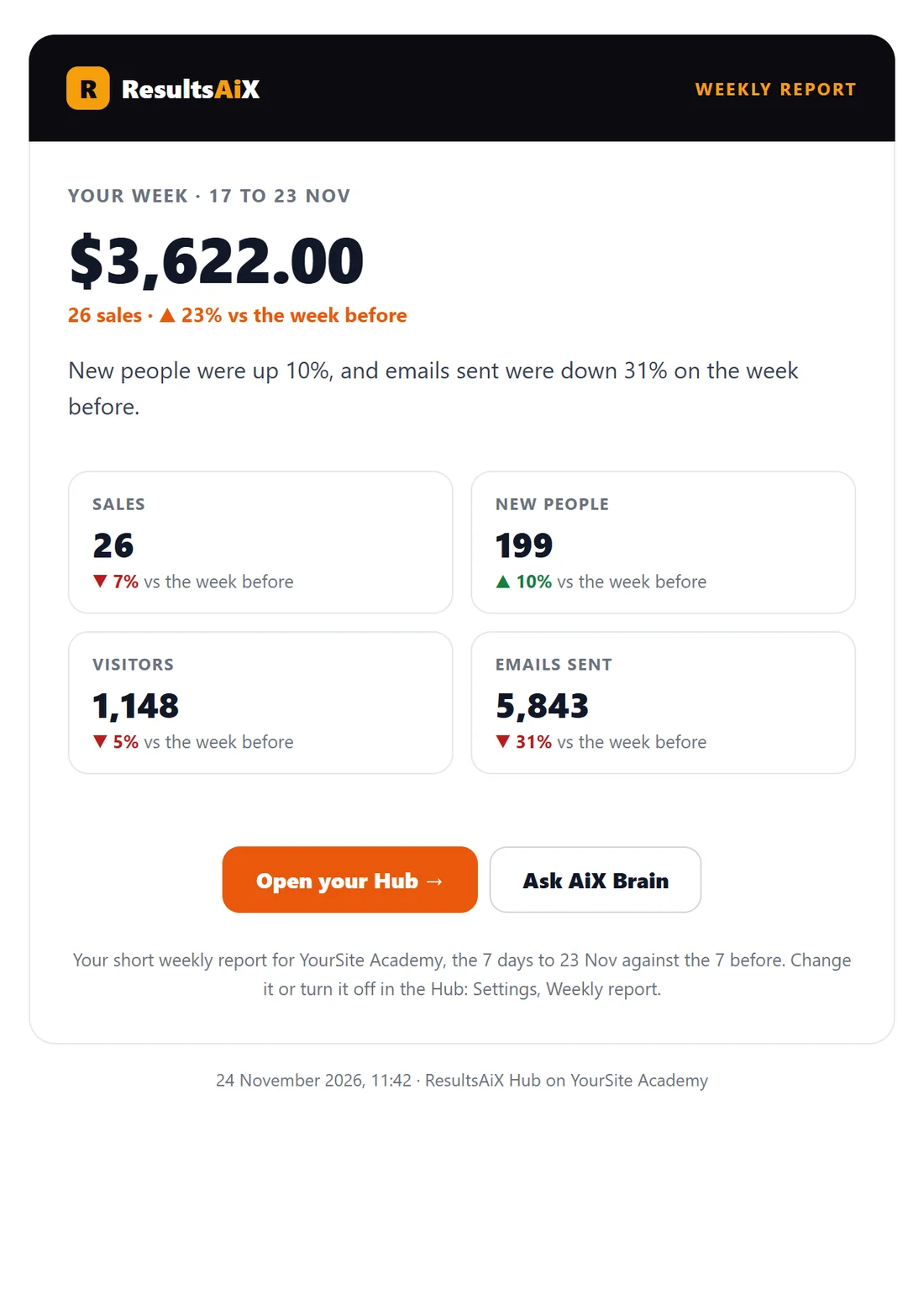
- Short: the headline number, up to four tiles and one line on the week
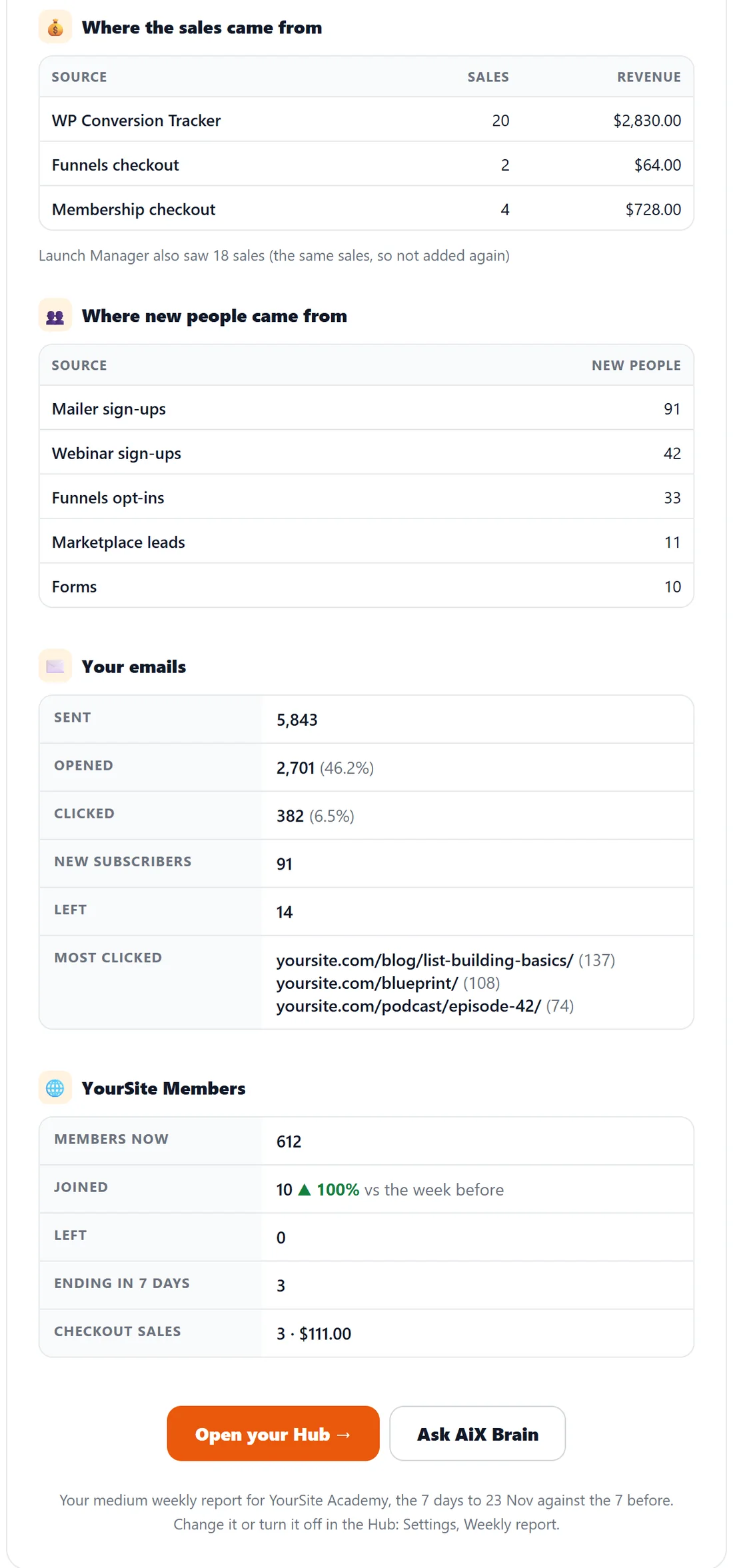
- Medium: all of Short, plus where the sales came from, where new people came from, your emails, how long visitors stayed, your linked sites, each under the name you gave it, and your support desk
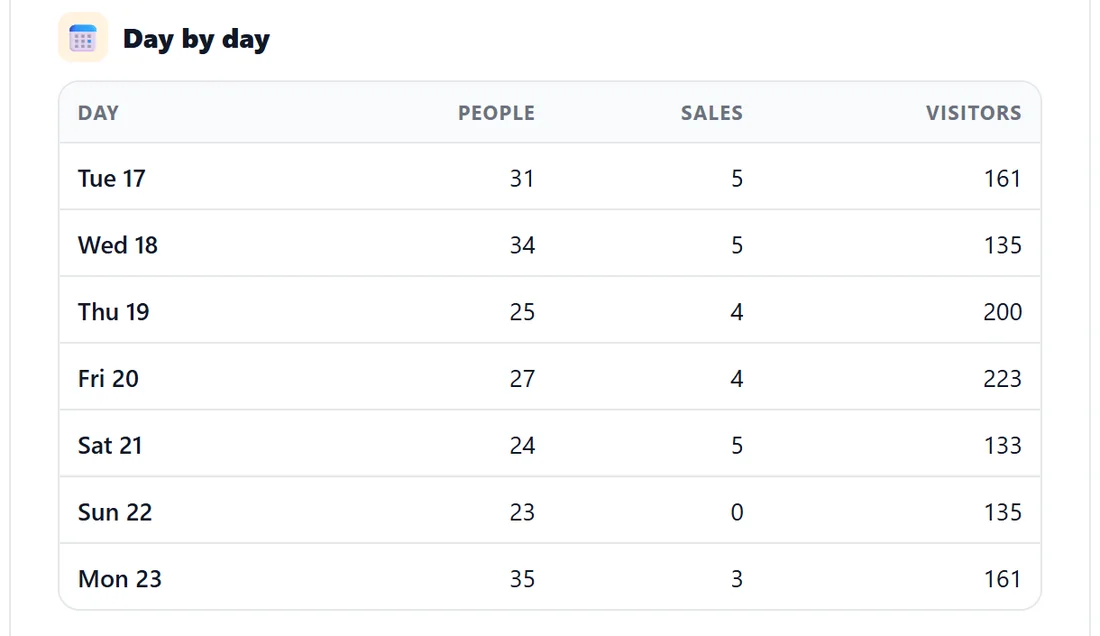
- Complete: all of Medium, plus your ResultsAiX Community, a day by day table, and AiX Brain's read of the week: what went well, what to watch and your next steps
A part only appears when the plugin behind it is on your site and has something to say. How long visitors stayed needs ResultsAiX Pulse 1.2.51 or newer. AiX Brain's read needs AI connected on the AI tab; it uses a cent or two of AI each week, counted in your AiX Brain daily spending cap, and is left out on a day the cap is already reached.
The subject line:
Each email's subject says Your week on, your site's name, and the headline, for example Your week on YourSite Academy: $3,622.00 (26 sales). A test says [Test] at the start.
When it is sent:
The Hub checks every hour. On the day you chose, at or after the hour you chose, it sends the report once, and never twice on the same day. It relies on WordPress's scheduled tasks, so a site that switches WordPress's own scheduler off needs a server cron job calling wp-cron.php.
A real example:
Jamie wants Monday mornings to start with last week's numbers. In Settings, Weekly report, Jamie ticks Email me a weekly report, picks Medium, Monday at 08:00, types jamie@yoursite.com and presses Save. To see it first, Jamie presses Medium beside Send me a test now. The test arrives a moment later: YourSite Academy's week, with $3,622.00 from 26 sales as the headline, the tiles, where the sales and the new people came from, the emails sent, and the members site YourSite Members under its own name, with its members, who joined and its checkout sales.
Who gets it:
Only the addresses you set, or your admin address. It is an owner email: it never goes to subscribers, customers or members, and it is not sent through your broadcast lists.
Switching it off:
Untick Email me a weekly report and press Save. Your choices stay, ready for when you switch it on again.
Tips:
- Pick the day and hour you plan your week, such as Monday at 08:00.
- Add your business partner or assistant to Send it to, with a comma between addresses.
- Complete is worth it once you have a few weeks of data: AiX Brain's read turns the numbers into three short lists.