When a question is about one person, you want everything about them in one place: are they a buyer, do they open your emails, are they on your site right now. Ask AiX Brain about anyone by their email address and its answer carries their person card, with the buttons to see their whole timeline, open their profile, or email them.
Where to find it:
In any AiX Brain chat: the AiX Brain tab, the box on the Overview, or the bubble on any ResultsAiX screen. The card appears under the answer whenever your question names one email address, for example Tell me about grace.murphy587@example.com. It also appears when AiX Brain looked up one person by email to answer you.
It only appears when one of your plugins knows that person: AiX Mailer, Audience Vault or ResultsAiX Pulse.
Step by step:
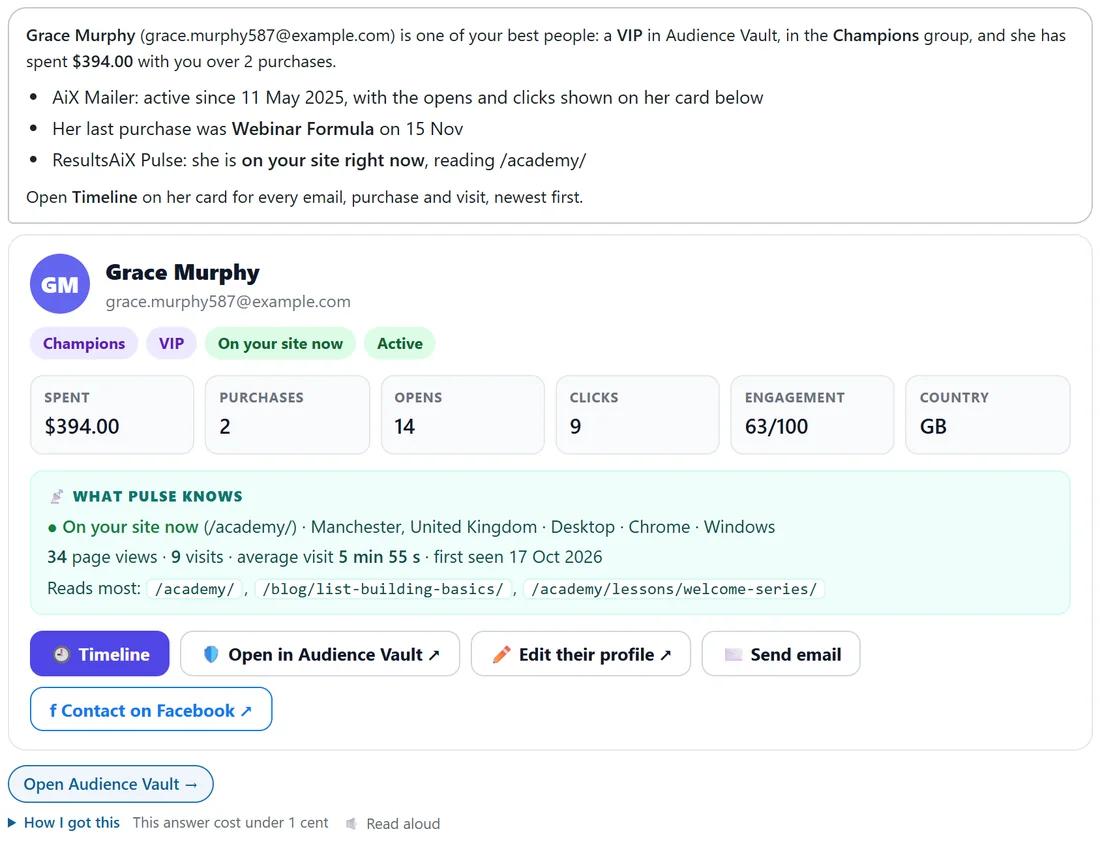
- Ask about the person by their email address, for example Tell me about grace.murphy587@example.com, or Has grace.murphy587@example.com bought anything?
- Read the answer, then the card under it.
- Press Timeline to see everything they did, or use one of the other buttons.
What the card shows:
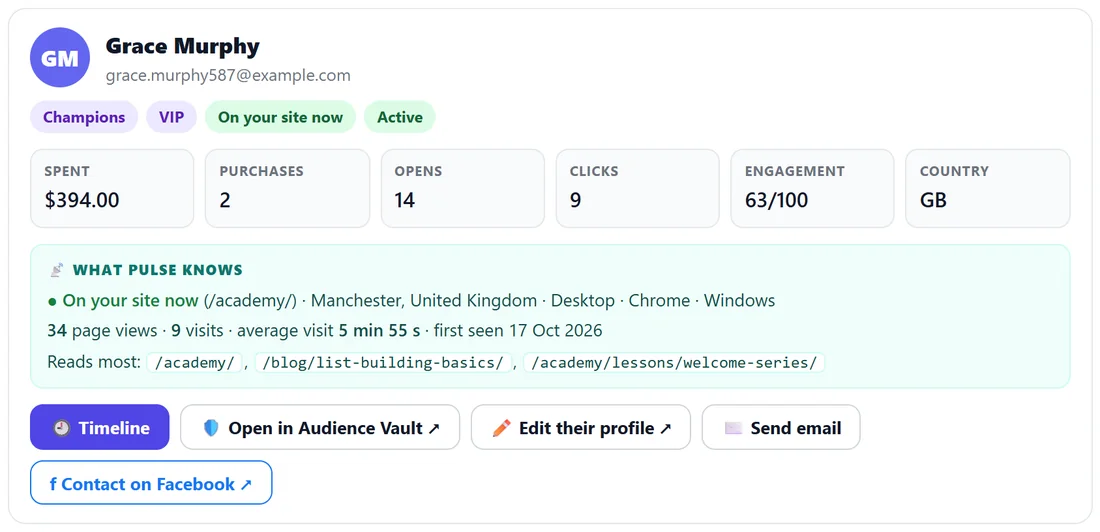
- Their initials, name and email address
- Badges: their Audience Vault group, such as Champions, VIP, Bought via affiliate, Churning or High churn when the Mailer flags a risk, On your site now when Pulse sees them, and their Mailer status, such as Active, or Never emailed (suppressed)
- Numbers: Spent and Purchases (or Conversions from Audience Vault), then Opens, Clicks and an Engagement score out of 100 for a Mailer subscriber, and their Country
- What Pulse knows, when ResultsAiX Pulse has seen them (see below)
- The buttons
Everything on the card is read from the plugins' own records, the same ones their screens use. Reading it changes nothing.
What Pulse knows:
With ResultsAiX Pulse on your site, the card adds a short section:
- On your site now, with the page they are on, or Last seen and how long ago
- Where they are and which device, browser and system they use, and which of your sites, when Pulse watches more than one
- How many page views and visits, the average visit length, and when Pulse first saw them
- The pages they read most
Visits and the average visit length need ResultsAiX Pulse 1.2.51 or newer, which measures how long each visit lasts. Pulse finds the person by their email address or by their Mailer subscriber number.
The buttons:
- Timeline: opens a side panel with everything they did (below)
- Open in Audience Vault ↗: their page in Audience Vault, in a new tab
- Edit their profile ↗: their subscriber screen in AiX Mailer, or their Audience Vault page when they are not a subscriber, in a new tab
- Send email: puts Send an email to their address about in the question box, so you only add what it is about. See Emailing One Person From AiX Brain
- Contact on Facebook ↗: opens Facebook Messenger with them, or their profile, in a new tab
Send email only shows for an active Mailer subscriber who is not suppressed or archived. Contact on Facebook only shows when a Facebook profile is known for that email: from the Facebook field in Audience Vault, from Launch Manager's partner records, or from a confirmed match in AiX Mailer. Hover over it to see where it came from.
Timeline:
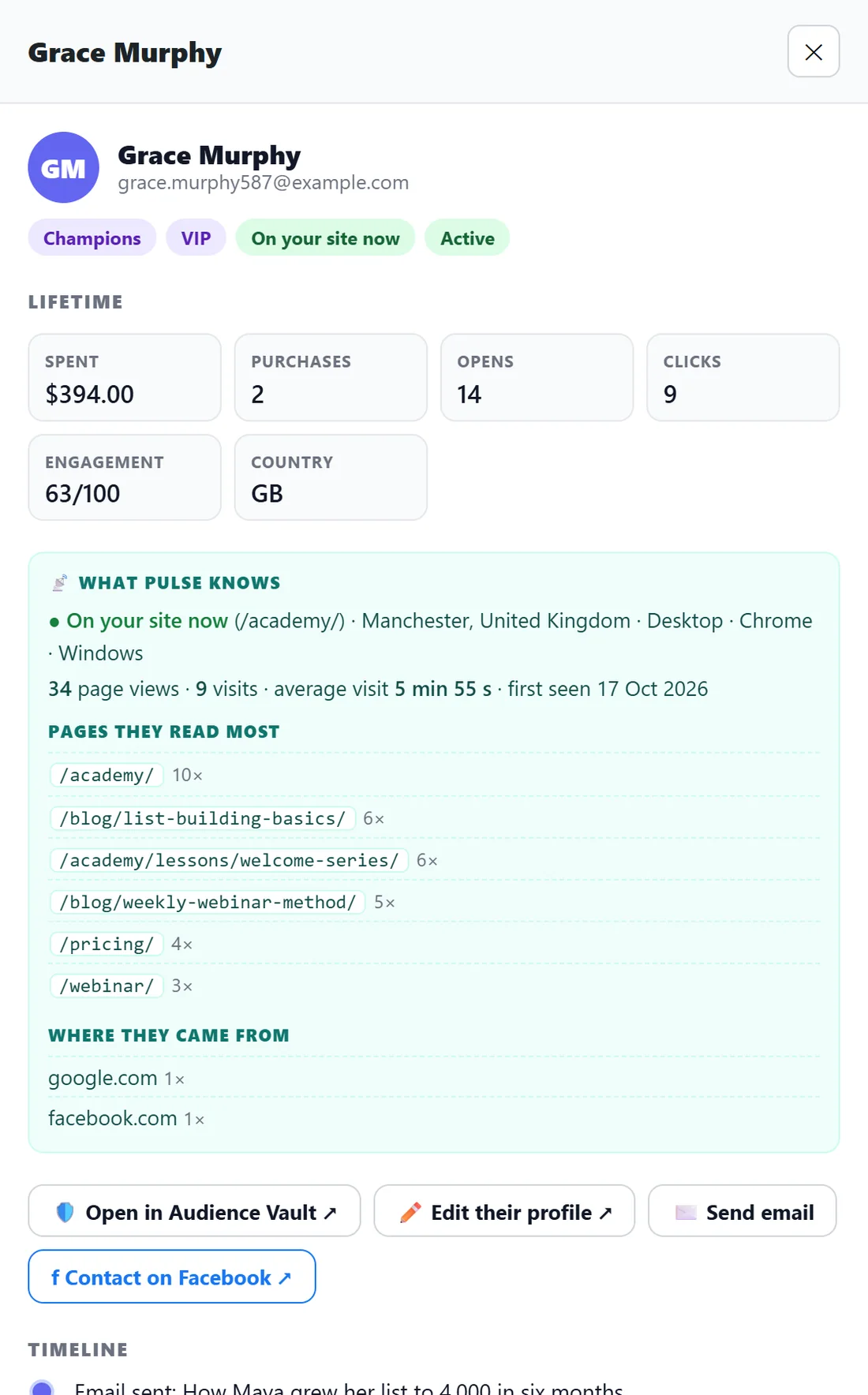
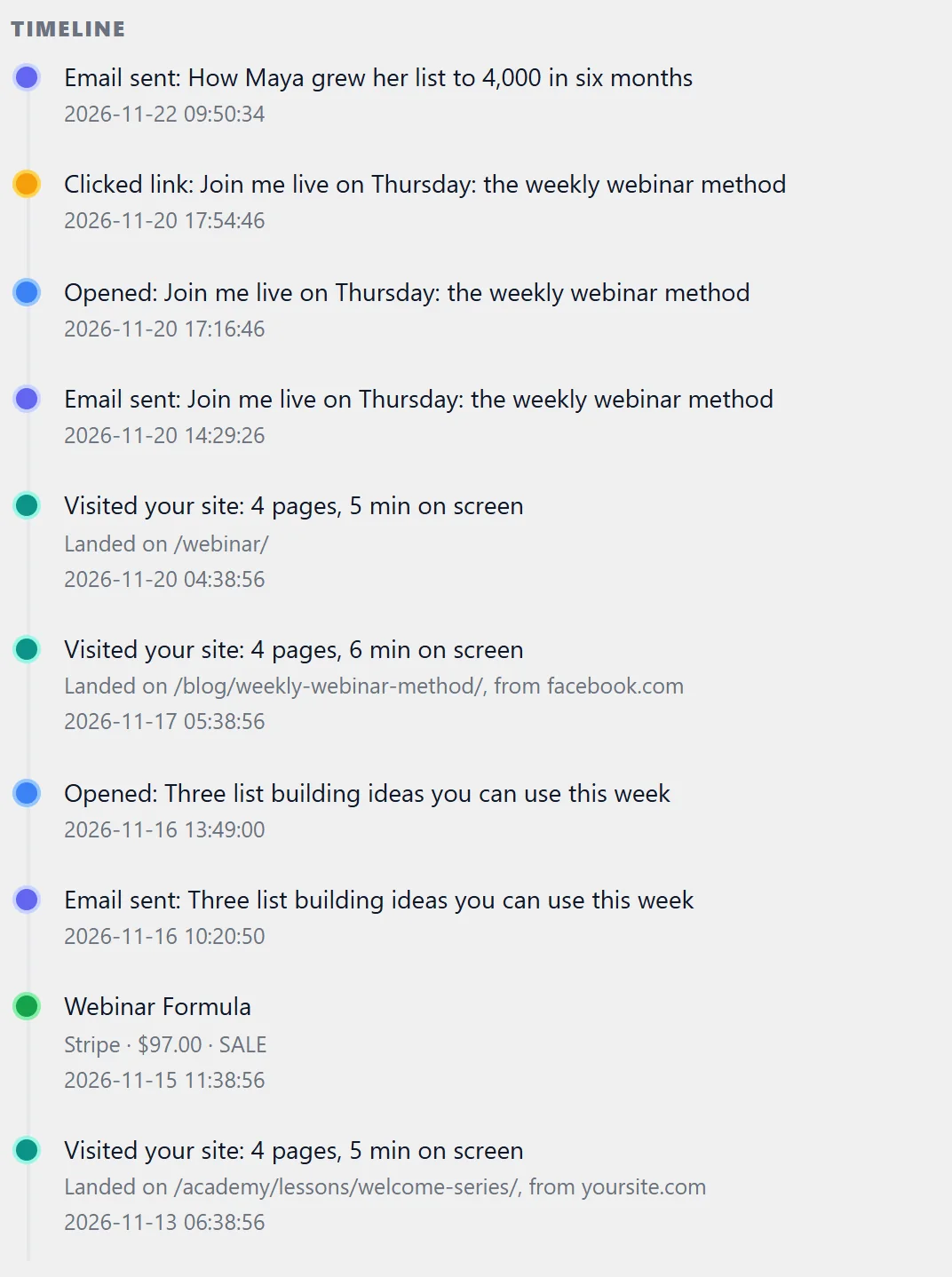
Press Timeline and a side panel slides in from the right with:
- Their name, email and badges
- Lifetime: the same numbers as the card
- What Pulse knows, in full, with Pages they read most and Where they came from (only outside sources, never moving between your own pages)
- The buttons
- Timeline: everything they did, newest first, up to 100 rows: each email sent, opened and clicked, each purchase with how it was paid and the amount, their Facebook comments, and each visit to your site with the number of pages, the time on screen, the landing page and where they came from
Close it with the cross, by clicking outside it, or with Escape.
The email and purchase rows come from AiX Mailer, the same rows as its own Subscribers panel. The visits come from ResultsAiX Pulse.
A real example:
Jamie asks Tell me about grace.murphy587@example.com. The answer says Grace Murphy is a VIP in Audience Vault, in the Champions group, has spent $394.00 over 2 purchases, and is on the site right now. Her card shows the badges Champions, VIP, On your site now and Active, the numbers 14 opens, 9 clicks and an engagement of 63/100, and What Pulse knows: Manchester, United Kingdom, a desktop with Chrome on Windows, 34 page views over 9 visits, an average visit of almost 6 minutes, reading /academy/ most. Jamie presses Timeline and sees the emails she opened this week and, further down, her last purchase, Webinar Formula, nine days ago. Jamie presses Send email to thank her.
Who sees it:
Only administrators, like everything in the Hub. Names and email addresses are shown in full because this is your own admin screen.
Tips:
- Use the person's email address, not their name: the card needs the email to find them in every plugin.
- On your site now is a good moment for a personal note or a chat in Pulse.
- Ask a follow-up in the same chat, such as Which emails did she click?, and AiX Brain carries on from the card.