Member Activity can show your members three lists on the front of your site. They help members get back to what they were reading in one click, and show everyone what is popular right now.
The lists are part of PRO and use the reading history Member Activity records.
The three lists:
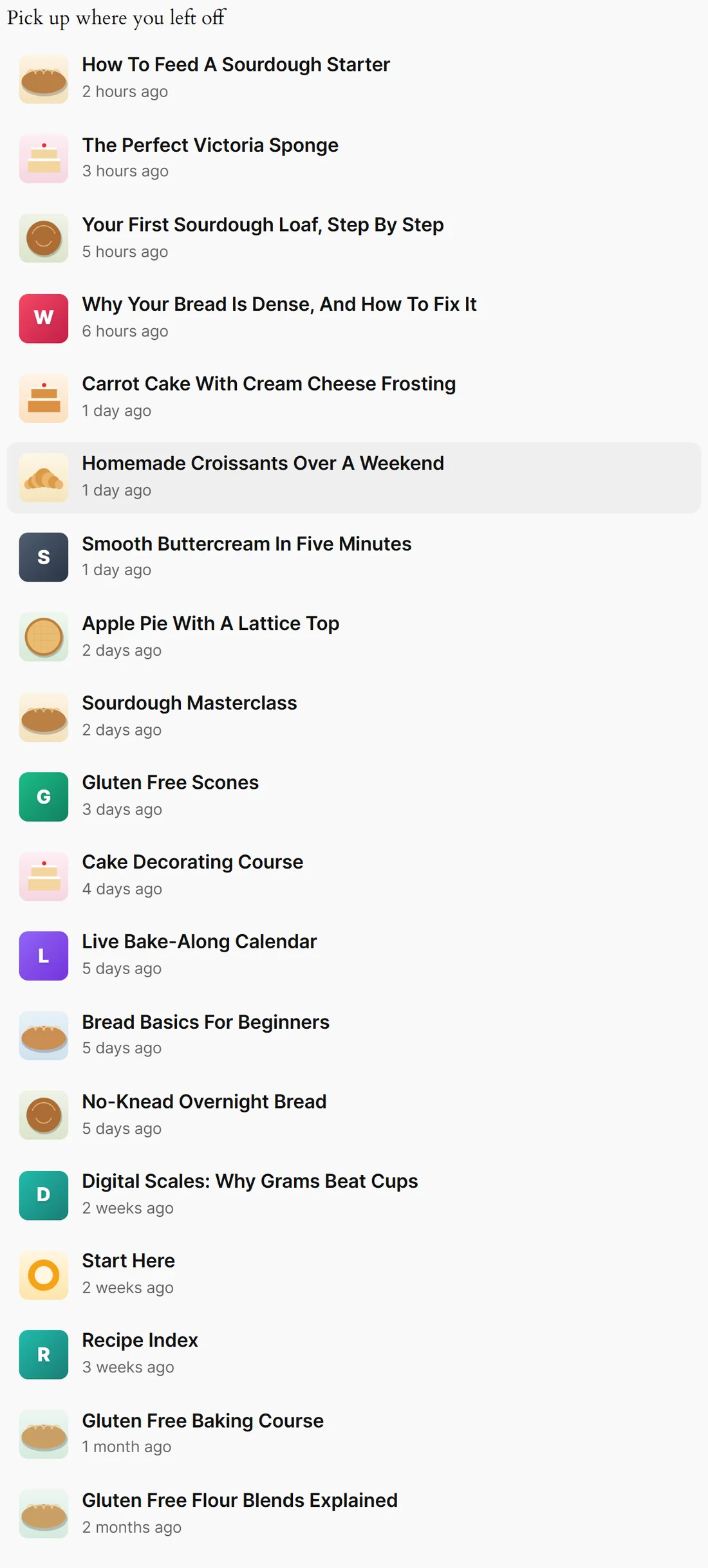
- Pick up where you left off: the pages this member read most recently, newest first, each with how long ago
- Your most visited pages: the pages this member keeps coming back to, with Visited 7 times and so on
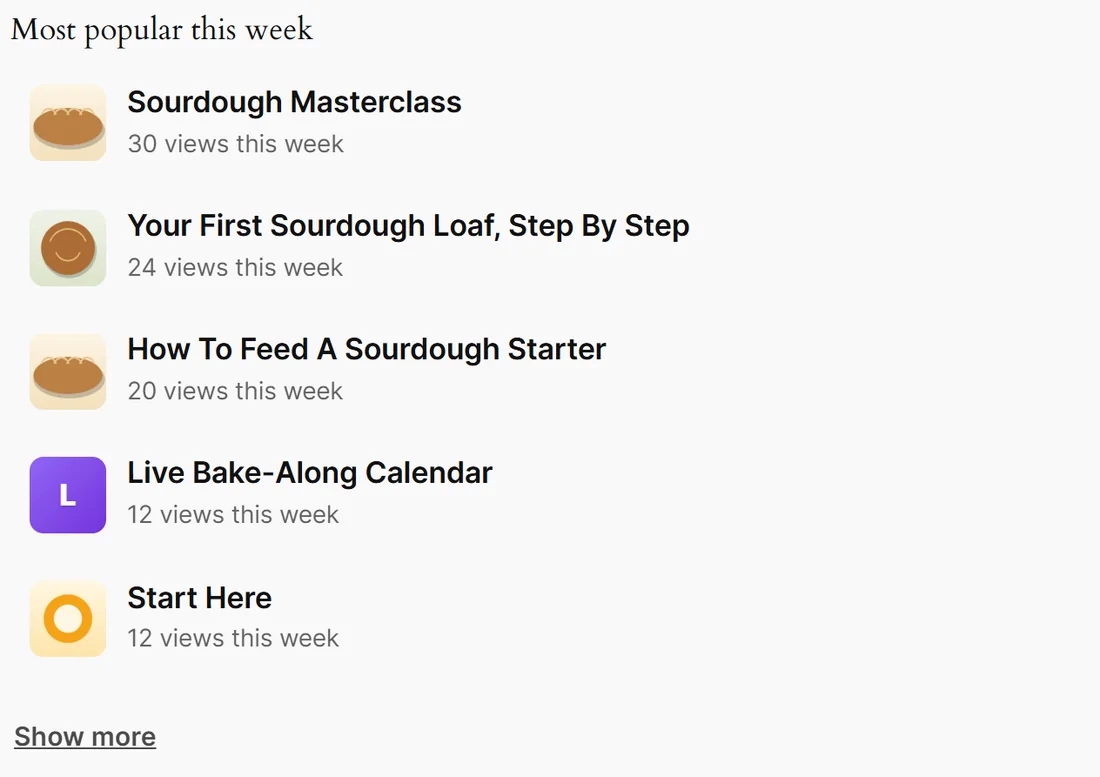
- Most popular this week: what the whole membership read most in the last 7 days, with the views this week
Each item shows the page's search picture or a colour tile, and its title. Extra items sit behind a Show more link, which turns into Show fewer.
The shortcode:
- [results_ai_activity] shows Pick up where you left off
- [results_ai_activity type="mine"] shows Your most visited pages
- [results_ai_activity type="popular"] shows Most popular this week
Options you can add:
- type: recent, mine or popular. Default recent
- limit: how many items show at first. Default 5, from Show At First on the Member Activity tab
- max: how many items show in total once Show more is clicked, up to 20
- title: your own heading for this list. Example title="Carry on reading"
The Shortcode Builder writes these for you. See The Shortcode Builder.
Who sees what:
- The two personal lists show nothing at all to a visitor who is not signed in, so they are safe anywhere, including a shared header or sidebar
- Most popular this week shows to everyone, so it doubles as social proof
- A page a member cannot open is never listed
- The page the member is on is never listed, and nor are the pages in Never List These Pages
If a list looks empty when you expect something, view the page source and search for activity list hidden. A short note there says why, for example that the visitor is not signed in. When Member Activity is switched off, site administrators see a note on the page itself saying so.
Put a list on every search bar automatically:
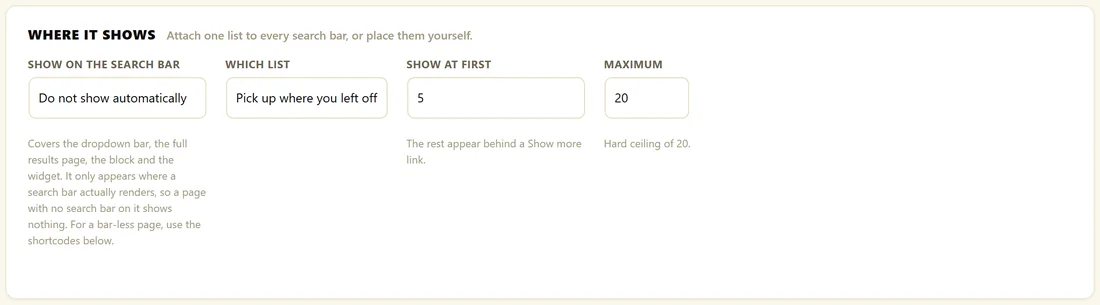
- Open AiX Search, then Member Activity, and scroll to Where It Shows.
- Set Show On The Search Bar to Above every search bar or Below every search bar.
- Choose Which List.
- Set Show At First and Maximum. Both go up to 20.
- Click Save Member Activity.
This covers the shortcode bar, the block, the widget and the full results page. It only appears where a search bar is on the page, so for a page without a bar, use the shortcode.
Your own wording:
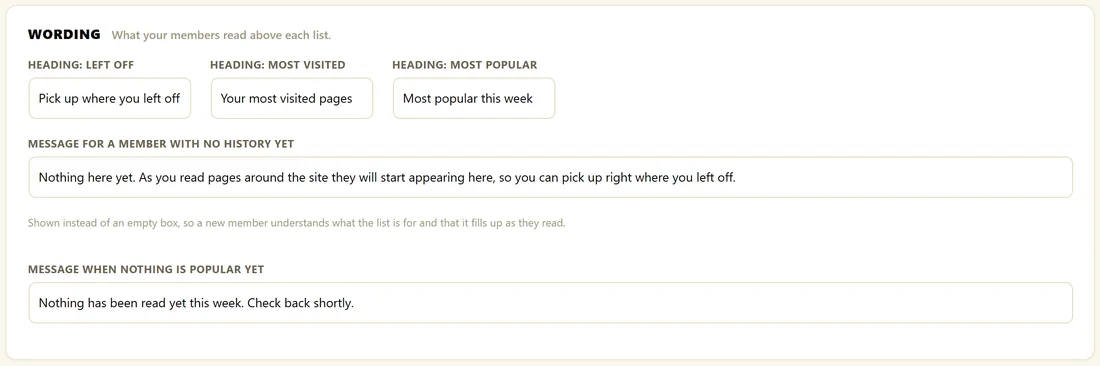
Under Wording you can change Heading: Left Off, Heading: Most Visited and Heading: Most Popular, the Message For A Member With No History Yet, and the Message When Nothing Is Popular Yet. The first message helps a new member understand the list fills up as they read. Click Save Member Activity after any change.
A real example:
The Home Bakery Club's Members Home page has three shortcodes: a search bar, [results_ai_activity] and [results_ai_activity type="popular"]. When Amelia signs in she sees How To Feed A Sourdough Starter, read 2 hours ago, at the top of her list, and below it the club's most popular pages this week, led by the Sourdough Masterclass.
Tips:
- Your members home page is the single best place for Pick up where you left off.
- Add the members home page to Never List These Pages, so it never lists itself.
- Links open in a new tab if Open results in a new tab is ticked in Settings.