This page lists every option in the PRO Settings section, in screen order, with its default. Member Activity has its own tab and its own Save button, covered in Member Activity: What Your Members Read and Pick Up Where You Left Off Lists.
Where to find it:
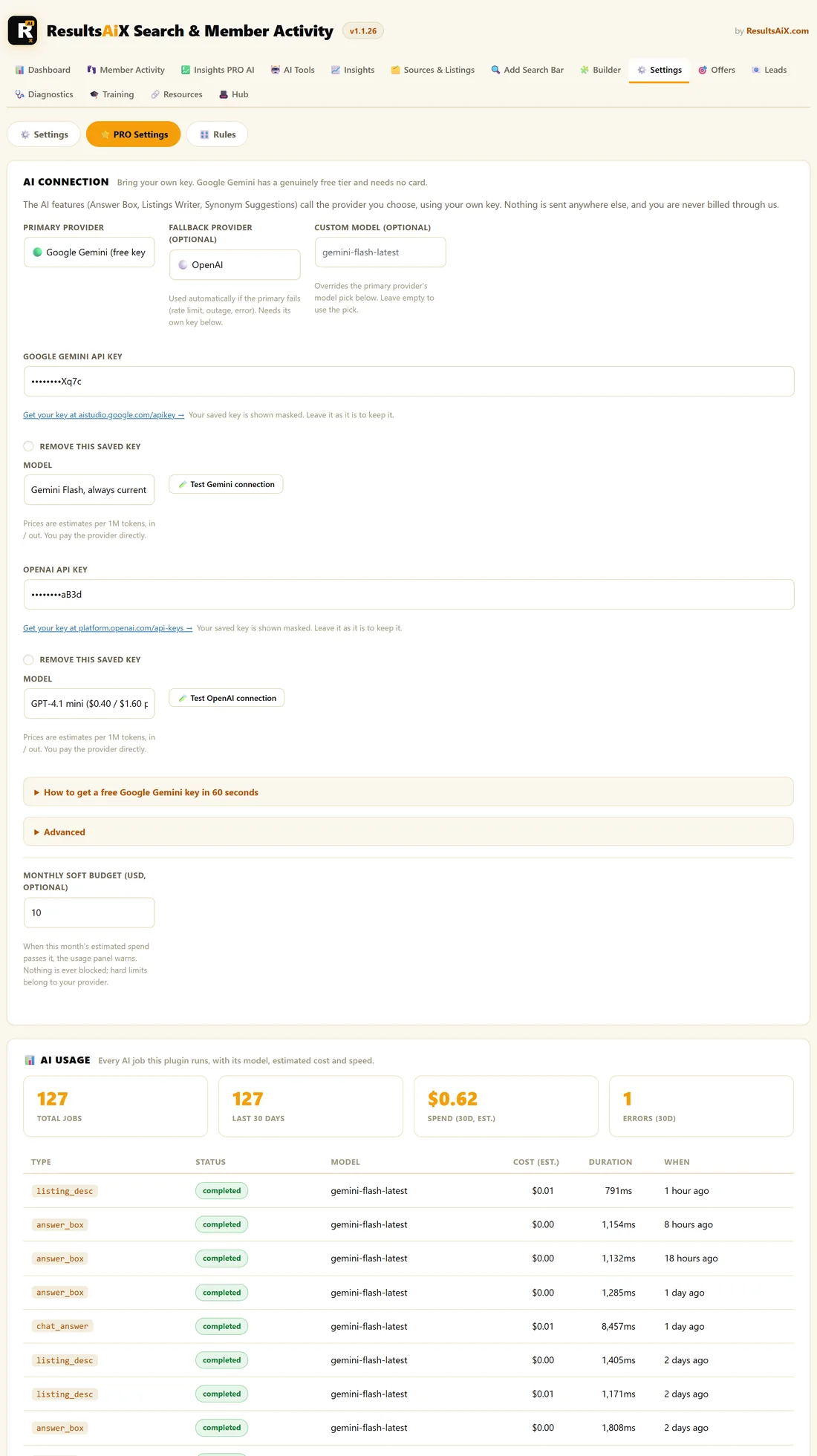
Open AiX Search, then Settings, and click PRO Settings at the top. Click Save PRO Settings at the bottom when you finish.
AI Connection:
- Primary provider: Google Gemini, OpenAI or Anthropic Claude. Default Google Gemini
- Fallback provider (optional): a second provider used automatically if the first fails. Default None
- Custom model (optional): overrides the primary provider's model pick. Leave empty to use the pick
- An API key box for the primary and fallback providers, shown masked once saved, with Remove this saved key
- Model for each provider, with estimated prices per million tokens, and a Test connection button
- Advanced: a Custom API address for each provider, for a gateway or proxy. Leave empty to connect directly
- Monthly soft budget (USD, optional): a warning only, never a block
AI Usage:
- Total Jobs, Last 30 Days, Spend (30d, est.) and Errors (30d), and the 12 most recent jobs
AI Answer Box:
- Show an answer above the results for question-like searches. Default off
- Cache answers for a day. Default on
- Answer Heading. Default Answer
- Minimum Length. Default 12
Zero-Result Lead Capture:
- Offer an email signup when a search finds nothing. Default off
- Headline, Message, Button and Thank You Message
- Email Me Each Lead: an address to notify
- Send To Webhook (optional): an address that receives each lead as JSON
Search Power:
- Typo tolerance, with a did you mean suggestion. Default on
- Show filter chips on the full results page. Default on
- Member-aware results: hide content the visitor cannot open. Default off
- Enable search-triggered offers. Default on
WooCommerce:
- Show prices in results and make SKUs searchable. Default off
- Add an add-to-cart button to product results. Default on
Extra Indexing:
- Index the text inside PDFs attached to a page. Default off
- Custom Fields To Index: field names separated by commas
Weekly Email Digest:
- Email me a weekly summary of search activity. Default off
- Send To: the address for the digest. Empty uses your site's admin email
After saving:
Rebuild the index after changing anything under Extra Indexing or WooCommerce. Everything else takes effect straight away.
Tips:
- See Connecting Your AI Key to set up AI Connection.
- See Unlocking PRO And What It Adds for a good first week with PRO.