Both tools live on the Insights PRO AI tab and need an AI key. They turn the numbers on that screen into plain language and concrete actions.
Without a key, each box explains what it would do and links to Add your free key in PRO Settings.
Where to find it:
Open AiX Search, then Insights PRO AI. The AI Analyst Report and Ask AI Anything sit under the four numbers.
The AI Analyst Report:
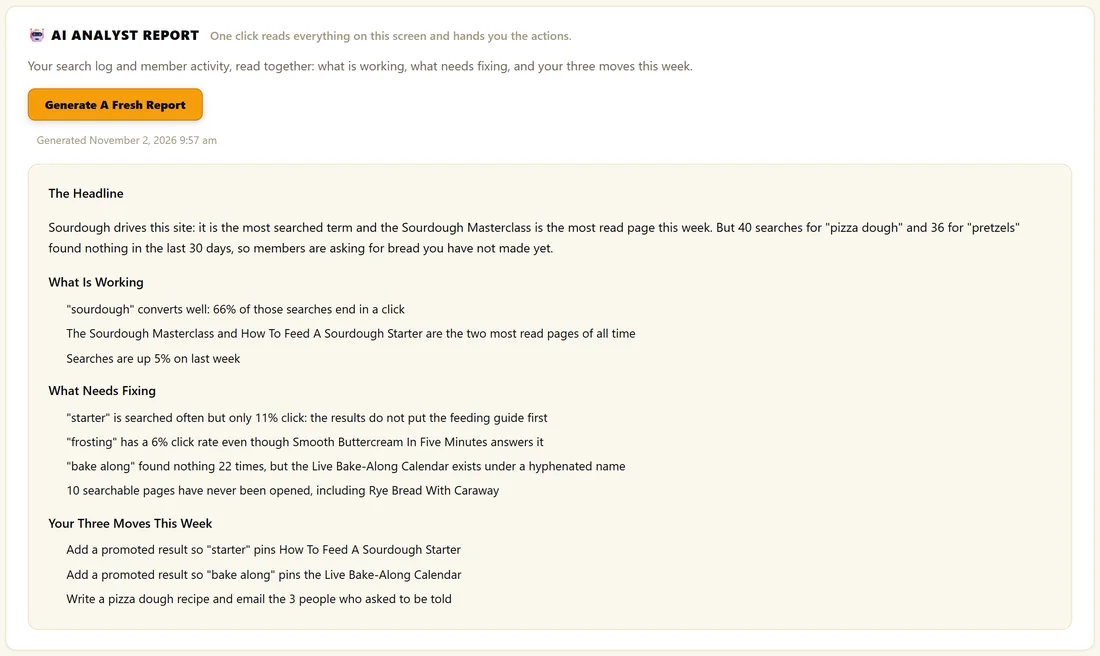
Click Generate My Report. The plugin reads your search log and your member activity together, including top searches, failed searches, the most read pages and the content nobody has opened, and writes a report under four headings:
- The Headline: the single most important thing in your data
- What Is Working
- What Needs Fixing, naming the exact search terms or pages
- Your Three Moves This Week, each one doable in under an hour
The report is saved on the screen with the date and time it was generated. Click Generate A Fresh Report whenever you want a new one.
Ask AI Anything:
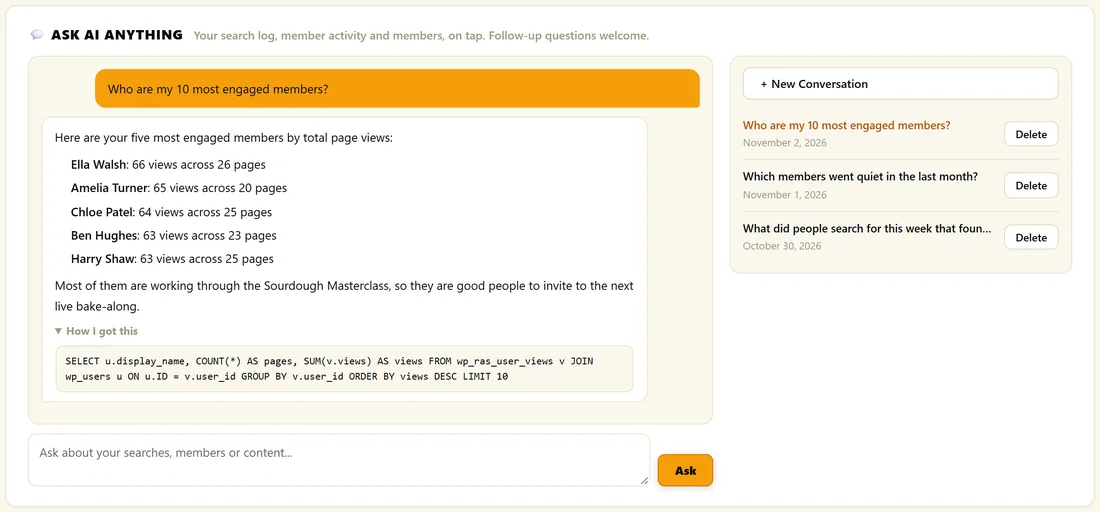
Type a question about your searches, your members or your content and click Ask, or click one of the examples:
- Who are my 10 most engaged members?
- What did people search for this week that found nothing?
- Which members went quiet in the last month?
- What content is nobody reading?
Follow up questions work, because each conversation remembers what was said. Conversations are saved in the list on the right, up to 15. Click one to open it again, click Delete to remove it, or click New Conversation to start fresh.
How I got this:
Under an answer, open How I got this to see the exact query that fetched the data. That way you can check any figure yourself.
What it can look at:
Your own search log, member activity, searchable content and member list, read only. Each question takes two AI calls: one writes a read only query, which the plugin checks before running, and one writes the answer from the real rows. Nothing on your site is ever changed.
A real example:
The Home Bakery Club's report led with sourdough and with the failed searches for pizza dough and pretzels, then listed three moves: pin the feeding guide for starter, pin the bake-along calendar for bake along, and write a pizza dough recipe for the people who asked. The owner then asked who the most engaged members were and invited the top five to host a live bake-along.
Tips:
- Run a fresh report every Monday, next to your Insights check.
- The AI calls use your own key and appear in AI Usage as analyst_report, chat_sql and chat_answer.