If your visitors are in the EU, the UK or Norway, you normally need their consent before tracking them. WP Conversion Tracker AI works with your consent banner: while the banner is asking, it waits for the visitor's yes before storing anything about them. Your tracking links always redirect, and every click is still counted.
Where To Find It:
Click ⚙️ Settings, then ⚙️ Settings in the menu. Visitor consent is in ⚙️ General Settings.
The Two Choices:
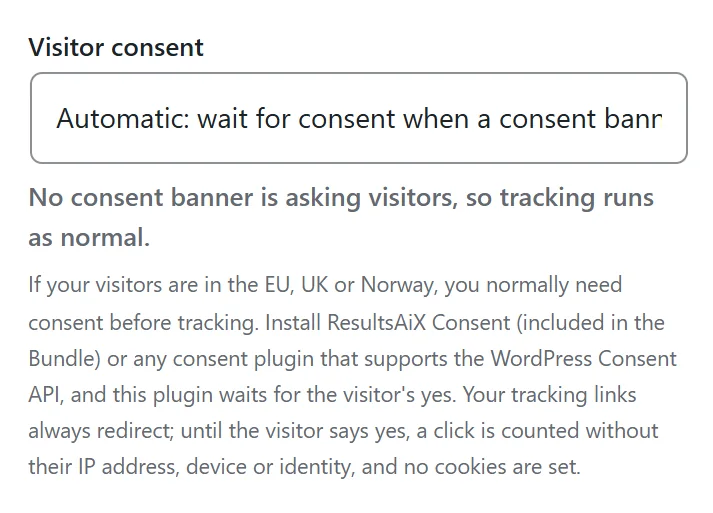
- Automatic, wait for consent when a consent banner on this site is asking visitors. This is the default.
- Off, always track.
Under the drop-down, a line tells you what is happening right now, for example No consent banner is asking visitors, so tracking runs as normal.
Which Consent Banners It Works With:
- ResultsAiX Consent, when its banner is on and set to wait for consent.
- Any consent plugin that supports the WordPress Consent API in opt-in mode.
With no consent tool asking, everything works exactly as it does without this setting.
What Happens Before A Visitor Says Yes:
- The tracking link still redirects, and the click ID still travels to the destination in the address, so partners and a later yes on that page can still credit the link.
- The click is counted, but without the visitor's IP address, browser details, country or identity.
- No tracking cookies are set and nothing about the visitor is stored for later.
- Campaign tags such as utm_source are still recorded, while per person ad click IDs such as gclid and fbclid are left out.
- The Audience Vault waits too: page visits, identities from links and the email sniffer start only after a yes.
Once the visitor says yes, tracking works normally from then on.
Setting It Up Step By Step:
- Install and set up your consent banner, for example ResultsAiX Consent, with the banner on.
- In ⚙️ General Settings, leave Visitor consent on Automatic.
- Click 💾 Save General Settings.
- Check the line under the drop-down. It now says the consent banner is asking visitors, so tracking waits for a yes.
- Visit a tracking link in a private window, accept the banner on the destination page, and check that your later conversion appears as normal.
A Real Example:
yoursite.com has readers in the UK and Germany and runs a consent banner for them. Visitor consent stays on Automatic. A reader in Berlin clicks the newsletter link before accepting the banner: the click is counted on the link, they land on the starter guide page with the click ID in the address, and no cookie is set. They accept the banner and opt in, and from that moment their visit is tracked as normal.
Tips:
- Choose Off only if you are sure you do not need consent for your visitors.
- Consent tools that only ask visitors in some regions still let the tracker work normally for visitors outside those regions.
- See Cross-Domain Tracking for how the click ID travels in the address.