There are three ways to bring people in yourself: add them by email, share an invite link, or send email invites. All of them work even when joining is Invite only or the doors are closed.
Add members by email:
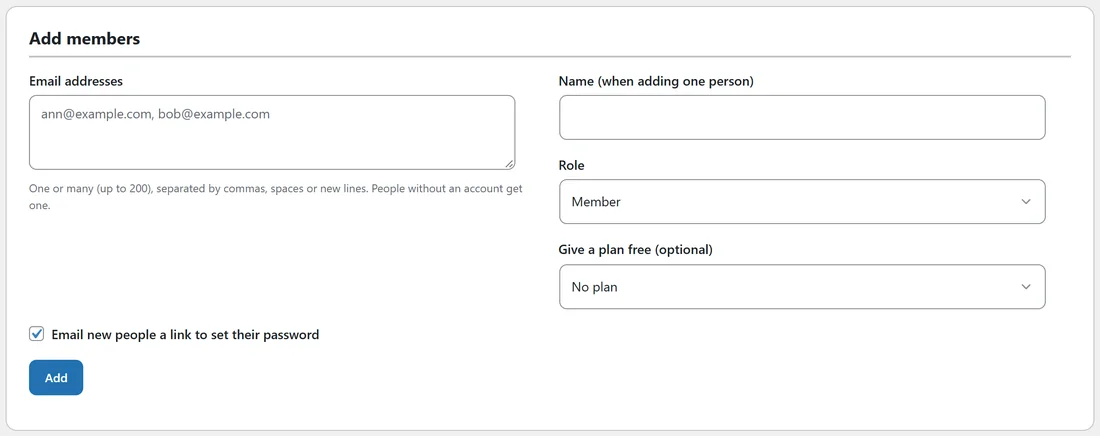
Open Community, then Members, and scroll to Add members.
- Paste one or many email addresses into Email addresses, up to 200, separated by commas, spaces or new lines.
- When you add one person, type their Name.
- Pick a Role: Member, Moderator or Admin.
- Optionally pick a plan under Give a plan free.
- Tick Email new people a link to set their password if you want them to get a welcome email with a password link.
- Click Add.
People without an account on your site get one.
Invite links:
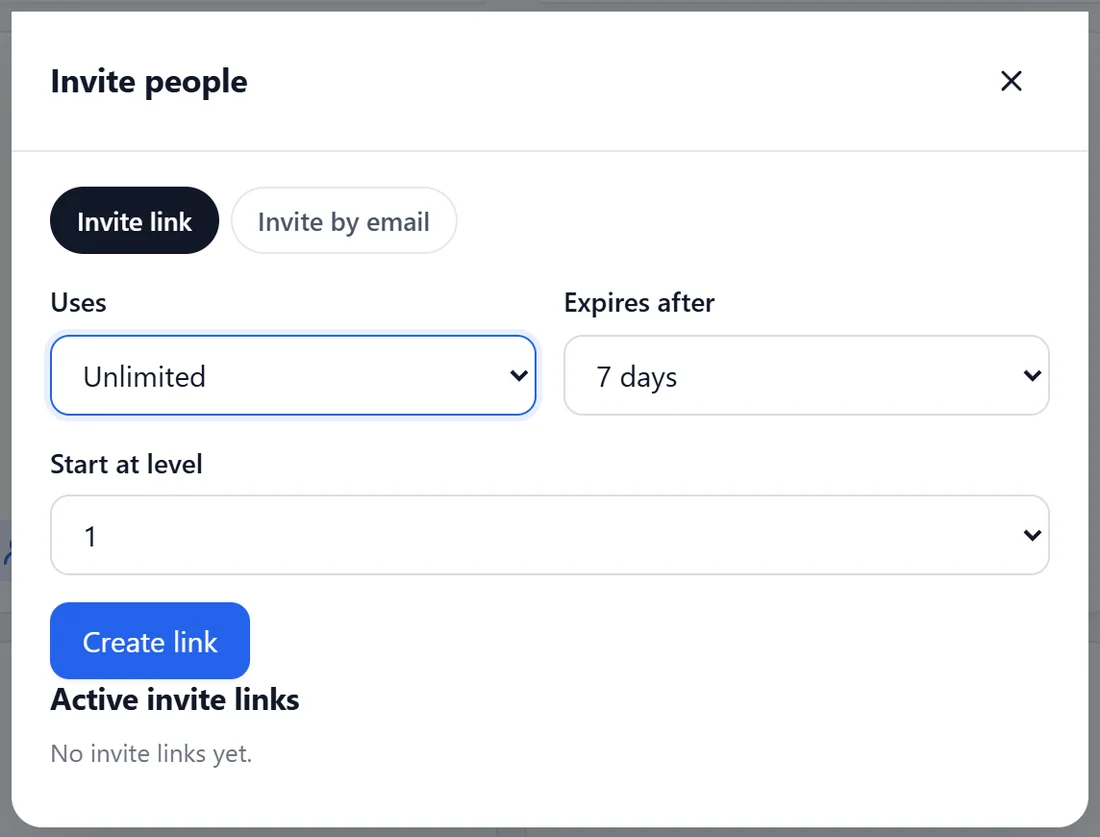
In the members' app, open Members while logged in as the owner or a moderator and click Invite. The Invite people window opens on Invite link.
- Uses: Unlimited, or 1, 5, 10, 25 or 100.
- Expires after: Never, or 1, 7 or 30 days.
- Start at level: the level the person starts at when they join.
Click Create link and copy it. Active invite links lists every link with its uses and expiry, with a delete button.
Invite by email:
Switch to Invite by email, paste addresses (one per line, or paste a CSV), add a short personal note if you like, and click Send invites. Each person gets their own invite link by email.
What an invite does:
An invite skips approval and works while the doors are closed or the community is paid or invite only. The person's join page says who invited them.
A real example:
Alex wanted the twelve people from a live workshop to join with a head start. Alex created a link with 25 uses, Expires after 7 days and Start at level 2, and pasted it into the workshop follow-up email.
Tips:
- Moving a whole group from another platform? Use an import instead. See Importing From Skool, Circle, A Spreadsheet Or Another Forum.
- Leave Email new people a link to set their password off if you want to announce the move yourself first. Imported and added people can always use Forgot it? on the login page.
- Invite links are a simple way to reward members: give each speaker their own link.