Every post can do more than text. The More options panel in the post window holds the extras, and the poll button adds a vote.
Where to find it:
Click Write something, then click More options at the bottom of the Create a post window.
The options:
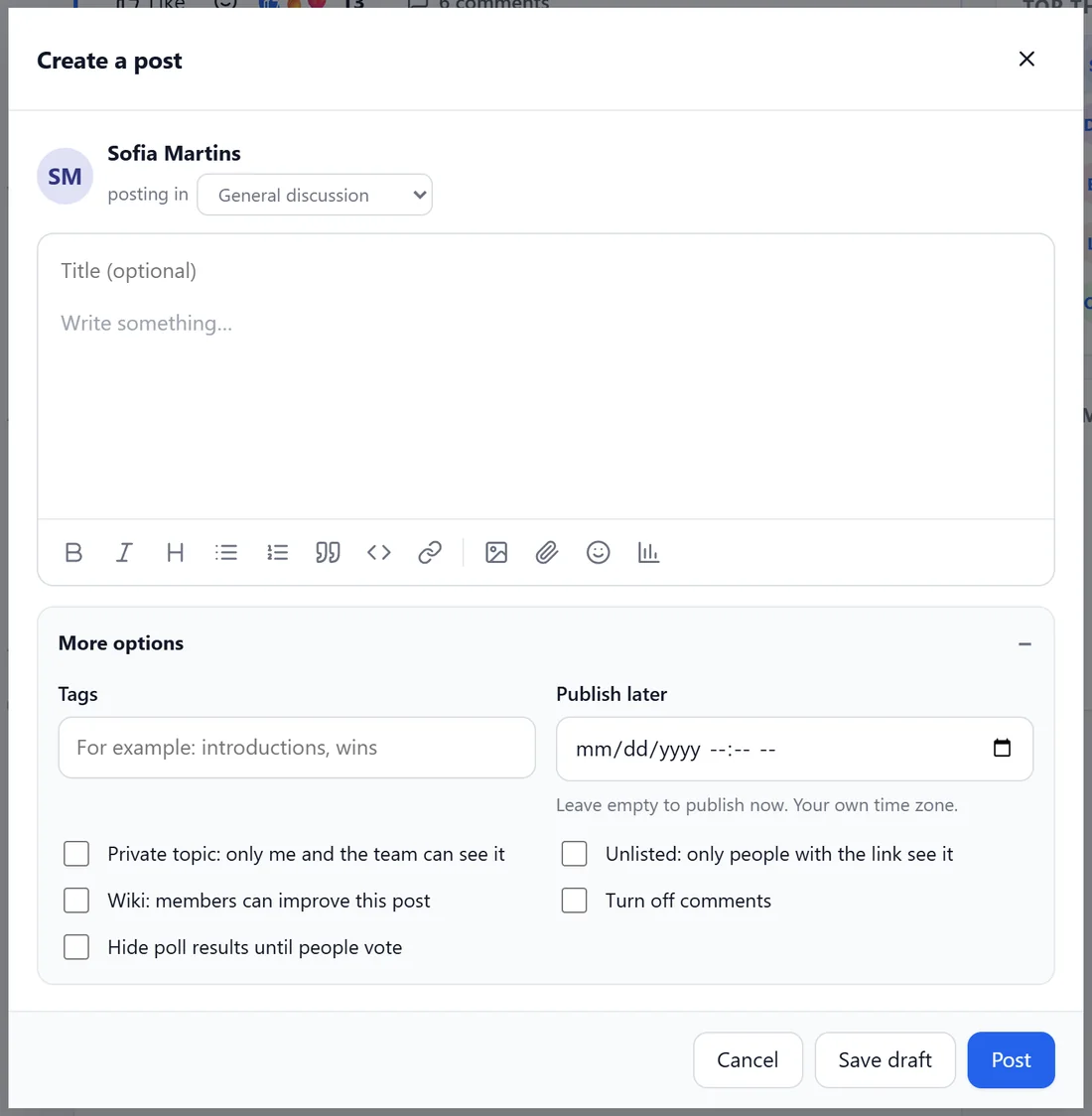
- Tags: words that group posts, for example introductions, wins. Members click a tag to see every post with it.
- Publish later: pick a date and time to schedule the post. Leave it empty to publish now. The time is in your own time zone.
- Private topic: only me and the team can see it. Good for support questions in a forum.
- Unlisted: only people with the link see it. It does not show in feeds.
- Wiki: members can improve this post. Good for resource lists the community builds together.
- Hide poll results until people vote.
- Turn off comments.
Options for your team:
- Announcement: also email everyone. The post is emailed to every member who has not switched announcements off.
- Post without my name (anonymous): shown when the space allows anonymous posts.
Add a poll:
- Click the poll button in the toolbar.
- Type the question and at least two options.
- Choose whether people may pick more than one option.
- Post it. Members vote with one click and can change their vote. The poll cannot be changed after posting.
A space can switch polls off for members under Members may add polls.
Drafts and scheduled posts:
Save draft keeps the post for later. Scheduled posts publish on their own at the time you picked. Members find their drafts from their account menu.
A real example:
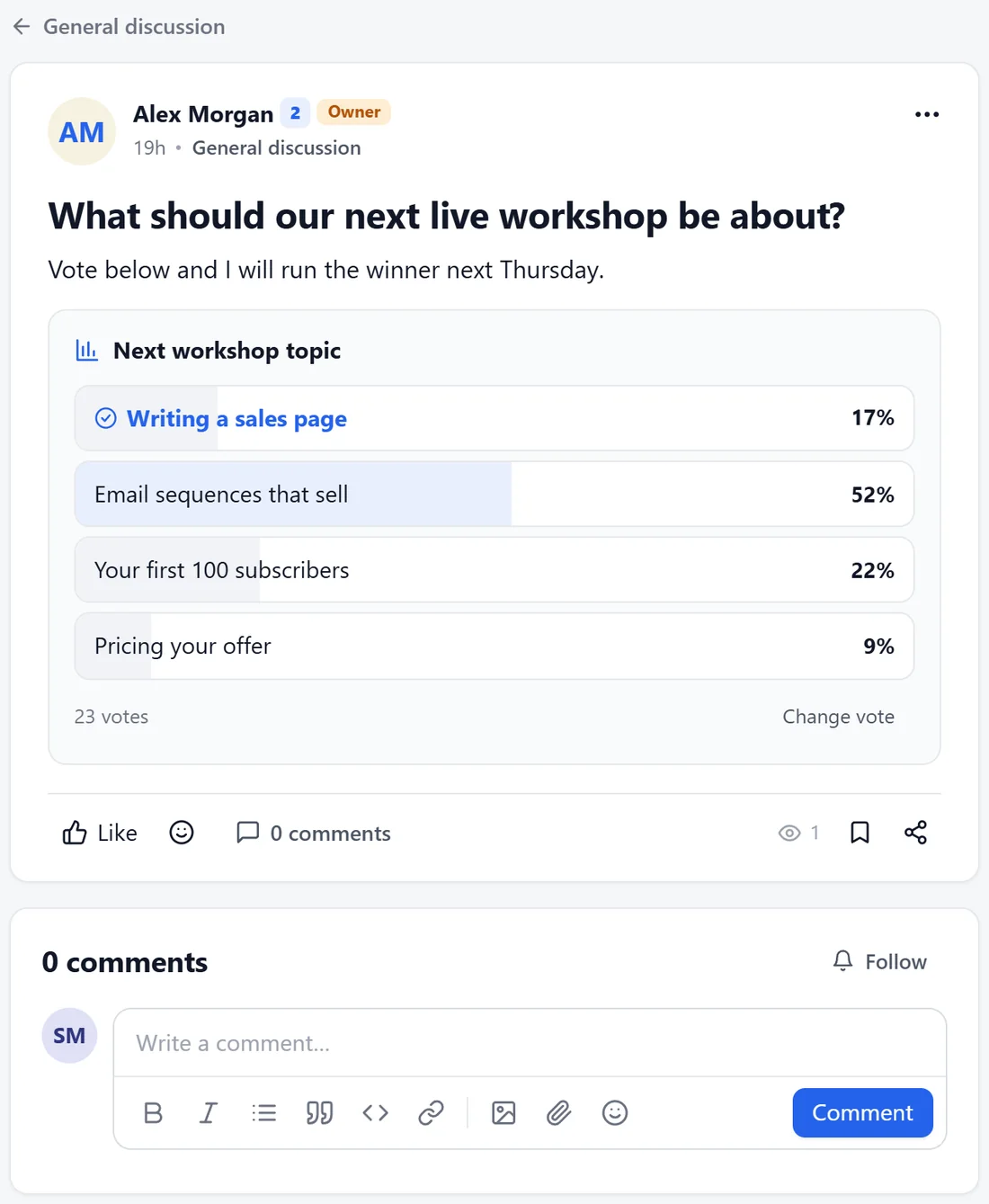
Alex asked What should our next live workshop be about? with four options. Twenty-three members voted in a day, and Email sequences that sell won with 52 percent, so that became the next Saturday call.
Tips:
- Schedule a Monday post every week, such as a weekly wins thread, so the feed always has a fresh start.
- Use Private topic for anything personal, such as a billing question in Help and support.
- With the AI connected, the copilot can suggest post ideas and schedule them for you. See The Copilot, The Digest Intro And Your Daily AI Budget.