The AI first reply means no question waits hours for an answer. New posts get a reply within seconds, written from your own knowledge, and only when the AI is confident. Every AI reply is clearly labelled with your bot name.
Where to find it:
Open Grow, then AI, and scroll to AI first reply. Your knowledge is further down the same tab.
AI first reply settings:
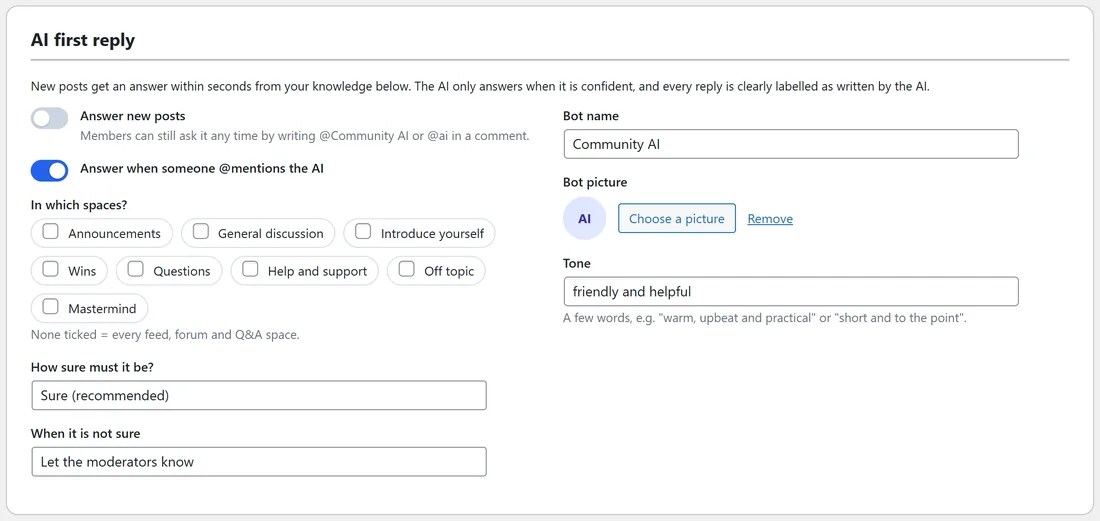
- Answer new posts: switch it on to reply to new posts. Off by default.
- Answer when someone @mentions the AI: members can ask it any time by writing @Community AI or @ai in a comment. On by default.
- In which spaces?: tick the spaces. None ticked means every feed, forum and Q&A space.
- How sure must it be?: Fairly sure (answers more often), Sure (recommended), or Very sure (answers less, almost never wrong).
- When it is not sure: Let the moderators know, or Stay quiet.
- Bot name: Community AI by default.
- Bot picture: Choose a picture, or keep the AI icon.
- Tone: a few words, for example warm, upbeat and practical, or short and to the point.
What the AI learns from:
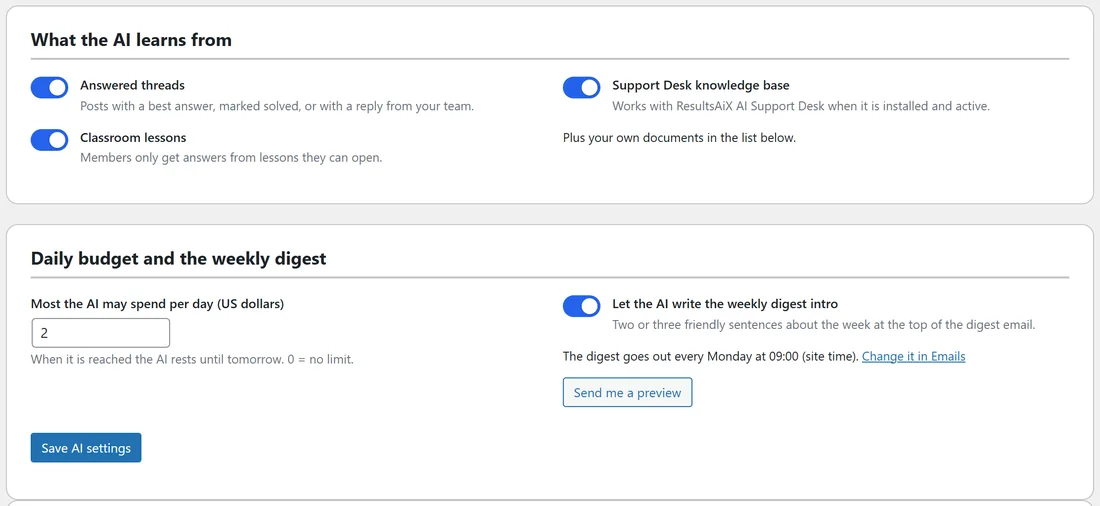
- Answered threads: posts with a best answer, marked solved, or with a reply from your team.
- Classroom lessons. Members only get answers from lessons they can open.
- Support Desk knowledge base: works with ResultsAiX AI Support Desk when it is installed and active.
- Plus your own documents.
Your knowledge:
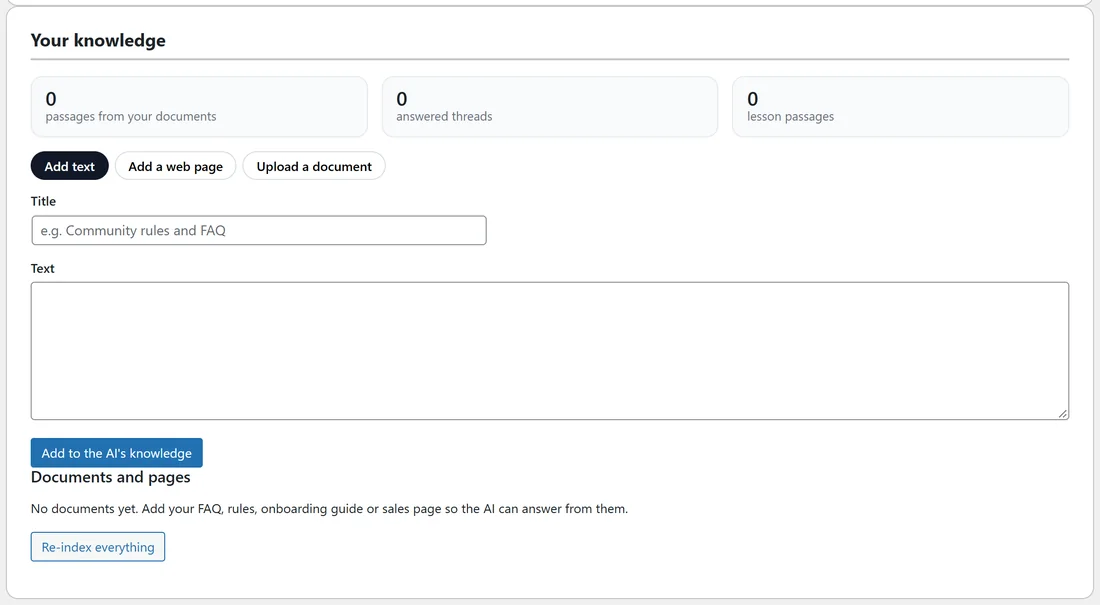
The counts at the top show passages from your documents, answered threads and lesson passages. Add more:
- Add text: a Title and the Text, then Add to the AI's knowledge.
- Add a web page: paste a public address starting with https://. The page is read in the background.
- Upload a document: a .txt, .md, .csv, .html or .pdf file up to 15 MB.
Documents and pages lists everything with Refresh, Rename and Remove. Re-index everything relearns it all in the background.
How a reply looks:
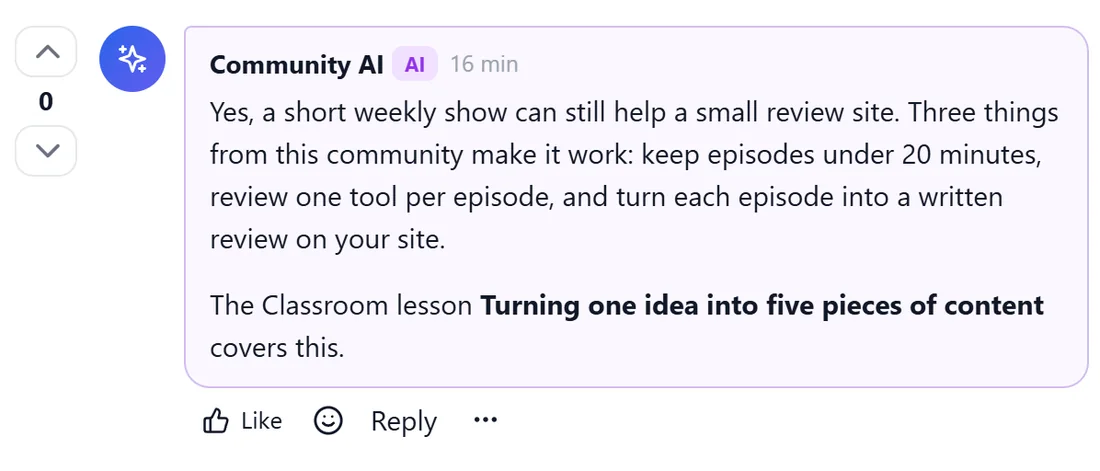
The answer appears as a comment from your bot name with an AI label, often pointing to the lesson or thread it came from. Members can like it and reply like any comment.
A real example:
When Lucas asked whether a podcast is worth starting for a small review site, Community AI answered within a minute with three practical points and a pointer to the lesson Turning one idea into five pieces of content.
Tips:
- Add your FAQ, rules, onboarding guide and sales page as documents first. They answer most new-member questions.
- Start with Sure and Let the moderators know. Watch a week of replies, then adjust.
- Every reply counts towards your daily budget. See The Copilot, The Digest Intro And Your Daily AI Budget.