Comments and likes are the heartbeat of the community. Every like also gives the author a point, which moves them up the levels.
Where to find it:
Click any post title or its comment count to open the post on its own page.
Comments:
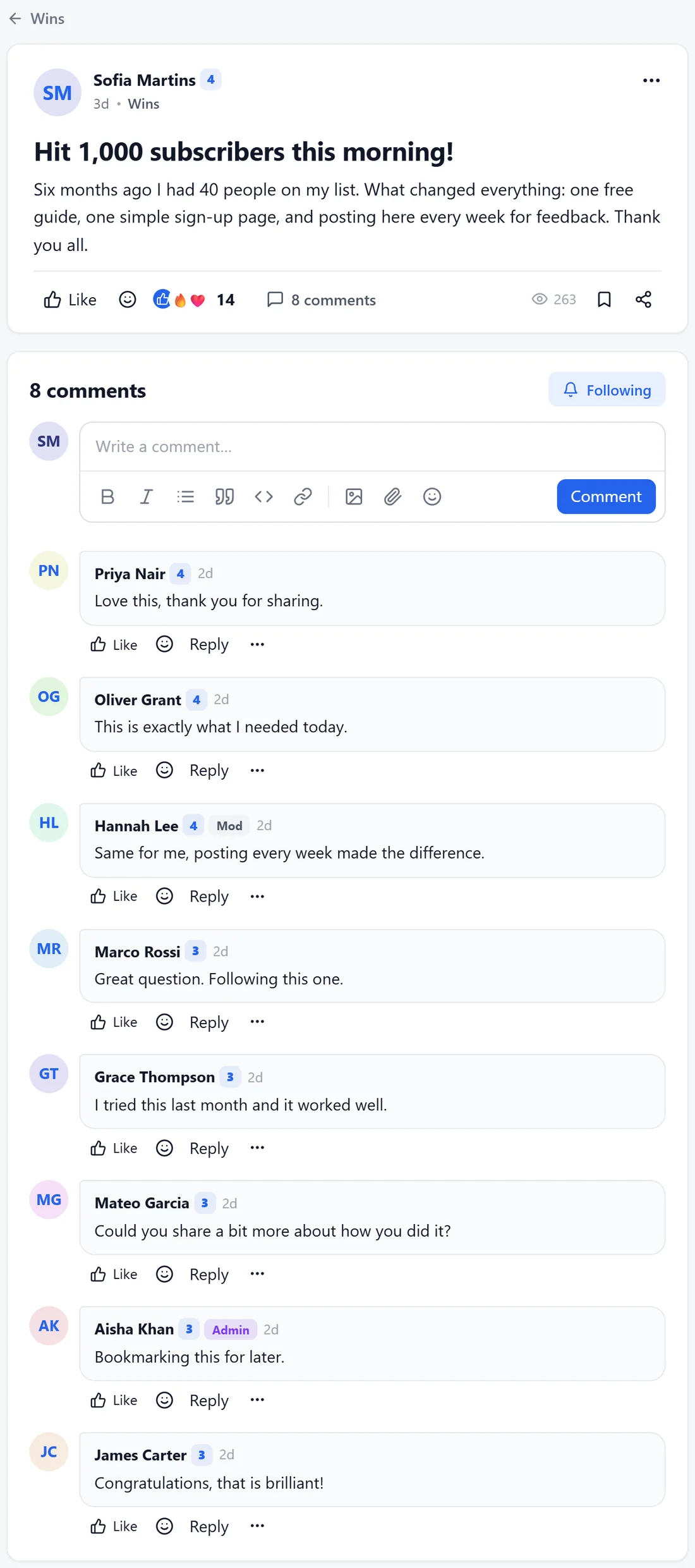
- Write a comment opens the editor with the same formatting tools as a post.
- Reply under any comment to answer it directly. Replies go two levels deep.
- Each comment has Like, an emoji button and Reply, plus a three-dot menu with Quote, Edit, Report and, for your team, Delete and pin.
Likes and reactions:
- Like is the main reaction. Each like a member receives on a post or comment gives them points (1 by default).
- The emoji button adds a reaction: heart, laughing, party, raised hands, fire or thinking face.
- Click the reaction count to see who reacted.
Save and follow:
- Save keeps a post in the member's Saved posts list, in their account menu.
- Follow, on a post, sends a notification when someone replies. Members follow their own posts on their own.
- Follow on a space sends a notification for new posts in that space.
Share and copy:
Share and Copy link, in the three-dot menu, give members the post's link to send to someone.
Report:
Report in the three-dot menu asks for a reason (Spam or advertising, Rude or abusive, Harassment or bullying, Off topic, or Something else) and an optional note. The team sees it in the moderation queue. The person is not told who reported them.
What your team can do from the post menu:
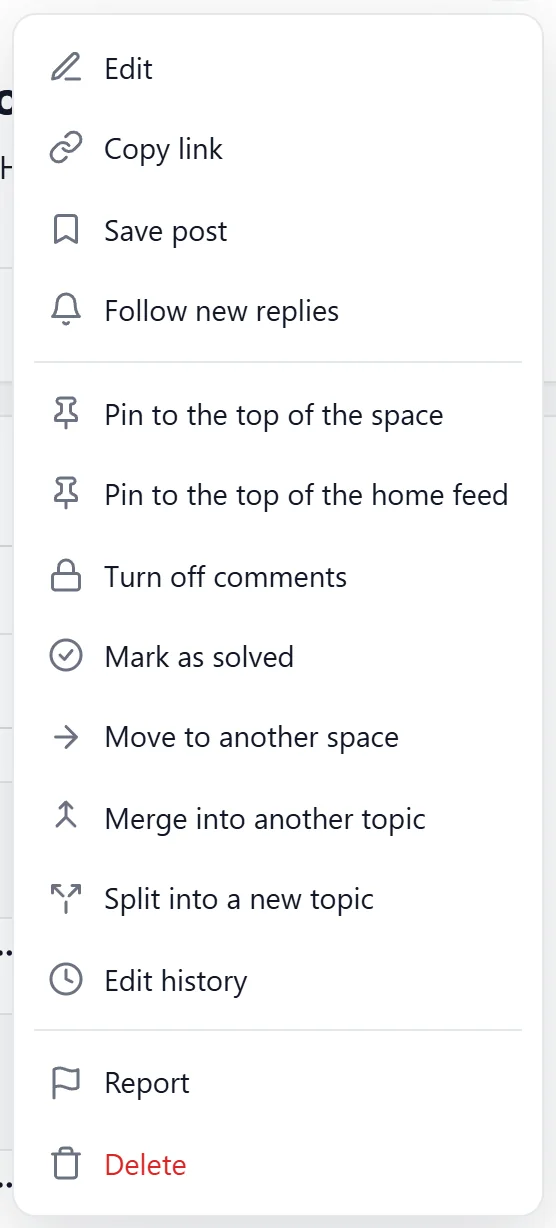
Edit, Pin to the top of the space, Pin to the top of the home feed, Turn off comments, Mark as solved, Move to another space, Merge into another topic, Split into a new topic, Edit history, Report and Delete.
A real example:
On Sofia's post about 1,000 subscribers, Priya replied Love this, thank you for sharing, Oliver added a fire reaction, and Alex clicked Follow so every new comment showed up in the bell.
Tips:
- Reply to every first post a new member writes. It is the best way to keep them.
- Members choose how they hear about replies, mentions and likes. See Notifications, Email Choices And The Member's Own Settings.