The copilot is the AI working for you rather than for members. It suggests what to post, who to check in with and which answers deserve to become help articles. Nothing is posted or sent until you press the button.
Where to find it:
Open Grow, then AI, and scroll to Copilot and Usage and costs. In the app, staff see AI ideas too.
Post ideas for this week:
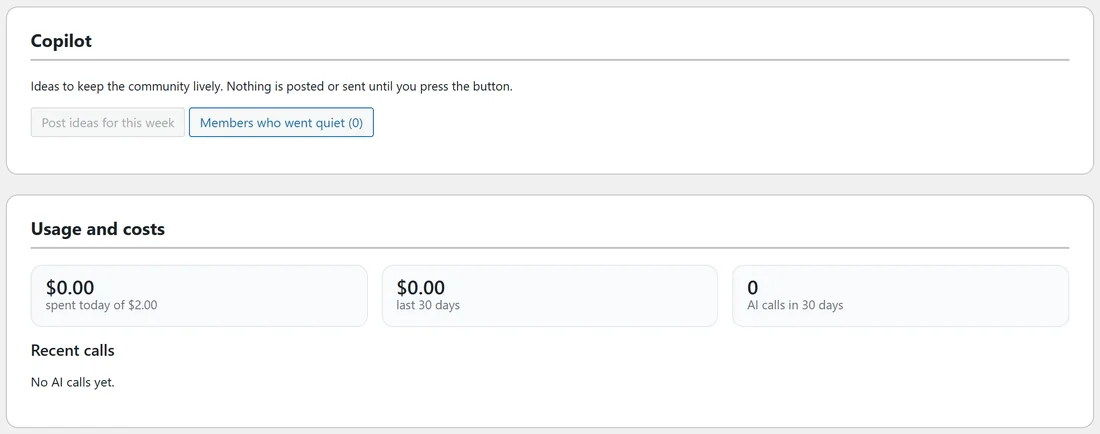
Click Post ideas for this week. The AI suggests posts based on what your community talks about. For each idea you can pick a space, edit it, then Save as draft or Schedule it for a date and time.
Members who went quiet:
Members who went quiet lists people who have not been around for a while, with how long. Suggest a message writes a friendly, personal check-in. Edit it and click Send, and it goes as a direct message from you.
Turn into an FAQ:
On a solved thread, staff can choose Turn into an FAQ. The AI writes a help article from the thread: the question, a short answer and steps. It is saved as a draft for you to check before anyone sees it: as a draft article in your Support Desk knowledge base when ResultsAiX AI Support Desk is installed, otherwise as a hidden FAQ page only staff can see.
The weekly digest intro:
Under Daily budget and the weekly digest, tick Let the AI write the weekly digest intro: two or three friendly sentences about the week at the top of the digest email. Send me a preview emails you an example. The day and time are set under Emails. See Emails And The Weekly Digest.
The daily budget:
Most the AI may spend per day (US dollars): when it is reached, the AI rests until tomorrow. 2 is the starting value. 0 means no limit.
Usage and costs:
- Spent today, out of your daily budget.
- The last 30 days, in dollars.
- AI calls in 30 days.
- Recent calls: each call with the feature, the service and model, tokens, cost and result. Errors keep the service's own words.
A real example:
On Monday mornings Alex clicks Post ideas for this week, keeps two ideas and schedules them for Tuesday and Thursday. Then Alex opens Members who went quiet and sends three short check-ins. It takes ten minutes.
Tips:
- Start with a small daily budget and look at Usage and costs after a week. Most communities spend far less than they expect.
- The copilot never posts on its own. You always press the button.