Members hear about what matters to them, in the way they prefer. The bell in the app collects everything, and each member decides which emails and phone notifications they get.
The bell:
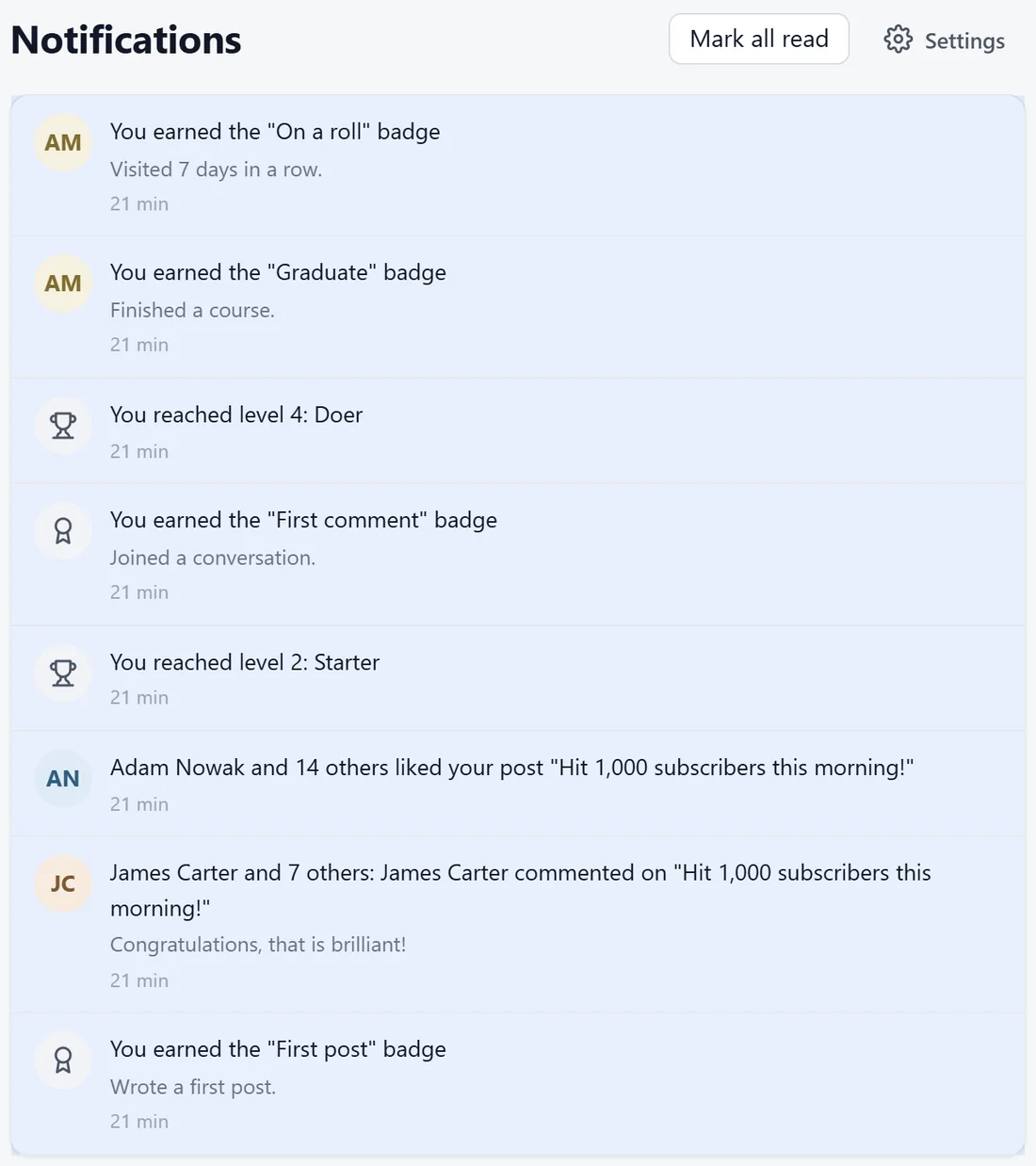
The bell in the top bar shows a red count of unread notifications. Click it for the latest ones, or open the full Notifications page.
- Notifications are grouped, for example Adam Nowak and 14 others liked your post.
- They cover replies, mentions, likes, messages, new levels, badges, events, approvals and more.
- Mark all read clears the count. Settings opens the member's email choices.
Account settings:
Members click their picture, then Account settings. There are five tabs.
- Profile: photo, cover, bio, links, location, time zone and language. See Member Profiles, The Directory And The Map.
- Notifications: which emails and push alerts they get, and how often.
- Privacy: who sees their profile, location and email, the member map, blocked members, and their data.
- Account: email, password, devices and leaving the community.
- Billing: their plan, invoices and payment method. See Members On Plans, Payments And Billing.
Email choices:
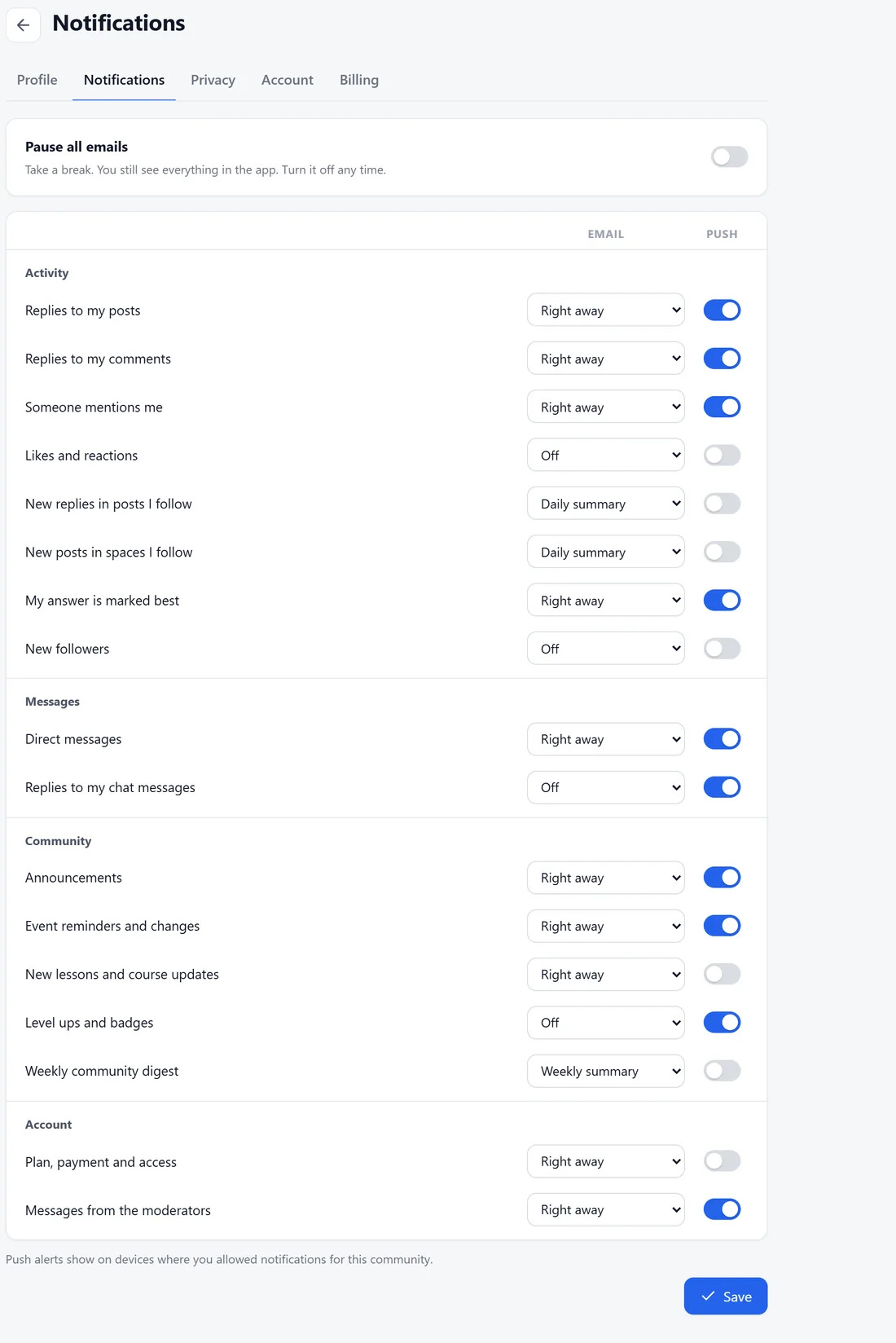
On Notifications, each kind of notice has an Email choice and a Push switch.
- Email: Right away, Daily summary, Weekly summary or Off.
- Push: on or off for phone and desktop notifications, where the member allowed them.
The kinds are grouped like this.
- Activity: replies to my posts, replies to my comments, someone mentions me, likes and reactions, new replies in posts I follow, new posts in spaces I follow, my answer is marked best, new followers.
- Messages: direct messages, replies to my chat messages.
- Community: announcements, event reminders and changes, new lessons and course updates, level ups and badges, the weekly community digest.
- Account: plan, payment and access, messages from the moderators.
Pause all emails at the top lets a member take a break; they still see everything in the app.
Unsubscribe links:
Every email has a one-click unsubscribe link for that kind of email, and a line saying why the member got it.
Privacy and data:
On Privacy, members choose who can see what, manage blocked members, Download my data (their profile, memberships, posts, comments, messages and points) and Delete my account data. Deleting removes them from every community on the site and keeps their posts and comments without their name.
A real example:
Sofia gets replies to her posts and mentions right away, a daily summary of new replies in posts she follows, and turned likes off by email because she sees them in the app anyway.
Tips:
- The defaults are sensible, so most members never change them.
- How emails are sent, and the weekly digest, are set under Grow, then Emails. See Emails And The Weekly Digest.