Plans are what people choose when they join or upgrade. A plan can be free, a subscription or a one-time payment, and it can unlock spaces, courses and events, enrol people in courses and give a ResultsAiX Membership level.
Where to find it:
Open Money, then Plans and payments, and scroll to Plans.
The plans list:
Each plan shows its name, price, any trial, whether it is On sale, how many members have it and its tier. Click a plan to edit it.
Add a plan:
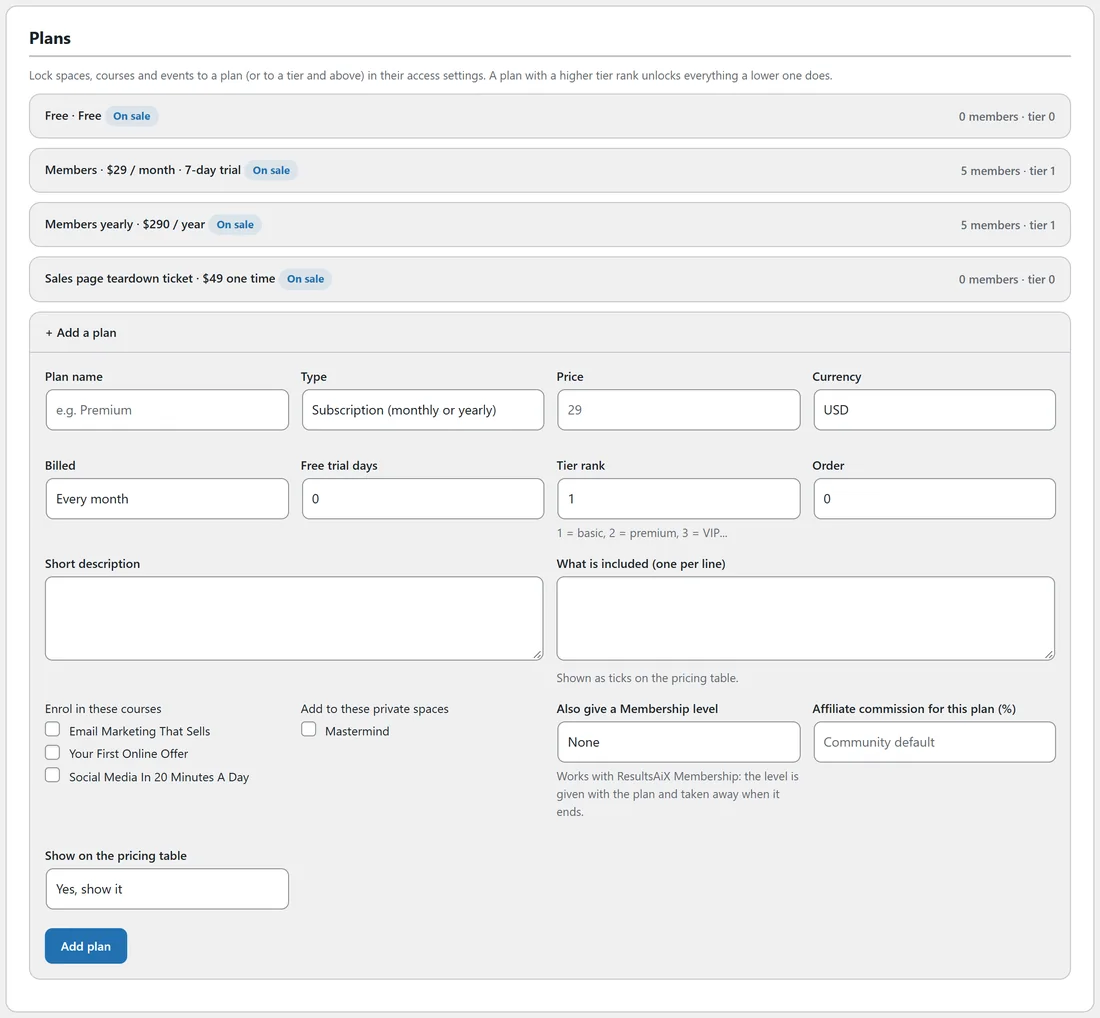
Click + Add a plan and fill in these fields.
- Plan name, for example Members.
- Type: Subscription (monthly or yearly), One-time payment (lifetime), or Free.
- Price and Currency.
- Billed: Every month or Every year, for subscriptions.
- Free trial days, for subscriptions.
- Tier rank: 1 is basic, 2 premium, 3 VIP and so on. A plan with a higher tier rank unlocks everything a lower one does.
- Order: where it sits on the pricing table.
- Short description, and What is included (one per line), shown as ticks on the pricing table.
- Enrol in these courses and Add to these private spaces: what the plan gives straight away.
- Also give a Membership level: when ResultsAiX Membership is installed, the level is given with the plan and taken away when it ends.
- Affiliate commission for this plan (%): leave empty to use the community default.
- Show on the pricing table: Yes, show it, or Hidden (link only, for example event tickets or special offers).
Click Add plan.
Locking content to plans:
In a space's Who can open it, a course's Who can take it, or an event's Who can see and join, choose Only some members and tick plans. See Space Settings: Who Can See, Open, Post And Comment.
Coupons:
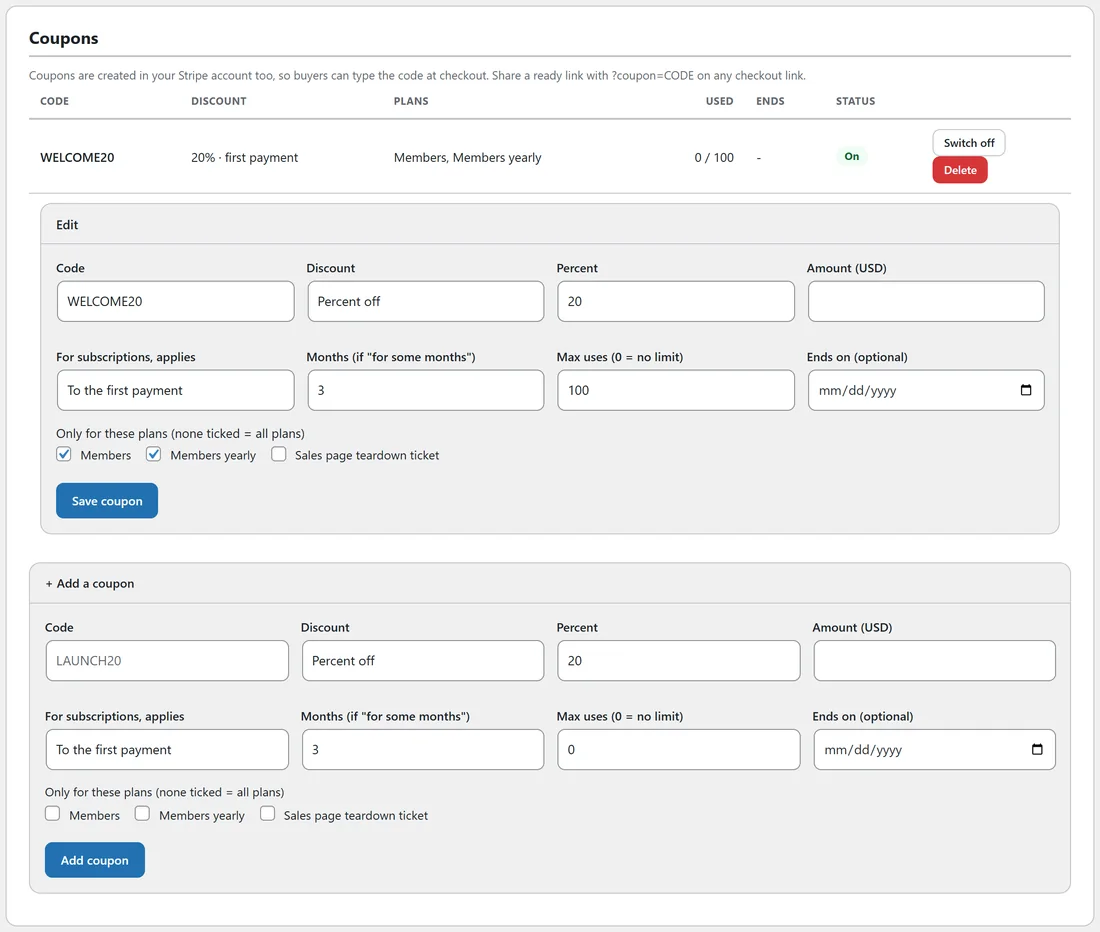
Scroll to Coupons and click + Add a coupon.
- Code, for example LAUNCH20.
- Discount: Percent off or Amount off.
- For subscriptions, applies: To the first payment, For some months (with the number of months), or Forever.
- Max uses (0 means no limit) and Ends on (optional).
- Which plans it works on.
Coupons are created in your Stripe account too, so buyers can type the code at checkout. Share a ready link by adding ?coupon=CODE to any checkout link. Each coupon can be switched off, edited or deleted, and the list shows how many times it was used.
A real example:
The Online Business Club has four plans: Free (tier 0), Members (monthly, 7-day trial, tier 1), Members yearly (tier 1) and a hidden one-time Sales page teardown ticket used as an event ticket. Both member plans enrol people in every course and add them to the Mastermind space. WELCOME20 gives 20 percent off the first payment of either member plan.
Tips:
- Use tier ranks rather than ticking every plan on every space. Tick the lowest plan and anything higher gets in too.
- A hidden one-time plan makes a simple paid ticket for an event or a single course.