Diagnostics shows whether every part of ResultsAiX Community is working, and gives you a report to send us if something is not. No passwords or API keys are ever included.
Where to find it:
Open AiX Community, then Setup, then Diagnostics.
The buttons:
- Copy Report for Support copies the whole report. Paste it into your support ticket.
- Open Support opens the support page.
Plugin:
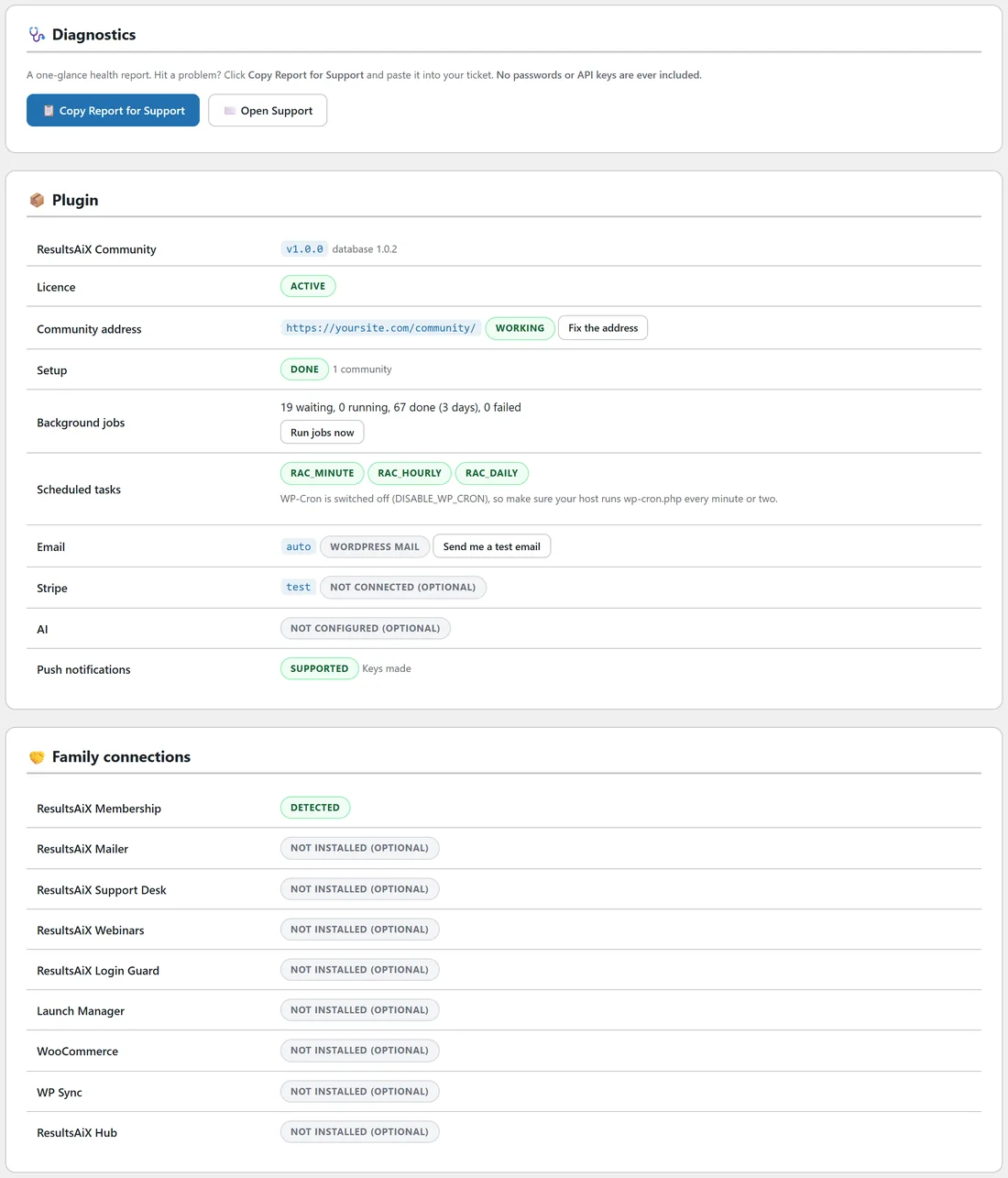
- ResultsAiX Community with its version and database version.
- Licence: Active.
- Community address: Working, with Fix the address if it is not.
- Setup: Done, with the number of communities.
- Background jobs: waiting, running, done and failed, with Run jobs now.
- Scheduled tasks: the three regular tasks.
- Email: how emails are sent, with Send me a test email.
- Stripe: test or live, connected or not.
- AI: configured or not.
- Push notifications: supported, keys made.
Family connections:
Each ResultsAiX plugin and the other plugins the community works with, installed or not.
Environment:
WordPress, PHP, the database and its search, site URL, HTTPS, memory limit, largest upload and object cache.
Database tables:
Every community table with its number of rows.
If you see X, do Y:
- The community address shows page not found: open Diagnostics and press Fix the address. Changing permalinks in WordPress also refreshes it.
- Emails do not arrive: send a test on the Emails tab. Set a From address on your own domain, or use an SMTP plugin or ResultsAiX Mailer.
- AI replies, emails or push notices are slow: they run as background jobs. If Diagnostics shows many jobs waiting, your site gets few visits or WP-Cron is off. Press Run jobs now and ask your host for a real cron job that runs wp-cron.php every minute or two.
- A page cache plugin should not cache the community address. Most detect it on their own because members are logged in; if yours does not, exclude /community/.
- Uploads fail on bigger files: Largest upload shows what your server allows. Ask your host to raise it, then raise Largest file under Settings.
- Still stuck: click Copy Report for Support and send it to us with what you were doing.
A real example:
After moving the site to a new host, members saw page not found at yoursite.com/community/. Alex opened Diagnostics, pressed Fix the address and the community was back in a second.
Tips:
- Check Diagnostics after moving hosts or changing your address.
- Training, under Help, has the same troubleshooting steps.