The calendar brings members back at set times: live calls, workshops, co-working and meet-ups. Every time shows in each member's own time zone, and reminders go out by email and in the app.
Where to find it:
In the app, click Calendar in the sidebar. In WordPress, Content, then Events shows what is coming up and the defaults for new events.
The calendar page:
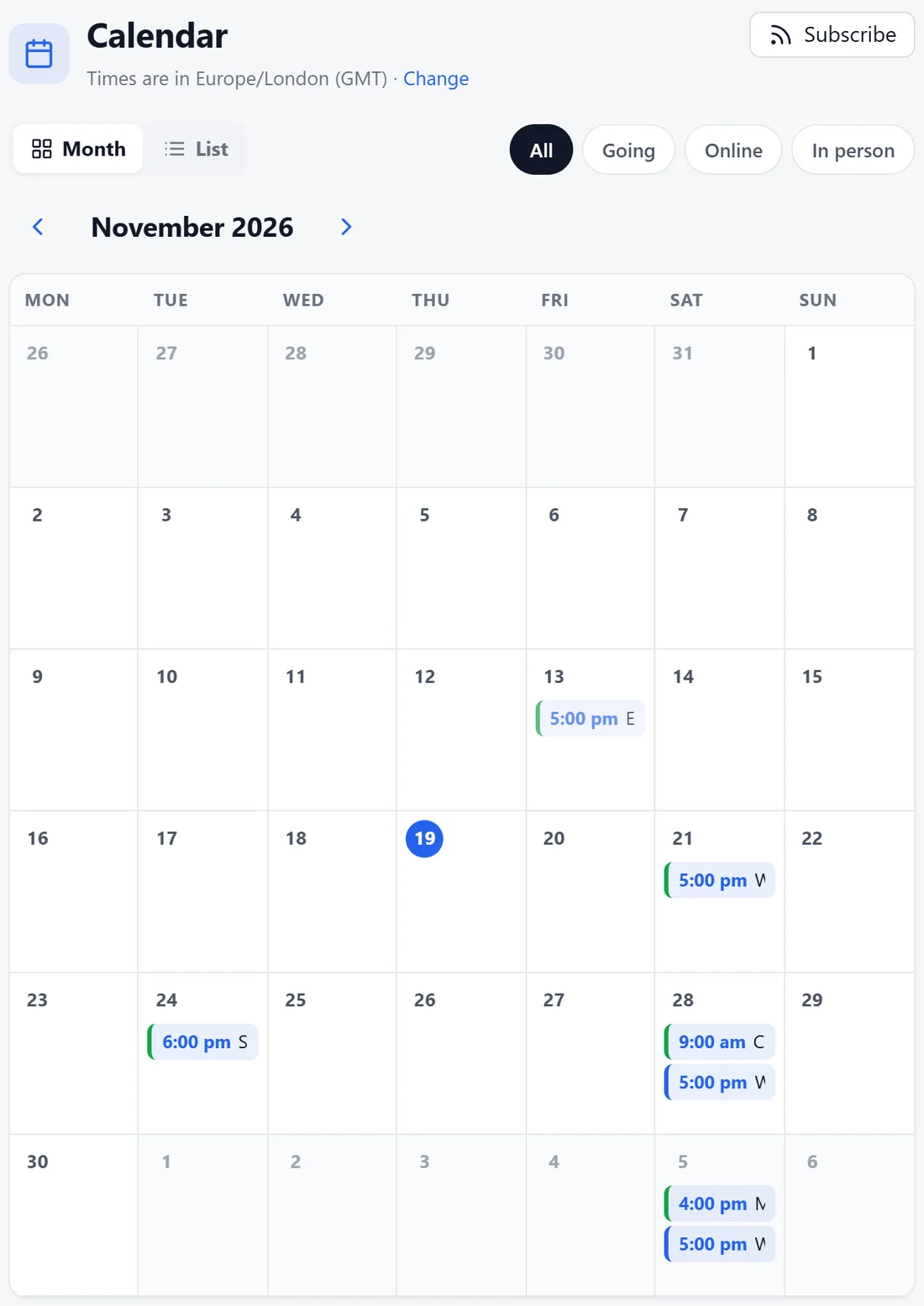
- Times are in the member's time zone, with Change to pick another.
- Month and List views.
- Filters: All, Going, Online and In person.
- Subscribe gives a calendar feed of every date (.ics) to add to Google, Apple or Outlook.
- Owners and admins see New event. See Creating Events: Repeats, Places, Tickets And Reminders.
An event page:
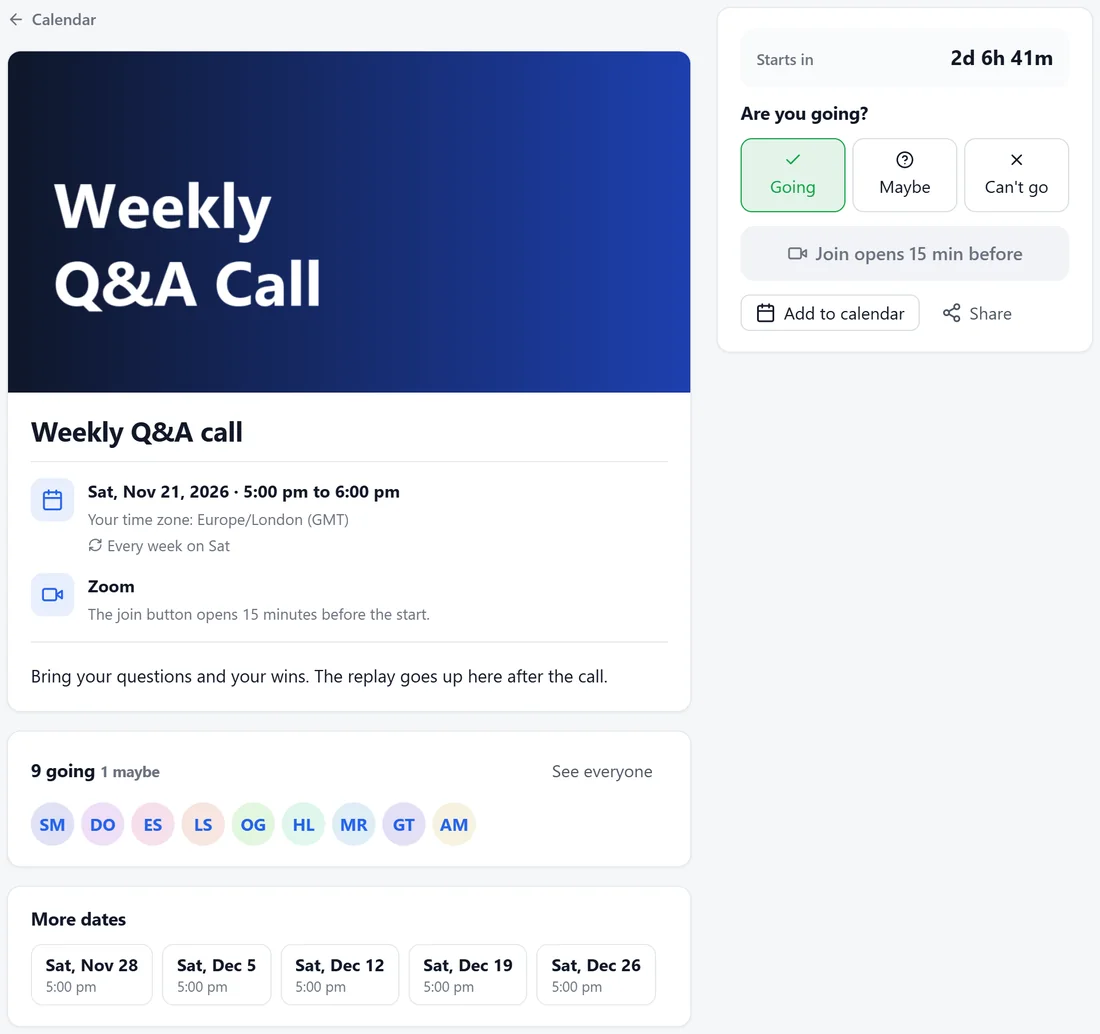
- The cover, title, date and time in the member's own time zone, how often it repeats, the place and the description.
- Starts in: a countdown.
- Are you going?: Going, Maybe or Can't go. When an event is full, members join the waitlist and are told when a spot opens.
- The join button opens a set number of minutes before the start (15 by default).
- Add to calendar: Google Calendar, Outlook.com, or Apple or other (.ics).
- Who is going, with See everyone.
- More dates, for repeating events.
After the event:
Your team can Add the replay link and Mark attendance. Members who attended see You attended. Thanks for coming! and earn the points for attending, and everyone can Watch the replay.
The Events tab in WordPress:
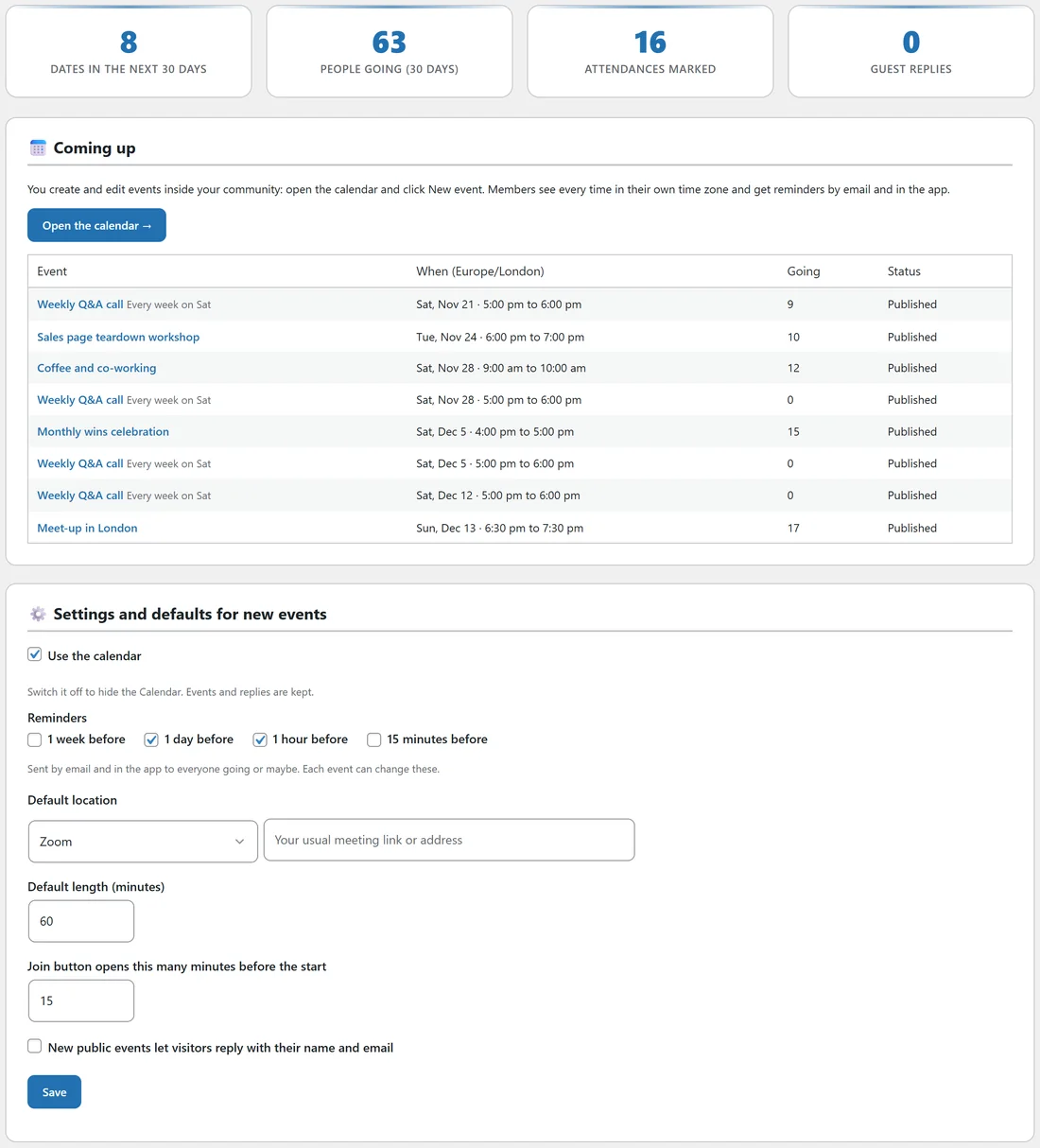
- Dates in the next 30 days, People going (30 days), Attendances marked and Guest replies.
- Coming up: each date with its time and the number going.
Settings and defaults for new events:
- Use the calendar: switch it off to hide the Calendar. Events and replies are kept.
- Reminders: 1 week before, 1 day before, 1 hour before and 15 minutes before. 1 day and 1 hour are ticked to begin with. They are sent by email and in the app to everyone going or maybe, and each event can change them.
- Default location: Zoom, Google Meet, Microsoft Teams, YouTube Live, Online (any link) or In person, with your usual meeting link or address beside it.
- Default length (minutes): 60 to begin with.
- Join button opens this many minutes before the start: 15 to begin with.
- New public events let visitors reply with their name and email.
Click Save.
A real example:
The Weekly Q&A call runs every Saturday at 5 pm London time. A member in Toronto sees 12 pm on the same page. Nine people said Going for this week, and Alex adds the replay link after each call.
Tips:
- A weekly call on the same day and time is the strongest habit you can build.
- The upcoming events also show in the right rail of every page, and you can show them on any WordPress page. See Showing Your Community On Any Page.