Points, levels and the leaderboard reward the members who help others. The main rule comes from Skool: points come from what others value, so a like on your post or comment is worth a point. Levels then unlock spaces, courses and features, which gives people a reason to keep taking part.
Where to find it:
Open AiX Community, then Community, then Gamification.
Levels:
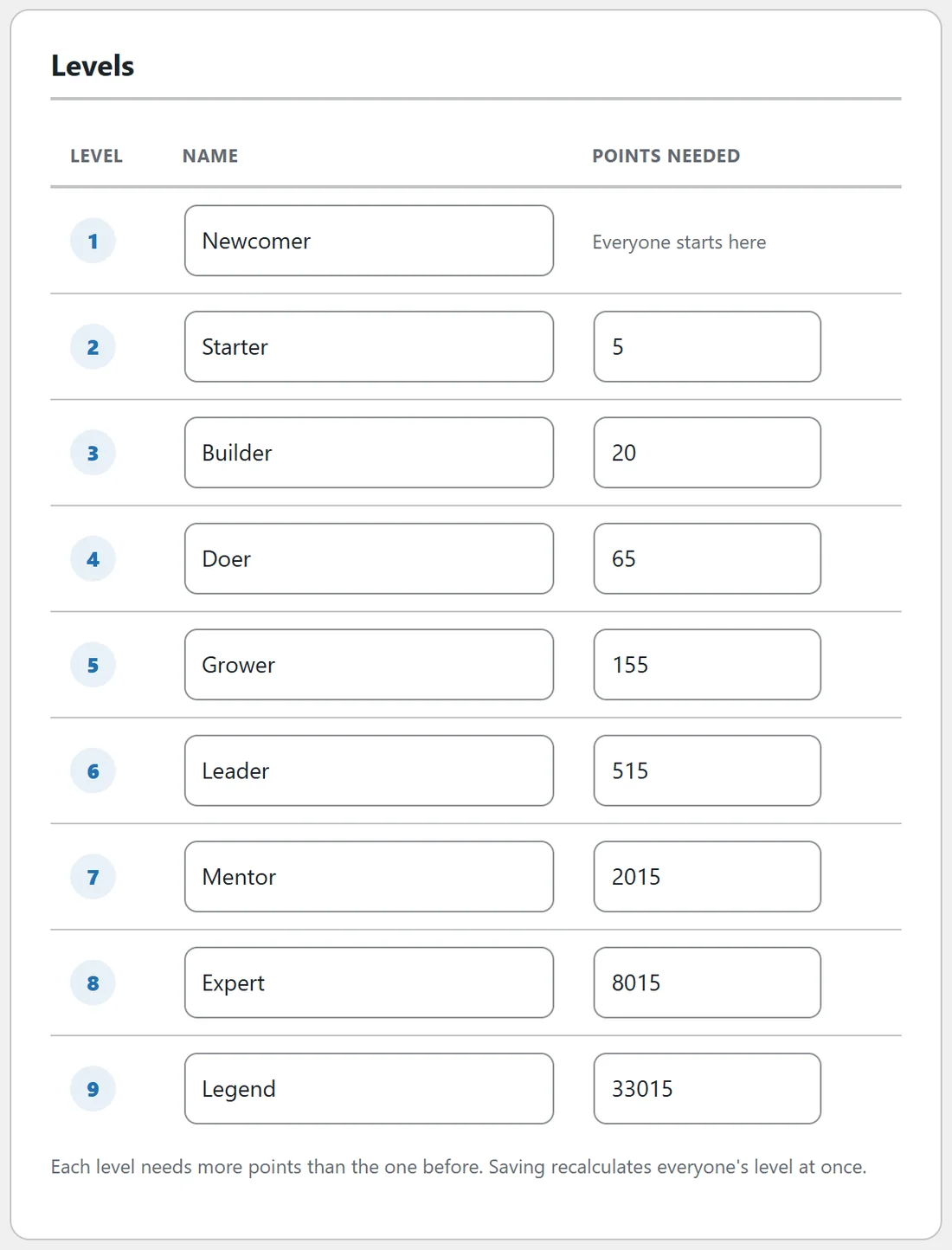
Nine rows, each with a Name and Points needed. Level 1 is where everyone starts. Each level needs more points than the one before. Saving recalculates everyone's level at once. Where your members are shows how many members sit at each level today.
Points:
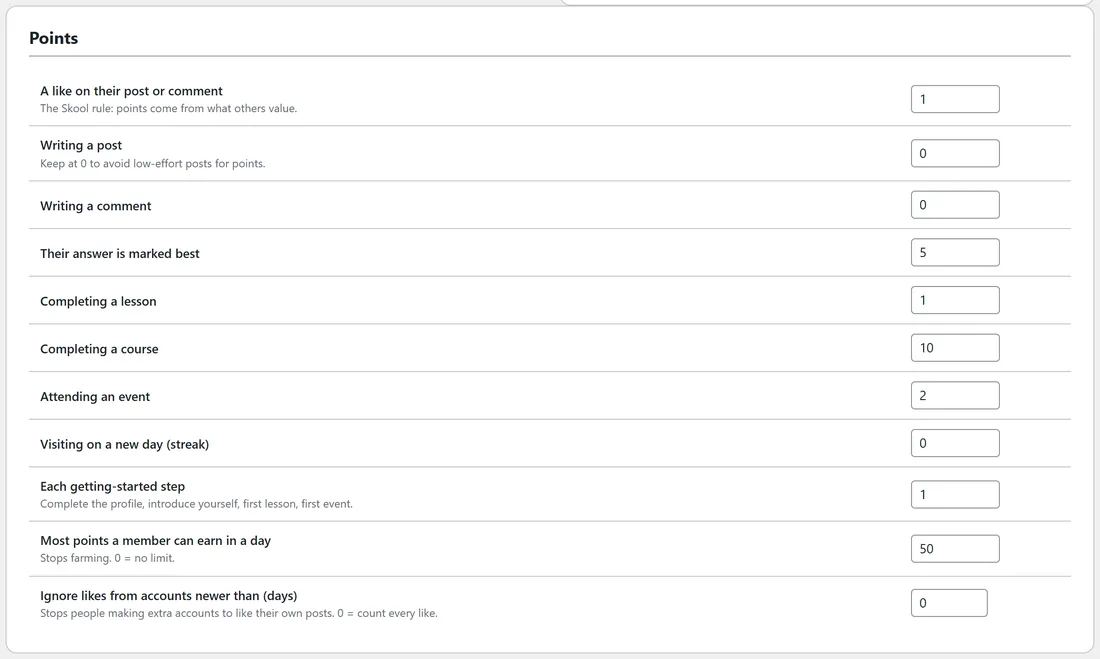
Set how many points each thing is worth.
- A like on their post or comment (1 by default). The Skool rule.
- Writing a post and Writing a comment (0 by default). Keep these at 0 to avoid low-effort posts for points.
- Their answer is marked best (5).
- Completing a lesson (1) and Completing a course (10).
- Attending an event (2), when you mark attendance.
- Visiting on a new day, for a streak (0).
- Each getting-started step (1): completing the profile, introducing yourself, the first lesson and the first event.
- Most points a member can earn in a day (50). Stops farming. 0 means no limit.
- Ignore likes from accounts newer than (days). Stops people making extra accounts to like their own posts. 0 counts every like.
Leaderboard:
- Leave admins and moderators off the leaderboard.
- Rewards shown next to the top places (optional): a short note for places 1 to 5, for example A free coaching call this month.
Click Save gamification.
What members see:
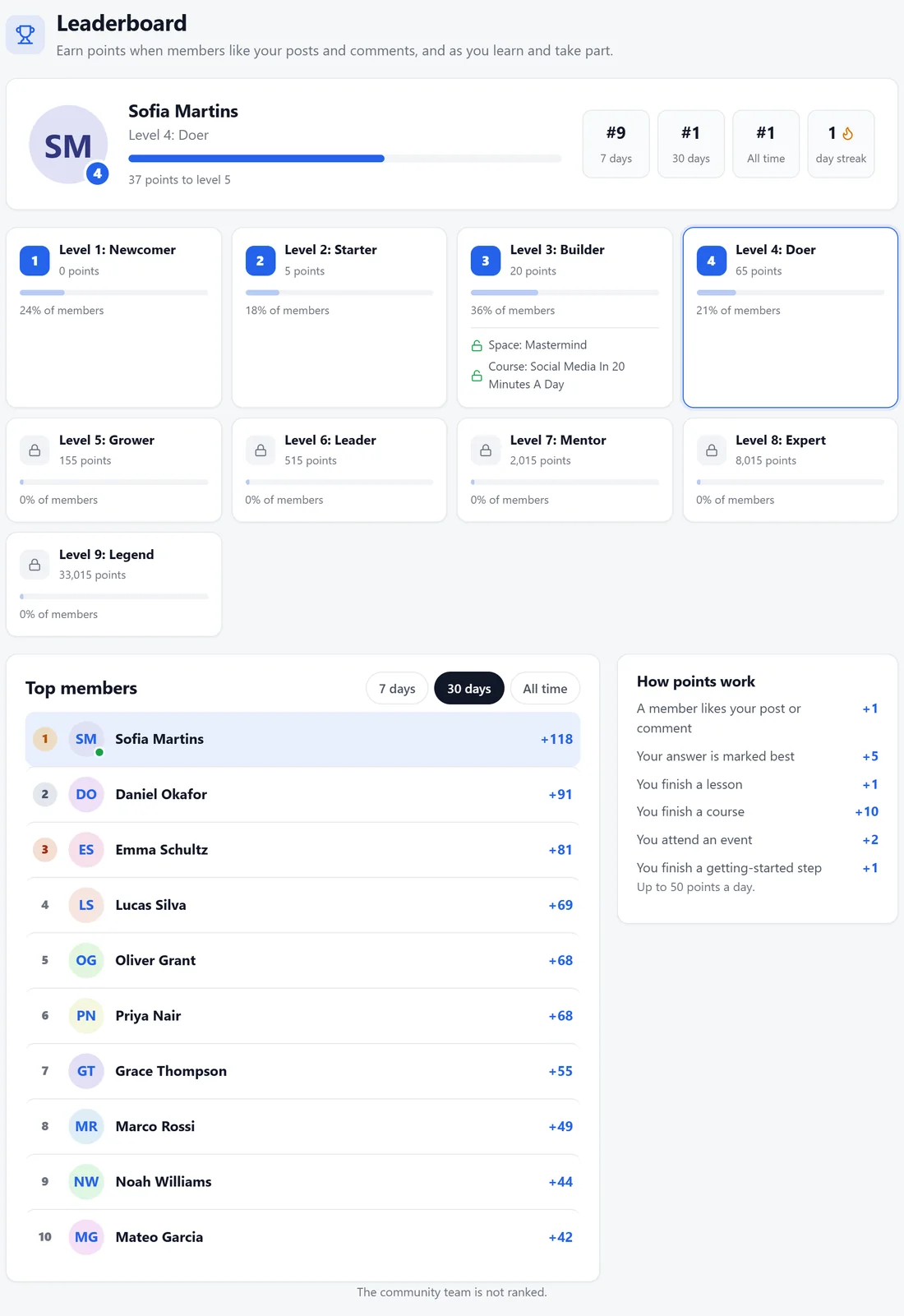
Leaderboard in the sidebar opens a page with these parts.
- Their own card: level, points to the next level, their rank for 7 days, 30 days and All time, and their day streak.
- A tile for every level with the points needed, the share of members at it, and what it unlocks, such as Space: Mastermind or Course: Social Media In 20 Minutes A Day.
- Top members for 7 days, 30 days or All time.
- How points work, listing the amounts you set and the daily limit.
The right rail of the app also shows the top five this month on every page.
Giving or taking points by hand:
Open a member's card on the Members tab and use Points. See The Member Card: Roles, Points, Tags And Staff Notes.
A real example:
Alex renamed the levels Newcomer, Starter, Builder, Doer, Grower, Leader, Mentor, Expert and Legend, then locked the Mastermind space and the Social Media course to level 3. Sofia reached level 4 in a few weeks from likes on her wins and helpful answers, and she sits at the top of the 30-day board.
Tips:
- Lock something people want at level 2 or 3. It turns lurkers into posters.
- Put the rewards for the top places in your welcome post, so new members know about them.
- See Badges for the other kind of recognition.