Your community works in any phone browser, and members can also install it on their home screen like an app, with push notifications. No App Store is involved and no outside push service is needed.
Where to find it:
Open AiX Community, then Community, then Messages and chat, and scroll to The app and notifications on phones. Members install it from their account menu in the app.
Switch it on:
Tick Members can install the community as an app and get notifications on their devices. It is also listed as Install as an app on phones, with push notifications under Settings, Features. The app icon is your community logo, or your site icon.
What the panel shows:
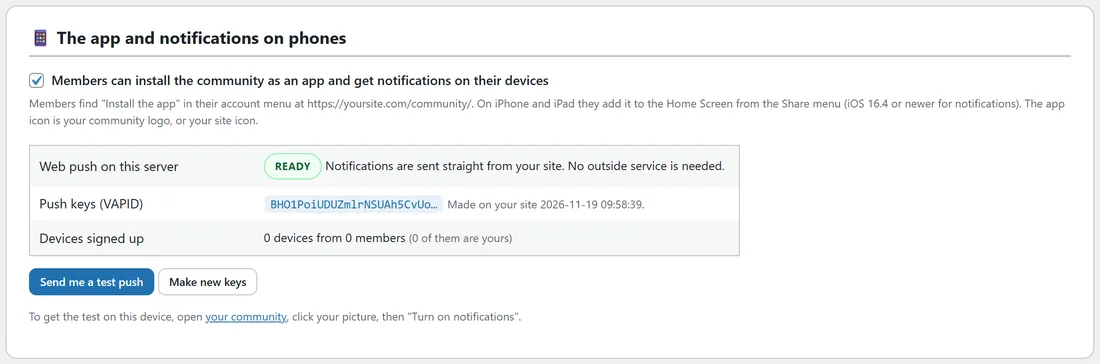
- Web push on this server: Ready means notifications are sent straight from your site. No outside service is needed.
- Push keys (VAPID): made on your site the first time, with the date. Make new keys replaces them, so only use it when support asks you to.
- Devices signed up: how many devices from how many members.
- Send me a test push sends a test to your own devices. To get it on this device, open your community, click your picture, then Turn on notifications.
How members install it:
- On Android and on computers, members click their picture and choose Install the app.
- On iPhone and iPad, they open the Share menu in Safari and choose Add to Home Screen. Notifications need iOS 16.4 or newer.
The installed app opens full screen, without the browser bar.
How members turn on notifications:
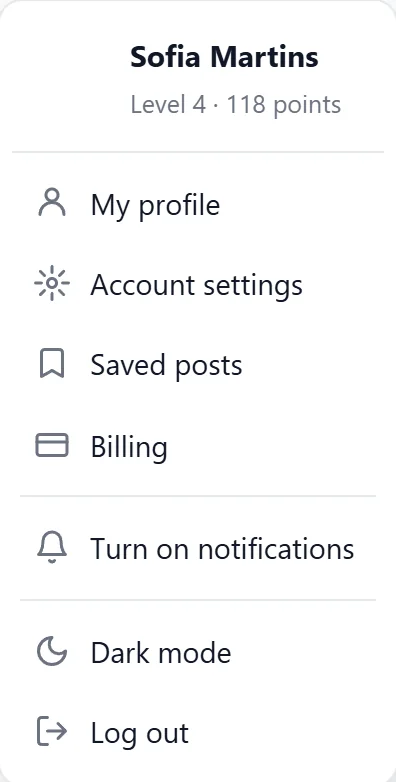
Click their picture, then Turn on notifications, and allow them when the device asks. Messages also offers Turn on at the bottom of the inbox. Each kind of notice then follows the Push switches on their Notifications settings.
On a phone:
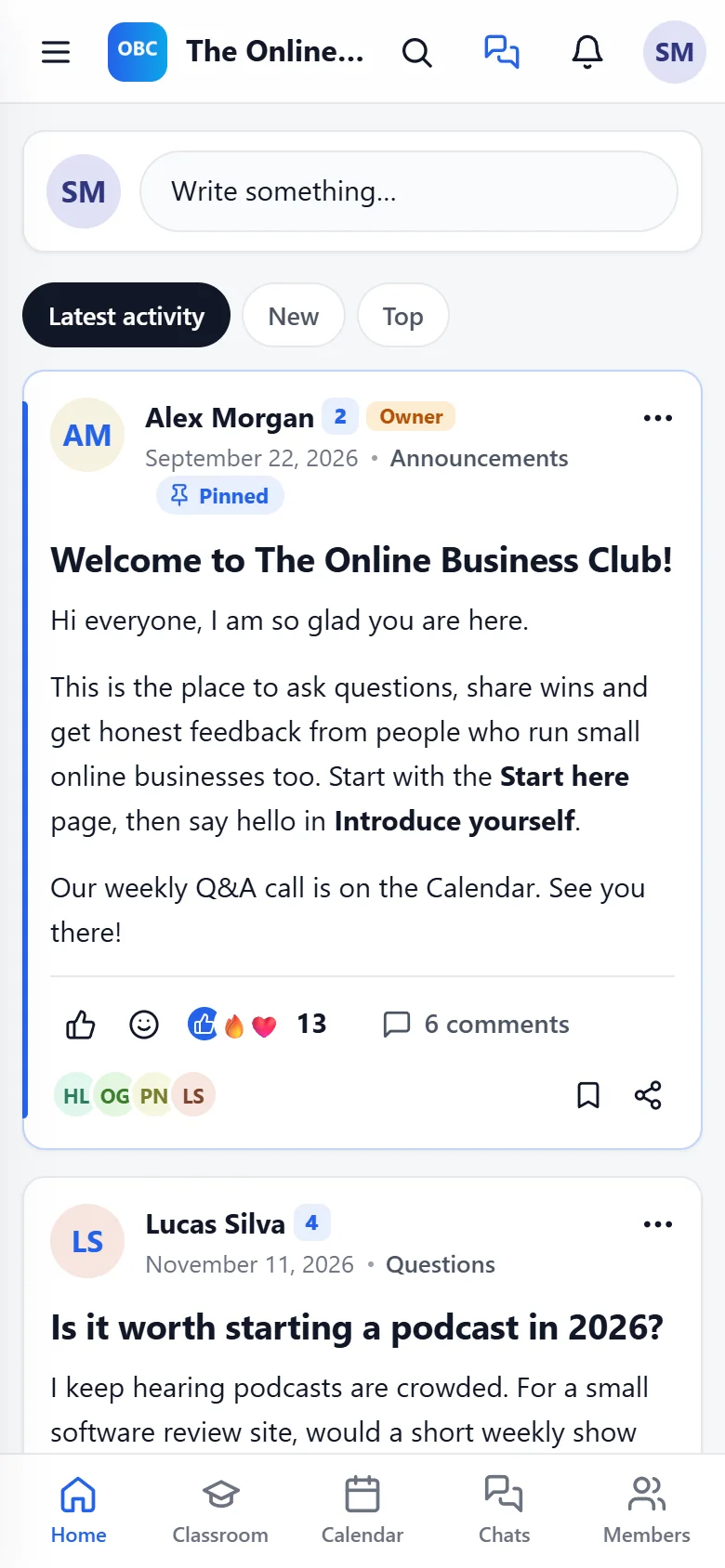
The app is built for phones first. The sidebar folds behind the menu button, the top bar keeps search, messages, the bell and the member's picture, and every screen fits the width.
Dark mode:
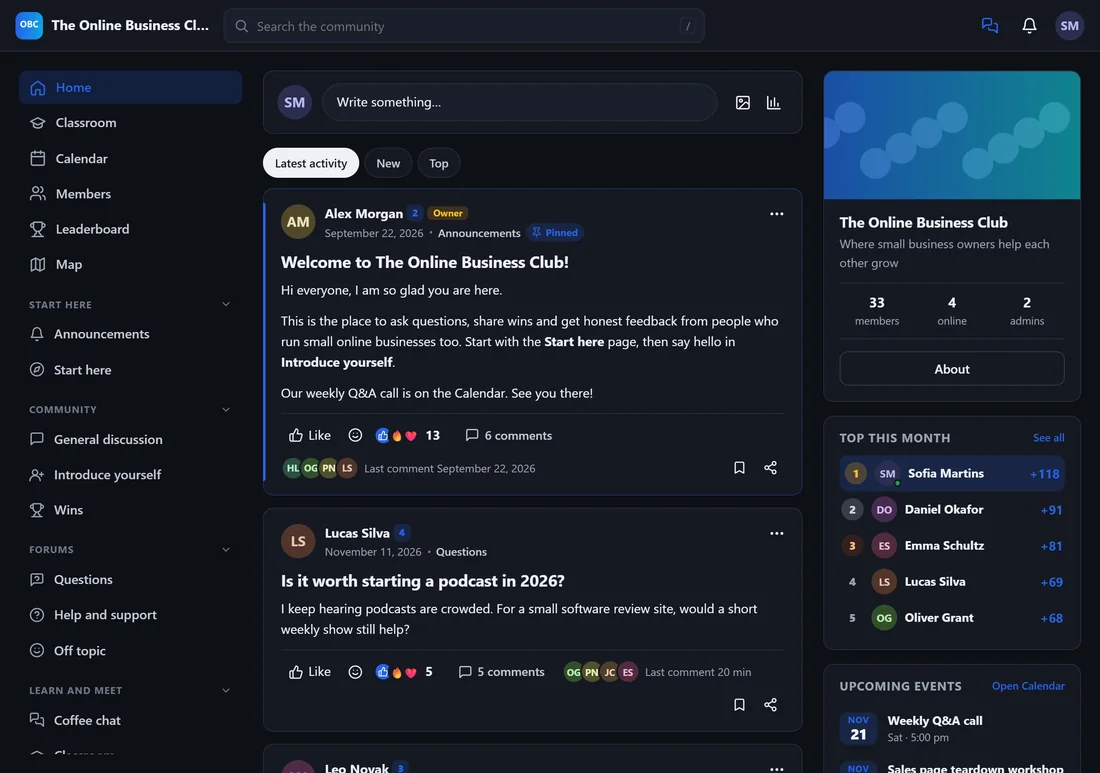
Members click their picture and choose Dark mode or Light mode. You set the starting point under Setup, then Appearance, Light or dark: Follow each member's device, Always light or Always dark. Members can still switch for themselves.
A real example:
After Alex mentioned the app on a Saturday call, a third of the members installed it. Messages and event reminders now reach them as phone notifications, which brought more people to the next call.
Tips:
- Mention Install the app in your welcome post. Most members do not look for it on their own.
- If a test push does not arrive, check notifications are allowed for the site in the device settings, then send it again.