This article walks through the community from a new person's side, so you know exactly what your visitors and new members see.
As a guest:
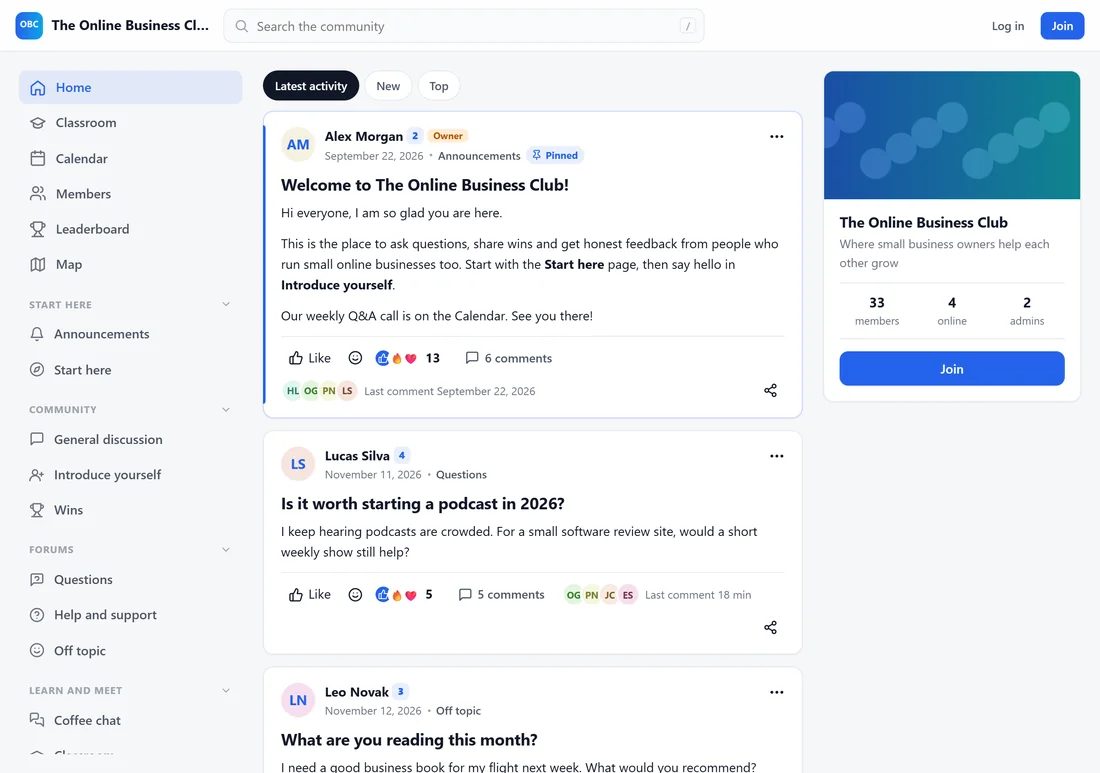
Visitors who are not logged in can open public spaces and read posts, with Log in and Join buttons in the top bar. Private spaces show what it takes to get in. Search engines can find public spaces and posts, if that is switched on under Settings.
The join page:
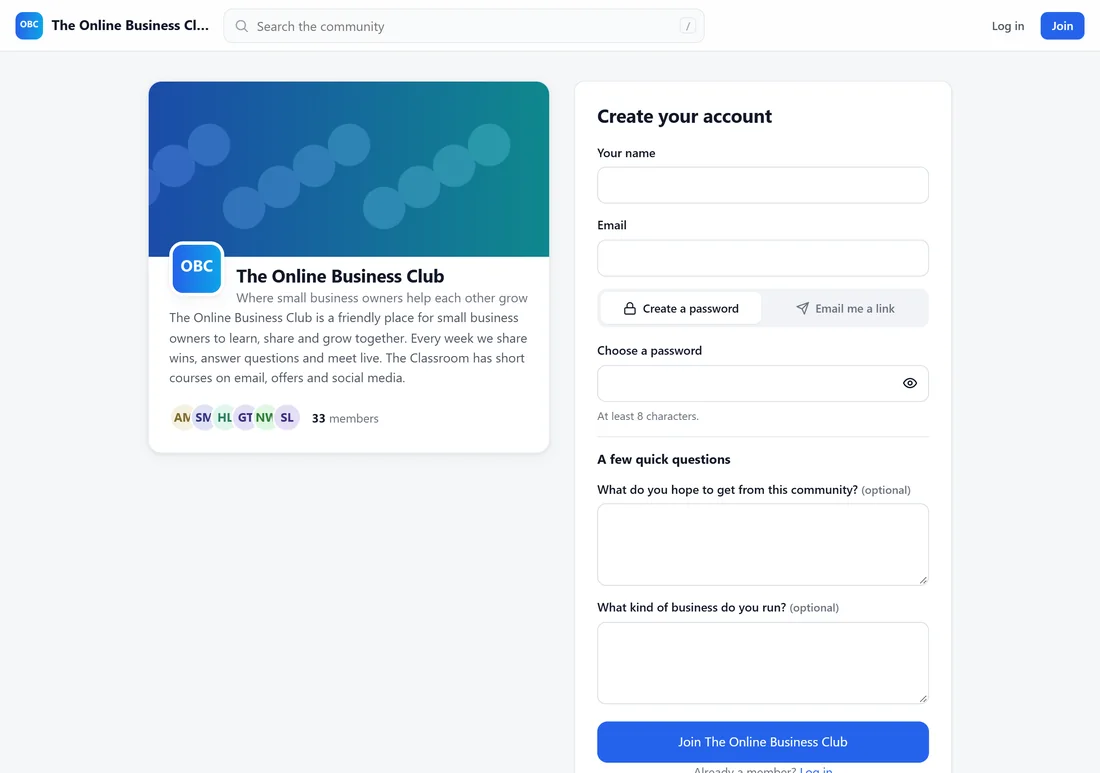
yoursite.com/community/join/ shows the community card and a Create your account form:
- Your name, Email and Choose a password (at least 8 characters).
- A few quick questions: your join questions.
- The button reads Join followed by your community name, or Ask to join when you approve people by hand.
By joining people agree to the community rules, with a link to read them. On a Paid community the page asks them to pick a plan first.
When you approve people by hand:
They see Your request is in, and get an email as soon as you approve them.
Logging in:
yoursite.com/community/login/ asks How do you want to log in?
- Email and Password, with Keep me logged in and Forgot it?.
- Or Email me a login link: no password needed. The link works once, for 20 minutes.
Members log in right inside the community, in your colours.
The welcome screen:
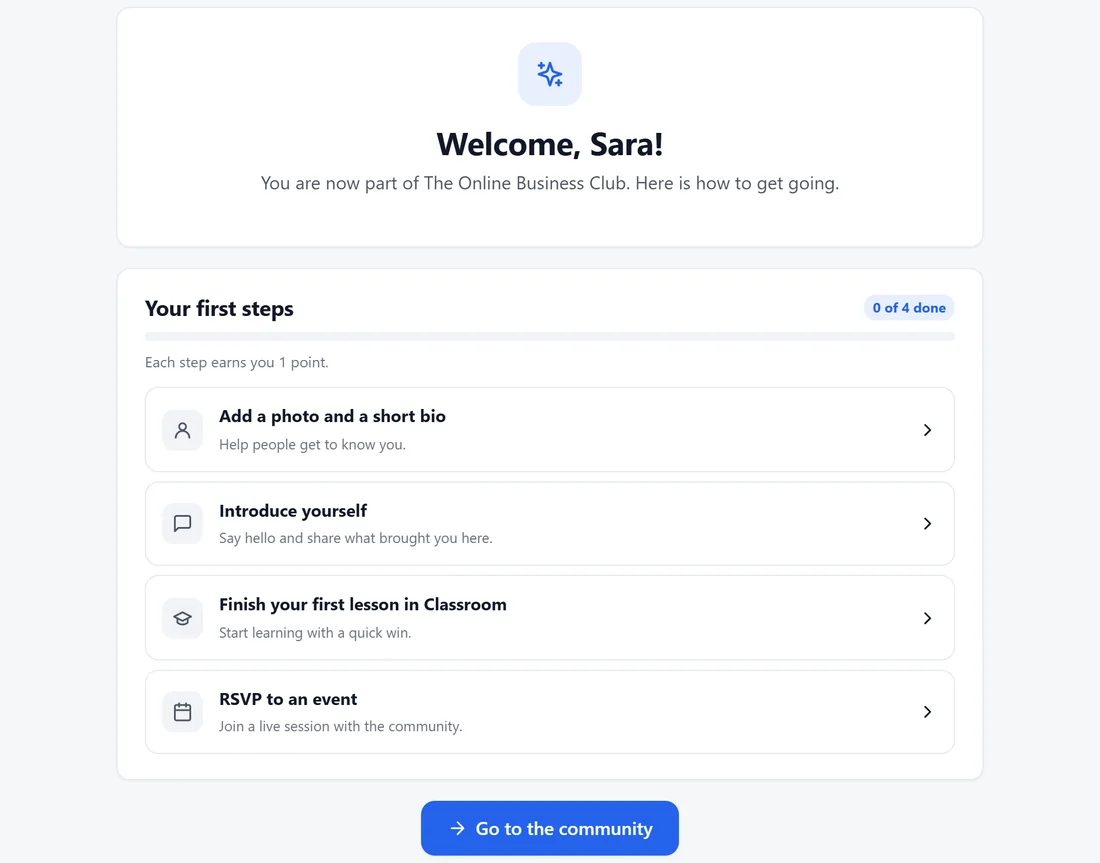
Right after joining, new members land on Welcome, followed by their name. Your first steps lists:
- Add a photo and a short bio.
- Introduce yourself.
- Finish your first lesson in the Classroom.
- RSVP to an event.
Each step is ticked off on its own as they do it, and can earn points (set under Gamification). Community rules and Go to the community sit at the bottom. The steps also show on the home feed until they are done or hidden.
The welcome message:
A direct message from you arrives in their messages, with their first name filled in. See Your Community: Name, About, Joining And The Welcome Message.
A real example:
Sara found The Online Business Club from a newsletter link, read a few public posts as a guest, clicked Join, answered the two questions and was in. Her welcome screen showed four steps, and two of them were done by the end of the day.
Tips:
- Link to yoursite.com/community/join/ from your website and emails. To show the join button on any page, see Showing Your Community On Any Page.
- Turn on the human check under Moderation if you get spam sign-ups.