Three ways connect ResultsAiX Community to the rest of your tools: webhooks tell other tools when something happens, the REST API lets them read and act, and MCP lets outside AI tools work with your community.
Where to find it:
Open AiX Community, then Grow, then Integrations.
Webhooks:
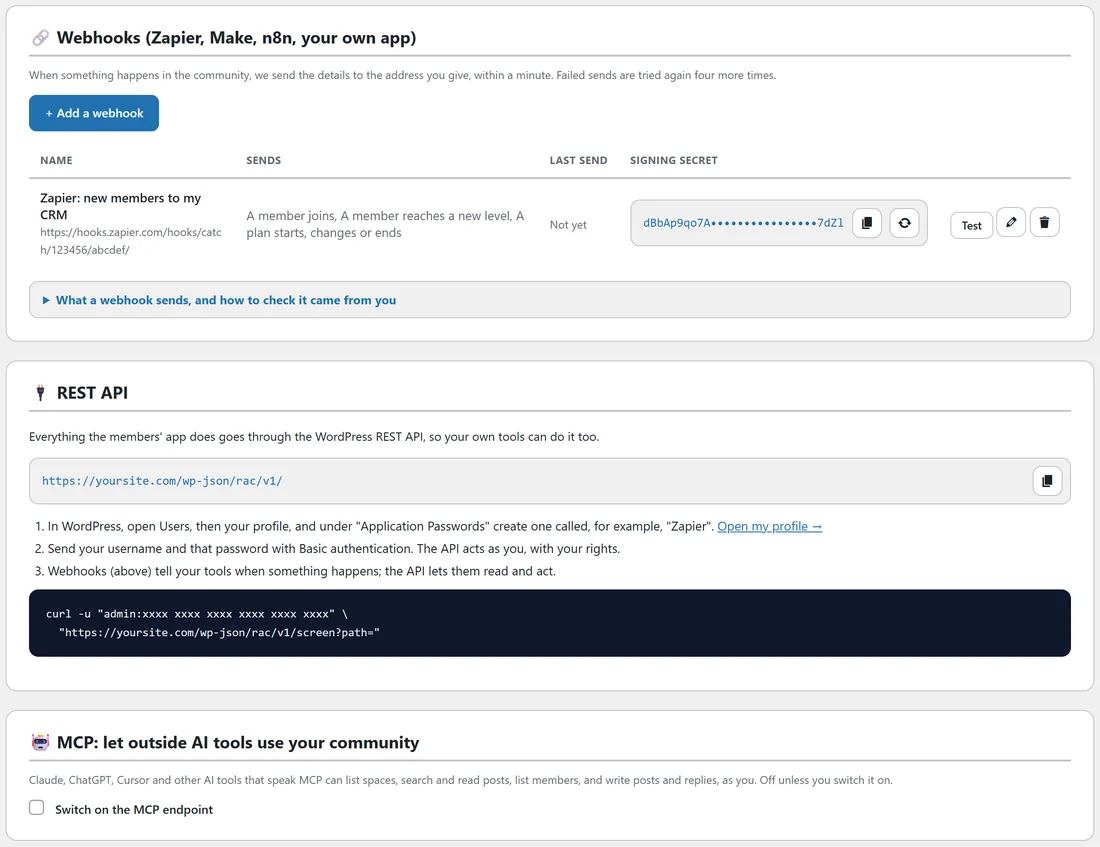
When something happens in the community, the details are sent to the address you give, within a minute. Failed sends are tried again four more times.
- Click + Add a webhook.
- Give it a name and paste the address from Zapier, Make, n8n or your own app.
- Tick the events to send: A member joins, Someone asks to join, A member leaves or is removed, A member reaches a new level, A new post is published, A new comment, A lesson is completed, A course is completed, A member attends an event, A plan starts, changes or ends, and A payment is received.
- Save it.
Each webhook row shows what it sends, the last send and its signing secret, with Test, edit and delete buttons.
Checking a webhook came from you:
Each call carries an X-RAC-Event header with the event name, an X-RAC-Delivery id, and an X-RAC-Signature header: sha256= followed by an HMAC-SHA256 of the raw body made with the webhook's signing secret. What a webhook sends, and how to check it came from you, under the list, has the details.
The REST API:
Everything the members' app does goes through the WordPress REST API at yoursite.com/wp-json/rac/v1/, so your own tools can do it too.
- Make sure Allow the REST API with application passwords is ticked under Settings.
- In WordPress, open Users, then your profile, and under Application Passwords create one called, for example, Zapier.
- Send your username and that password with Basic authentication. The API acts as you, with your rights.
MCP:
Claude, ChatGPT, Cursor and other AI tools that speak MCP can list spaces, search and read posts, list members, and write posts and replies, as you. It is off unless you switch it on.
- Tick Switch on the MCP endpoint.
- Copy the endpoint address and the private token.
- Add them to your AI tool's MCP settings.
A real example:
Alex's Zapier webhook sends A member joins, A member reaches a new level and A plan starts, changes or ends to a spreadsheet and a CRM, so every new paying member gets a personal follow-up task.
Tips:
- Use Test after saving a webhook, and check your tool received it.
- Prefer WP Sync if you already use it: ResultsAiX Community is a source there. See Working With Your Other ResultsAiX Plugins.