Direct messages let members talk privately, one to one or in a small group. You decide who may start conversations, and the Messages and chat tab also holds the chat room, real-time and phone app settings.
Messages in the app:
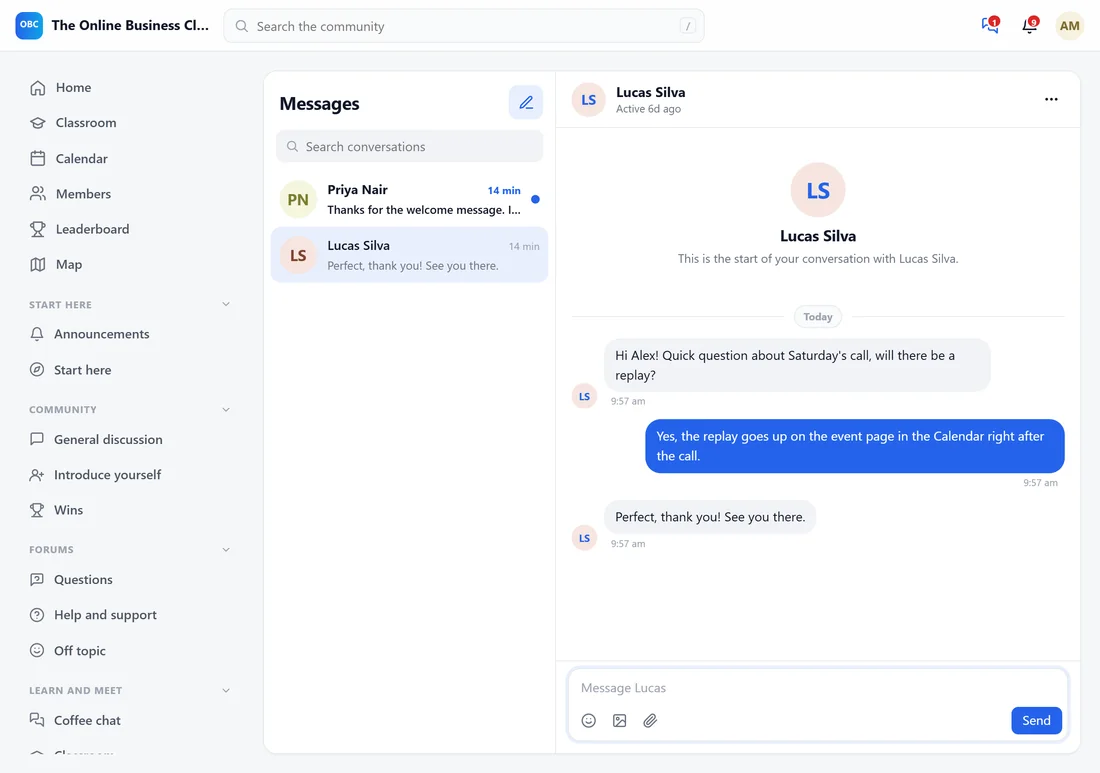
Click the messages icon in the top bar, or open yoursite.com/community/messages/.
- Conversations are listed on the left with Search conversations at the top. Unread ones are marked.
- New message starts a conversation. Add one person, or up to 50 for a group, and optionally name the group.
- Messages show Seen when read. Attachments, emoji reactions, edit and delete are in each message's menu.
- Conversation options: Mute notifications, Block the person, Report, and for groups Add people, rename and Leave the group.
- Turn on, at the bottom of the inbox, lets the member get a notification on this device when someone writes.
- Message buttons also sit on every profile and member card in the directory.
Where to find the settings:
Open AiX Community, then Community, then Messages and chat.
Direct messages:
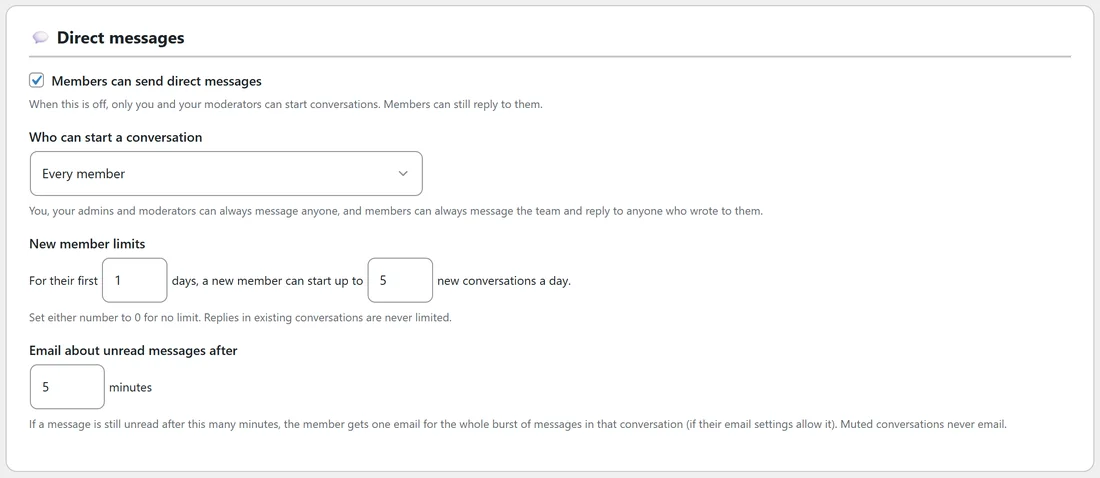
- Members can send direct messages. When this is off, only you and your moderators can start conversations; members can still reply to them.
- Who can start a conversation: Every member, Members from a level up, Members can message people who follow them, Members can message the team only, or Nobody (only the team can start conversations).
You, your admins and moderators can always message anyone, and members can always message the team and reply to anyone who wrote to them.
New member limits:
For their first so many days, a new member can start up to a set number of new conversations a day. The defaults are 1 day and 5 conversations. Set either number to 0 for no limit. Replies in existing conversations are never limited.
Email about unread messages:
If a message is still unread after this many minutes (5 by default), the member gets one email for the whole burst of messages in that conversation, if their email settings allow it. Muted conversations never email.
Chat rooms:
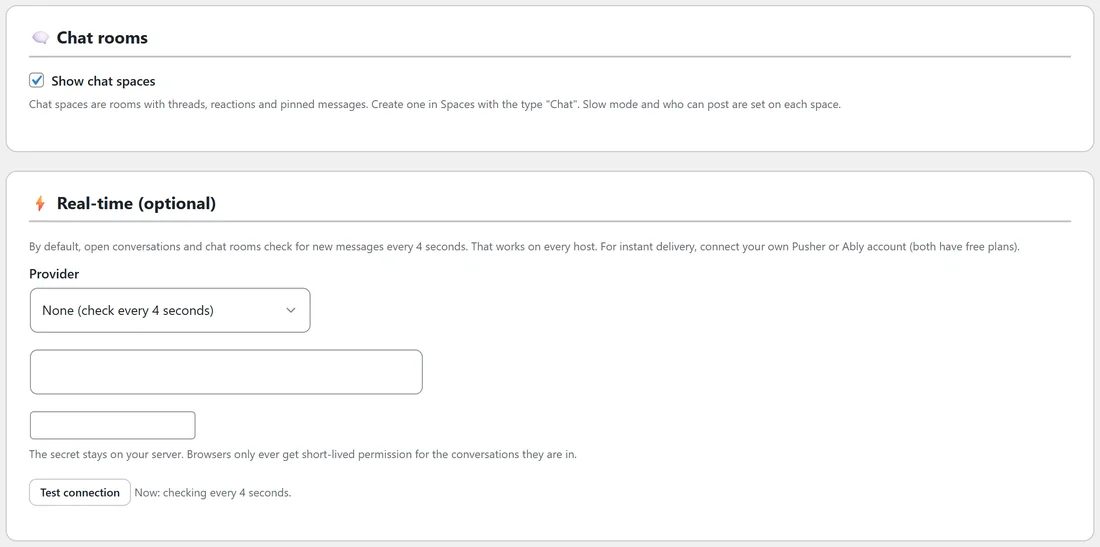
Show chat spaces switches chat rooms on or off for the whole community.
Real-time (optional):
By default, open conversations and chat rooms check for new messages every 4 seconds. That works on every host. For instant delivery, pick Pusher Channels or Ably as the Provider and add your own account details (both have free plans). The secret stays on your server. Click Test connection to check it.
The app and notifications on phones:
See The Phone App, Push Notifications And Dark Mode.
A real example:
Alex set Who can start a conversation to Members from a level up, with level 2, after a spammer messaged new members. Real members reach level 2 within days from a handful of likes, and the spam stopped.
Tips:
- The welcome message every new member gets arrives here. See Your Community: Name, About, Joining And The Welcome Message.
- Leave real-time on None unless members complain that chat feels slow.