Moderation keeps the community friendly without you watching every post. Filters and limits catch most problems automatically, and anything doubtful waits in one queue for your team.
Where to find it:
Settings are under AiX Community, then Community, then Moderation. The queue itself is in the members' app: Moderation in the sidebar, with a shield, for your team only. It works on any device.
The moderation queue:
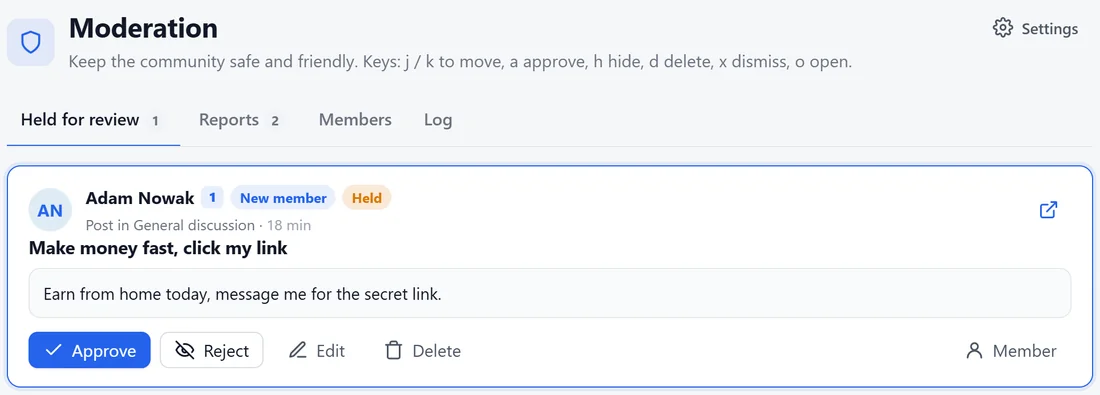
- Held for review: posts held by the word filter, new-member limits, first-post approval or the AI.
- Reports: anything members reported, or the AI flagged, with the reasons.
- Members: find anyone and see their recent activity, staff notes and history.
- Log: every moderation action, who did it and when.
On each item: Approve, Reject, Edit or Delete for held posts; Keep it, Hide or Delete for reports. On members: Warn, Mute, Suspend, Ban or Make active again. Keyboard keys speed it up: j and k move, a approves, h hides, d deletes, x dismisses and o opens.
Review queue on the tab:
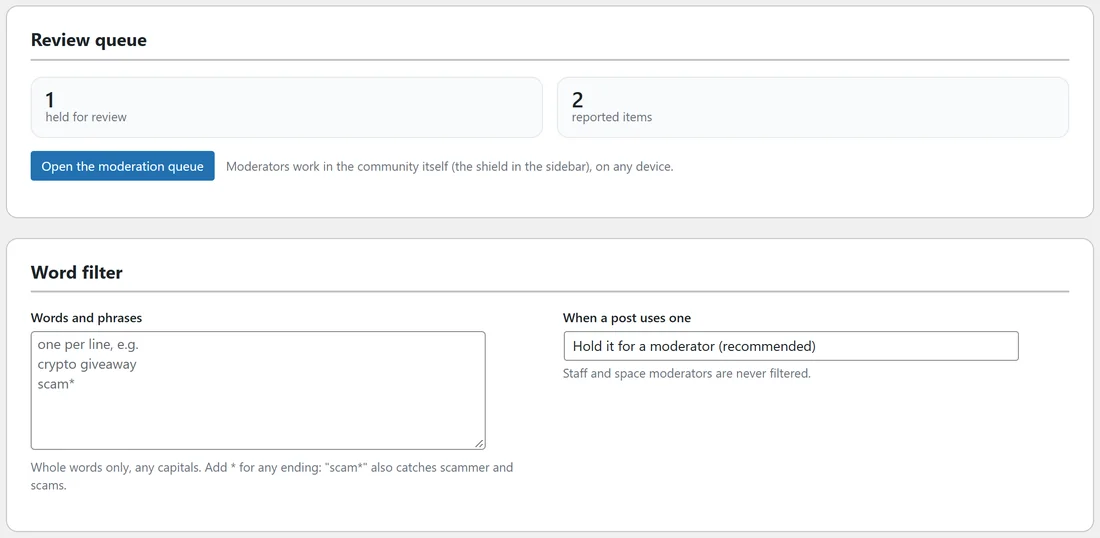
The Moderation tab shows how many items are held and reported, with Open the moderation queue.
Word filter:
- Words and phrases: one per line. Whole words only, any capitals. Add * for any ending: scam* also catches scammer and scams.
- When a post uses one: Hold it for a moderator (recommended), Publish it with the word starred out, or Refuse it and ask the member to change it.
Staff and space moderators are never filtered.
New members:
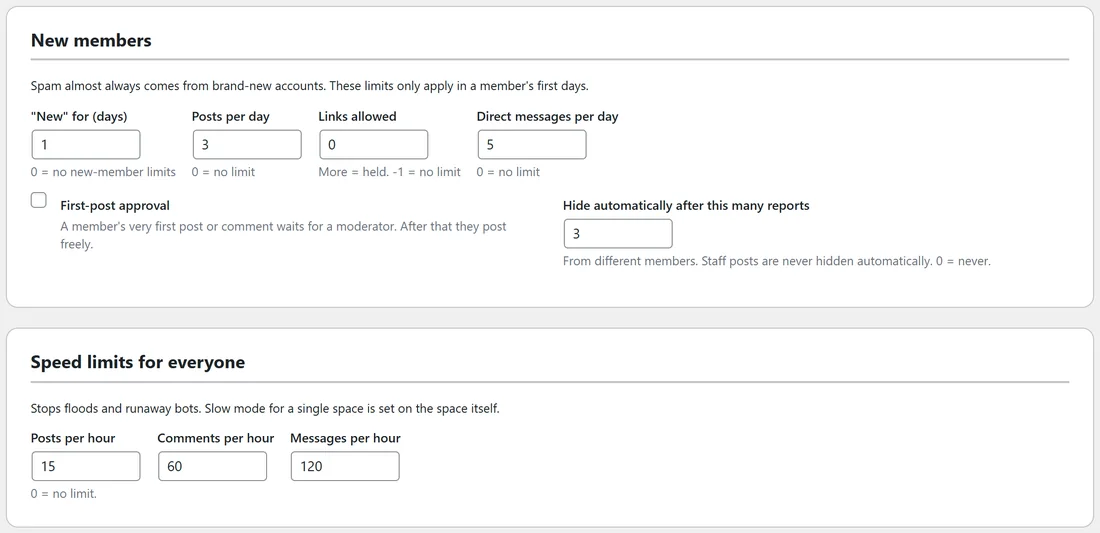
Spam almost always comes from brand-new accounts. These limits only apply in a member's first days.
- New for (days): 0 means no new-member limits.
- Posts per day, Links allowed (more are held; -1 means no limit) and Direct messages per day.
- First-post approval: a member's very first post or comment waits for a moderator.
- Hide automatically after this many reports, from different members. Staff posts are never hidden automatically. 0 means never.
Speed limits for everyone:
Posts per hour, Comments per hour and Messages per hour stop floods and runaway bots. 0 means no limit. Slow mode for a single space is set on the space itself.
Human check (CAPTCHA):
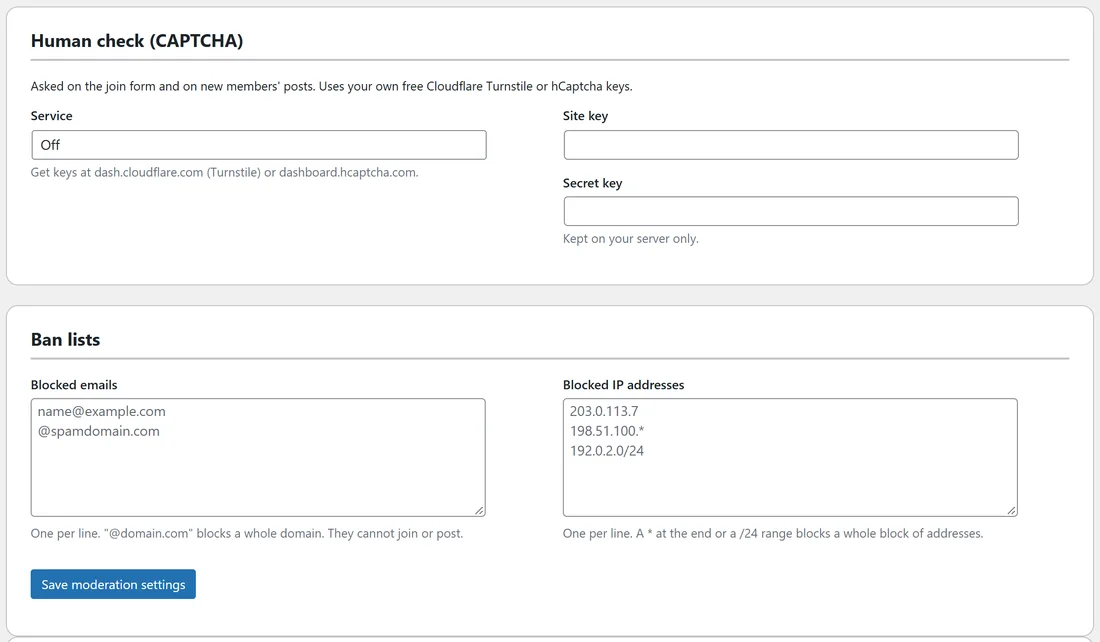
Asked on the join form and on new members' posts. Pick Cloudflare Turnstile or hCaptcha and paste your own free Site key and Secret key. The secret is kept on your server only.
Ban lists:
- Blocked emails: one per line. An @ followed by a domain, such as @example.com, blocks a whole domain.
- Blocked IP addresses: one per line. A * at the end or a /24 range blocks a whole block of addresses.
Click Save moderation settings.
AI moderation:
Connect the AI to check new members' posts for spam, scams and abuse. See AI Moderation, Catch Me Up, Translate And Writing Help.
A real example:
A new account posted Make money fast, click my link. Alex's word filter has make money fast in it, so the post was held. Hannah, a moderator, saw it in Held for review on her phone and pressed Reject. Nobody else ever saw it.
Tips:
- Add the phrases spammers use in your niche to the word filter in the first week.
- Moderators only need the app. Make trusted members moderators from the Members tab.