The Dashboard is the first screen under AiX Community. It tells you in a few seconds whether your community is growing, who is taking part and how the money is doing.
Where to find it:
Open AiX Community, then Dashboard.
Choose the period:
Click 7 days, 30 days or 90 days at the top right. Every number and chart changes to that period. Numbers refresh every 10 minutes, so a new post can take a few minutes to show.
Waiting approvals:
If people asked to join and are waiting, a yellow line says how many and links to Review them.
The member numbers:
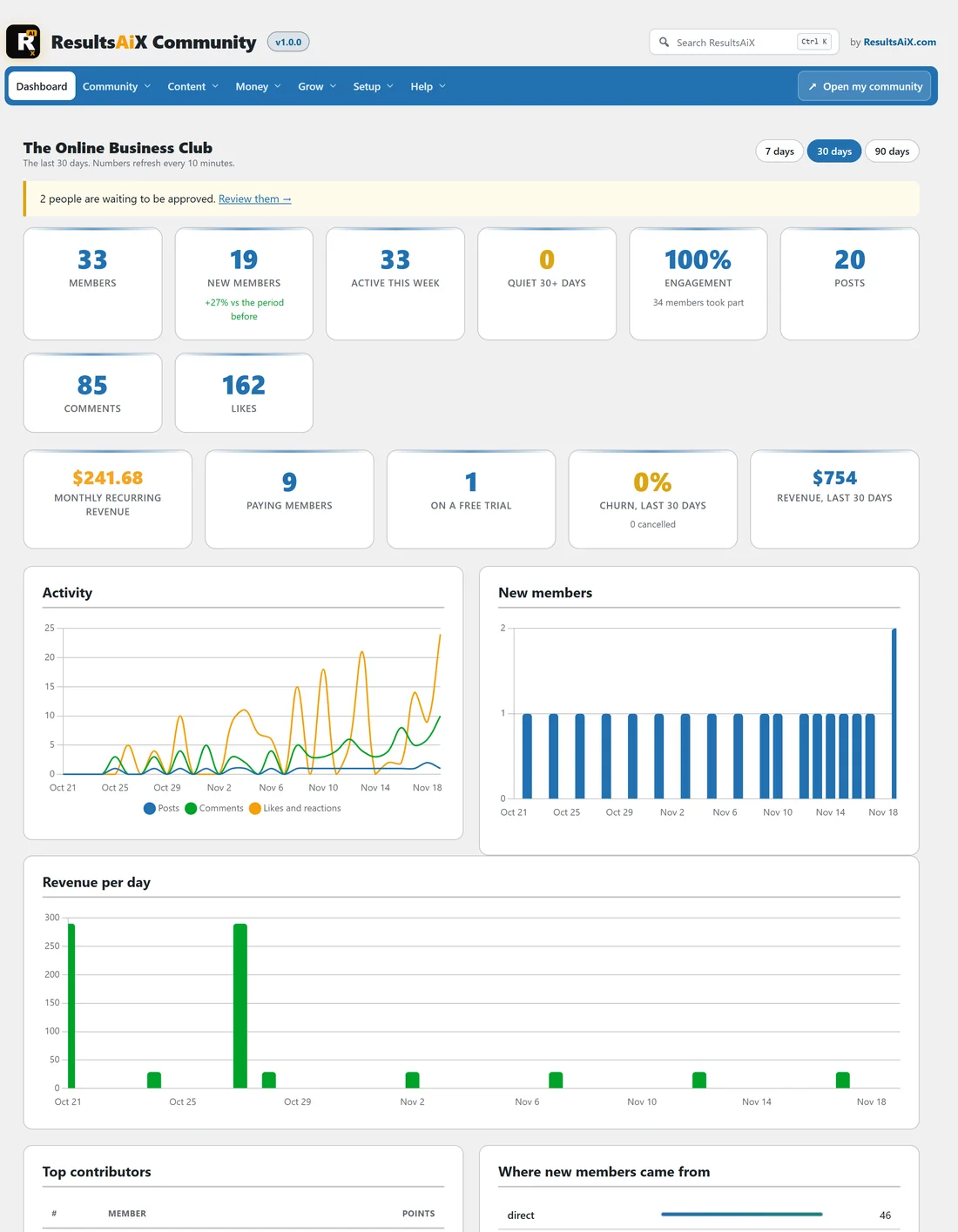
- Members: everyone active in the community now.
- New members: people who joined in the period, compared with the period before.
- Active this week: members who visited in the last 7 days.
- Quiet 30+ days: members who have not visited for a month. Click See quiet members under Quick actions to reach them.
- Engagement: the share of members who posted, commented or liked in the period, with how many took part.
The activity numbers:
Posts, Comments and Likes count what happened in the period.
The money numbers:
These come from Plans and payments.
- Monthly recurring revenue: the monthly value of every active subscription. Yearly plans count as a twelfth.
- Paying members and On a free trial.
- Churn, last 30 days: the share of subscriptions that ended in the last 30 days, with the number.
- Revenue, last 30 days.
If you do not sell plans, these simply stay at zero.
The charts:
- Activity: posts, comments, and likes and reactions per day.
- New members: joins per day.
- Revenue per day.
Top contributors and sources:
- Top contributors lists the members who earned the most points in the period, with links to their member cards.
- Where new members came from shows the source of each join. It is the utm_source of the link they first arrived from (such as newsletter or youtube), otherwise affiliate, the website that sent them, invite or direct. Campaigns lists the utm_campaign names.
Quick actions:
Open my community, Add members, Add a space, Import members and See quiet members.
A real example:
After a newsletter went out with links tagged utm_source=newsletter and utm_campaign=november, Alex saw newsletter near the top of Where new members came from and november under Campaigns, which showed the email was worth repeating.
Tips:
- Add utm_source and utm_campaign to every link you share, so the sources list tells you what works.
- Send quiet members a friendly message. With the AI connected, the copilot can suggest one. See The Copilot, The Digest Intro And Your Daily AI Budget.