Course settings control who can take a course and how it unfolds over time. You can sell a course, lock it to a level, drip lessons out weekly, run it in cohorts and give a printable certificate at the end.
Where to find it:
Open the course in the Classroom, click Edit, then Course settings.
Who can take it:
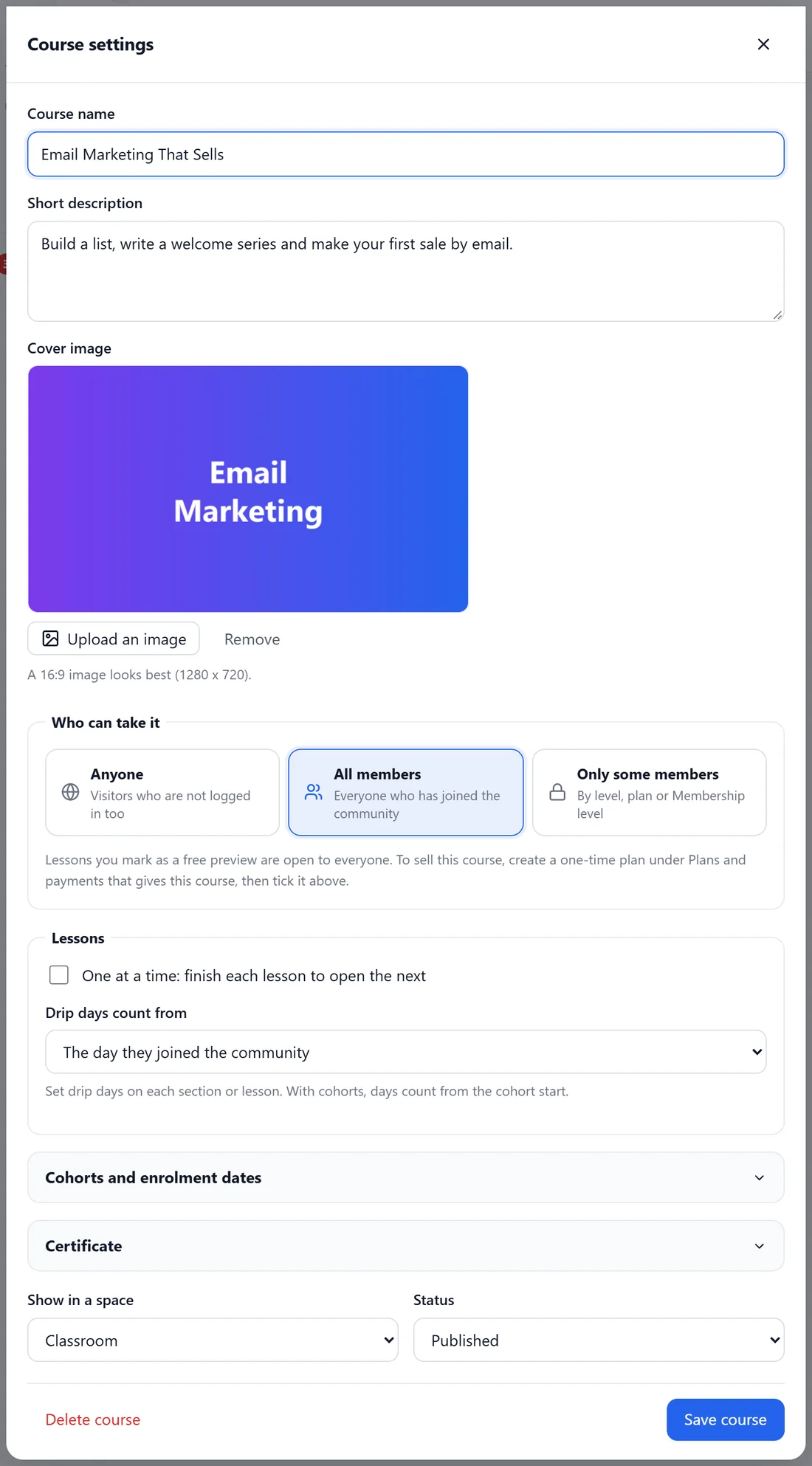
- Anyone: visitors who are not logged in too.
- All members: everyone who has joined the community.
- Only some members: by level, plan or Membership level. Pick the lowest level, the plans and the ResultsAiX Membership levels that open it.
Lessons you mark as a free preview are open to everyone. To sell a course, create a one-time plan under Plans and payments that gives this course, then tick it here.
What locked members see:
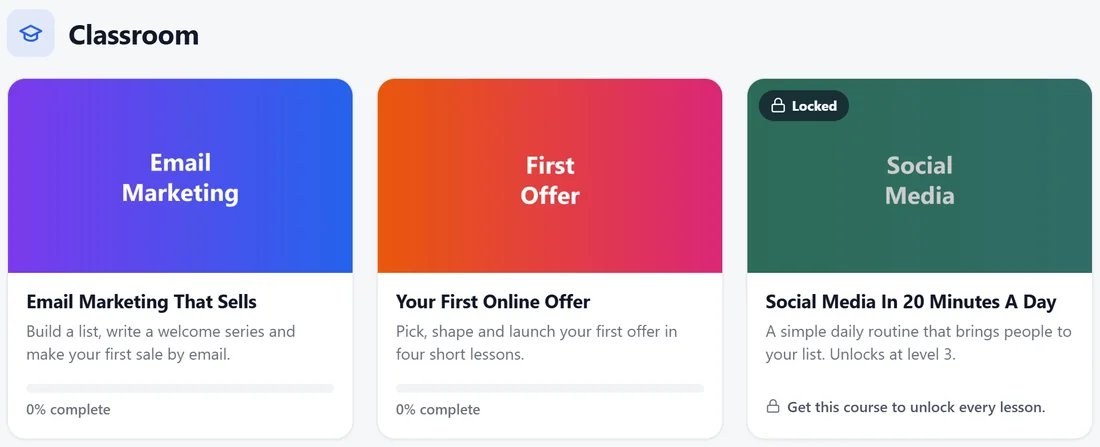
The course card shows a Locked badge and what unlocks it, for example Get this course to unlock every lesson, or a level.
Lessons:
- One at a time: finish each lesson to open the next.
- Drip days count from: The day they joined the community, or The day they started this course.
Set drip days on each section or lesson. With cohorts, days count from the cohort start.
Cohorts and enrolment dates:
A cohort is a group that starts together. Add a cohort with a name and a Start date. New students join the next cohort to start (or the latest one), and nothing opens before their cohort starts. Enrolment opens and Enrolment closes set a window for new students. Leave them empty to take new students any time. Students already in the course keep their access.
Certificate:
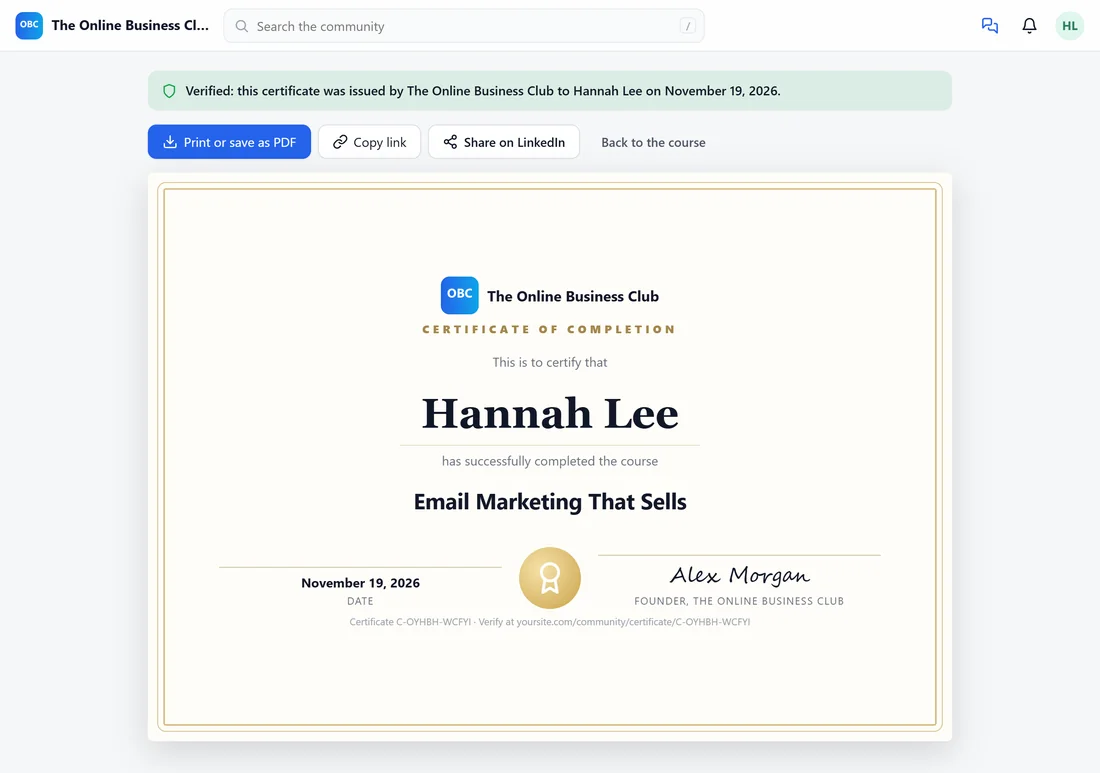
Tick Give a certificate when a student finishes every lesson and fill in Signed by: your name and their title. When a student finishes, they get a certificate page with your logo, their name, the course, the date and your signature, plus a code and a public verify link. They can print or save it as a PDF, copy the link or share it on LinkedIn.
Show in a space and status:
Show in a space puts the course in a Course space as well as the classroom. Status is Published, or Draft (only staff see it). Delete course is at the bottom.
Students:
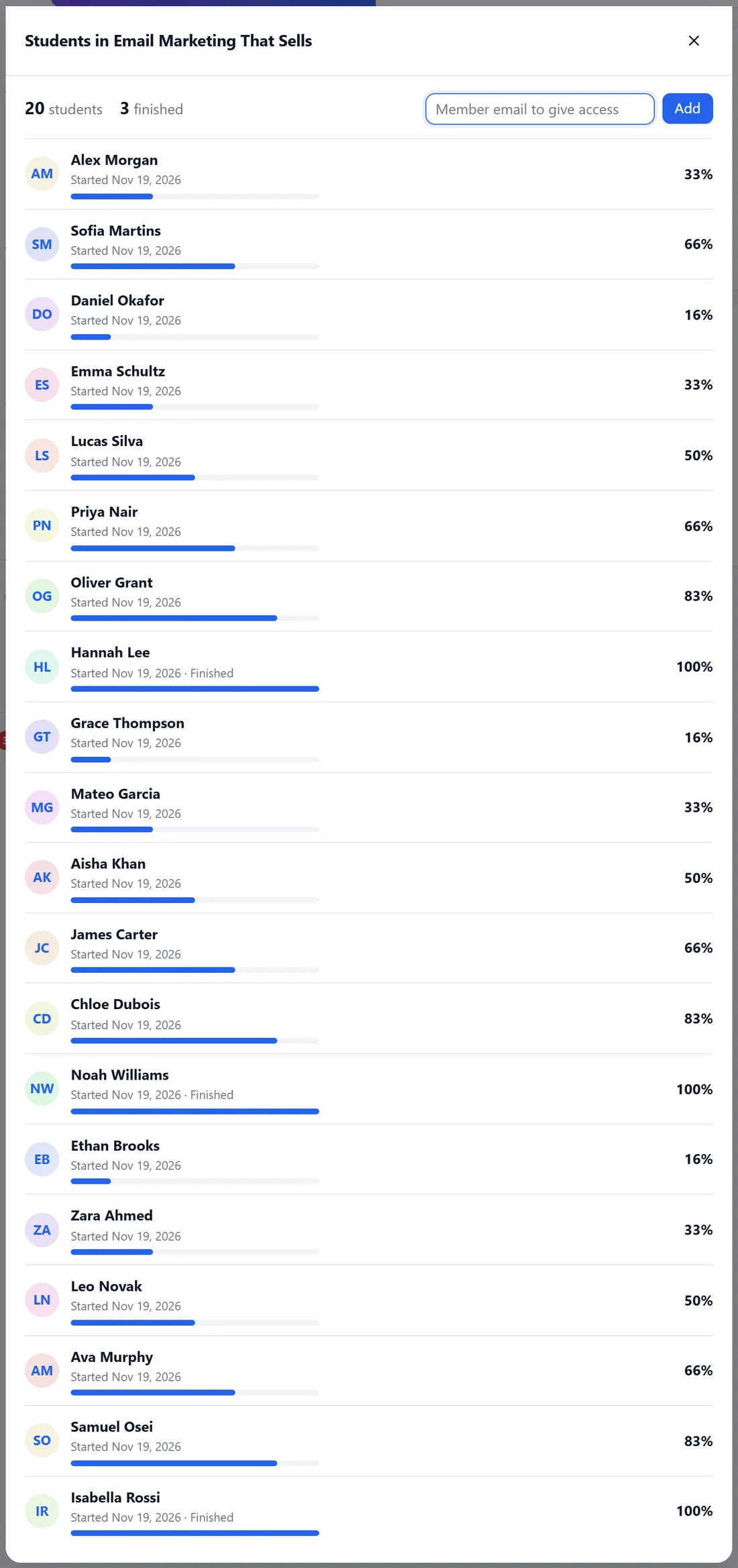
Students, at the top of the course in edit mode, lists everyone taking it with their start date, progress and whether they finished. Type a Member email to give access and click Add to enrol someone by hand.
A real example:
Your First Online Offer drips one lesson a week from the day each member joins: the lessons have drip days of 0, 7, 14 and 21. The Social Media course opens at level 3. Email Marketing That Sells gives a certificate signed Alex Morgan, Founder, The Online Business Club.
Tips:
- Drip from the day they started the course if people join the community long before they start learning.
- A certificate link on LinkedIn is free marketing for your community.